













공식 공급 업체
200 이상의 소프트웨어 개발처와 판매 계약을 맺은 공인 디스트리뷰터로서 합법적인 라이선스를 제공합니다.
모든 브랜드 보기.
DevCraft by Telerik is a comprehensive AI-powered suite of more than 1,250 UI components and development tools designed for building modern web, desktop, and mobile applications using .NET and JavaScript frameworks. It includes reporting and report management solutions, automated testing and mocking tools, and document processing libraries, as well as a wide range of professionally designed user interface controls from the Telerik and Kendo UI suites. DevCraft enables developers to create feature-rich, high-performance applications with consistent design and user experience, delivering enterprise-level, scalable, and maintainable software solutions.
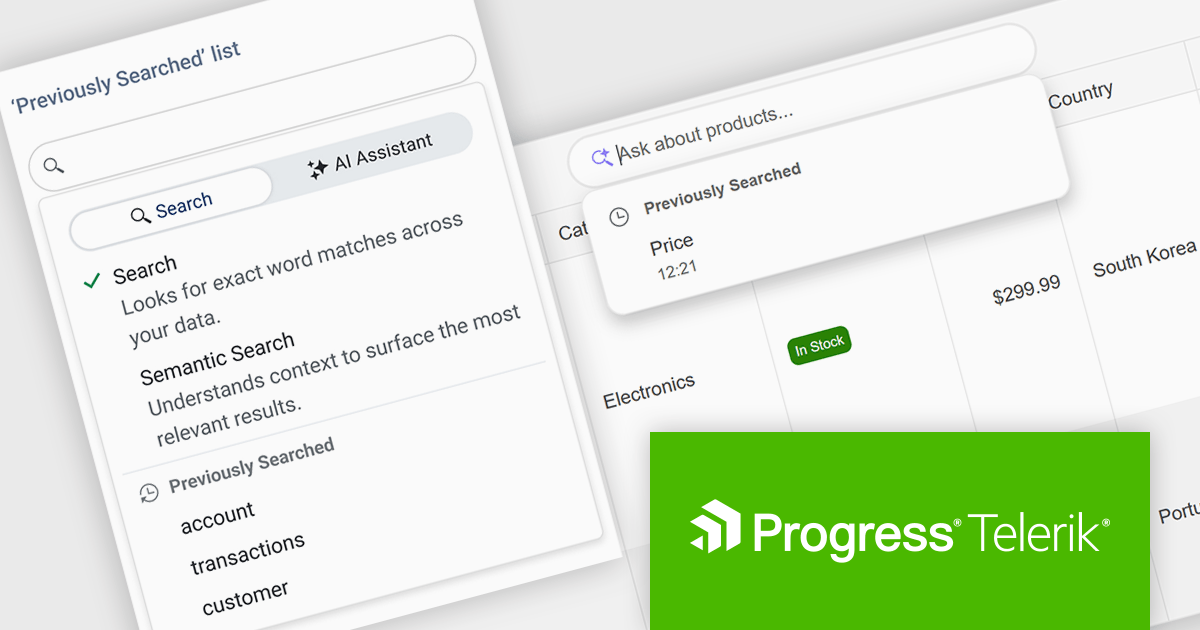
The Telerik DevCraft 2026 Q1 update adds Semantic Search through a new unified SmartBox, making it easier for developers to build natural language search directly into the DataGrid. Instead of depending on exact keyword matches, the feature uses artificial intelligence (AI) to understand meaning and context. It can return relevant results across multiple columns and related fields, even if the user’s search terms do not exactly match the stored data. The SmartBox brings semantic search, filtering, and follow-up query refinement together in one interface. This reduces the need to write and maintain custom search logic, while making integration more straightforward. As a result, applications can deliver more accurate search results, help users find information faster, and make large or complex datasets easier to explore.
To see a full list of what's new in DevCraft 2026 Q1, see our release notes.
Telerik DevCraft is licensed per developer and has two licensing models: an annual Subscription License and a Perpetual License. The Subscription license provides access to the latest product updates, technical support, and exclusive benefits for a flat annual fee, and must be renewed to continue using the software. The Perpetual license is a one-time purchase granting access to the current released version and includes a one-year subscription for product updates and technical support. After this initial period, users can choose to renew the subscription element to continue receiving updates and support; otherwise, they may continue using the installed version available during their active subscription term but will forgo future updates and support. See our Telerik DevCraft Ultimate licensing page for full details.
For more information, see our product pages:
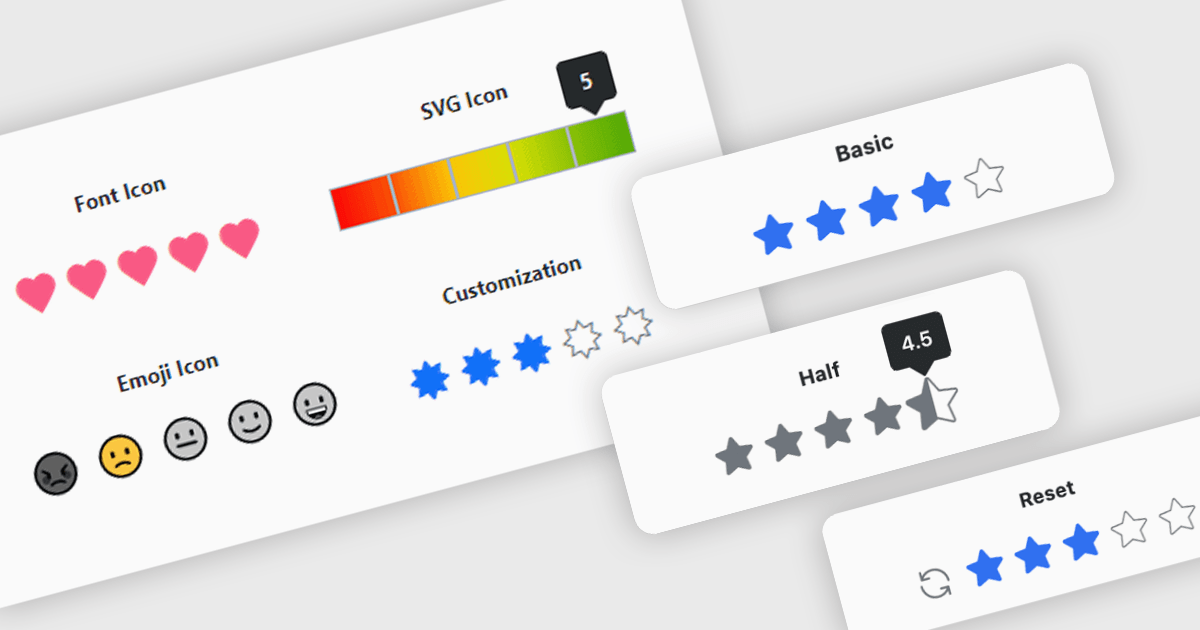
A rating feature in a data editor allows users to assign a value, typically through icon based controls such as stars or similar symbols, directly within a grid or form to evaluate related content. By transforming subjective opinions into structured, quantifiable data, rating components make feedback easy to capture, analyze, and display. This enhances user engagement and supports more informed decision making based on aggregated insights. Common use cases include rating products in ecommerce dashboards, evaluating service performance in internal business systems, scoring support tickets by priority or satisfaction, and assessing content quality within content management platforms.
Several Blazor data editor collections provide rating controls including:
For an in-depth analysis of features and price, visit our Blazor Data Editors comparison.
DevCraft by Telerik is a comprehensive AI-powered suite of more than 1,250 UI components and development tools designed for building modern web, desktop, and mobile applications using .NET and JavaScript frameworks. It includes reporting and report management solutions, automated testing and mocking tools, and document processing libraries, as well as a wide range of professionally designed user interface controls from the Telerik and Kendo UI suites. DevCraft enables developers to create feature-rich, high-performance applications with consistent design and user experience, delivering enterprise-level, scalable, and maintainable software solutions.
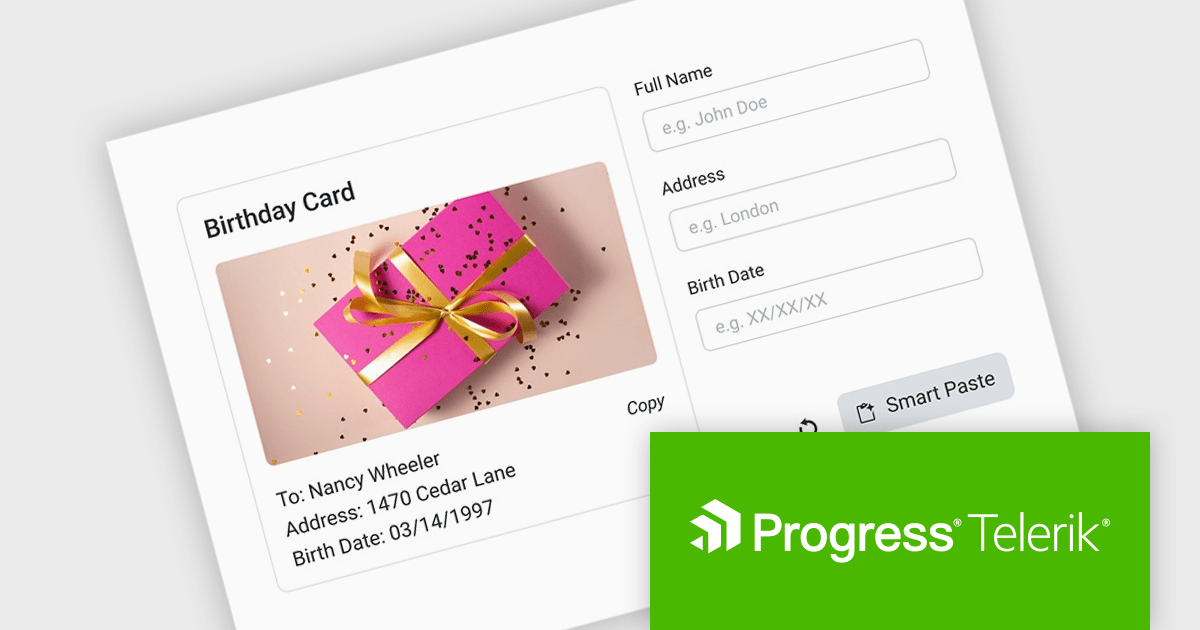
The Telerik DevCraft 2026 Q1 update introduces an AI-powered Smart Paste component that turns unstructured text into ready-to-use form data instantly by extracting structured information from clipboard content and automatically populating the appropriate fields. Instead of requiring users to manually copy and paste data into multiple inputs, the SmartPasteButton sends pasted text from emails, documents, or other sources to an AI endpoint that interprets the content and returns mapped field values for the form. This improves data entry, reduces repetitive input, and improves accuracy, enabling developers to deliver more efficient, intelligent form experiences within their applications.
To see a full list of what's new in DevCraft 2026 Q1, see our release notes.
Telerik DevCraft is licensed per developer and has two licensing models: an annual Subscription License and a Perpetual License. The Subscription license provides access to the latest product updates, technical support, and exclusive benefits for a flat annual fee, and must be renewed to continue using the software. The Perpetual license is a one-time purchase granting access to the current released version and includes a one-year subscription for product updates and technical support. After this initial period, users can choose to renew the subscription element to continue receiving updates and support; otherwise, they may continue using the installed version available during their active subscription term but will forgo future updates and support. See our Telerik DevCraft Ultimate licensing page for full details.
For more information, see our product pages:
DevExpress and ComponentSource have worked together for 25 years, building a long-standing partnership focused on providing professional developer tools. DevExpress is known for its extensive range of UI controls, reporting tools, dashboards, and application frameworks across platforms including .NET, JavaScript, Blazor, WinForms, WPF, and ASP.NET. Together, the two companies support development teams creating desktop, web, and mobile applications.
At the center of this collaboration is DevExpress Universal, a flagship product available through ComponentSource, giving developers access to the full suite of DevExpress UI controls, reporting, and testing tools in a single subscription. This comprehensive offering helps teams standardize on one vendor while covering multiple platforms and project requirements.
This long-term partnership strengthens ComponentSource’s product portfolio by including one of the most widely used developer toolsets in the industry. It also enables ComponentSource to deliver DevExpress products to customers worldwide, supported by international sales teams, local currencies, and licensing expertise that simplify the purchasing process for organizations across different regions.
Learn more about DevExpress.
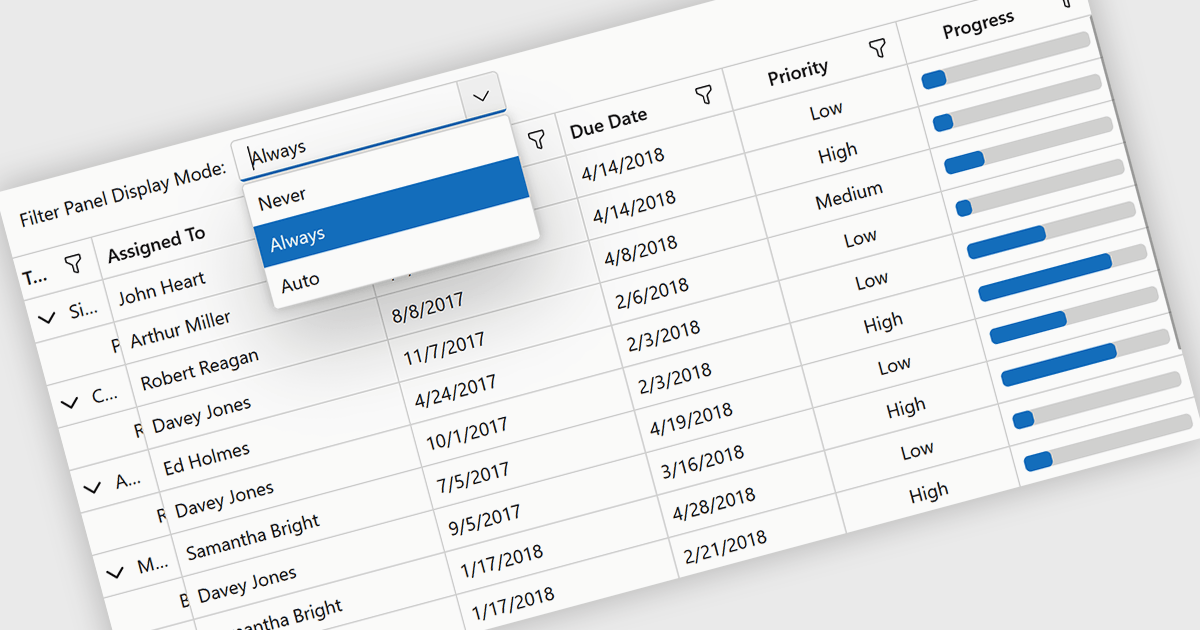
Grid filtering allows users to display only selected rows or columns by choosing specific values, categories, or ranges without modifying the underlying dataset. This capability simplifies navigation through large volumes of data and helps users focus immediately on the most relevant information. By minimizing manual searching and enabling faster comparisons, grid filtering improves productivity and supports more informed decision making. Common use cases include filtering sales data by date range, isolating transactions above a certain value, analyzing results by region or product category, and hiding non essential columns to create clearer, presentation ready reports.
Several .NET Blazor grid controls offer filtering support including:
For an in-depth analysis of features and price, visit our comparison of .NET Blazor grids.
전화 : 00798 14 800 6332
팩스 : +1 770 250 6199


