













공식 공급 업체
200 이상의 소프트웨어 개발처와 판매 계약을 맺은 공인 디스트리뷰터로서 합법적인 라이선스를 제공합니다.
모든 브랜드 보기.
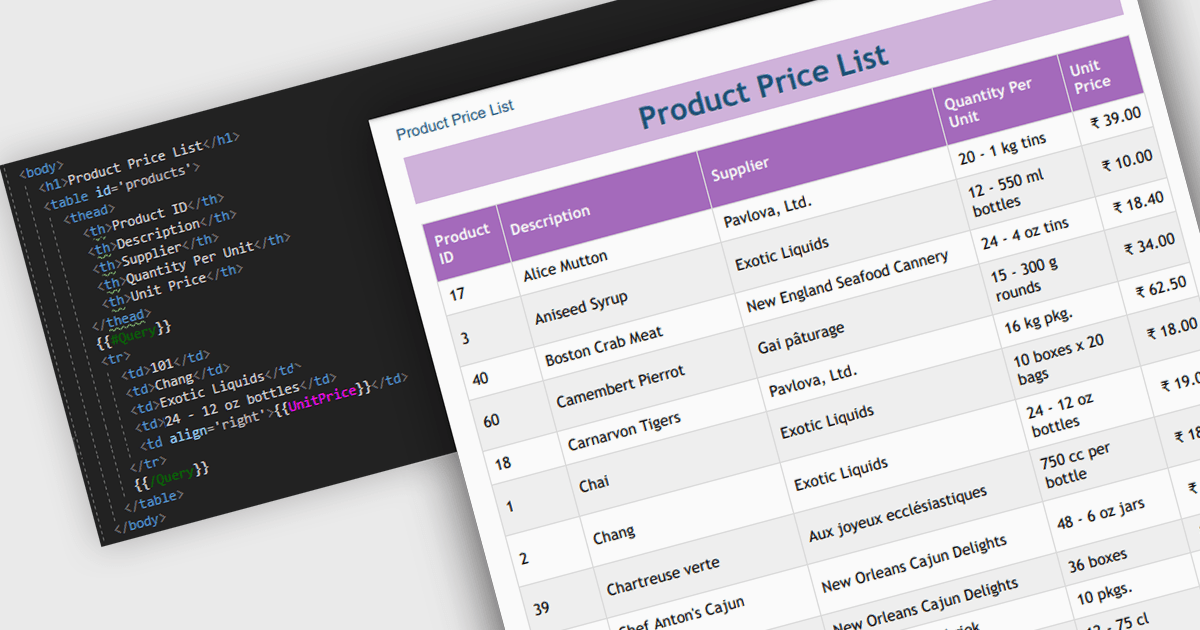
Convert HTML to PDF is a feature in a .NET PDF Viewer component that enables developers to generate PDF documents from HTML content, including text, images, styles, and web-based layouts, while preserving the original formatting. It is commonly used for creating reports, invoices, forms, and archived web content directly within .NET applications. The capability helps maintain consistent document presentation across platforms, supports automated document generation workflows, reduces the need for manual formatting, and allows existing HTML and CSS assets to be reused when producing professional-quality PDF output.
Several .NET PDF components offer convert HTML to PDF including:
For an in-depth analysis of features and price, visit our comparison of .NET PDF components.
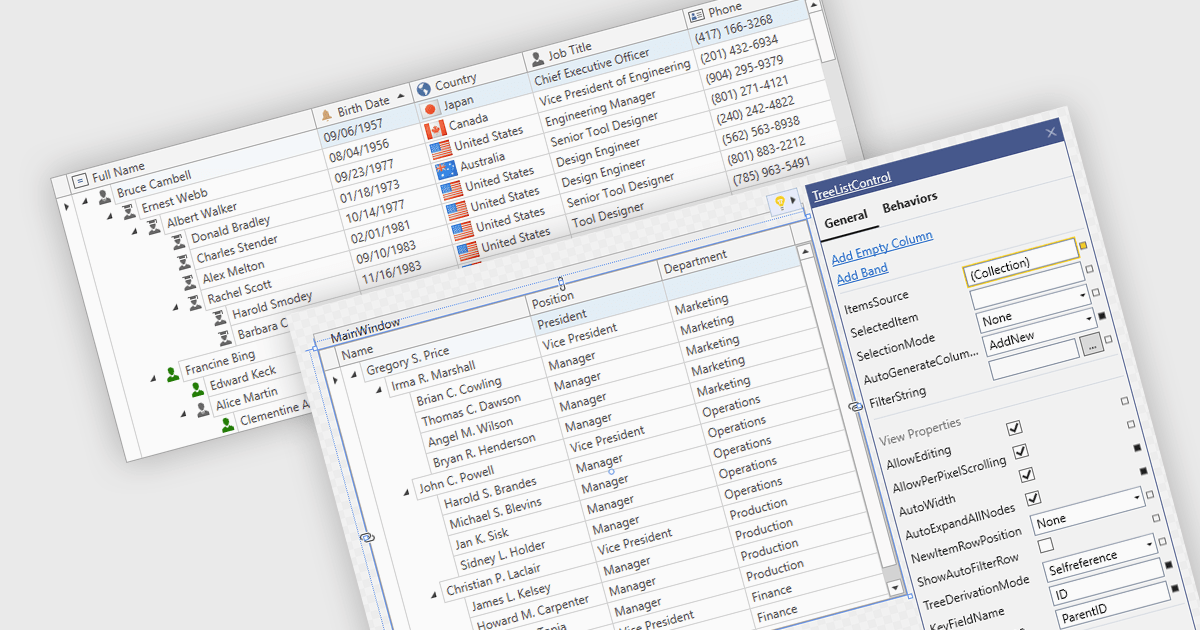
Treelist components present hierarchical data in a tabular format, combining the structure of a tree view with many of the capabilities commonly found in data grids. They allow users to expand and collapse parent-child relationships while viewing multiple data fields within the same interface. Treelists are commonly used to display organizational structures, project task hierarchies, file and folder systems, product categories, and other datasets that contain parent-child relationships. This approach helps organize complex datasets, improves navigation through large hierarchies, and can support tasks such as data viewing, editing, and management without requiring users to switch between different views.
Several WPF UI suites provide you with treelist functionality, including:
For an in-depth analysis of features and price, visit our comparison of WPF UI suites.
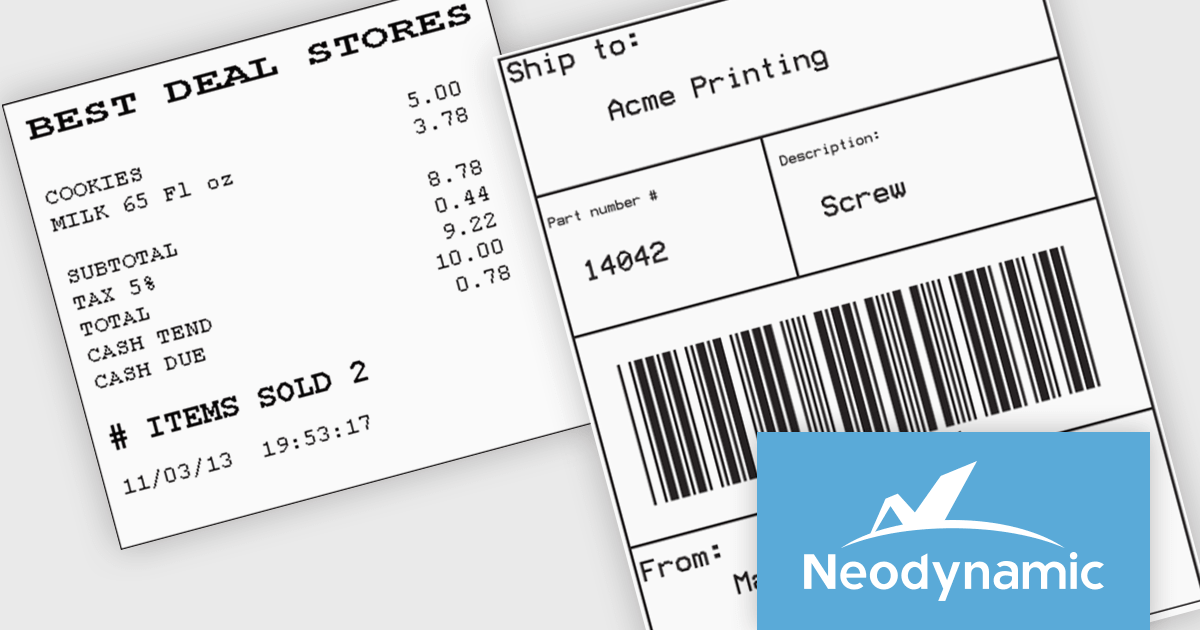
Neodynamic offers two JSPrintManager solutions for client-side printing and scanning in web applications. JSPrintManager for Any Web Platform allows you to integrate printing functionality into any website built with technologies like ASP.NET, PHP, or Blazor using pure JavaScript. Neodynamic also offers JSPrintManager for Blazor which enables you to seamlessly add printing capabilities to your Blazor server or WebAssembly projects with C# code. Both solutions empower you to print various data formats directly from the browser without requiring user interaction with print dialogs.
JSPrintManager is well suited to retail and shipping applications where fast, accurate printing is a critical part of daily operations. Developers can print receipts, invoices, packing slips and shipping labels directly to compatible printers using native command languages, helping to ensure consistent output and optimal performance. Support for carrier-generated labels from UPS, FedEx, USPS and DHL makes it easy to integrate fulfillment and logistics workflows, while compatibility with a wide range of receipt and label printers provides the flexibility needed for point-of-sale, warehouse and distribution environments.
Neodynamic JSPrintManager is licensed per Web App and Web server and is available as a Perpetual license which includes 1 year of free updates and priority support. See our Neodynamic JSPrintManager for Any Web Platform and Neodynamic JSPrintManager for Blazor licensing pages for full details.
Learn more on our Neodynamic JSPrintManager for Any Web Platform and Neodynamic JSPrintManager for Blazor product pages.
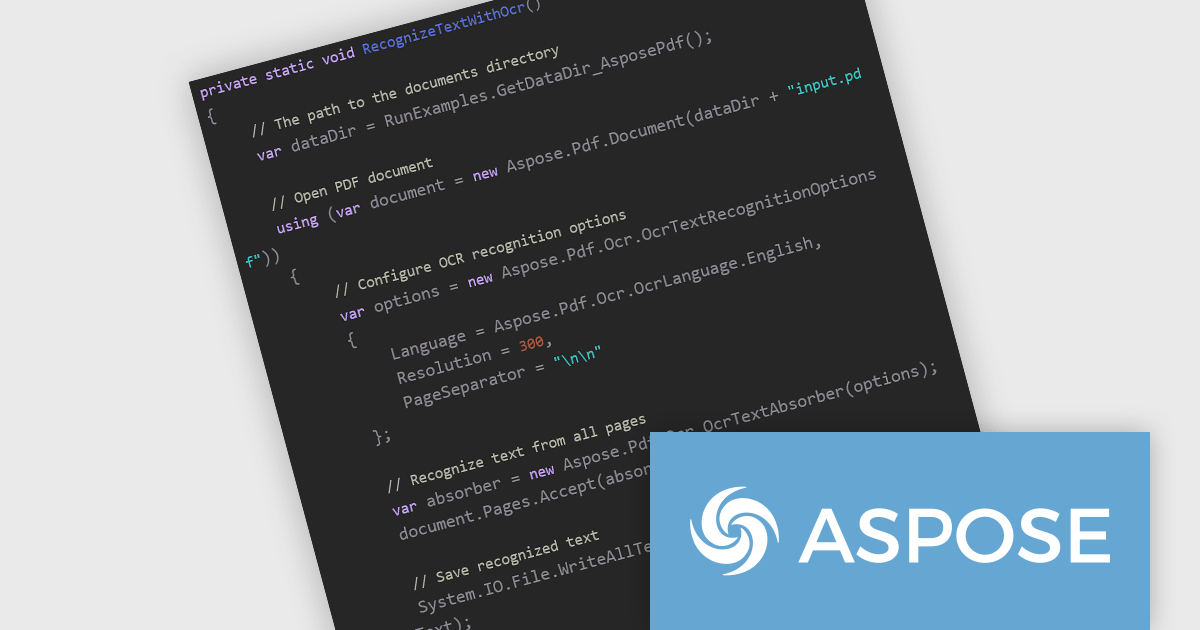
Aspose.PDF for .NET enables developers to seamlessly integrate PDF generation, manipulation, and conversion functionalities within their applications. It eliminates the dependency on Adobe Acrobat by providing a programmatic interface for working with PDF documents, allowing for tasks like creating PDFs from scratch, editing existing ones, adding elements like images and watermarks, and managing security features.
The Aspose.PDF for .NET V26.6 release introduces Integrated Optical Character Recognition (OCR) for PDF Text Recognition, allowing developers to extract text directly from scanned PDFs and image-based documents through the same API. This enhancement simplifies workflows by removing the need to integrate and maintain separate OCR solutions, reducing development complexity and deployment overhead. By making previously inaccessible content searchable, editable, and available for data extraction, the feature helps improve document accessibility, supports compliance requirements, and enables more effective document indexing and archiving. For organizations processing large volumes of scanned documents, the integrated OCR capability can improve productivity while providing a more consistent and streamlined document processing experience.
To see a full list of what's new in V26.6, see our release notes.
Aspose.PDF for .NET is offered as Developer Small Business, Developer OEM, Developer SDK, Site Small Business, Site OEM and Site SDK licenses catering to a range of business needs. Licenses are perpetual, and include 1 year of support and maintenance. Subscription renewals are also available. See our Aspose.PDF for .NET licensing page for full details.
Aspose.PDF for .NET is available individually or as part of the following products:
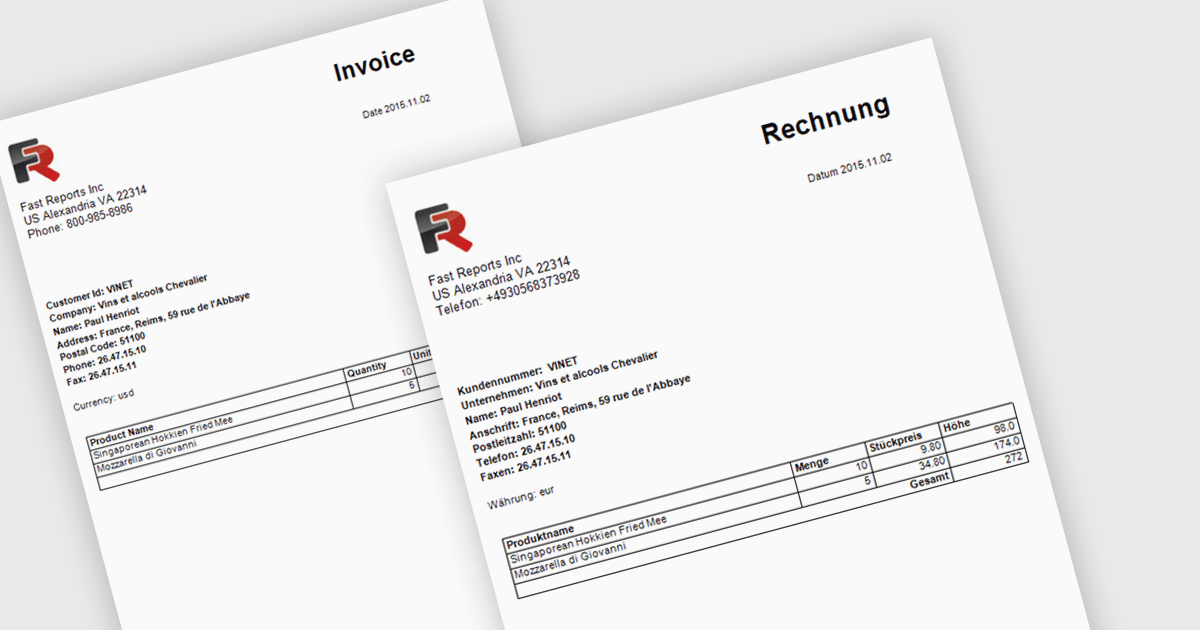
Report localization is the process of translating and adapting reports into different languages so organizations can share data and insights with global audiences. By presenting reports in a user's preferred language, organizations can improve accessibility, increase understanding, and reduce the risk of misinterpreting important information. This helps teams, customers, and stakeholders make more informed decisions while maintaining a consistent reporting experience across regions. Common use cases include localized sales reports for regional teams, analytics dashboards for international customers, and financial or compliance reports that need to be available in multiple languages.
Several .NET reporting controls offer localization including:
For an in-depth analysis of features and price, visit our .NET reporting controls comparison.
전화 : 00798 14 800 6332
팩스 : +1 770 250 6199


