













공식 공급 업체
200 이상의 소프트웨어 개발처와 판매 계약을 맺은 공인 디스트리뷰터로서 합법적인 라이선스를 제공합니다.
모든 브랜드 보기.
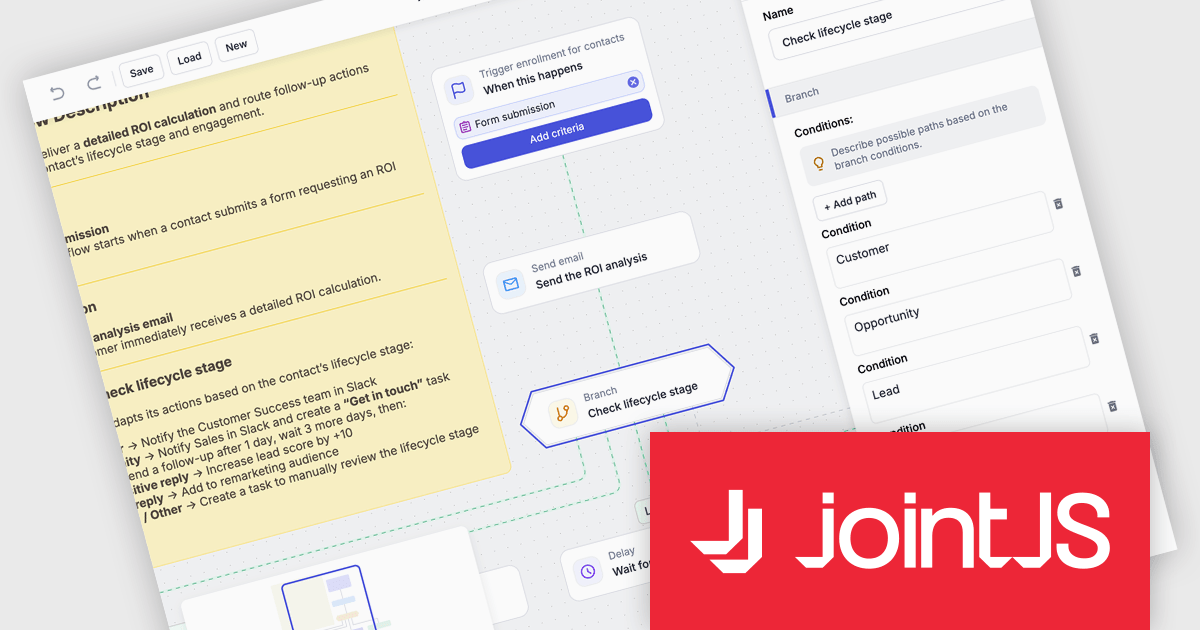
JointJS+ is a diagramming library that offers advanced features like custom shapes, data binding, and advanced layout algorithms, enabling you to create complex, interactive, and visually appealing diagrams. It includes a ready-to-use demo application that showcases its functionality and serves as a starting point for your own diagramming projects.
The JointJS+ v4.2.2 update introduces a new Marketing Automation application template that enables developers to efficiently design, visualize, and manage marketing automation workflows through an interactive, fully animated diagram with automatic layout and orthogonal link routing. By eliminating the need for manual positioning and providing smooth transitions between states, the template improves diagram clarity and maintainability while allowing developers to simulate workflows using the built-in test flow functionality to validate logic, identify issues early, and iterate with greater confidence.
To see a full list of what's new in v4.2.2, see our release notes.
JointJS+ is licensed per developer and is available as a Perpetual license with 1 year support and maintenance. See our JointJS+ licensing page for full details.
Learn more on our JointJS+ product page.
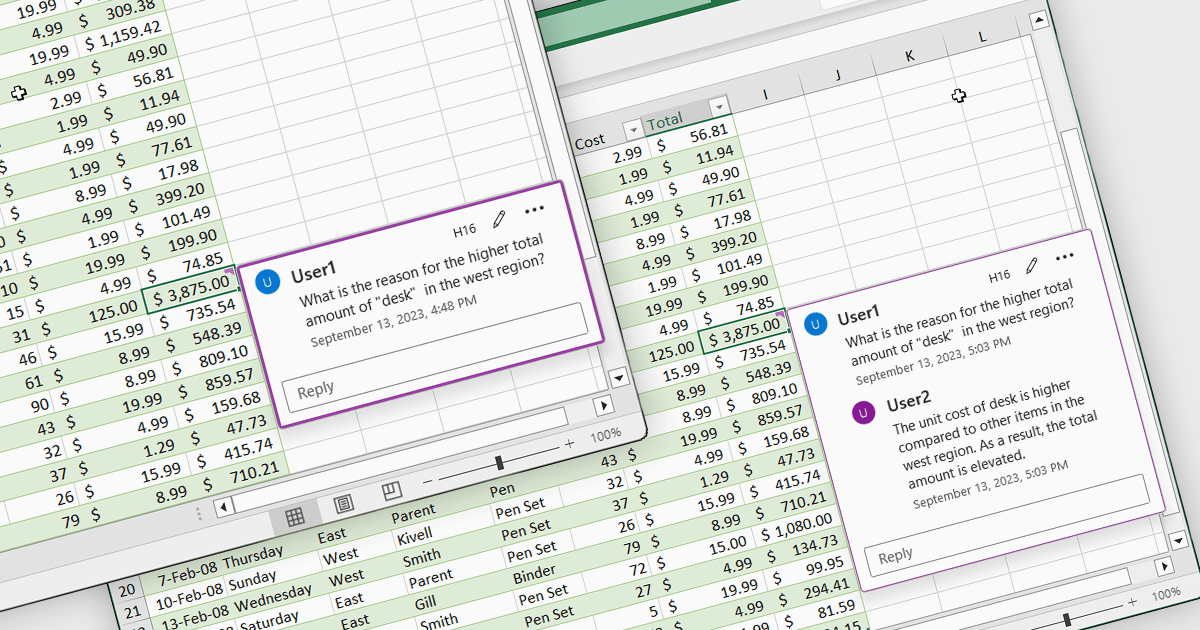
Cell comments and tooltips in spreadsheets allow users to attach contextual information to individual cells, displayed on hover or focus without altering the sheet’s layout. They help clarify data, explain formulas and assumptions, and provide guidance for correct data entry, reducing errors and misinterpretation. By keeping explanations close to the data, comments and tooltips improve collaboration, preserve knowledge, and make complex spreadsheets easier to understand and maintain. Common use cases include documenting calculation logic, adding validation instructions, leaving reviewer feedback, explaining exceptions in reports, and supporting onboarding for new users working with shared spreadsheets.
Several .NET Spreadsheet controls offer cell comments/tooltips including:
For an in-depth analysis of features and price, visit our .NET Spreadsheet controls comparison.
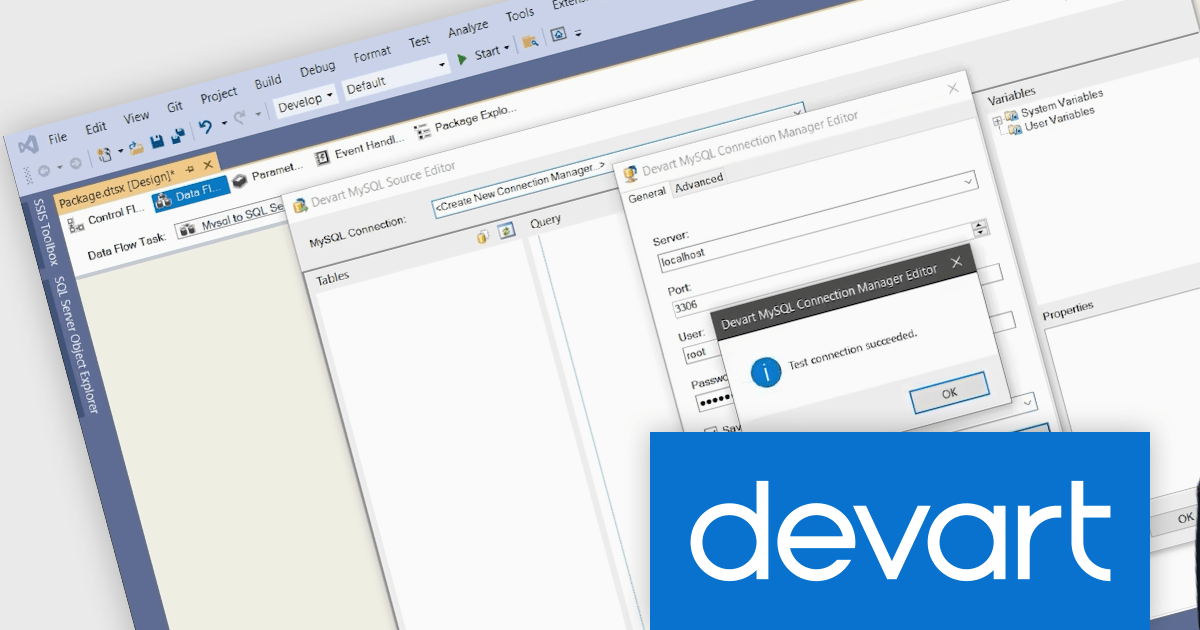
Devart SSIS Data Flow Components for MySQL is a specialized suite of high-performance integration tools that extend Microsoft SQL Server Integration Services (SSIS) to effortlessly connect MySQL and MariaDB databases with other data sources, applications, and cloud platforms. The product includes optimized SSIS Source, Destination, and Lookup components tailored for MySQL/MariaDB, along with a dedicated connection manager that supports advanced connectivity features such as secure SSH/SSL, HTTP tunneling, and data compression. These components simplify ETL (extract, transform, load) processes, support automated processes, and enable efficient data import, export, synchronization, replication, migration, and backup tasks within SSIS packages, helping organizations integrate MySQL/MariaDB data with systems like SQL Server, Oracle, cloud warehouses, and CRM platforms with minimal custom coding.
Devart SSIS Data Flow Components for MySQL adds support for MariaDB 12 introducing performance optimizations, enhanced SQL optimizer capabilities, expanded geospatial functions, improved security features, and broader platform support that improve query execution, scalability, and operational efficiency of database workloads. By enabling SSIS workflows to natively interact with MariaDB 12, organizations can leverage these advancements directly in their ETL pipelines, reduce integration friction between evolving database infrastructure and enterprise data platforms, and future-proof their data architectures as they adopt newer MariaDB releases across on-premises and cloud deployments.
Devart SSIS Data Flow Components for MySQL is licensed per developer or per server and is available as an Annual or Perpetual License with a 12 month support and maintenance subscription. See our Devart SSIS Data Flow Components for MySQL licensing page for full details.
Devart SSIS Data Flow Components for MySQL is available individually or as part of Devart SSIS Universal Bundle.
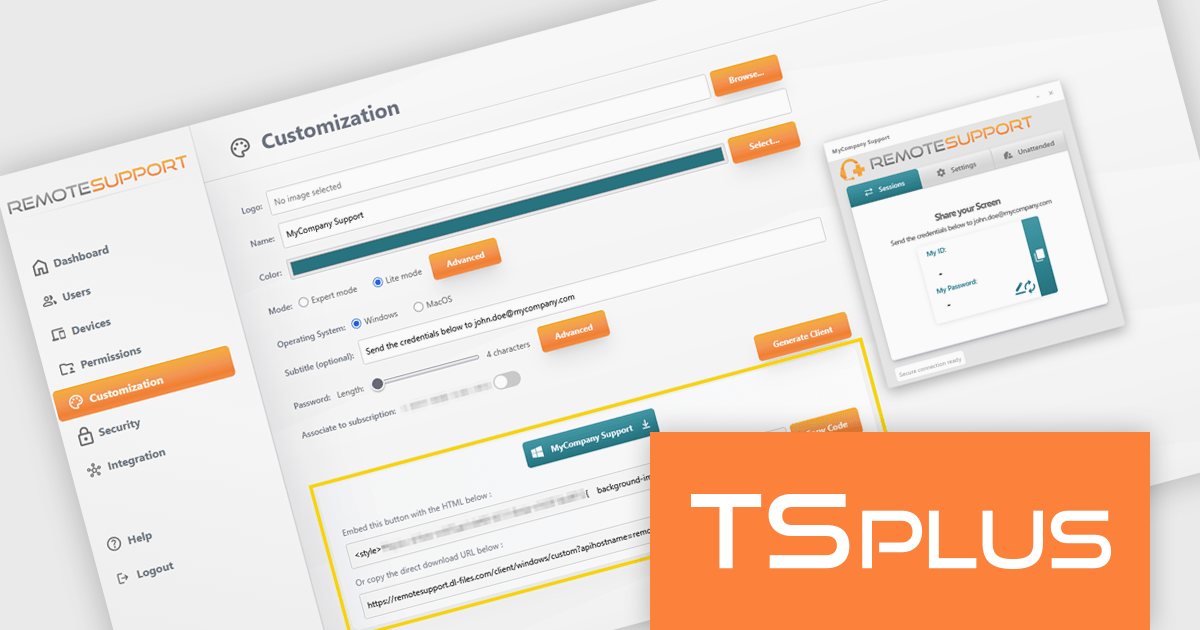
TSplus Remote Support is a remote desktop control solution that enables IT teams to deliver instant attended or unattended assistance without complex setup. Agents can take control of a user’s screen, mouse, and keyboard with a single click and communicate via built-in chat. The platform supports live troubleshooting, background maintenance, branded client customization, and secure connection management through TSplus servers. Typical use cases include help desk support, unattended system updates, and remote training, all achieved through a user-friendly, scalable interface.
The TSplus Remote Support v4.4 update introduces quick integration with a custom HTML tag, allowing software developers to embed a fully customized remote support client directly into their websites with minimal effort. By automatically generating an HTML tag for each customized client, the update removes the need complex integration work and ensures consistent configuration and branding.
To see a full list of what's new in v4.4, see our release notes.
TSplus Remote Support is licensed per concurrent connection. Licenses include a 1 year subscription for updates and support. See our TSplus Remote Support licensing page for full details.
For more information, visit our TSplus Remote Support product page.
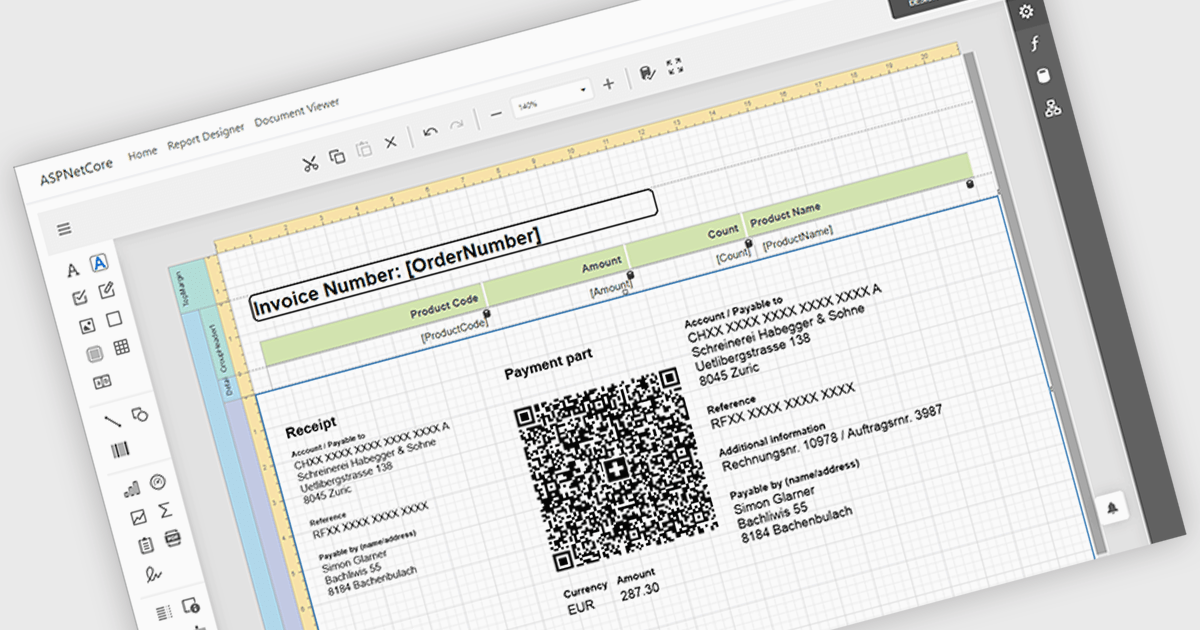
Adding barcodes to reports means embedding machine-readable codes that represent key data such as IDs, records, or transaction details, allowing information to be scanned and processed instantly. This enhances efficiency by reducing manual data entry, improving accuracy, and enabling integration with backend systems like inventory management, ERP, or tracking platforms. Barcodes in reports also support automation and traceability, making it easier to identify, validate, and track documents or items throughout a process. Common use cases include inventory and asset tracking, order fulfillment and shipping documentation, patient and sample identification in healthcare, financial and compliance reporting, and any scenario where fast, reliable data capture from printed or digital reports is essential.
Several ASP.NET Core reporting controls offer barcode support including:
For an in-depth analysis of features and price, visit our React reporting controls comparison.
전화 : 00798 14 800 6332
팩스 : +1 770 250 6199


