













공식 공급 업체
200 이상의 소프트웨어 개발처와 판매 계약을 맺은 공인 디스트리뷰터로서 합법적인 라이선스를 제공합니다.
모든 브랜드 보기.
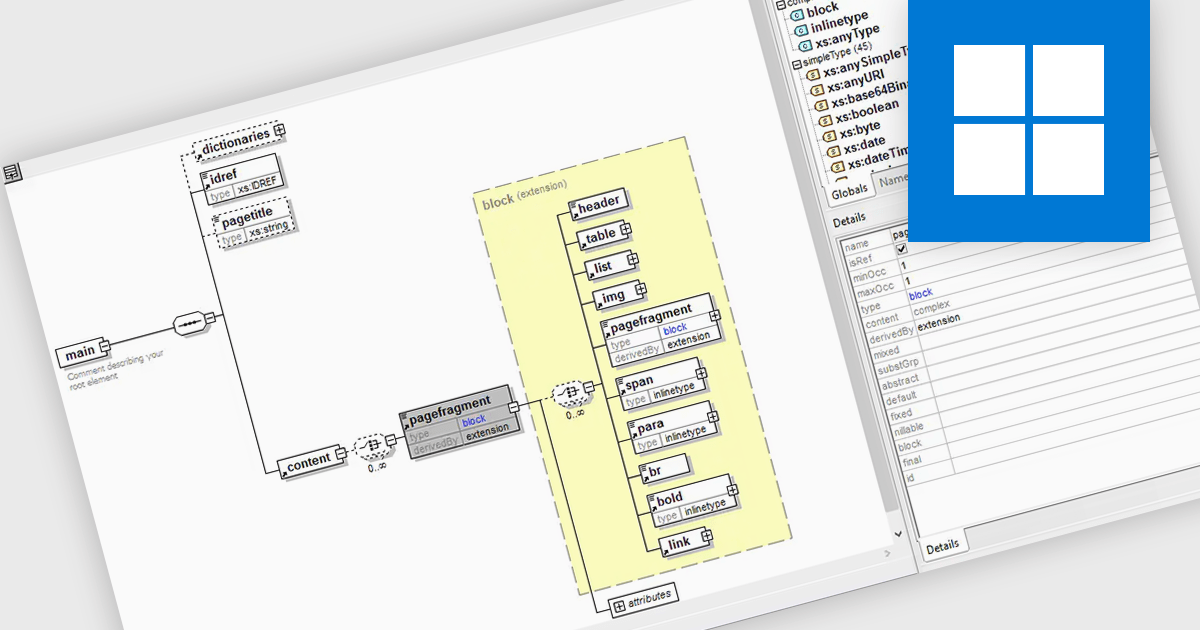
An XML schema editor is a specialized development tool that simplifies the creation and editing of XML schemas (XSDs). These schemas define the structure and validity rules for XML documents, ensuring data consistency within your application. By providing features like code completion, syntax highlighting, and visual representations of the schema structure, XML schema editors can significantly improve developer productivity and reduce errors during schema creation.
Several structured document tools include an XML schema editor, including:
For an in-depth analysis of features and price, visit our structured document tools comparison.
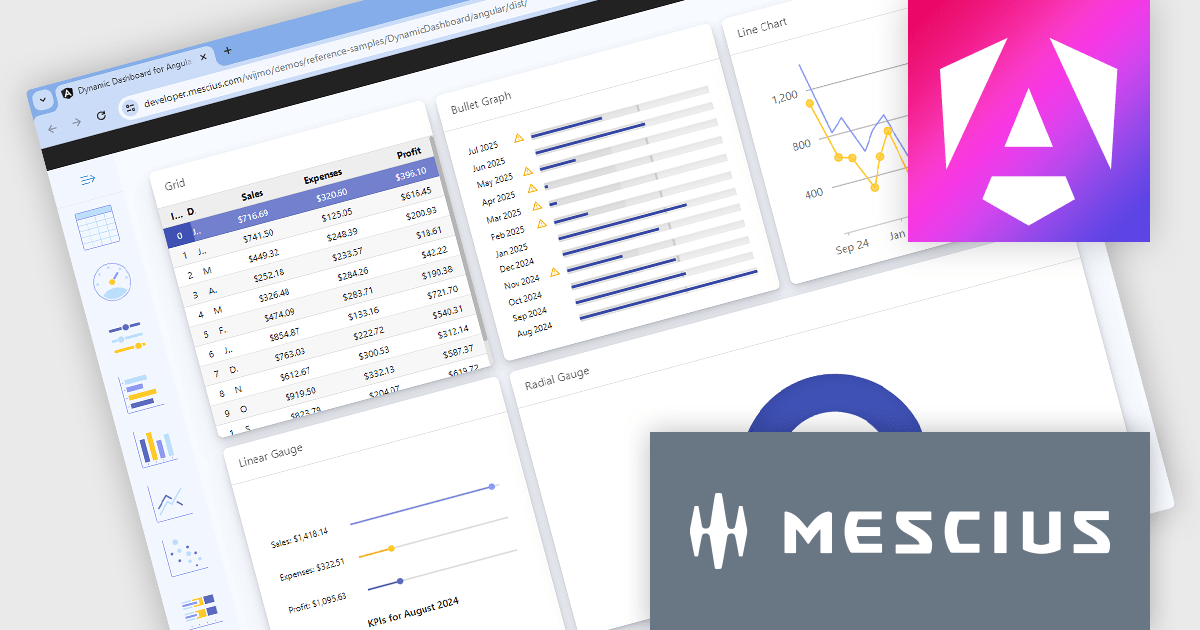
Wijmo by MESCIUS is a comprehensive JavaScript library offering a suite of high-performance UI components and data grids specifically designed to streamline the development of modern enterprise applications. It emphasizes reduced development time and improved maintainability, along with a focus on performance through its efficient design and small module size. Wijmo integrates seamlessly with popular JavaScript frameworks like Angular, React, and Vue.js, and supports cutting-edge technologies like TypeScript, making it a versatile solution for building complex web applications.
The Wijmo 2024 v1 (Build 5.20241.19) update introduces full support for Angular 18. The latest Angular release prioritizes application performance with several key advancements. Build times are reduced through an enhanced optimizer and differential loading. Streamlined code splitting and lazy loading techniques ensure modules are loaded only when needed. Zoneless change detection, powered by signals, replaces the Zone.js dependency, offering a lighter-weight and more efficient approach to managing state updates. These optimizations combine to deliver faster load times and a smoother user experience. Wijmo’s support for Angular 18 means that it can take advantage of these enhancements, resulting in more performant web apps.
Wijmo is licensed per developer. Developer Licenses are perpetual and include 1 year Subscription which provides upgrades, including bug fixes and new features. See our Wijmo licensing page for full details.
Learn more on our Wijmo product page.

InstallAnywhere by Revenera, is software designed to streamline the creation of professional multi-platform installers. As a developer, it allows you to build reliable installations for various environments, including physical, virtual, and cloud deployments. This includes on-premise platforms like Windows, Linux and macOS, along with packaging for Docker containers. InstallAnywhere empowers you to create a consistent user experience across these platforms with a user-friendly interface and advanced features for customization.
The InstallAnywhere 2024 R1 release expands your signing options with a new Custom Signing feature. This allows you to avoid built-in signing methods and integrate your own preferred third-party signing solution during the build process. This is ideal if your organization already has a trusted signing solution in place, or if you have specific signing requirements that are not met by the standard InstallAnywhere options. With Custom Signing, you can digitally sign all your Windows Installer files, including the main installer (.exe), launcher, and uninstaller launcher, using your chosen signing tool. This streamlines your workflow and ensures your installers are signed with the appropriate credentials for your organization.
To see a full list of what's new in version 2024 R1, see our release notes.
InstallAnywhere is licensed per user and is available as a three year timed subscription. See our InstallAnywhere licensing page for full details.
For more information, visit our InstallAnywhere product page.
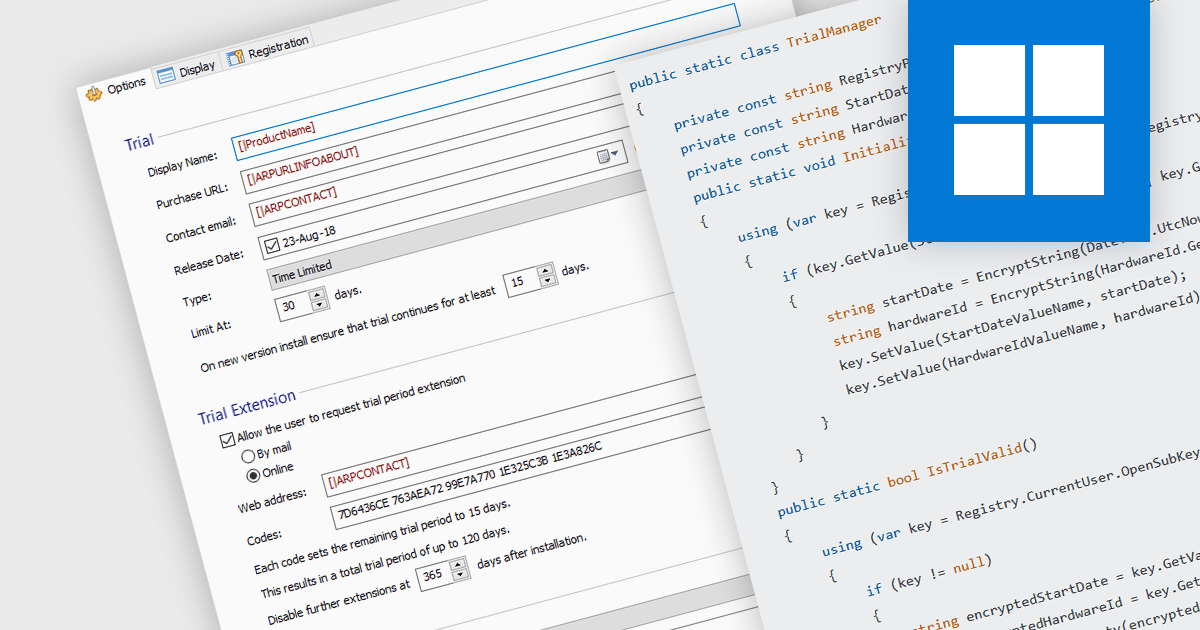
Installation tools with trial version functionality allow developers to easily create temporary, limited-use versions of their applications. These trials offer potential customers a chance to experience the software firsthand in a real-world environment, fostering trust and boosting sales. This functionality is particularly valuable for complex programs, where a trial allows users to assess specific features and compatibility before committing to a purchase. Trials also help to establish the software's value and effectiveness, reducing perceived risks.
Several installation tools allow you to create trials, including:
For an in-depth analysis of features and price, visit our comparison of installation tools.
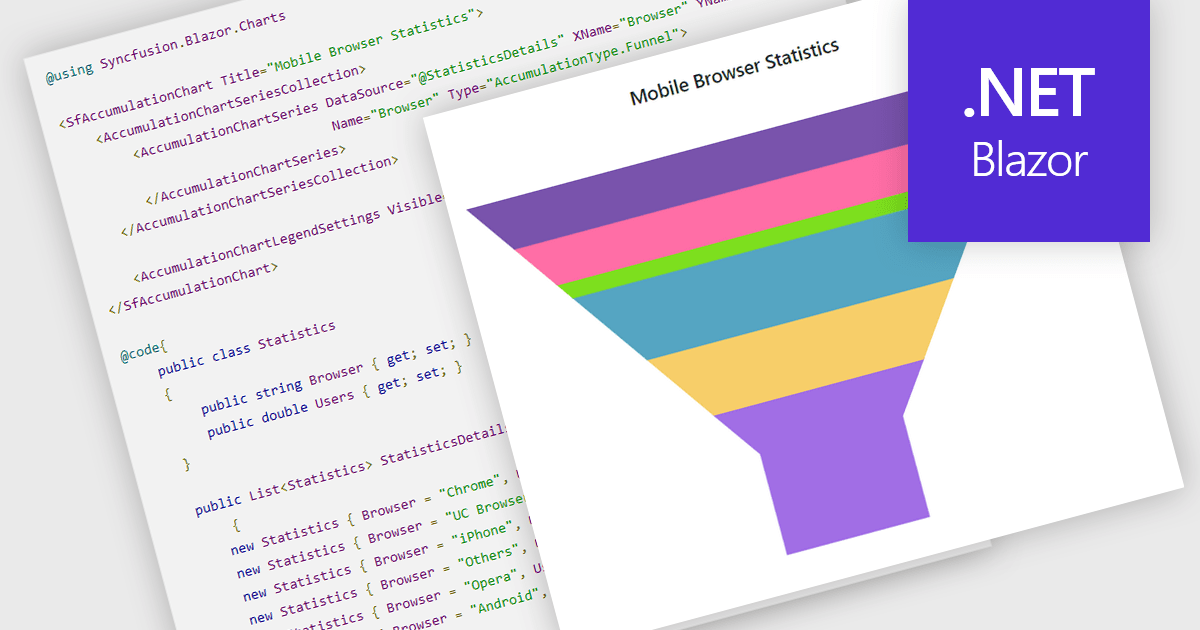
Funnel charts are a type of data visualization that depicts data in a linear process that often narrows down at each stage, resembling a funnel. They are especially useful for emphasizing steps in a process, displaying drop-off rates, and finding bottlenecks in workflows. Funnel charts are useful because they visually show the continual reduction of data throughout phases, providing clear insights into conversion rates and process efficiency. This enables engineers and business analysts to quickly find areas for improvement, optimize procedures, and create more accurate data-driven decisions.
Several .NET Blazor chart controls offer funnel charts including:
For an in-depth analysis of features and price, visit our .NET Blazor chart controls comparison.
전화 : 00798 14 800 6332
팩스 : +1 770 250 6199


