













Fornecedor oficial
Como distribuidores oficiais e autorizados, nós fornecemos licenças legítimas diretamente de mais de 200 editores de software.
Ver todas as nossas marcas.
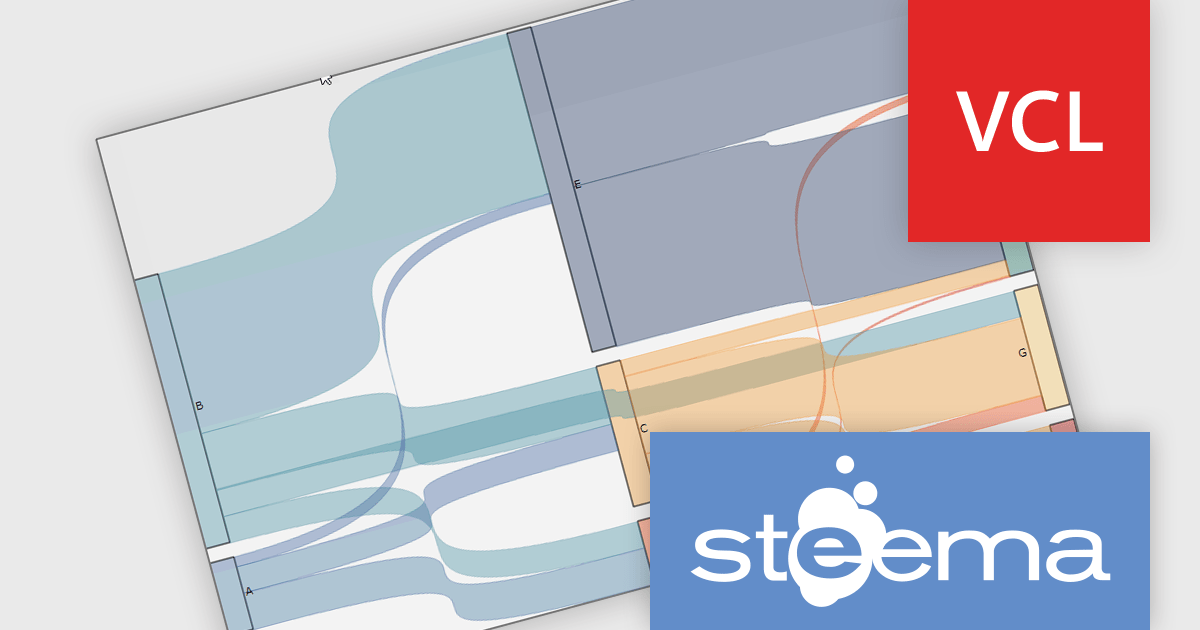
TeeChart Pro VCL/FMX by Steema Software is a comprehensive charting library designed for Embarcadero's Delphi and C++Builder environments, supporting both the VCL (Visual Component Library) and FMX (FireMonkey) frameworks. It provides developers with a rich set of chart types, advanced data visualization tools, and interactive features to build visually compelling and data-intensive applications across Windows, macOS, iOS, and Android. With support for real-time charting, custom drawing, statistical functions, and export capabilities, TeeChart Pro is tailored for high-performance applications that demand precise and dynamic chart displays.
The TeeChart Pro VCL/FMX 2025 (Build 2025.45.250910) update introduces the Sankey Series chart type, which gives developers a new tool for visualizing flows and relationships in data (e.g. movement of quantities between states, split‑paths, or aggregations). It enables rendering of nodes and links whose thickness is proportional to the magnitude of the flow, allowing you to more directly see how values distribute and split across paths. This enhances insight into complex datasets in ways that standard bar, line, or pie charts cannot, helping in diagnosing bottlenecks, tracing resource paths, or modelling multi‑stage processes with clarity.
To see a full list of what's new in 2025 (Build 2025.45.250910), see our release notes.
TeeChart Pro VCL/FMX is licensed per developer and includes a one year subscription for minor and major updates plus access to technical support. Priority support is also available. See our TeeChart Pro VCL/FMX licensing page for full details.
Learn more on our TeeChart Pro VCL/FMX product page.

ONLYOFFICE Docs Enterprise Edition with Drupal Connector lets teams edit and collaborate on office files directly within Drupal’s Media module, streamlining content creation and management. It integrates the full ONLYOFFICE Docs suite for text documents, spreadsheets, and presentations, supporting formats like DOCX, XLSX, PPTX, ODT, ODS, ODP, PDF, TXT, RTF, HTML, EPUB, and CSV with full OOXML compatibility. Users can create documents, build spreadsheets, and design presentations collaboratively in real time, all in their browser. With options for customization and rebranding, it enhances productivity and delivers a seamless, integrated digital experience.
The ONLYOFFICE Docs Enterprise Edition with Drupal Connector v9.0.4 update introduces the ability to edit PDF forms directly within Drupal, allowing developers and administrators to modify fields, adjust layouts, and update existing forms without re-uploading files. This enhancement improves form management by keeping all edits within the Drupal environment and saving changes back to the original templates, reducing versioning issues and eliminating the need for external tools. It simplifies maintenance, accelerates updates, and ensures that form templates remain consistent and accessible throughout the development lifecycle.
To see a full list of what's new in v9.0.4 (2.0.0), see our release notes.
ONLYOFFICE Docs is licensed by the number of simultaneous document connections and is available as an annual license with 1 year support and upgrades. See our ONLYOFFICE Docs licensing page for full details.
For more information, see our ONLYOFFICE Docs Enterprise Edition with Drupal Connector.
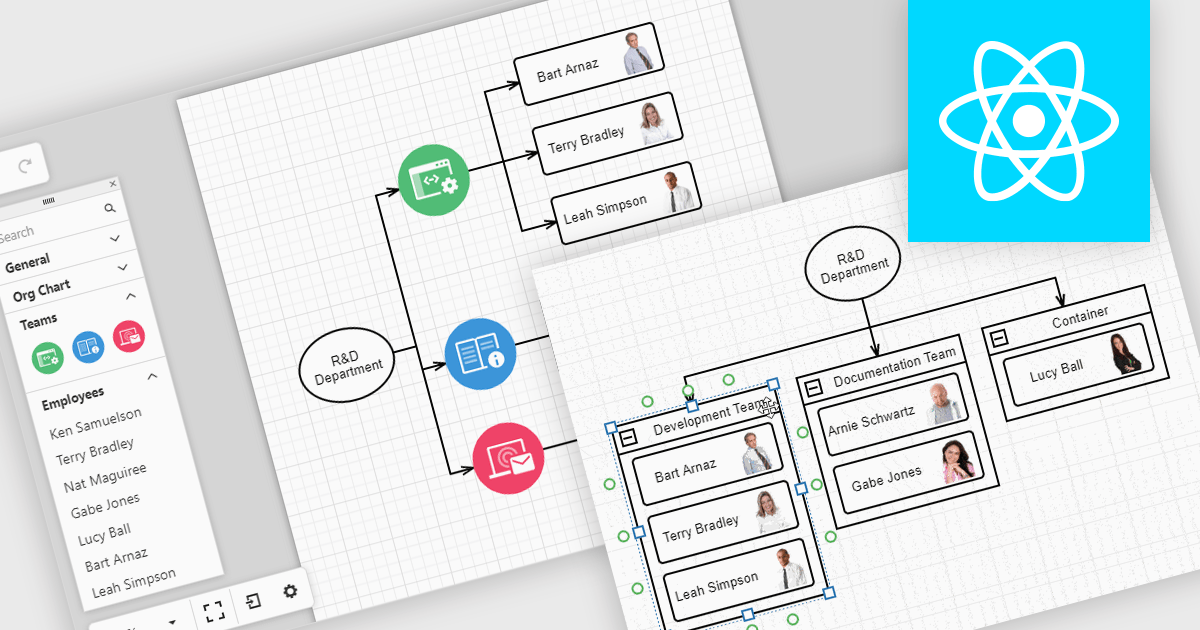
Diagrams in UI toolkits help turn complex data into easy-to-understand visuals that teams can interact with. For example, organizational charts show company structures and reporting lines in a layout that can be updated automatically from HR data. These charts can be expanded, collapsed, or reorganized with drag-and-drop tools, making it easier to understand team relationships and keep information up to date. Diagrams can also be used for workflows, decision trees, and network maps, giving teams a clear, flexible way to present and manage information.
Several React UI suites offer diagram controls including:
For an in-depth analysis of features and price, visit our React UI suite comparison.
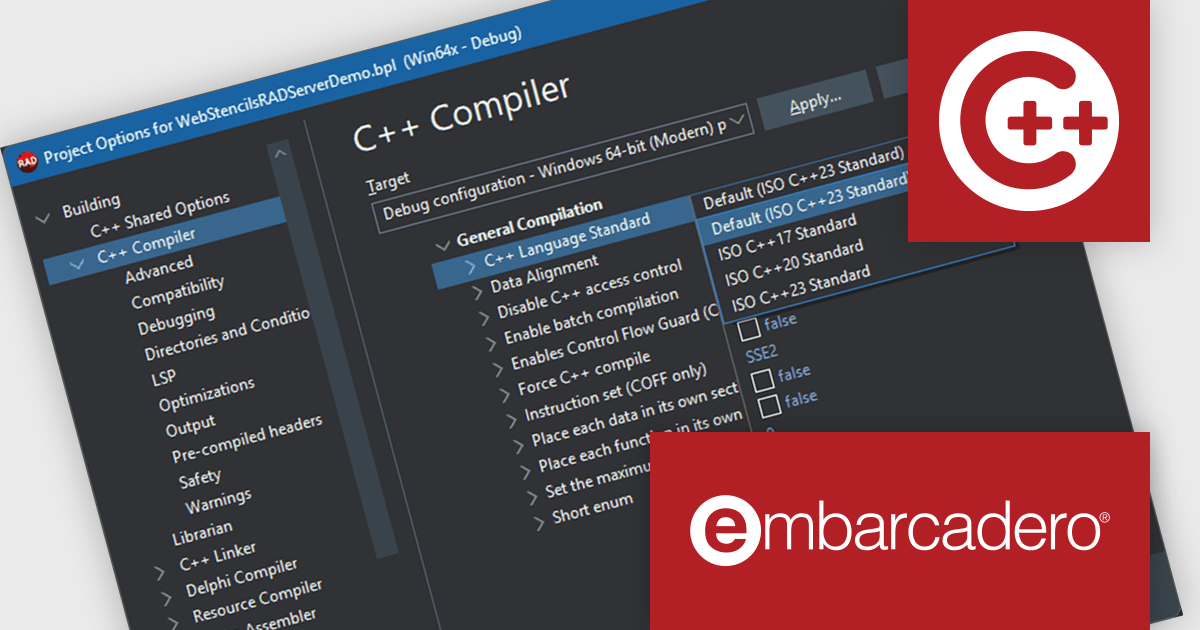
C++Builder by Embarcadero is a rapid application development environment that simplifies C++ development for Windows, iOS, macOS, and Android. It streamlines the process by offering visual UI design tools, pre-built components, and a powerful debugger, enabling faster creation of high-performance native applications.
The C++Builder 13 Florence release delivers a major upgrade for developers targeting Microsoft Windows, with the modern Win64 compiler now based on Clang 20. This update introduces full support for the C++23 standard and sets it as the default, giving developers access to the latest language features and improvements in performance, safety, and expressiveness. With this update, C++Builder aligns with contemporary C++ development practices, allowing teams to adopt modern idioms and take advantage of enhanced compiler optimizations in their Windows applications.
To see a full list of what's new in C++Builder 13 Florence, see our release notes.
C++Builder Professional, Enterprise and Architect are licensed per Named, Network Named or Concurrent user and are available as a Perpetual License with an Update Subscription that includes support and free upgrades for 1 Year. C++Builder Professional is also available as a Named Annual user license. See our C++Builder licensing page for full details.
C++Builder is available to buy in the following products:
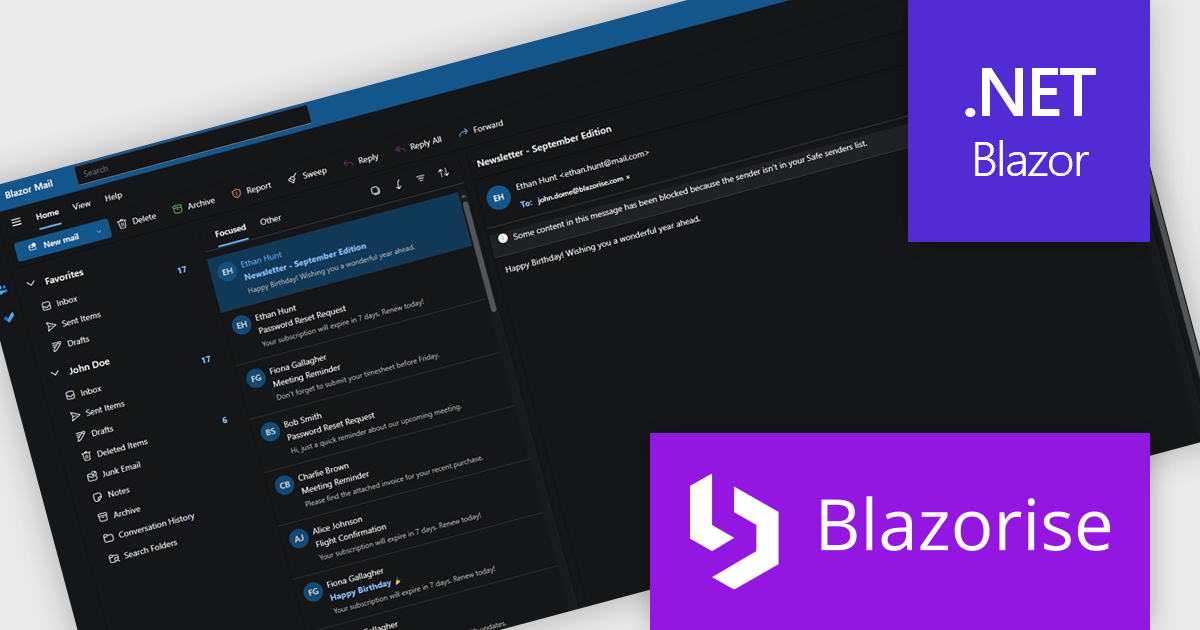
Blazorise is a versatile component library that empowers developers to build modern and feature-rich web applications using Blazor, a client-side web development framework from Microsoft. It offers a comprehensive collection of user interface components, including buttons, forms, charts, and navigation elements, all built with accessibility and responsiveness in mind.
The Blazorise 1.8.2 update introduces a Fluent UI Dark Theme that enables developers to deliver a consistent and accessible dark mode experience across their applications. It provides a complete set of tuned color tokens covering surfaces, typography, and accents, ensuring all Fluent UI components such as DataGrid, Modal, Sidebar, Dropdown, Button, and Tabs maintain visual coherence without additional customization. The theme also integrates with existing light and dark mode toggling, automatically adapting to the application’s current color scheme.
To see a full list of what’s new in version 1.8.2, see our release notes.
Blazorise is licensed per developer and includes a 1 year subscription for updates and support. Professional, Enterprise, and Enterprise Plus editions are available, each offering tailored levels of support and service to meet varying business needs. See our Blazorise licensing page for full details.
For more information, visit our Blazorise product page.
Tel: (888) 850 9911
Fax: +1 770 250 6199


