













官方供应商
我们作为官方授权经销商,直接提供超过200家开发厂家所发行超过1000个的产品授权给您。
查看我们的所有品牌。
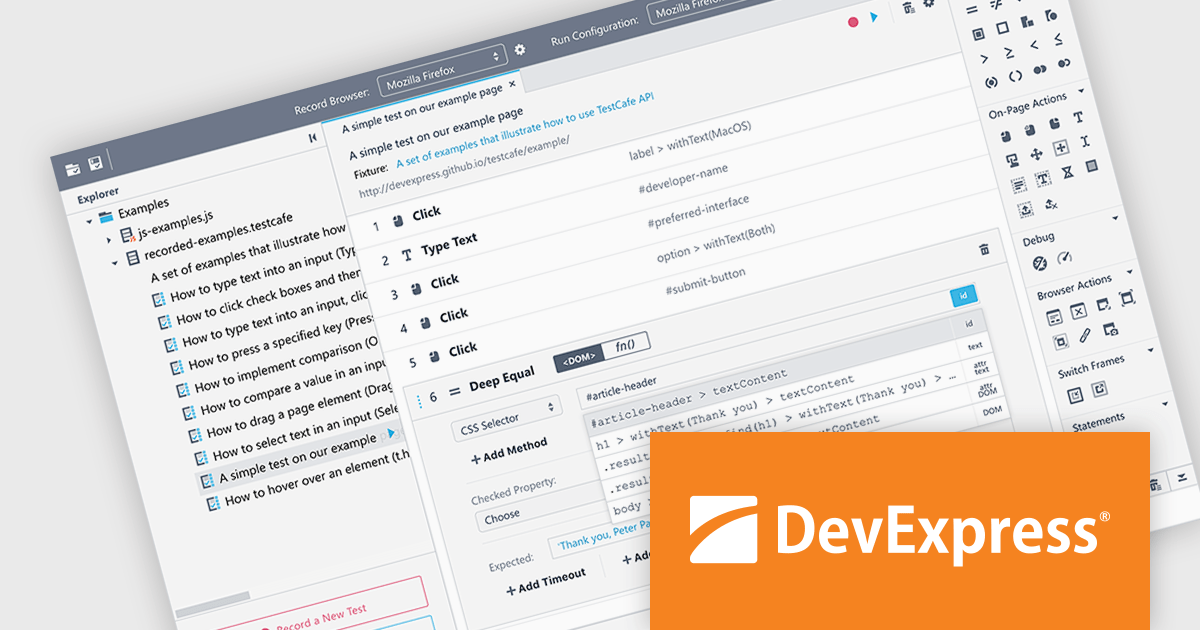
TestCafé Studio is a cross-platform Integrated Development Environment (IDE) specifically designed for automating end-to-end web testing. It offers a user-friendly approach by allowing you to visually record your interactions with a web application through its built-in recorder. This eliminates the need for manual coding, making it accessible to testers with varying levels of programming experience.
The TestCafé Studio 2.0.0 release introduces a built-in, native automation engine that directly controls Chromium browsers, such as Google Chrome and Microsoft Edge, through the Chrome DevTools Protocol. This native approach boosts test speed and stability for popular browsers, eliminating the need for external tools.
To see a full list of what's new in version TestCafé Studio 2.0.0, see our release notes.
TestCafé Studio is licensed per user and is available as a Perpetual License with a 12 month support and maintenance subscription. See our TestCafé Studio licensing page for full details.
TestCafé Studio is available to buy in the following products:
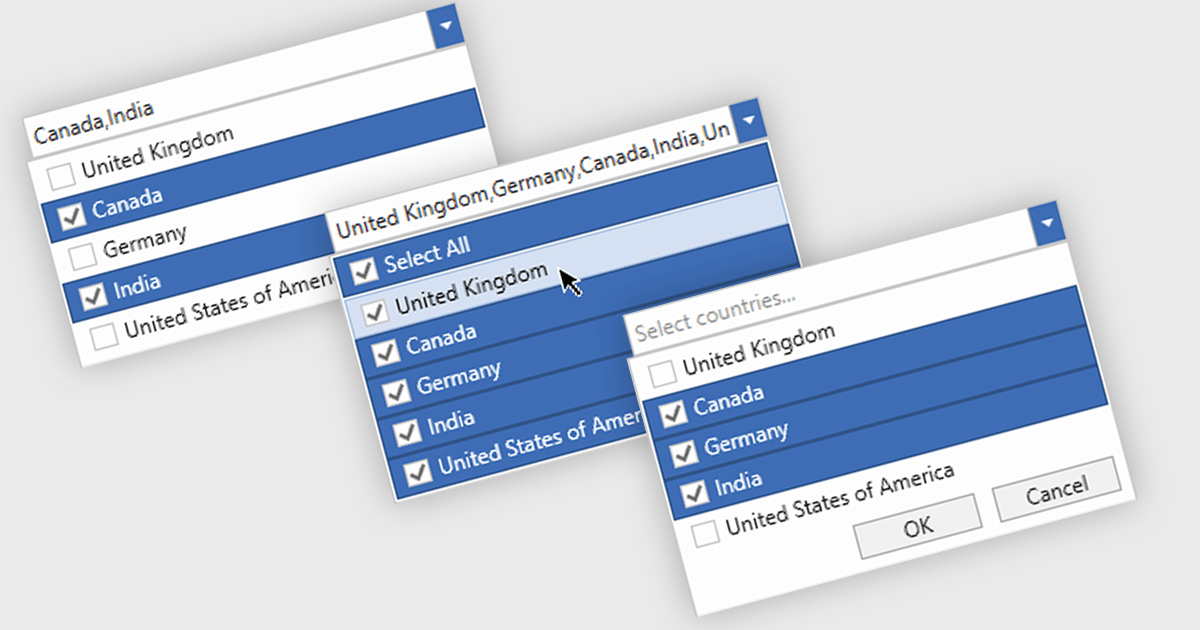
Checked combobox controls are data editor user interface elements that allow users to select multiple options from a dropdown list while visually indicating their choices through checkboxes. These controls provide developers with a convenient way to implement multi-select functionality within their applications, enhancing the user experience by offering intuitive selection methods. By integrating checked combobox controls, developers can streamline data entry processes, improve usability, and increase productivity within their software applications, ultimately leading to more efficient and user-friendly interfaces.
Many .NET WPF Data Editor collections contain checked combobox components including:
For an in-depth analysis of features and price, visit our comparison of .NET WPF Data Editors.
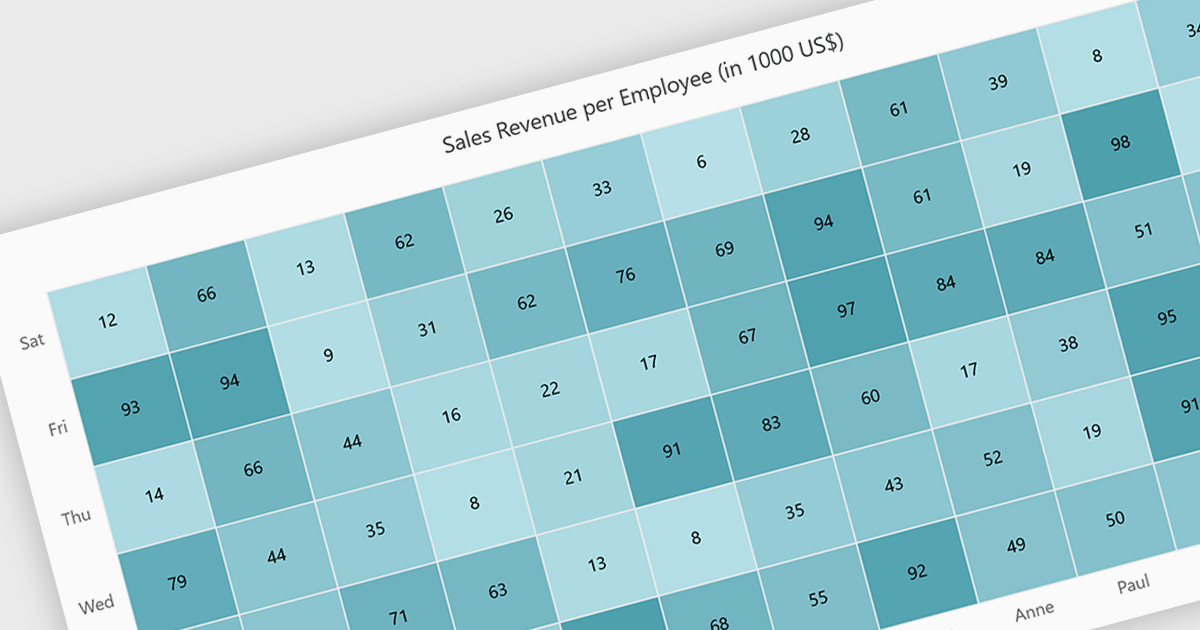
A heatmap is a data visualization tool that uses color intensity to represent magnitude within a dataset. This allows for quick identification of patterns and trends across two variables, depicted on the map's axes. Heatmaps are valuable for analyzing geographic data, user website interaction, and any other scenario where you need to visually grasp the distribution of data points.
Several Blazor chart controls offer Heatmaps including:
For an in-depth analysis of features and price, visit our Blazor chart controls comparison.
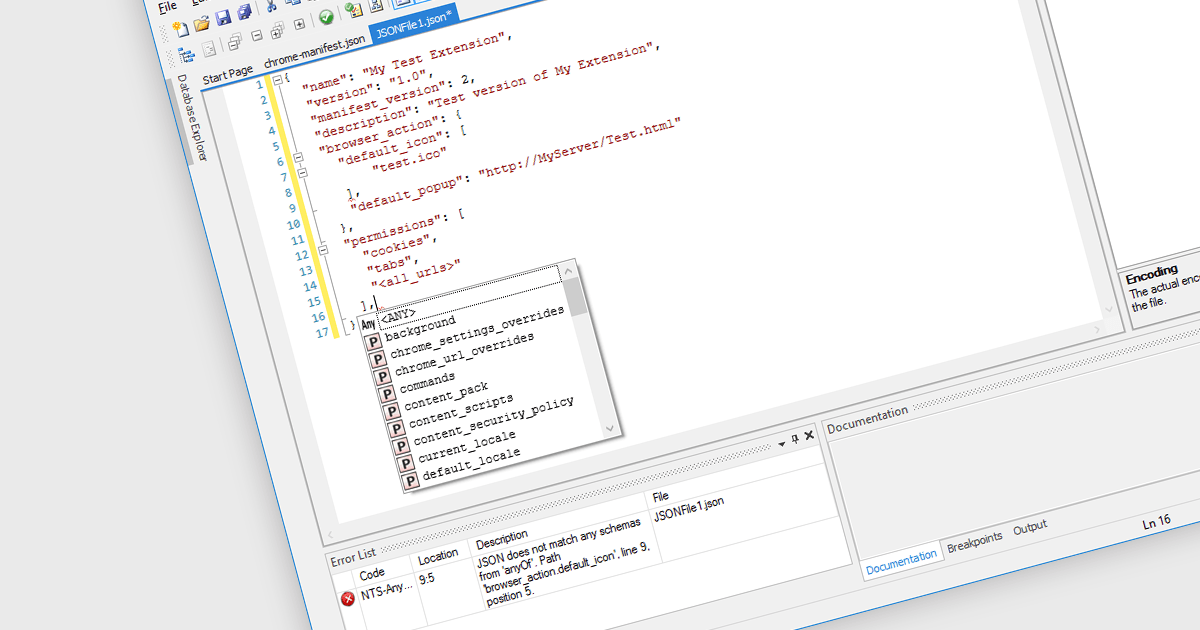
A JSON (JavaScript Object Notation) editor is a specialized tool designed to facilitate the manipulation and modification of JSON data within structured documents. It provides developers with an intuitive interface to directly interact with JSON objects, allowing for seamless editing, validation, and visualization of JSON data embedded within documents.
JSON is frequently used for transmitting data between a server and a client in web applications. JSON's lightweight and human-readable format makes it ideal for transmitting structured data over networks, minimizing bandwidth usage and simplifying data exchange. Widely employed across diverse domains, its platform-agnostic design and broad programming language and framework support contribute to its popularity, serving as a preferred option for facilitating interoperability among various systems and technologies.
Several Structured Document Tools offer JSON editors including:
For an in-depth analysis of features and price, visit our comparison of Structured Document Tools.

Thumbnail navigation in JavaScript PDF Viewers enables users to view miniature previews of pages within a PDF document, typically displayed in a sidebar or grid layout. These thumbnails provide users with a visual overview of the document's content, allowing for quick navigation and selection of specific pages.
Several JavaScript PDF Viewer components offer thumbnail navigation including:
For an in-depth analysis of features and price, visit our comparison of JavaScript/HTML5 PDF Viewer Components.
联系电话: (888) 850 9911
传真: +1 770 250 6199


