













官方供应商
我们作为官方授权经销商,直接提供超过200家开发厂家所发行超过1000个的产品授权给您。
查看我们的所有品牌。

Syncfusion Essential Studio ASP.NET MVC (available as part of Syncfusion Essential Studio Enterprise) is a comprehensive suite of web UI controls that empowers developers to craft rich, interactive ASP.NET MVC applications. Backed by the lightweight and modular Essential JS 2 library, it offers over 80 components ranging from data grids and charts to schedulers and pivot grids, while ensuring a seamless integration with the MVC framework for an efficient development experience.
The Syncfusion Essential Studio ASP.NET MVC 2025 Volume 2 update introduces the new SpeechToText control, enabling developers to integrate real-time voice-to-text transcription into their web applications using the JavaScript SpeechRecognition API. This feature allows users to dictate text directly via their device's microphone, with options for live or finalized transcription output. Developers can tailor the control's behavior and appearance through customizable properties such as language selection, interim results, and tooltip visibility. Enhanced styling support also lets you personalize the microphone button using predefined CSS classes and configure it to display both icons and text, ensuring a flexible and accessible user experience.
To see a full list of what's new in 2025 Volume 2, see our release notes.
Syncfusion Essential Studio ASP.NET MVC is available as part of Syncfusion Essential Studio Enterprise which is licensed per developer starting with a Team License of up to five developers. It is available as a 12 Month Timed Subscription License which includes support and maintenance. See our Syncfusion Essential Studio Enterprise licensing page for full details.
Learn more on our Syncfusion Essential Studio ASP.NET MVC product page.
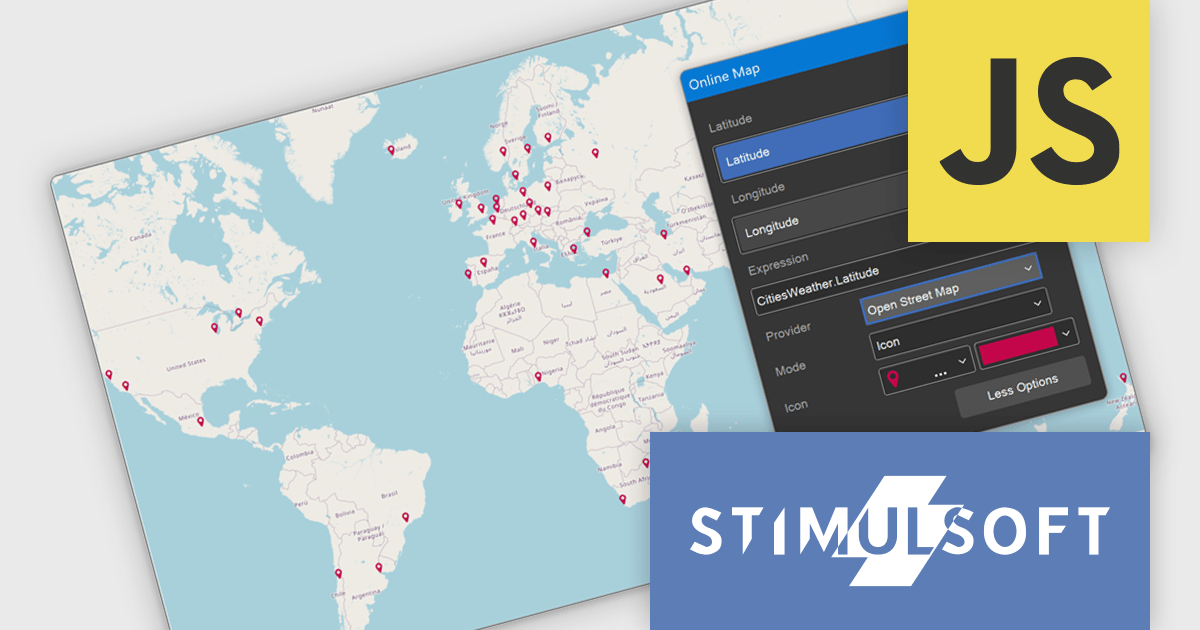
Stimulsoft Dashboards.JS is a JavaScript-based tool for creating interactive dashboards within web applications. Designed for developers and businesses, it provides customizable charts, graphs, and tables to visualize complex data from various sources. It supports popular JavaScript frameworks such as React, Vue.js, and Node.js, enabling seamless integration into modern web projects. With an intuitive interface and responsive design, it suits use cases like business intelligence, performance monitoring, and data-driven decision-making. Stimulsoft Dashboards.JS enhances user engagement and simplifies data analysis for industries such as finance, marketing, and logistics.
The Stimulsoft Dashboards.JS 2025.3.1 update introduces OpenStreetMap as the new default provider for the Online Map dashboard element, enabling developers to implement advanced geospatial visualizations without relying on external API keys. OpenStreetMap offers comprehensive support for multiple visualization modes, including icon, bubble, value, chart, and heat map, allowing for flexible and dynamic data presentation directly within dashboards. With this enhancement, developers gain a reliable, fully integrated mapping solution that aligns with open-source standards and simplifies deployment across projects.
To see a full list of what's new in 2025.3.1, see our release notes.
Stimulsoft Dashboards.JS is licensed per developer and is available as a Perpetual license with 1 year support and maintenance. See our Stimulsoft Dashboards.JS licensing page for full details.
Stimulsoft Dashboards.JS is available individually or as part of Stimulsoft Ultimate.
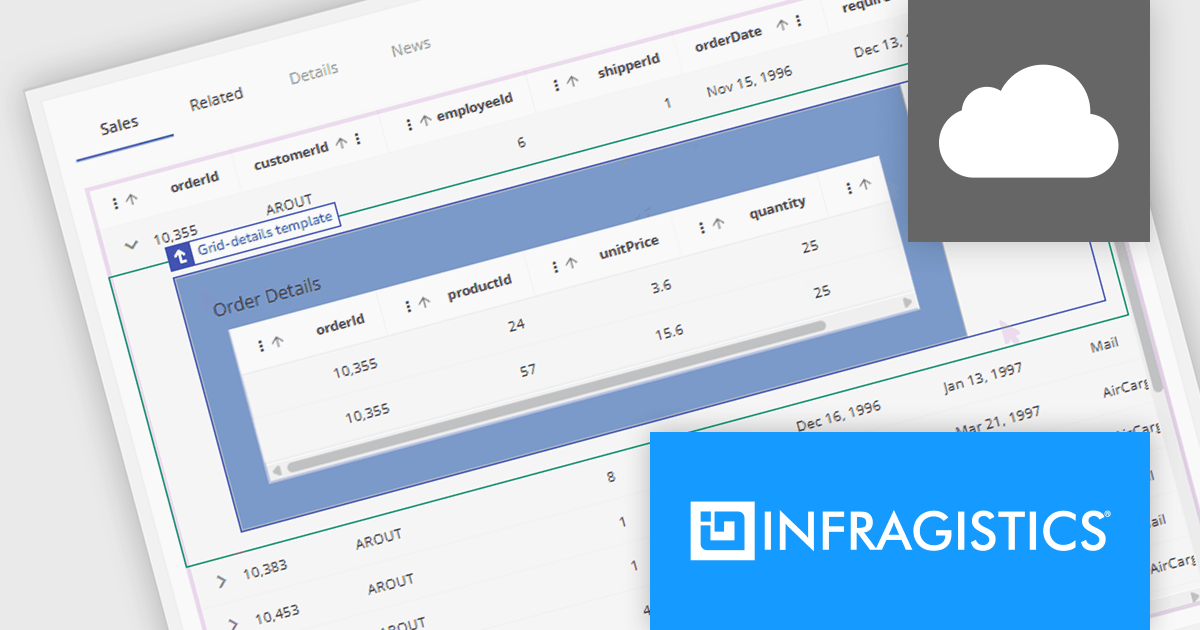
Infragistics App Builder is a cloud-based, WYSIWYG development tool that streamlines enterprise application creation through drag-and-drop functionality. Designed to accelerate development lifecycles, it empowers users to build business apps more quickly with features like prebuilt templates, real-time code generation, and instant previews. This low-code approach is ideal for businesses seeking to improve development efficiency and shorten time-to-market for web applications.
The new App Builder release supports master-detail templates that allow you to create expandable rows within data grids. This feature makes it easy to surface related information without leaving the grid view. Users can click to expand a row and immediately view details that are contextually relevant to that specific item. Developers can design these views using drag-and-drop components like cards, images, and text blocks, all bound to the active row’s data. Everything is managed through App Builder’s visual Properties panel, where enabling the “Grid-details” option unlocks the new functionality. This gives teams a fast way to build dynamic and informative user interfaces with less overhead and no need to write boilerplate code.
To see a full list of what's new, see our release notes.
Infragistics App Builder is licensed per developer as an annual subscription. See our Infragistics App Builder licensing page for full details.
Infragistics App Builder is available individually or as part of Infragistics Ultimate.
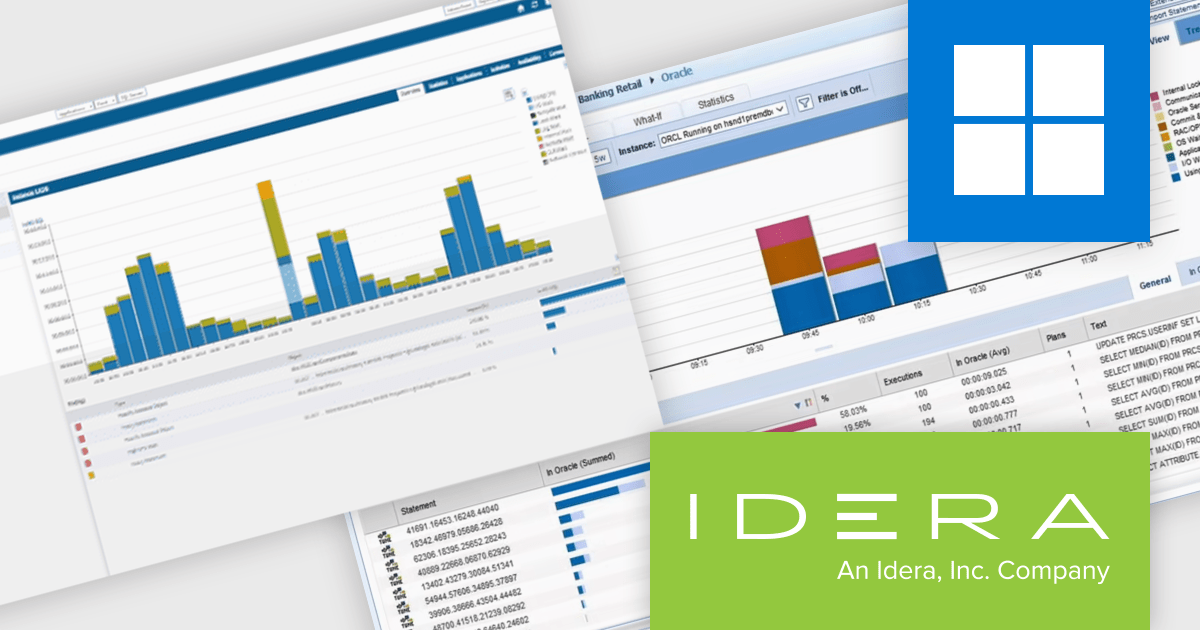
Precise for Databases by IDERA is a performance monitoring and tuning tool for databases like Oracle, SQL Server, Db2, and SAP Sybase ASE. It tracks transactions in real time with minimal overhead, providing detailed visibility into SQL execution, resource usage, and wait events. Features include advanced tuning advice, historical analysis, and visual dashboards to help teams quickly identify and resolve performance issues. Designed for both on-premises and cloud environments, Precise helps developers and DBAs ensure consistent performance and streamline troubleshooting in complex database systems.
Precise for Databases enables software developers to track the performance of database transactions in real time, providing clear visibility into execution paths, resource usage, and query behavior. By monitoring each transaction as it flows through the system, developers can quickly identify inefficient SQL statements, diagnose the root cause of performance bottlenecks, and validate the impact of code or schema changes. This level of insight helps reduce troubleshooting time, improve application responsiveness, and ensure that database interactions are optimized for both stability and speed.
Precise for Databases is licensed per database instance. See our Precise for Databases licensing page for full details.
Learn more on our Precise for Databases product page.
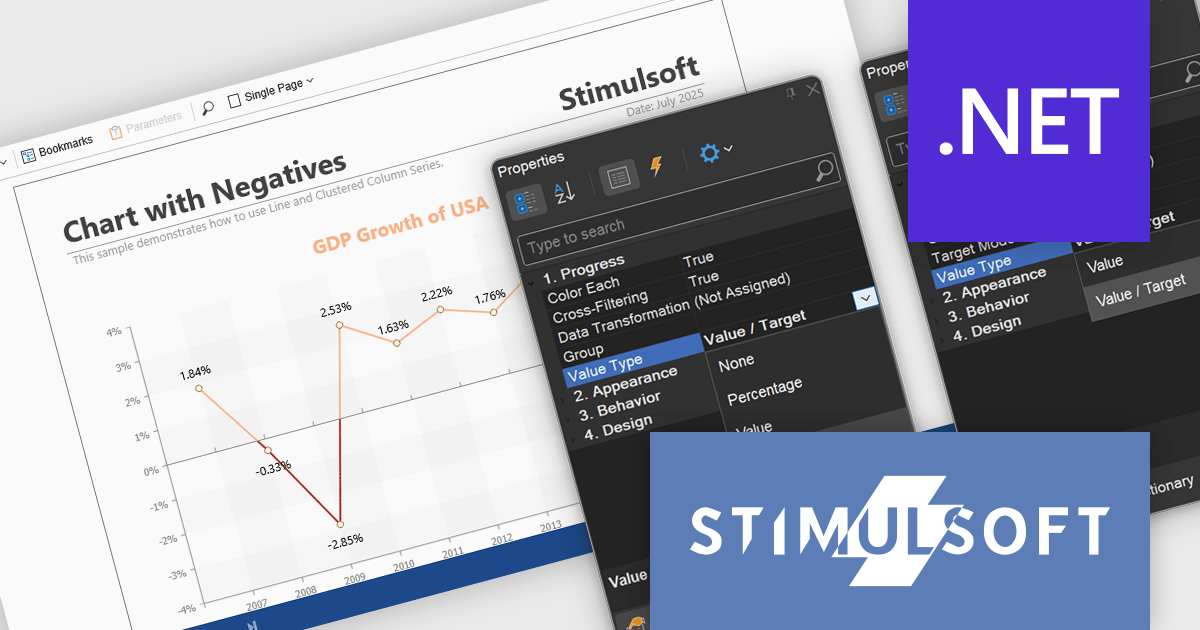
Stimulsoft Reports.NET is a reporting tool that empowers developers to design, edit, view, export, and print reports of varying complexity. It features a user-friendly report designer and an interactive viewer, allowing connection to various data sources. The generated reports can be seamlessly integrated into both Windows Forms and ASP.NET applications, with export capabilities to numerous formats for maximum flexibility.
The Stimulsoft Reports.NET 2025.3.1 update enhances the Value Type property by allowing developers to customize how values are displayed in Progress and Indicator dashboard elements. Progress elements can now show raw values, percentages, or value and target pairs, while Indicator elements support raw values or value and target formats. This added flexibility helps developers present data in the most relevant format for their users, improving clarity and making dashboards more informative and purpose-driven.
To see a full list of what's new in 2025.3.1, see our release notes.
Stimulsoft Reports.NET is licensed per developer and is available as a perpetual license with 1 year support and maintenance. See our Stimulsoft Reports.NET licensing page for full details.
Stimulsoft Reports.NET is available in the following products:
联系电话: (888) 850 9911
传真: +1 770 250 6199


