
Infragistics NetAdvantage for Windows Phone
Lightweight mobile user interface controls and vibrant data visualization controls optimized for Microsoft Windows Phone 7 devices.
由以下开发商制作:Infragistics
ComponentSource开始代理销售的日期:1996年
我们已经停止贩售这个产品。
Lightweight mobile user interface controls and vibrant data visualization controls optimized for Microsoft Windows Phone 7 devices.
由以下开发商制作:Infragistics
ComponentSource开始代理销售的日期:1996年
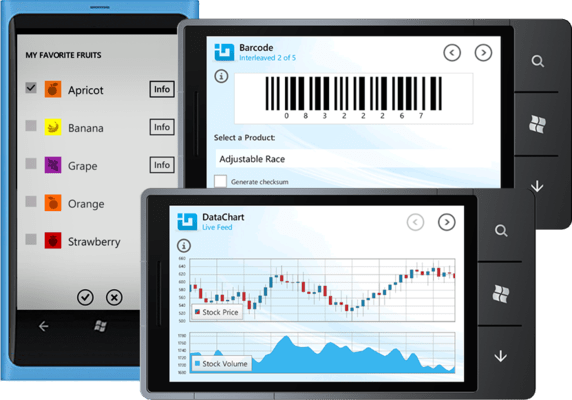
New licenses of Infragistics NetAdvantage for Windows Phone are no longer available. However, if you are an existing customer with a valid subscription you will be automatically upgraded to an Infragistics Professional subscription by the publisher.
If you have any queries please contact us.

One of the disappointments that Windows Phone developers have with the Microsoft Windows Phone SDK 7.1 is the number of UI controls in the toolbox. It's less than two dozen -- far less than the typical cornucopia that comes with other UI development kits. The Infragistics NetAdvantage for Windows Phone suite more than doubles the number of controls in the toolbox (and that's without the multiple barcode components, and the Math and Persistence classes). To use the Infragistics package, you'll first need to download and install the Microsoft Windows Phone SDK 7.1. Once you've installed both the Microsoft and Infragistics packages, you can create a new Phone project in Visual Studio by selecting one of the templates in the New Project dialog under the Silverlight for Windows Phone tab. For your first application, you'll need to add the Infragistics controls to the toolbox (they appear in the Choose Items dialog but aren't automatically added to the toolbox).
联系电话: (888) 850 9911
传真: +1 770 250 6199


