Released: Sep 15, 2010
Updates in this release
Updates in V12.0
Version 12 of <oXygen/> XML improves the existing functionality, adds new features and, most importantly, enhances the user experience. A lot of effort was invested in minimizing memory usage and improving the general performance.
- Redesigned Project View - The new Project view features a simplified tool-bar, an intuitive contextual menu and a mechanism that synchronizes the selection with the currently edited document. In addition to this, project modifications are automatically saved.
- Redesigned "New" File Dialog - The "New" file dialog combines templates and file types in a single presentation layout for increased usability.
- Open/Find Resource - <oXygen/> provides a quick way to locate and open files from the project or from the current DITA Map, based on an index of the project file paths and DITA map references. The new action is available as part of the File menu.
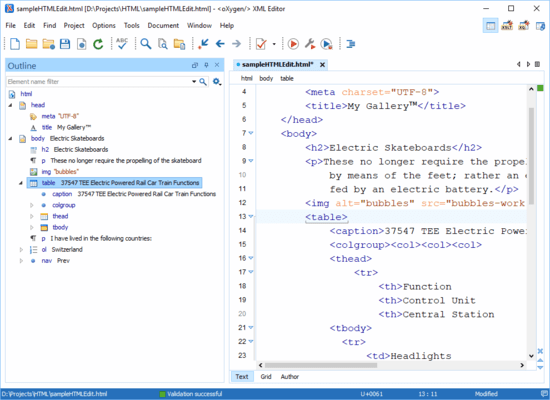
- Filtering Support in the Outline View - You can control what elements are displayed in the Outline view by typing element names into a filter box. For example, entering the element name "figure" when editing a DocBook article results in getting immediately a short summary of all the figures from your document.
- Error Markers in the Outline View - To make the XML validation errors and warnings easier to spot, the Outline view marks the XML elements having problems with a red or yellow color and with a corresponding icon.
- Error Markers in the Attribute View - Invalid attributes and invalid attribute values are highlighted with a red color in the Attributes view.