













공식 공급 업체
200 이상의 소프트웨어 개발처와 판매 계약을 맺은 공인 디스트리뷰터로서 합법적인 라이선스를 제공합니다.
모든 브랜드 보기.
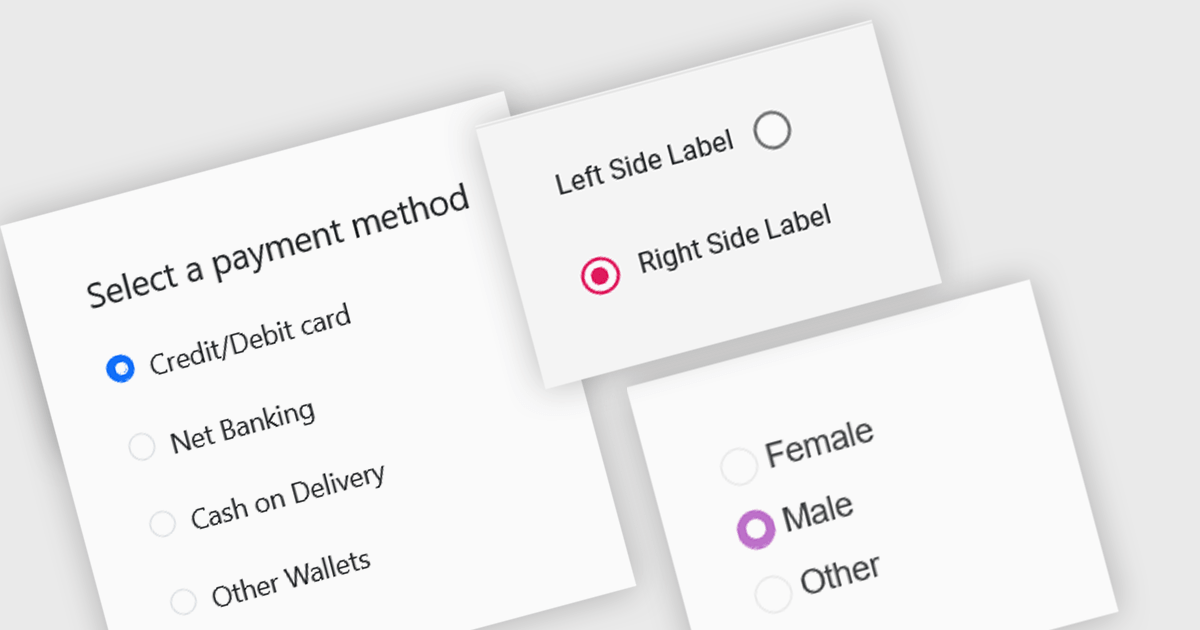
A radio group is a user interface element that presents a set of mutually exclusive options. Users can select only one option from the group at a time, visually represented by a circular button that fills with color when selected. This design pattern is commonly used to represent options like gender, payment method, or difficulty level, where a single choice is required and alternatives are clearly defined. Radio groups enhance user experience by simplifying decision-making, reducing cognitive load, and preventing errors associated with ambiguous selections.
Several React data editor collections feature a radio group, including:
For an in-depth analysis of features and price, visit our React data editors comparison.

A checksum is a single digit or character added to the end of a barcode string that serves to verify the accuracy of the information encoded. It's calculated using a mathematical formula applied to the barcode data and is used to detect errors that may occur during data entry, scanning, or transmission. By recalculating and comparing the checksum during scanning, systems can identify whether the barcode was read accurately, enhancing data integrity and reliability. If the calculated checksum doesn't match the one encoded in the barcode, the scanner can identify and flag the error. This error-checking mechanism is useful for preventing potential issues such as incorrect product identification or inventory discrepancies. Using checksums increases the efficiency and accuracy of operations, particularly in environments with high-volume scanning, such as retail, logistics, and inventory management.
Several .NET barcode components include checksum support, such as:
Explore our range of .NET barcode components with checksum support.
Need help to find the right software license, upgrade or renewal? Call, Email, or Live Chat with our experts.

AimBetter is a comprehensive performance monitoring and optimization platform designed for database management systems (DBMS). It provides real-time diagnostics and analytics, allowing IT professionals to identify and resolve performance issues quickly and efficiently. By offering detailed insights into database operations, AimBetter enhances system stability, boosts performance, and reduces downtime. The platform supports various database environments and integrates seamlessly with existing infrastructure, ensuring continuous monitoring and proactive management. Its user-friendly interface and advanced alerting mechanisms enable prompt action on critical issues, thereby optimizing resource utilization and improving overall operational efficiency.
The new AimBetter November 2024 update introduces Single Sign-On (SSO) authentication, streamlining user access by enabling a single, secure login across all authorized applications, eliminating the need to manage multiple passwords. This update enhances security by centralizing authentication, reducing the risks associated with weak or reused passwords. Ideal for organizations with multiple systems and platforms, SSO simplifies the login process, saves time, and supports efficient user management for IT teams. This feature directly addresses customer needs for a more convenient, secure, and unified experience, making it easier than ever to access critical tools within AimBetter.
To see a full list of what's new in the November 2024 update, see our release notes.
AimBetter is licensed per instance/per year with different plans available dependent on the services you require. See our AimBetter licensing page for full details.
Learn more on our AimBetter product page.
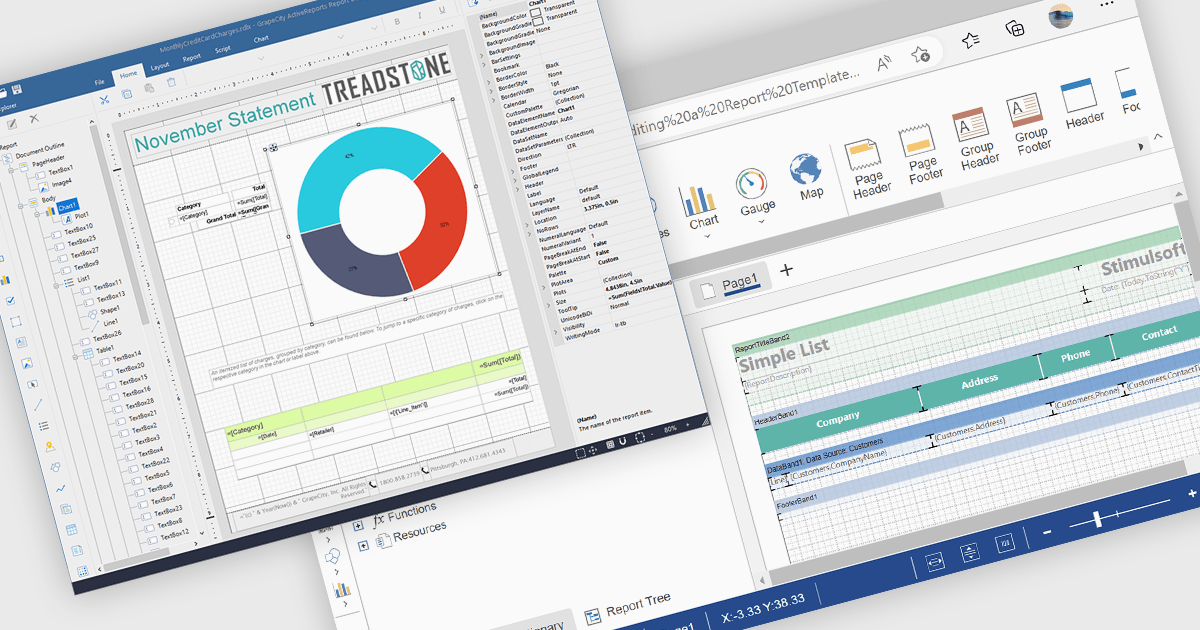
A Visual Report Designer in a reporting control enables users to create and customize data-rich reports through an intuitive, drag-and-drop interface. With ready-to-use templates, interactive elements, and direct data binding, it simplifies report creation while maintaining professional quality. Key benefits include real-time data updates, brand customization, and interactive filters, making it ideal for business intelligence tasks like financial dashboards, performance reports, and analytics summaries. This feature empowers teams to generate insights quickly and make data-driven decisions with ease.
Several Angular reporting controls offer visual report designer support including:
For an in-depth analysis of features and price, visit our Angular Reporting Controls comparison.
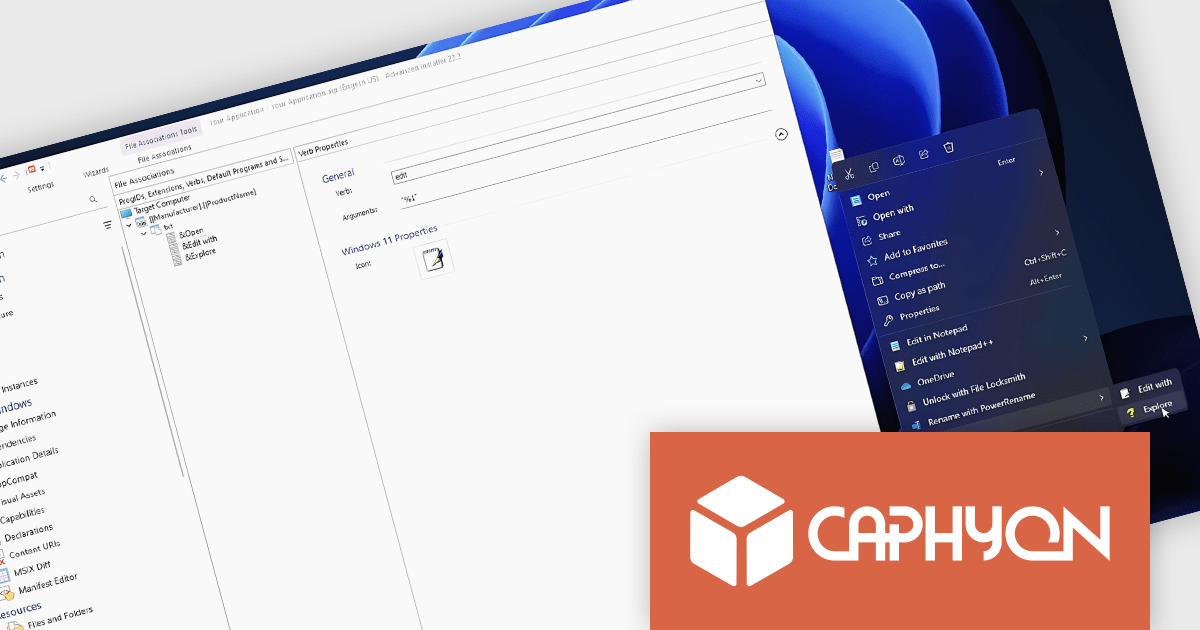
Advanced Installer by Caphyon is a powerful and versatile Windows installer authoring tool that enables developers and IT professionals to create professional-grade installation packages for their software applications. It offers a comprehensive set of features for building installers that are reliable, efficient, and compliant with industry standards.
The Advanced Installer V22.2 release includes a new nested context menu feature for file associations in MSI packages, making file type management simpler and improving navigation. This enhancement allows developers to organize file actions into submenus, reducing menu clutter and delivering a cleaner, more intuitive experience for users. Ideal for applications with multiple file types, this update provides quick access to relevant actions, supports flexible customization, and ensures a consistent user experience across installations.
To see a full list of what's new in version V22.2, see our release notes.
Advanced Installer is licensed per user and is available as an annual or perpetual license with 1 year support and maintenance. See our Advanced Installer licensing page for full details.
For more information, visit our Advanced Installer product pages:
전화 : 00798 14 800 6332
팩스 : +1 770 250 6199


