













공식 공급 업체
200 이상의 소프트웨어 개발처와 판매 계약을 맺은 공인 디스트리뷰터로서 합법적인 라이선스를 제공합니다.
모든 브랜드 보기.
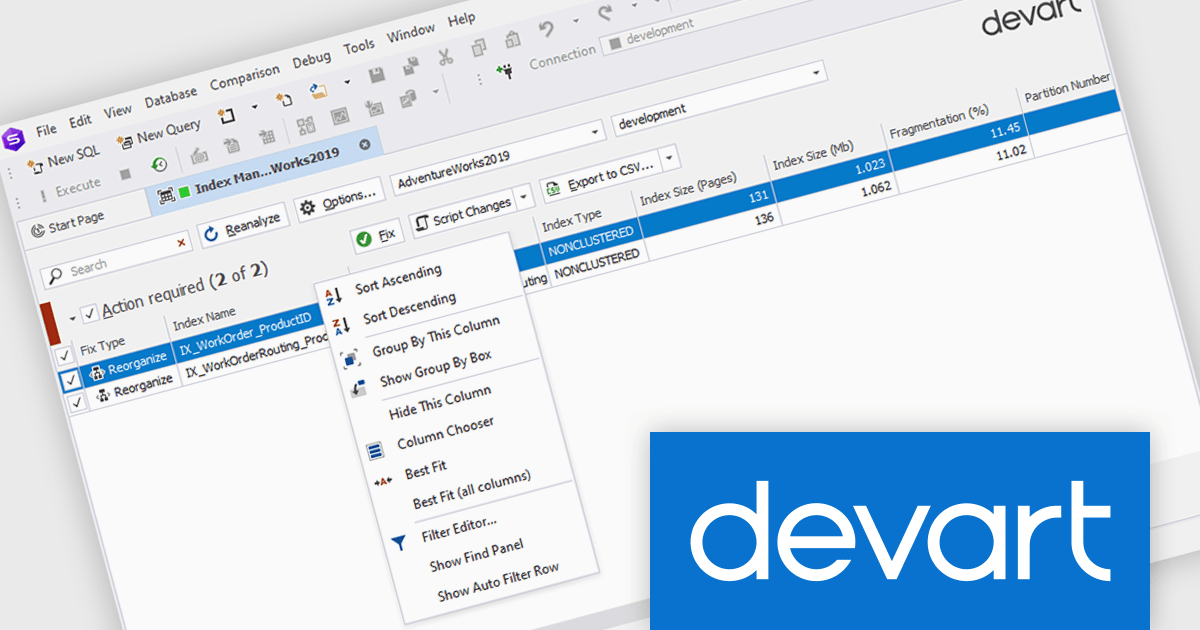
dbForge Index Manager is a SQL Server Management Studio add-in that streamlines index management tasks. It offers intelligent methods for identifying and fixing index fragmentation issues, providing features such as index analysis, sorting fragmentation troubles by severity, rebuilding and reorganizing indexes, generating SQL scripts, and exporting index analysis results as reports. This tool helps database administrators maintain optimal database performance by ensuring efficient index management.
The dbForge Index Manager V7.0.158 release adds a new standard shortcut menu, providing you with a way to quickly arrange, sort, group, and filter entries in the grid. By providing quick access to commands for arranging, sorting, grouping, and filtering entries, database administrators can easily organize their data according to specific criteria, enhancing productivity and streamlining the process of identifying and addressing index-related performance issues.
To see a full list of what's new in V7.0.158, see our release notes.
dbForge Index Manager is licensed per developer and is available as an Annual or Perpetual License with a 12 month support and maintenance subscription. See our dbForge Index Manager licensing page for full details.
dbForge Index Manager is available in the following products:
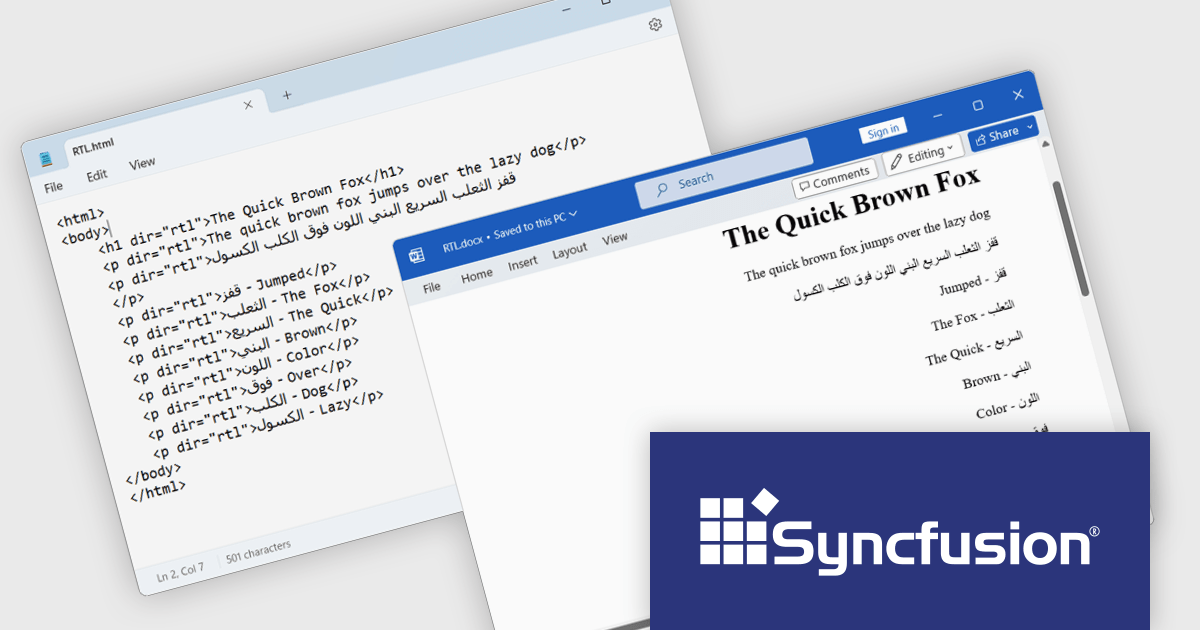
Syncfusion Essential Studio WinUI, available as part of Syncfusion Essential Studio Enterprise, is a comprehensive toolkit for building high performance native Windows desktop applications. It offers tools for crafting modern UI elements like charts, data grids, and ribbon interfaces, alongside powerful editing tools for Word, Excel, and PDF documents.
The Syncfusion Essential Studio WinUI 2024 Volume 3 release adds new RTL (right-to-left) text preservation feature which ensures that text direction is accurately maintained during HTML-to-Word and Word-to-HTML conversions. This allows users to convert documents containing RTL languages, such as Arabic or Hebrew, without losing proper formatting or alignment. The feature guarantees that the text direction remains consistent throughout the conversion process, eliminating the need for manual adjustments and ensuring a smooth and efficient workflow.
To see a full list of what's new in 2024 Volume 3, see our release notes.
Syncfusion Essential Studio WinUI is available as part of Syncfusion Essential Studio Enterprise which is licensed per developer starting with a Team License of up to five developers. It is available as a 12 Month Timed Subscription License which includes support and maintenance. See our Syncfusion Essential Studio Enterprise licensing page for full details.
Learn more on our Syncfusion Essential Studio WinUI product page.
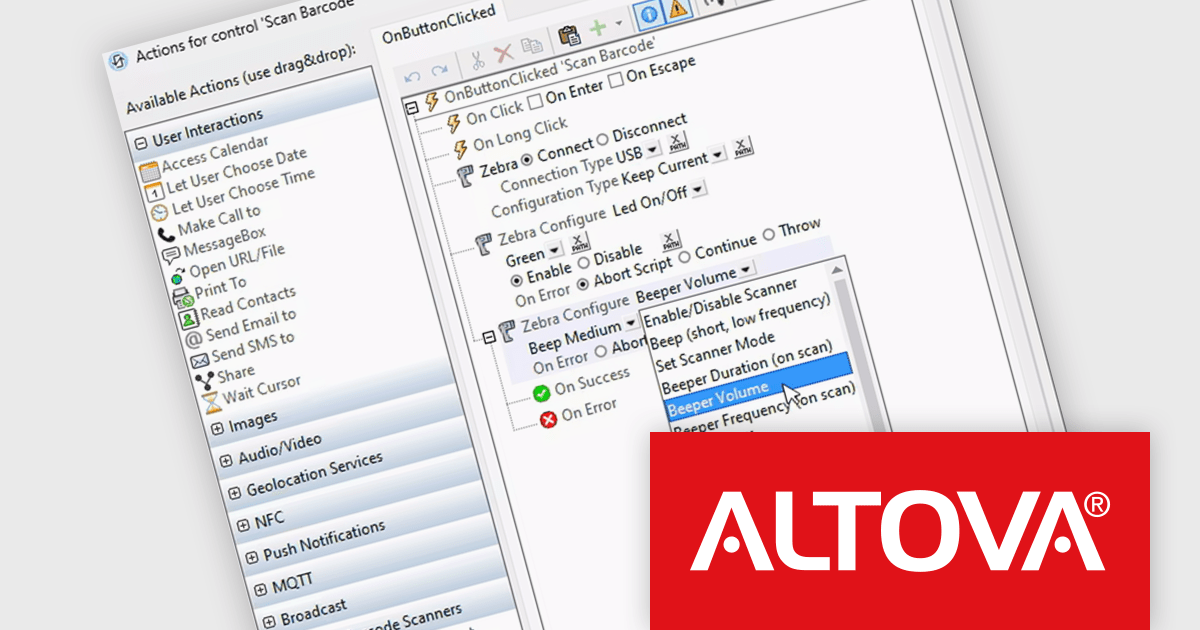
Altova MobileTogether is a rapid app development platform that empowers anyone, regardless of coding experience, to build sophisticated data-driven apps for all mobile and desktop platforms. With its visual UI design, drag-and-drop functionality, and powerful Action Tree programming language, MobileTogether streamlines the development process, enabling you to create custom database apps, integrate with backend systems, and deploy secure solutions swiftly and cost-effectively.
The MobileTogether 10.0 release now supports handheld scanners, expanding its barcode and QR code scanning capabilities beyond device cameras. Popular models like Zebra, Zebra Mobile Computer and Datalogic Mobile Computer are supported, allowing for seamless data storage and processing. Developers can also simulate scanner usage with sample data during testing, ensuring functionality before deployment. This update enhances MobileTogether's flexibility for industries like retail and logistics, where handheld scanners are widely used.
To see a full list of what's new in version 10.0, see our release notes.
MobileTogether is licensed per server core as an annual subscription. See our MobileTogether licensing page for full details.
For more information, visit our MobileTogether product page.
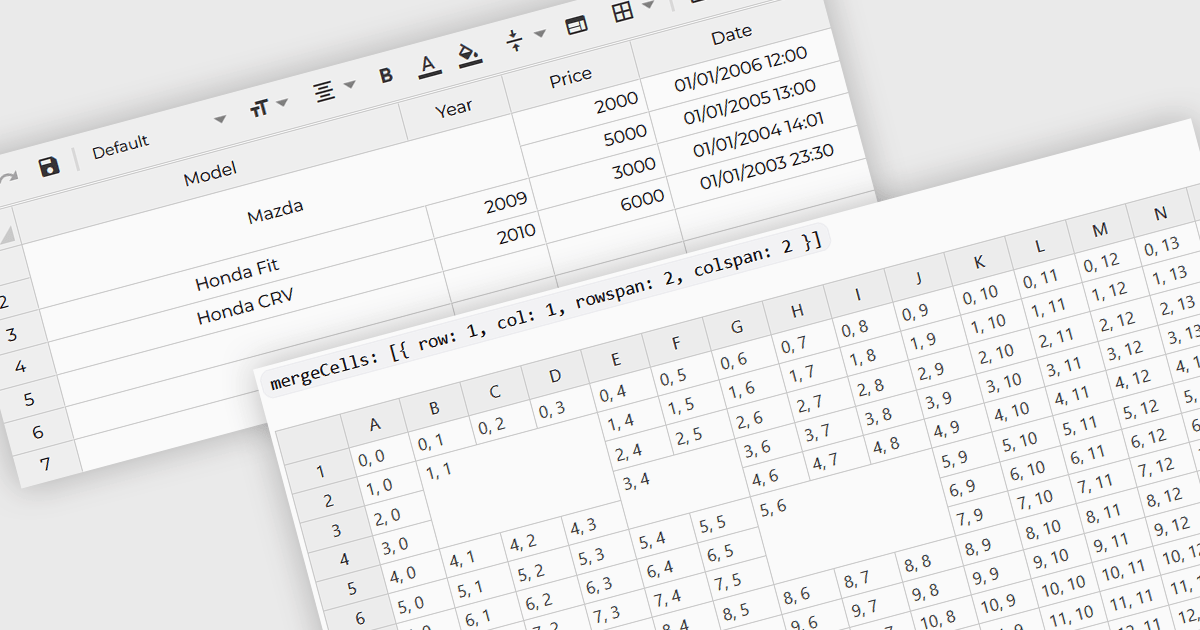
Cell merging refers to a grid component's ability to combine adjacent cells, either horizontally or vertically, to create a single unified cell. This is often used to display related data more efficiently by avoiding redundancy and improving the visual organization of complex datasets. For software developers, the benefit of cell merging lies in enhancing readability and clarity when representing hierarchical or grouped information. By merging cells, developers can present data in a more structured way, reducing clutter and allowing users to focus on key information without the distraction of repeated values.
Several Angular grid controls offer support for merging cells including:
For an in-depth analysis of features and price, visit our Angular grid controls comparison.
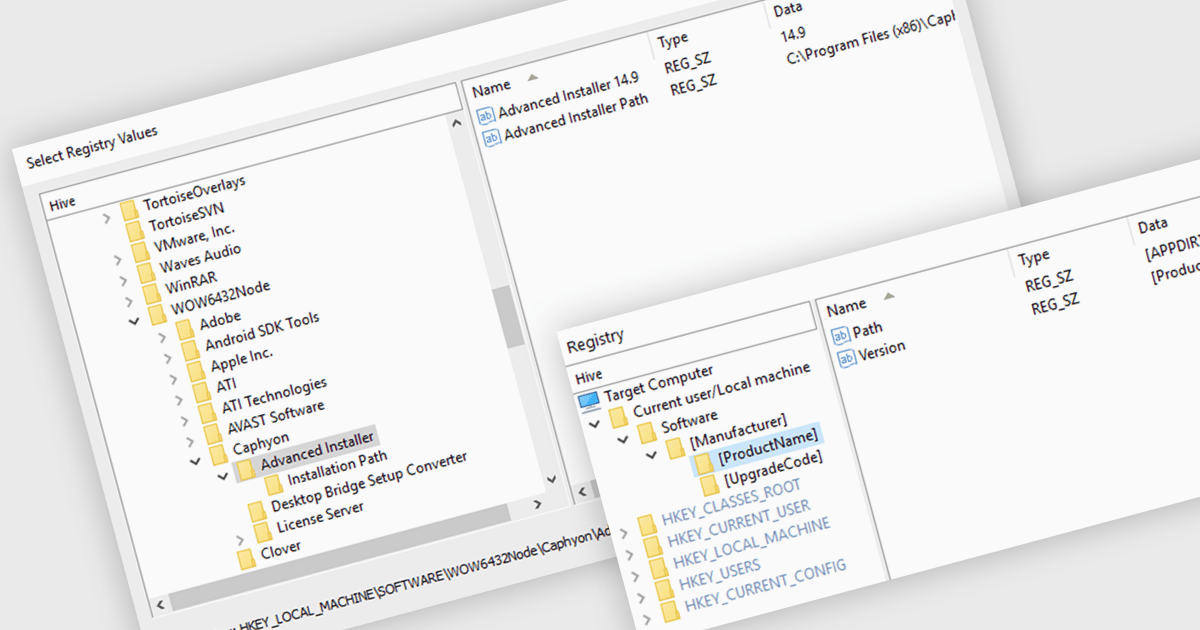
A registry editor is designed to modify and manage the Windows Registry, a central database that stores critical system settings and information. It allows developers to define exactly how their software will interact with the system, including where files will be stored, which registry keys will be accessed, and what services will be started. This granular control ensures that the installation process is smooth and reliable, minimizing potential conflicts and errors. Additionally, the registry editor can be used to create custom configurations, allowing developers to adapt their software to specific user needs or environments.
Several installation tools offer registry editor functionality including:
For an in-depth analysis of features and price, visit our comparison of installation tools.
전화 : 00798 14 800 6332
팩스 : +1 770 250 6199


