













공식 공급 업체
200 이상의 소프트웨어 개발처와 판매 계약을 맺은 공인 디스트리뷰터로서 합법적인 라이선스를 제공합니다.
모든 브랜드 보기.
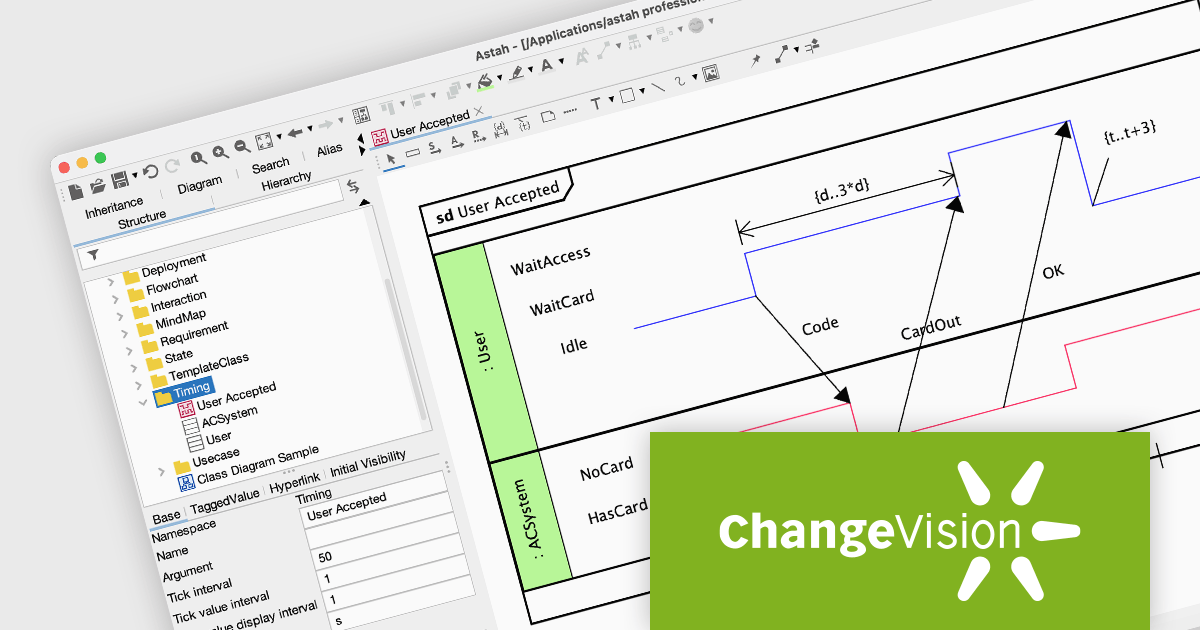
Astah Professional is a powerful diagramming and modeling solution that caters to a wide range of users, from students to enterprise teams. It allows users to create visual representations of ideas and software designs, including UML diagrams, mind maps, and flowcharts. Astah Professional goes beyond simple diagramming by enabling model conversion and relationship management, facilitating clear communication and traceability within your projects.
The Astah Professional v9.2 release introduces support for UML Timing Diagrams, a significant update that enhances your ability to model real-time systems, embedded systems, and any application where the timing of interactions is crucial. Timing Diagrams visually represent the behavior of objects over time, making them ideal for analyzing the sequence and timing of messages and events within a system. This new feature will be valuable for developers and analysts working on complex systems where timing is a critical factor.
To see a full list of what's new in v9.2, see our release notes.
Astah offers numerous licensing options for individuals and organizations. Perpetual licenses provide permanent access with initial year of support and upgrades. Annual licenses grant access and support for one year, with options for individuals, small teams, and large organizations (with floating licenses). Educational institutions can purchase licenses for individual students or entire faculties. See our Astah Professional licensing page for full details.
Learn more on our Astah Professional product page.
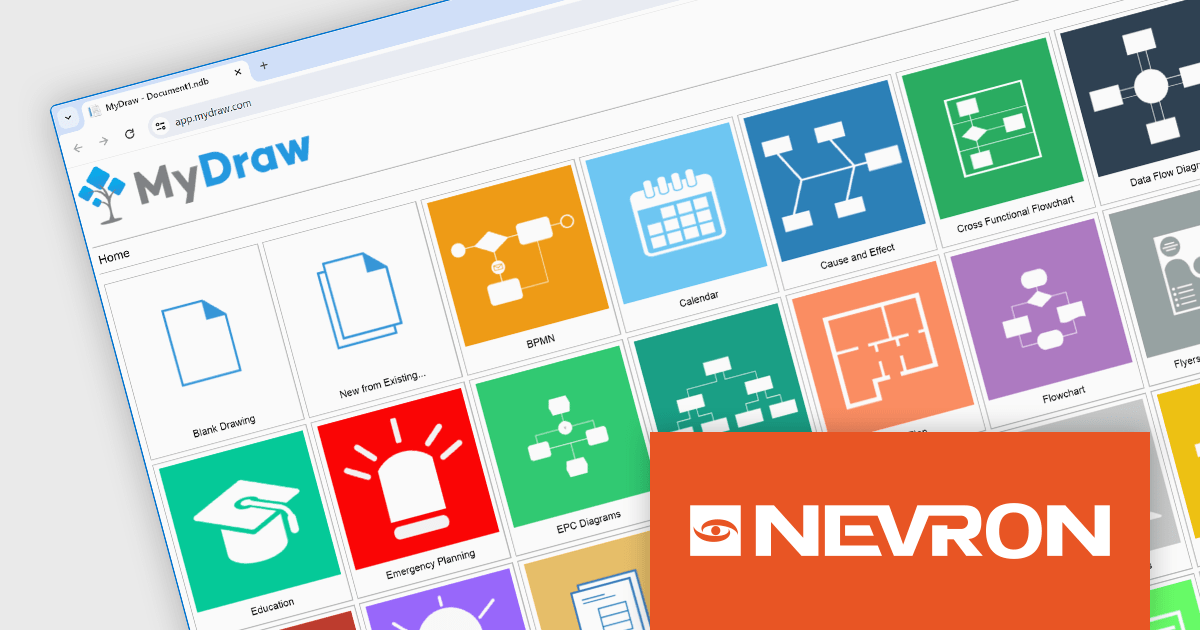
MyDraw by Nevron is a powerful diagramming and vector graphics tool that empowers developers to create a wide range of visual aids, from flowcharts and network diagrams to software architecture illustrations. Its user-friendly, Office-inspired interface simplifies the learning curve, while the extensive collection of tools fosters intuitive vector drawing. MyDraw boasts a vast library of shapes and connectors, equipped with intelligent functionality similar to Microsoft Visio's smart shapes. It seamlessly integrates with Visio, allowing users to open, edit, and save drawings in VSD, VDX, and VSDX formats.
The MyDraw V6.0 release adds a new web-based version accessible through any modern browser, offering the same powerful diagramming and vector graphics creation features as the desktop applications for Windows and Mac. This innovative addition, built upon Nevron's cross-platform technology, allows users to create and edit diagrams directly in their web browser on any device, without the need for additional software. MyDraw's web version streamlines diagramming collaboration and facilitates on-the-go editing, boosting accessibility and promoting teamwork.
To see a full list of what's new in v6.0.0, see our release notes.
MyDraw is licensed per user and is available as a 12 months subscription license with free support. See our MyDraw licensing page for full details.
For more information, see our MyDraw product page.
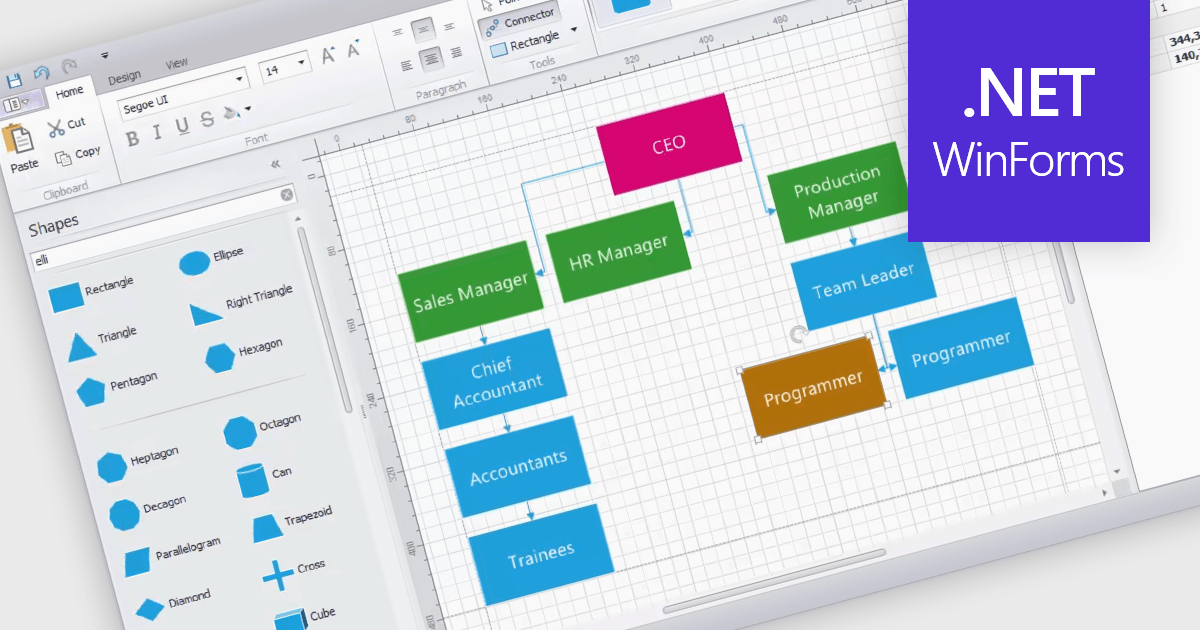
WinForms diagram controls provide a dedicated canvas for users to create and manipulate visual representations. These controls offer functionalities like displaying and editing various shapes, connectors, and text elements. They often come equipped with features for automatic layout, allowing for efficient organization of complex diagrams. Diagrams are commonly used to simplify and communicate complex ideas, processes, or data. They can show relationships between elements, illustrate steps in a sequence, or represent structures and hierarchies.
Several WinForms UI suites feature diagramming components including:
For an in-depth analysis of features and price, visit our WinForms UI Suites comparison.
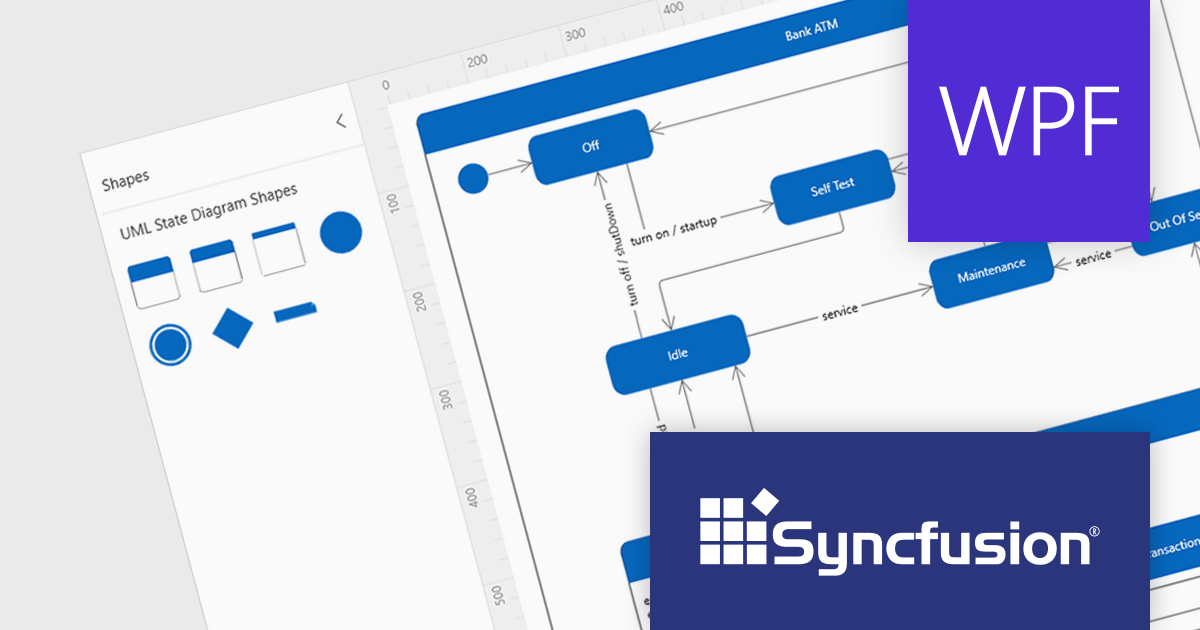
Syncfusion Essential Studio WPF, available as part of Syncfusion Essential Studio Enterprise, is a powerful suite of over 95 UI controls, 50+ charts, and document processing libraries designed to boost the development of high-performance line-of-business applications for the Windows Presentation Foundation (WPF) framework. With built-in themes, touch-friendly interfaces, and seamless Visual Studio integration, it empowers developers to craft modern, feature-rich, and cross-platform experiences with ease.
Version 2023 Volume 4 (24.1.41) adds the ability to create UML (Unified Modeling Language) state diagrams both programmatically and interactively using built-in UML state diagram symbols. This allows you to code your diagrams for robust automation and maintainability, or visually design intricate logic with built-in symbols. UML state diagrams visually depict the dynamic behavior of an object or system, focusing on the finite states it can occupy and the events that trigger transitions between them. These diagrams showcase the system's life cycle, highlighting valid sequences of events and ensuring predictable responses.
To see a full list of what's new in version 2023 Volume 4 (24.1.41), see our release notes.
Syncfusion Essential Studio WPF is available as part of Syncfusion Essential Studio Enterprise which is licensed per developer starting with a Team License of up to five developers. It is available as a 12 Month Timed Subscription License which includes support and maintenance. See our Syncfusion Essential Studio Enterprise licensing page for full details.
For more information, visit our Syncfusion Essential Studio WPF product page.
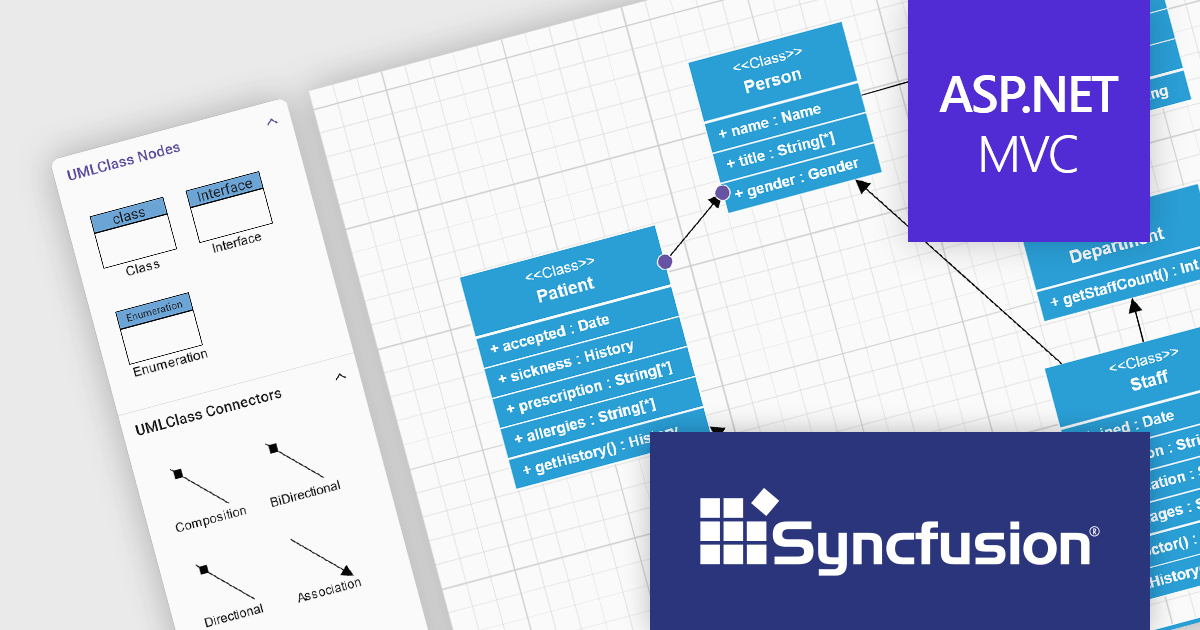
Syncfusion Essential Studio ASP.NET MVC, available as part of Syncfusion Essential Studio Enterprise, is a comprehensive suite of web UI controls that empowers developers to craft rich, interactive ASP.NET MVC applications. Backed by the lightweight and modular Essential JS 2 library, it offers over 80 components ranging from data grids and charts to schedulers and pivot grids, while ensuring a seamless integration with the MVC framework for an efficient development experience.
The Syncfusion Essential Studio ASP.NET MVC 2023 Volume 4 (24.1.41) release now allows you to add UML class shapes to the symbol palette, making it easy to drag-and-drop shapes onto the canvas to create UML class diagrams. This allows you to streamline your workflow by minimizing context switching and potential inconsistencies.
To see a full list of what's new in version 2023 Volume 4 (24.1.41), see our release notes.
Syncfusion Essential Studio ASP.NET MVC is available as part of Syncfusion Essential Studio Enterprise which is licensed per developer starting with a Team License of up to five developers. It is available as a 12 Month Timed Subscription License which includes support and maintenance. See our Syncfusion Essential Studio Enterprise licensing page for full details.
For more information, visit our Syncfusion Essential Studio ASP.NET MVC product page.
전화 : 00798 14 800 6332
팩스 : +1 770 250 6199


