













공식 공급 업체
200 이상의 소프트웨어 개발처와 판매 계약을 맺은 공인 디스트리뷰터로서 합법적인 라이선스를 제공합니다.
모든 브랜드 보기.
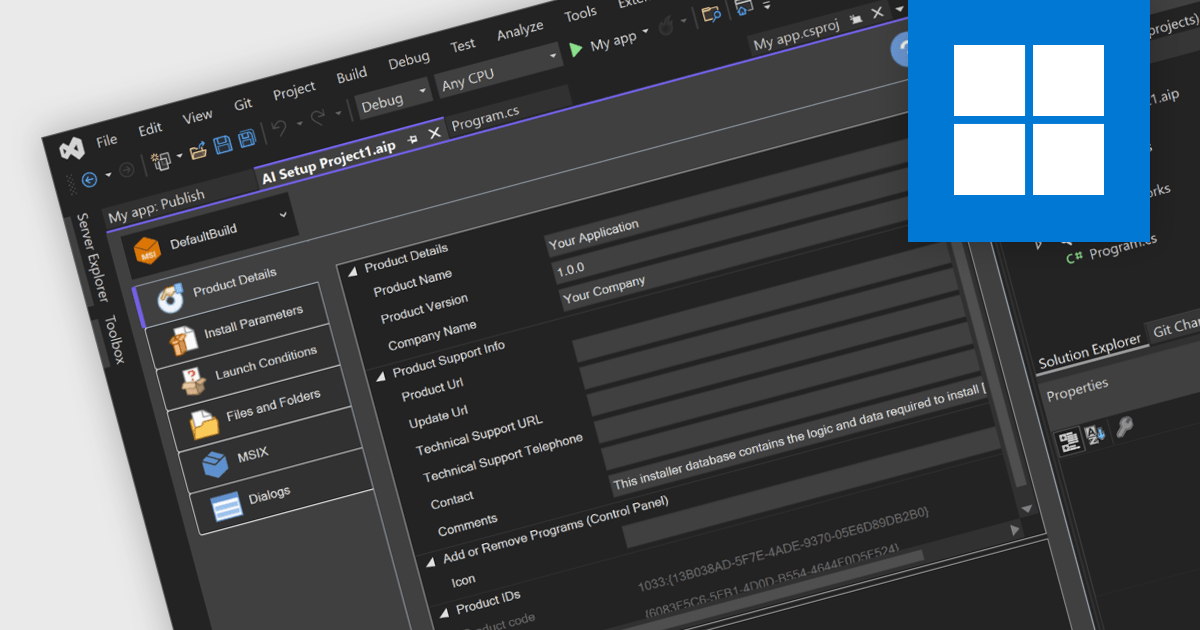
Visual Studio installer authoring allows you to create professional, user-friendly installation packages for your applications by leveraging integration with third-party tools, all directly within the Visual Studio environment. This seamless integration provides powerful capabilities for managing installation workflows, such as handling dependencies, configuring registry settings, and incorporating custom scripts, while eliminating the need to switch between multiple platforms. By streamlining the packaging process within the same environment where your application is developed, it enhances productivity and ensures that your software is deployed efficiently and configured to meet the specific needs of end users and systems. With this functionality, you can deliver polished, ready-to-use applications with ease, all while staying focused on your development workflow.
Installation Tools offering Visual Studio installer authoring include:
For an in-depth analysis of features and price, visit our comparison of Installation Tools.
Installation tools with publishing and deployment capabilities streamline the delivery and management of software applications across environments. These tools allow organizations to ensure consistent, efficient deployment processes, minimizing errors and boosting productivity. They often integrate with modern workflows such as cloud services, containerization, and continuous integration, allowing teams to automate and simplify complex deployment tasks while maintaining control and visibility over application updates and performance.
Common features include:
For an in-depth analysis of features and price, visit our installation tools comparison.
Installation tools are essential software utilities designed to facilitate the deployment of applications across various systems. These tools streamline the process of installing, configuring, and preparing software for use, often integrating essential functionality to ensure consistency and ease of use for both end-users and administrators. By automating complex tasks like dependency management, registry updates, and file registrations, these tools reduce manual intervention and minimize errors, ensuring a seamless installation experience across diverse environments.
Common features include:
For an in-depth analysis of features and price, visit our installation tools comparison.
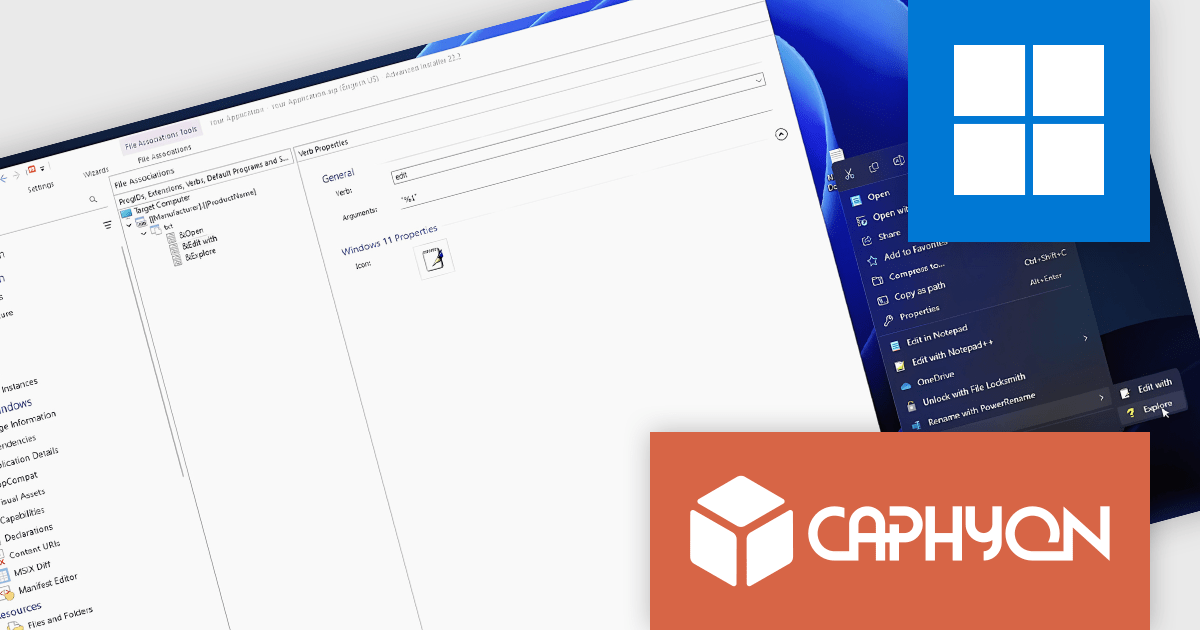
Advanced Installer by Caphyon is a powerful and versatile Windows installer authoring tool that enables developers and IT professionals to create professional-grade installation packages for their software applications. It offers a comprehensive set of features for building installers that are reliable, efficient, and compliant with industry standards.
The Advanced Installer V22.2 release includes a new nested context menu feature for file associations in MSI packages, making file type management simpler and improving navigation. This enhancement allows developers to organize file actions into submenus, reducing menu clutter and delivering a cleaner, more intuitive experience for users. Ideal for applications with multiple file types, this update provides quick access to relevant actions, supports flexible customization, and ensures a consistent user experience across installations.
To see a full list of what's new in version V22.2, see our release notes.
Advanced Installer is licensed per user and is available as an annual or perpetual license with 1 year support and maintenance. See our Advanced Installer licensing page for full details.
For more information, visit our Advanced Installer product pages:

Automated package testing in installation tools uses scripts and frameworks to verify software installations, ensuring they configure correctly across environments. This approach accelerates release cycles, identifies errors early, and reduces deployment risks, improving software reliability and quality. Common use cases include validating enterprise packages in multi-OS settings, ensuring updates maintain compatibility, and confirming compliance in regulated industries. By automating these tests, teams can focus more on development, with confidence in deployment readiness and consistency.
Several installation comparison tools offer support for package testing automation including:
For an in-depth analysis of features and price, visit our installation tools comparison.
전화 : 00798 14 800 6332
팩스 : +1 770 250 6199


