













공식 공급 업체
200 이상의 소프트웨어 개발처와 판매 계약을 맺은 공인 디스트리뷰터로서 합법적인 라이선스를 제공합니다.
모든 브랜드 보기.
The .NET Framework is a comprehensive development platform that provides a rich set of class libraries, tools, and programming languages (like C#, VB.NET, and F#), enabling developers to create a variety of applications, from desktop software to web services and mobile apps. With the approaching release of .NET 10, Microsoft continues its commitment to delivering a modern, high-performance, and cross-platform development environment.
The new .NET 10 Framework brings with it a wealth of new and updated functionality, including:
With .NET 10 Release Candidate 2, Microsoft has focused on final quality and stabilization in preparation for the general availability release. This includes updates to .NET MAUI, the Entity Framework Core, and various quality improvements to the SDK libraries and runtime.
For more information, or to download the .NET 10 Release Candidate 2, read the official Microsoft blog post about this release.
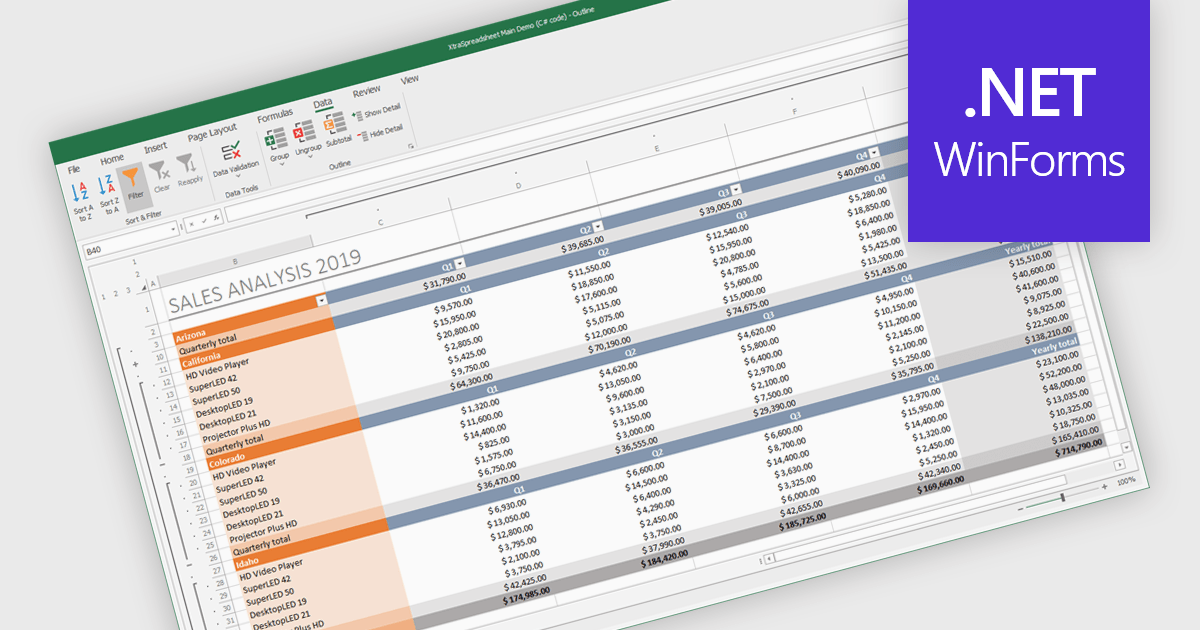
Grouping and filtering are key spreadsheet tools that make data easier to manage and analyze. Grouping combines related rows or columns into collapsible sections for clearer summaries. Filtering displays only the information that meets specific conditions, helping focus on what matters most. Together, these features improve data management, reduce visual clutter, and enhance analytical clarity.
Several .NET WinForms spreadsheet controls contain data filtering and grouping controls including:
For an in-depth analysis of features and price, visit our comparison of .NET WinForms spreadsheet controls.

Altova XMLSpy is a leading XML editor and integrated development environment (IDE) designed for creating and manipulating XML-based applications. It offers a comprehensive suite of tools for working with XML, JSON, XBRL, schemas, transformations, web services, and more. XMLSpy empowers developers to visually design schemas, edit and debug code, generate code from schemas, and leverage AI-assisted editing and debugging for enhanced productivity.
The XMLSpy 2026 update introduces a BSON editor that provides developers with the same level of intelligent editing and control they’re accustomed to when working with traditional JSON documents. BSON (Binary JSON) is a binary-encoded serialization format that extends JSON to support additional data types and faster encoding/decoding. This enhancement allows creation, validation, and transformation of BSON data within a familiar interface, supporting native BSON datatypes and enabling direct schema validation, conversion between formats, and data generation from JSON Schemas. By extending XMLSpy’s JSON editing capabilities to BSON, developers can efficiently manage MongoDB data structures with greater precision and productivity.
To see a full list of what's new in 2026, see our release notes.
Altova XMLSpy is licensed per Installed, Concurrent or Named user. Licenses are perpetual, and come with or without 1 year Support and Maintenance Package (SMP). See our Altova XMLSpy licensing page for full details.
Altova XMLSpy XML Editor is available to buy in the following products:
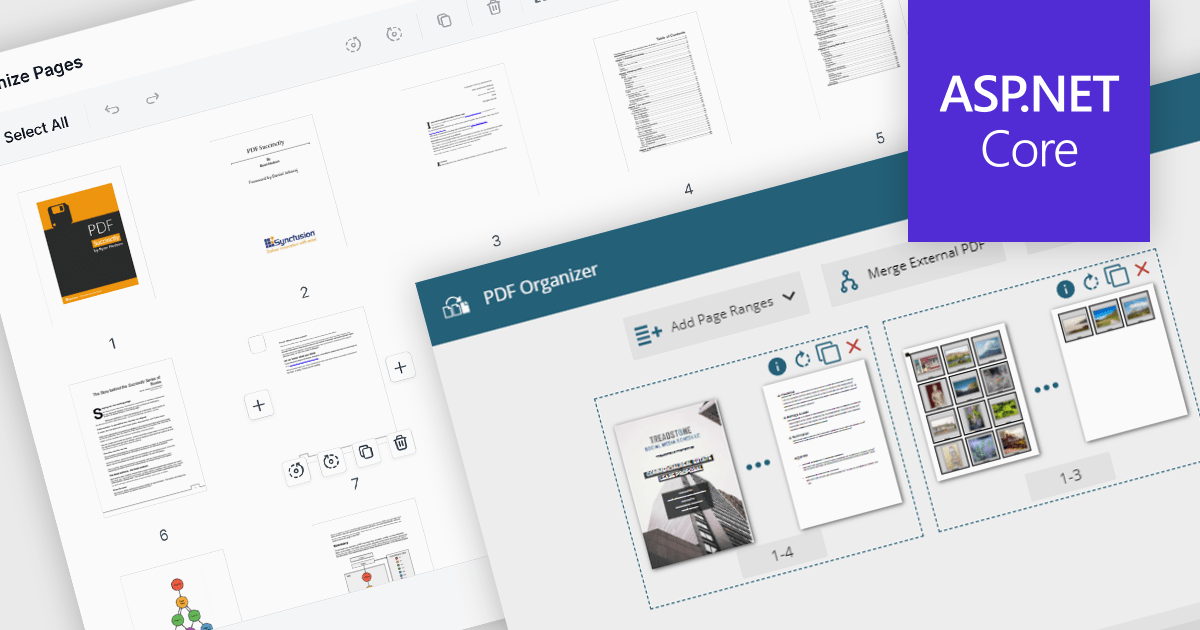
PDF manipulation features in viewer components extend the user experience beyond reading by enabling real-time structural changes to documents. These capabilities are particularly valuable in document-heavy workflows, where users need to rearrange, combine, or refine content without switching between multiple tools. Whether integrated into web portals, business systems, or productivity applications, built-in manipulation functions make PDF viewers more interactive and practical for day-to-day tasks such as document assembly, editing, and cleanup.
Common features include:
For an in-depth analysis of features and price, visit our ASP.NET Core PDF viewer components comparison.
ONLYOFFICE Docs is a comprehensive online editor, allowing users to create text documents, spreadsheets, presentations, and forms. It enables your users to edit, share, and collaborate on documents online in their preferred browser, within your own application. It is fully compatible with OOXML (Office Open XML) formats and supports popular Microsoft Office and other document formats such as CSV, DOC, DOCX, EPUB, HTML, ODP, ODS, ODT, PDF, PPT, PPTX, RTF, TXT, XLS, and XLSX.
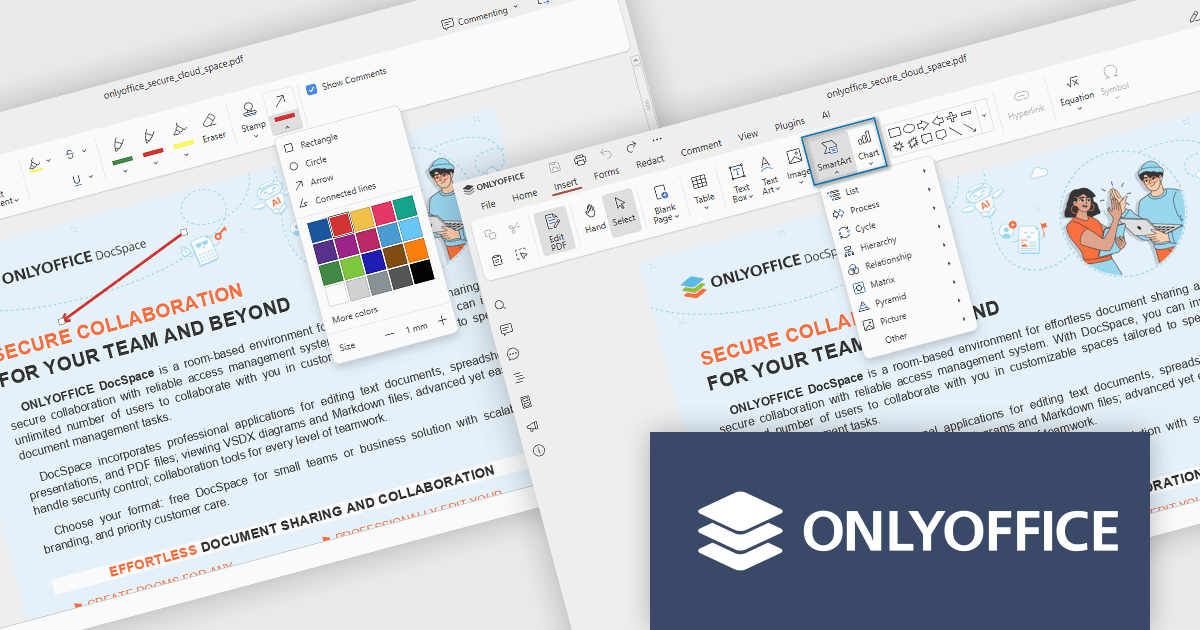
The ONLYOFFICE Docs v9.1 update enhances the PDF Editor to provide a more efficient and secure document management experience for developers and teams. It introduces advanced redaction tools that allow precise removal of sensitive information, including the ability to find and redact specific terms or entire pages. The update also expands annotation capabilities with customizable shapes and drawing tools for clearer document markup. Additionally, developers can now embed charts and SmartArt graphics directly within PDFs, enabling better visualization of data and smoother integration of visual elements without leaving the editing environment.
To see a full list of what's new in v9.1.0, see our release notes.
ONLYOFFICE Docs Developer Edition is licensed by the number of simultaneous document connections and is available as an annual license with 1 year support and upgrades. See our ONLYOFFICE Docs Developer Edition licensing page for full details.
For more information, see our ONLYOFFICE Docs Developer Edition product page.
전화 : 00798 14 800 6332
팩스 : +1 770 250 6199


