













공식 공급 업체
200 이상의 소프트웨어 개발처와 판매 계약을 맺은 공인 디스트리뷰터로서 합법적인 라이선스를 제공합니다.
모든 브랜드 보기.
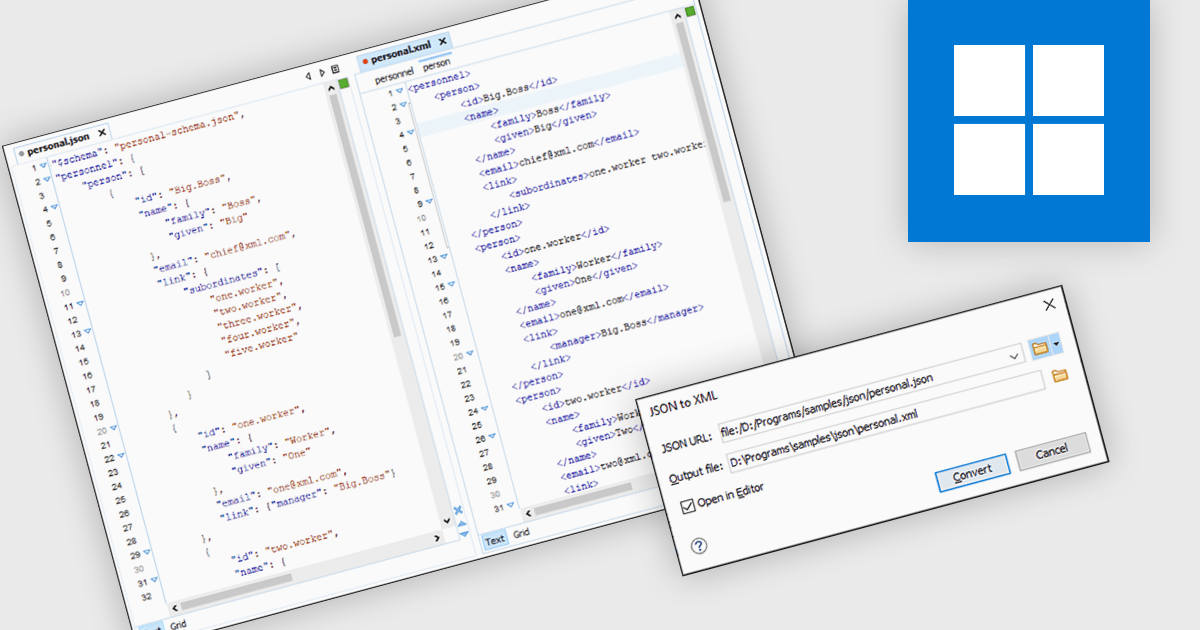
JSON to XML conversion allows developers to transform data between formats. This process involves parsing the JSON structure and generating an equivalent XML representation, preserving data integrity and ensuring compatibility with systems that require XML input. The benefits of this conversion include enabling interoperability between JSON-based and XML-based systems, facilitating data exchange and integration, and providing flexibility in handling diverse data formats.
Several structured document tools include JSON to XML conversion, including:
For an in-depth analysis of features and price, visit our structured document tools comparison.
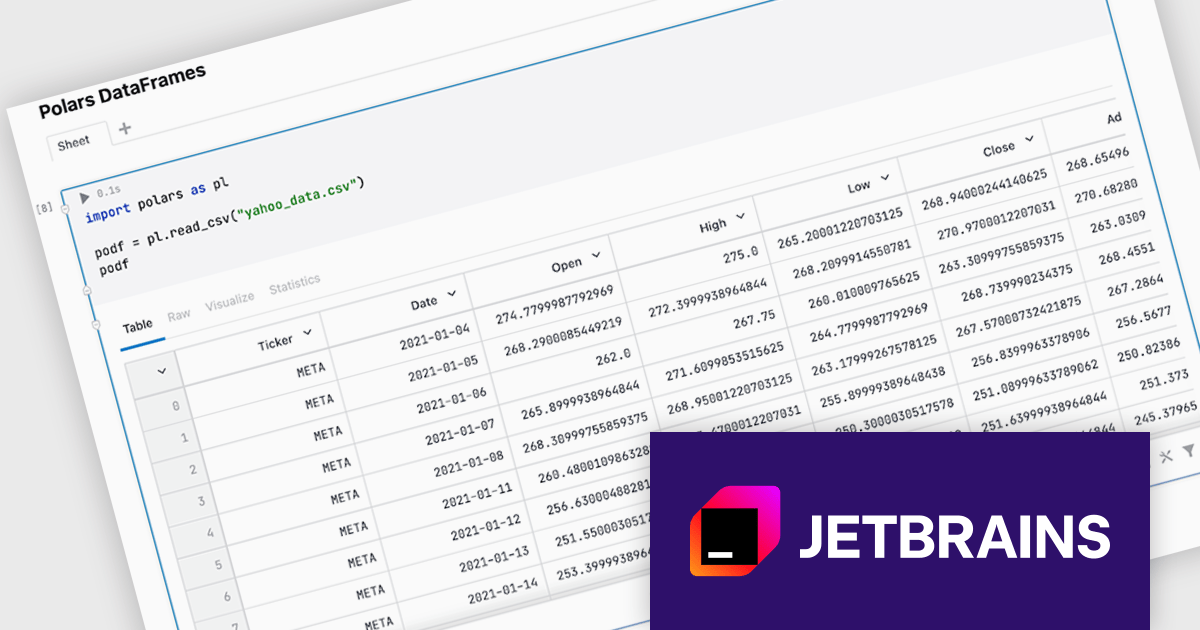
JetBrains Datalore is a collaborative data science platform that streamlines data exploration, analysis, and visualization through Jupyter-compatible notebooks. It empowers teams with features like automatic visualizations, pre-configured environments, interactive controls, and seamless collaboration functionalities. Datalore offers both cloud-based and self-hosted deployment options, catering to both individual and team-based data science workflows.
The Datalore 2024.4 update introduces a significant enhancement for data analysts working with the Polars library. The platform now offers comprehensive support for Polars DataFrames, enabling users to visualize and interact with their data in a more intuitive and efficient manner. By simply specifying the DataFrame name at the end of a cell, without the need for a print statement, Datalore automatically generates an interactive table output. This rich table representation provides a powerful tool for exploring, analyzing, and understanding data, empowering users to gain valuable insights and make informed decisions.
To see a full list of what's new in version 2024.4, see our release notes.
Datalore is licensed per user, and is available as a commercial annual subscription license. See our Datalore licensing page for full details.
For more information, visit our Datalore product page.

Document Solutions for Word by MESCIUS is a comprehensive software development toolkit designed to facilitate the creation, manipulation, and management of Microsoft Word documents within various applications. It offers a robust API that provides developers with granular control over document structure, formatting, and content, enabling the integration of Word document functionality into custom applications. Key features include support for advanced formatting options, document automation, and compatibility with various Word document formats.
The Document Solutions for Word 7.2 release enables developers to enhance the interactivity of Word documents by programmatically adding hyperlink properties to shapes. You can now seamlessly link shapes to specific URLs, documents, or email addresses. By leveraging these properties, developers can create dynamic and engaging Word documents that respond to user actions, providing a more interactive and immersive experience.
To see a full list of what's new in version 7.2, see our release notes.
Document Solutions for Word is licensed per developer and is available in several license options for differing distribution needs. Team licenses are also available for multiple developers within the same organization. Visit our Document Solutions for Word licensing page to see more information regarding licenses.
Document Solutions for Word is available to buy in the following products:
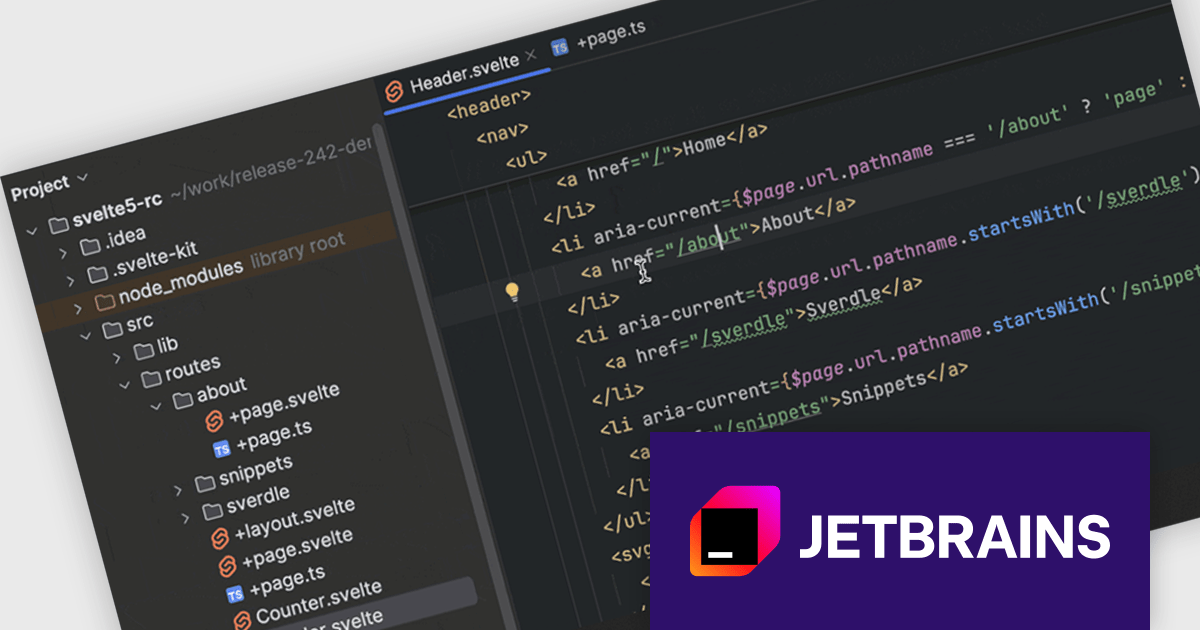
JetBrains WebStorm is a powerful and modern Integrated Development Environment (IDE) specifically designed for web development. It offers a feature-rich environment that supports popular web technologies like JavaScript, HTML, CSS, and Node.js. WebStorm helps you write cleaner, more efficient code with features like syntax highlighting, auto-completion, code refactoring, and built-in testing tools. It integrates seamlessly with various web frameworks and libraries, making it a versatile choice for both front-end and back-end development.
The WebStorm 2024.2 update introduces a significant enhancement to its file-system routing support. The IDE can now seamlessly resolve paths for frameworks that utilize file-system-based routing, such as Next.js, Nuxt, SvelteKit, and Astro. This means that when you're working on projects using these frameworks, WebStorm will accurately identify and resolve link paths based on your project's file structure. This leads to a more efficient development experience, as you can benefit from features like auto-completion and navigation, ensuring that your development environment stays in sync with the unique routing mechanisms employed by these popular frameworks.
To see a full list of what's new in version 2024.2, see our release notes.
WebStorm is licensed per user, and is available as a commercial annual subscription license. We can supply new subscriptions, subscription renewals (including continuity discounts), lapsed renewals, and additional user licenses. See our WebStorm licensing page for full details.
WebStorm is available to buy in the following products:
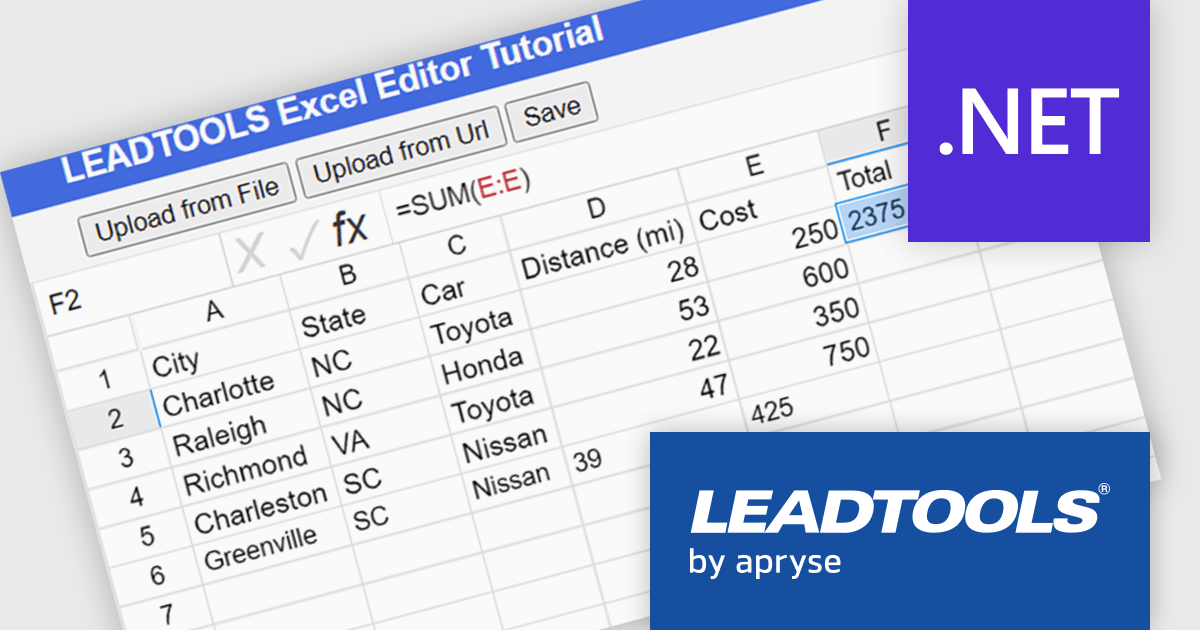
LEADTOOLS Document SDK is ideal for developing document and document imaging applications. Features include PDF viewing, comprehensive annotation and markup, specialized bitonal image displaying, and image processing. Other features include performance and memory optimizations for bitonal images, document image cleanup, including inverted text, border, hole-punch, and line removal, and scanning with LEADTOOLS Fast TWAIN and WIA. The LEADTOOLS Excel SDK - included in the Document SDK - gives developers the power to load, create, edit, and save Excel sheets programmatically.
In this blog post (the second in a 3-part series on the Excel SDK), LEADTOOLS Associate Marketing Web Developer Ryan Fritz shows you how to use the new Excel Web Editor to load an XLS/XLSX file, implement a common Excel function, and then save the updated file.
Read the complete blog and learn how to give your web applications this powerful and useful capability.
LEADTOOLS Document SDK is licensed as Development Licenses, for developers to use the SDKs, and Deployment Licenses, for the right to distribute end user solutions. See our LEADTOOLS Document SDK licensing page for full details.
Learn more on our LEADTOOLS Document SDK product page.
전화 : 00798 14 800 6332
팩스 : +1 770 250 6199


