













官方供应商
我们作为官方授权经销商,直接提供超过200家开发厂家所发行超过1000个的产品授权给您。
查看我们的所有品牌。
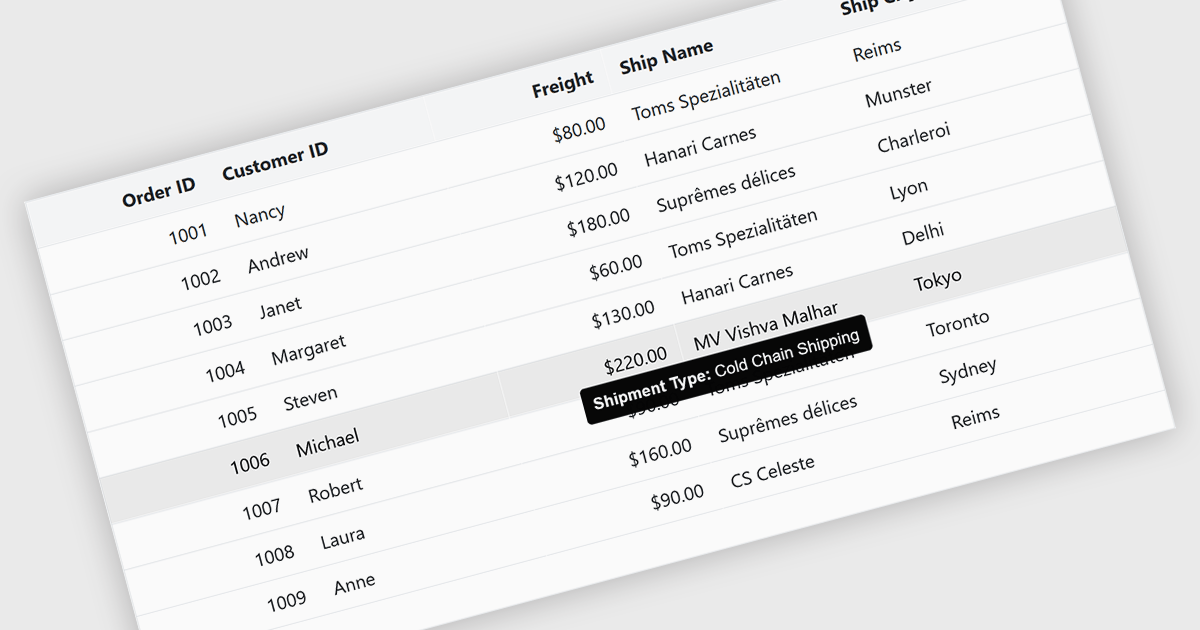
Tooltips in grid components provide contextual information that appears when users hover over or focus on a cell, column header, or row. It offers a practical way to surface additional details such as full text for truncated values, validation messages, or explanatory metadata without overcrowding the grid layout. For data-heavy interfaces, this feature improves readability and usability by keeping the primary view concise while still making secondary information readily accessible when needed.
Several Blazor grid controls offer FEATURE including:
For an in-depth analysis of features and price, visit our Blazor grid controls comparison.
Telerik UI for ASP.NET Core, MVC, and Blazor are component libraries for building modern web apps with .NET. Each provides a rich set of customizable UI elements, like grids, charts, and forms, tailored to its respective framework, helping developers create responsive, interactive, and accessible user interfaces.
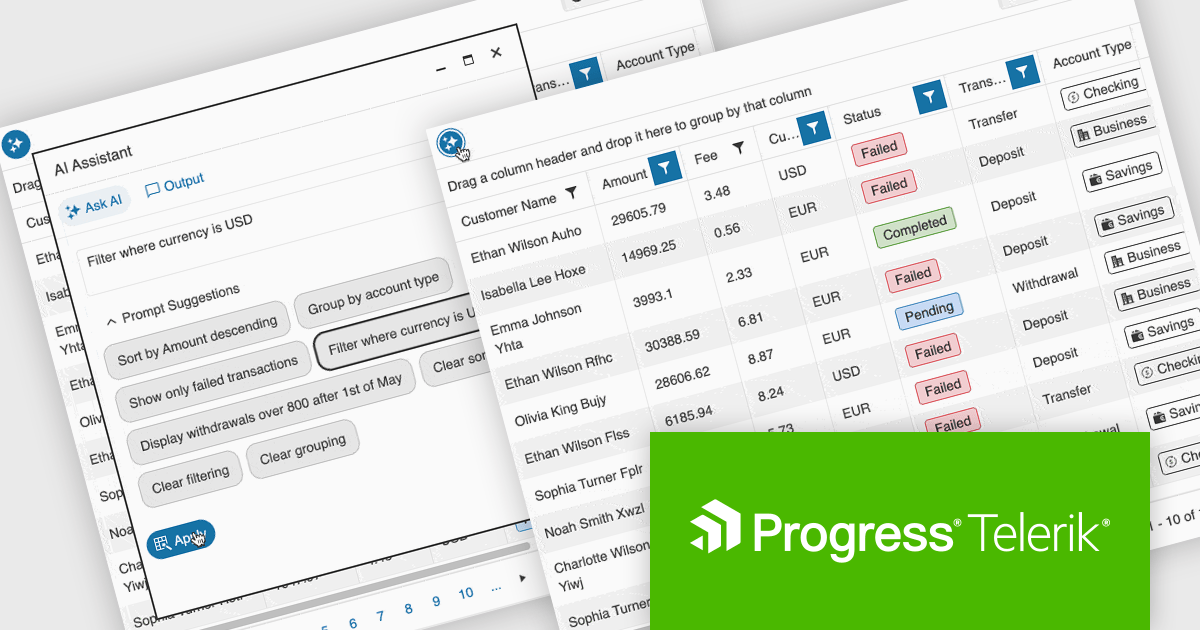
The latest update to the Telerik UI DataGrid introduces AI-driven controls that respond to natural-language prompts, making it easier for users to work with complex datasets. Users can now reorder, resize, and toggle column visibility just by describing what they want. Pagination, row selection, and data export to Excel, PDF, or CSV formats can also be handled through conversational input, reducing clicks and improving accessibility for both technical and non-technical users.
Telerik UI for ASP.NET Core, UI for MVC, and UI for Blazor are all licensed per developer and have two licensing models: an annual Subscription License and a Perpetual License. The Subscription License must be renewed to continue using the software. The Perpetual license is a one-time purchase granting access to the current released version and includes a one-year subscription for product updates and technical support. See our Telerik UI for ASP.NET Core, Telerik UI for ASP.NET MVC or Telerik UI for Blazor licensing pages for full details.
Telerik UI for ASP.NET Core, Telerik UI for ASP.NET MVC and Telerik UI for Blazor are available to buy individually or as part of the following products:
DevExpress Blazor (part of DevExpress ASP.NET and Blazor) helps you create high-impact user experiences for both Blazor Server and Blazor WebAssembly using C#. The Blazor UI Component Library ships with a comprehensive set of native components including a Grid, Pivot Table, Scheduler, Chart, Data Editors and Reporting.
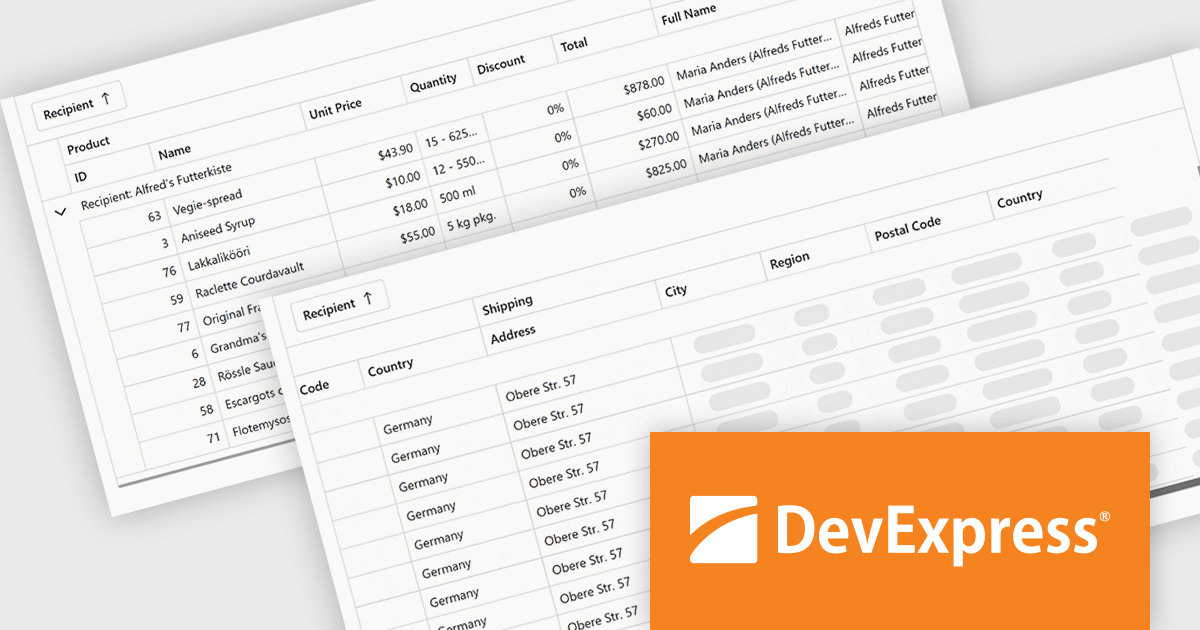
The DevExpress Blazor 25.2 update introduces column virtualization to its Grid, TreeList and Pivot Table UI components, significantly enhancing performance for large datasets. When this feature is enabled, only the columns visible in the user's current viewport are rendered, reducing the Document Object Model (DOM) size and speeding up initial load times. This new approach can be combined with existing row virtualization, allowing both horizontal and vertical data to render efficiently, even in tables with hundreds of fields. Users can smoothly navigate across cells using scrollbars or keyboard shortcuts, maintaining a responsive and fluid experience throughout.
To see a full list of what's new in version 25.2, see our release notes.
DevExpress ASP.NET and Blazor is licensed per developer and is available as a Perpetual License with a 12 month support and maintenance subscription. See our DevExpress ASP.NET and Blazor licensing page for full details.
DevExpress Blazor is available in the following products:
DevExpress Universal is a comprehensive suite of UI components and developer tools that supports the creation of feature-rich applications across web, desktop, and mobile platforms, including .NET, JavaScript, Blazor, ASP.NET, WinForms, WPF, and MAUI. It focuses on delivering consistent user interfaces, advanced data visualization, reporting, dashboards, and productivity features that help teams design, build, and maintain complex applications using a unified set of technologies and patterns.
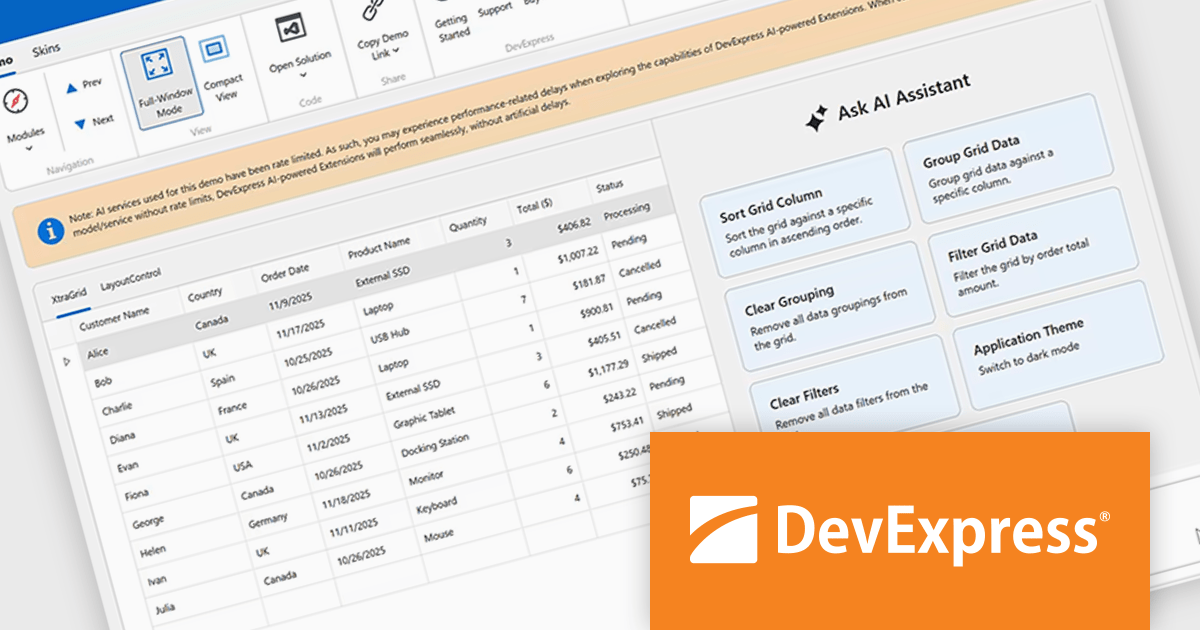
DevExpress Universal v25.2 introduces AI Tool Calling (Natural Language Control for UI Components), a cross-platform feature that extends Microsoft.Extensions.AI tool-calling to enable natural-language interaction with application UI and logic. Developers can expose UI components, ViewModels, and business services as AI-invokable tools, grouped into dynamic toolsets that adapt to the application’s current context. When users interact through the DevExpress AI Chat Control, the language model interprets their request, selects the appropriate tool, resolves the target instance, and executes the action in real time, making applications easier to use while giving developers full control over what the AI can see and do.
DevExpress Universal is licensed per developer and is available as a Perpetual License with a 12 month support and maintenance subscription. See our DevExpress Universal licensing page for full details.
For more information, visit our DevExpress Universal product page.
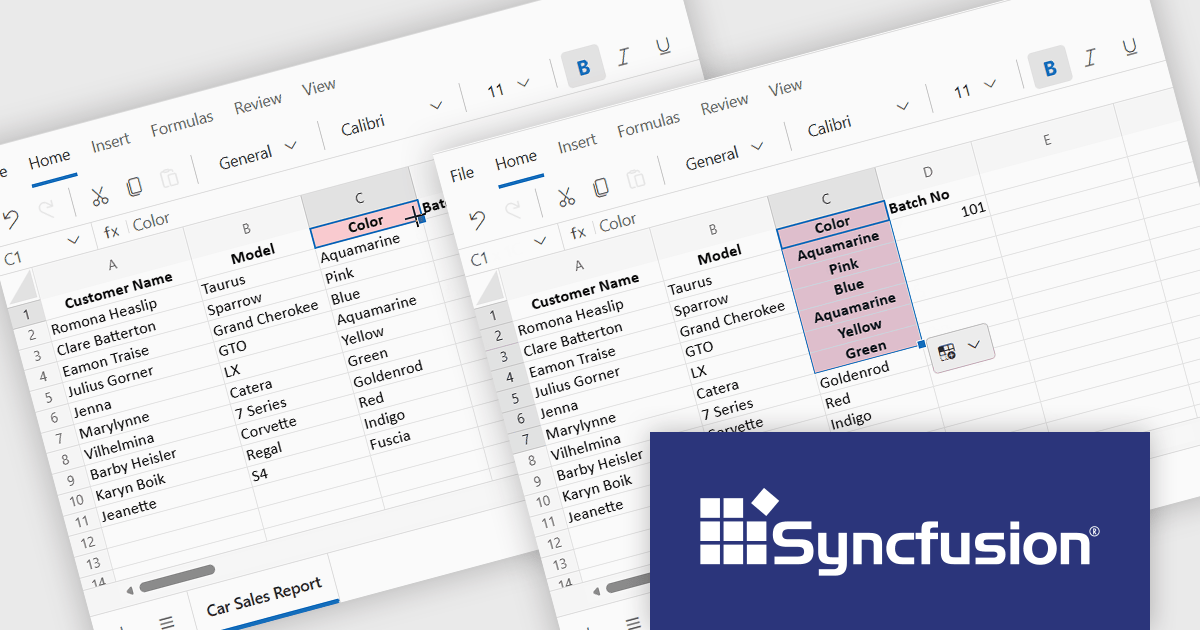
Syncfusion Essential Studio Spreadsheet Editor SDK is a library that lets developers embed spreadsheet functionality into web and desktop applications without requiring Microsoft Excel. It supports editing, formatting, and data analysis features such as cross sheet formula calculation, data binding to local and remote sources including JSON and REST, conditional cell styling, charts, data validation, worksheet protection, and workbook permissions. Available across frameworks including Blazor, React, Angular, Vue, JavaScript, ASP.NET Core and MVC, WPF, WinForms, and UWP, it helps teams deliver a familiar spreadsheet experience for use cases like reporting, budgeting, forecasting, and operational data entry directly within their applications.
The Syncfusion Essential Studio Spreadsheet Editor SDK 2025 Volume 4 update adds Blazor Autofill series support, allowing users to quickly extend numeric, date-based, and custom list patterns across cells in a predictable manner. This capability preserves existing cell formatting where applicable and provides flexible behavior for copying values versus generating sequences, reducing the need for custom implementation logic. As a result, developers can deliver more intuitive, Excel-like spreadsheet experiences with improved data consistency, reduced input errors, and faster interaction for end users.
To see a full list of what's new in Syncfusion Essential Studio Spreadsheet Editor SDK 2025 Volume 4 (32.1.19), see our release notes.
Syncfusion Essential Studio Spreadsheet Editor SDK is licensed per developer on a one year timed subscription basis, with runtime royalty free redistribution included when the subscription is current, and includes one year of unlimited technical support and updates. See our Syncfusion Essential Studio Spreadsheet Editor SDK licensing page for full details.
Learn more on our Syncfusion Essential Studio Spreadsheet Editor SDK product page.
联系电话: (888) 850 9911
传真: +1 770 250 6199


