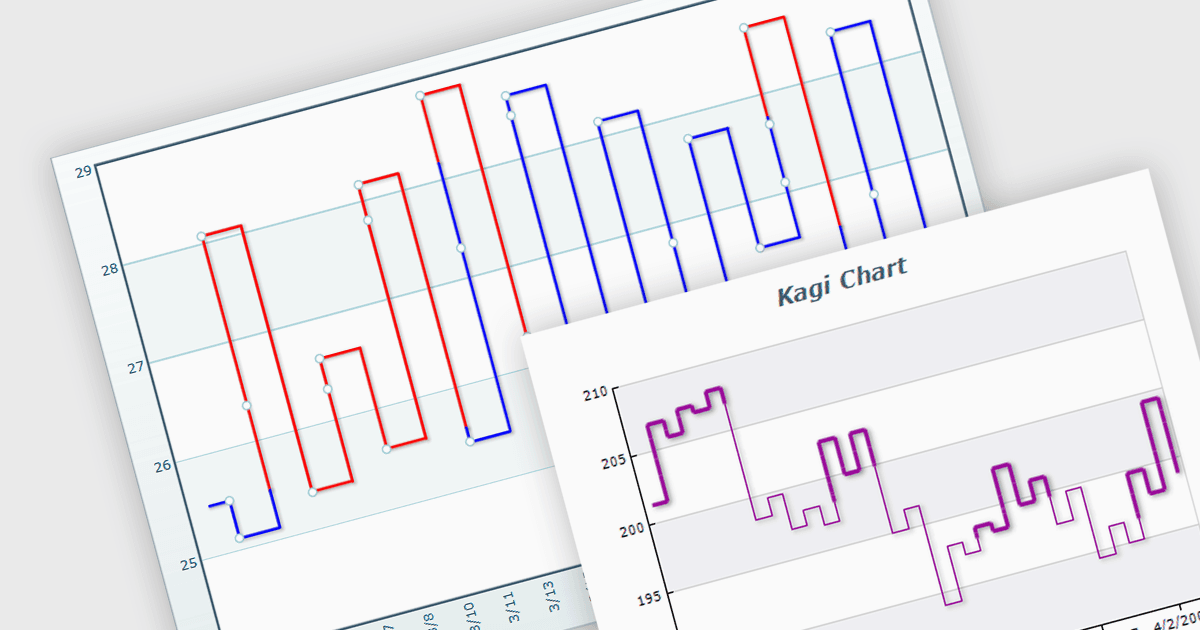
用 Kagi 圖表跟蹤重大價格走勢

5月 16, 2024
透过讓使用者更清楚地瞭解市場趨勢,將 Kagi 圖表添加到您的 WinForms 應用程式可以輔助進行財務分析。

繼續用英語閱讀:

A Kagi chart is a type of financial chart used to track price movements, with a focus on significant trends and reversals rather than minor fluctuations, to inform stock purchasing decisions. It features a series of vertical lines that reflect changes in price. The direction of these lines shifts only when the price moves by a predetermined amount, known as the reversal amount. Thin lines indicate that the price has fallen below the previous low while thick lines indicate that the price has surpassed the previous high. By filtering out minor price fluctuations it emphasises substantial price movements, offering a clearer perspective on market trends.

Several WinForms chart components provide Kagi charts, including:

  • ComponentOne Charts for WinForms (part of ComponentOne Studio Enterprise by MESCIUS) enables developers to integrate Kagi charts to enhance financial analysis.
  • Nevron Chart for WinForms (part of Nevron Chart for .NET) offers comprehensive Kagi charting capabilities for in-depth financial market analysis within WinForms applications.
  • TeeChart WinForms (part of TeeChart for .NET Pro Edition by Steema Software) facilitates the creation of Kagi charts to analyze price movements and identify market shifts.
  • Syncfusion WinForms Chart (part of Syncfusion Essential Studio Enterprise) equips developers with tools for creating customizable Kagi charts for price movement insights.

For an in-depth analysis of features and price, visit our WinForms charts comparison.

Compare WinForms Chart Components