













官方供應商
我們作為官方授權經銷商,直接提供超過200家開發廠家所發行超過1000個的產品授權給您。
請參閱我們所有的品牌。
Smart UI by Smart HTML Elements is an enterprise-grade UI library offering pre-built web components for developers in Angular, React, Vue, Blazor, and JavaScript. It boasts over 60 ready-to-use components like grids, charts, schedulers, and editors, all featuring two-way data binding, responsiveness, accessibility, and theming capabilities. This library helps developers rapidly build dynamic and modern web applications with consistent look-and-feel and rich functionalities, accelerating development time and ensuring professional quality.
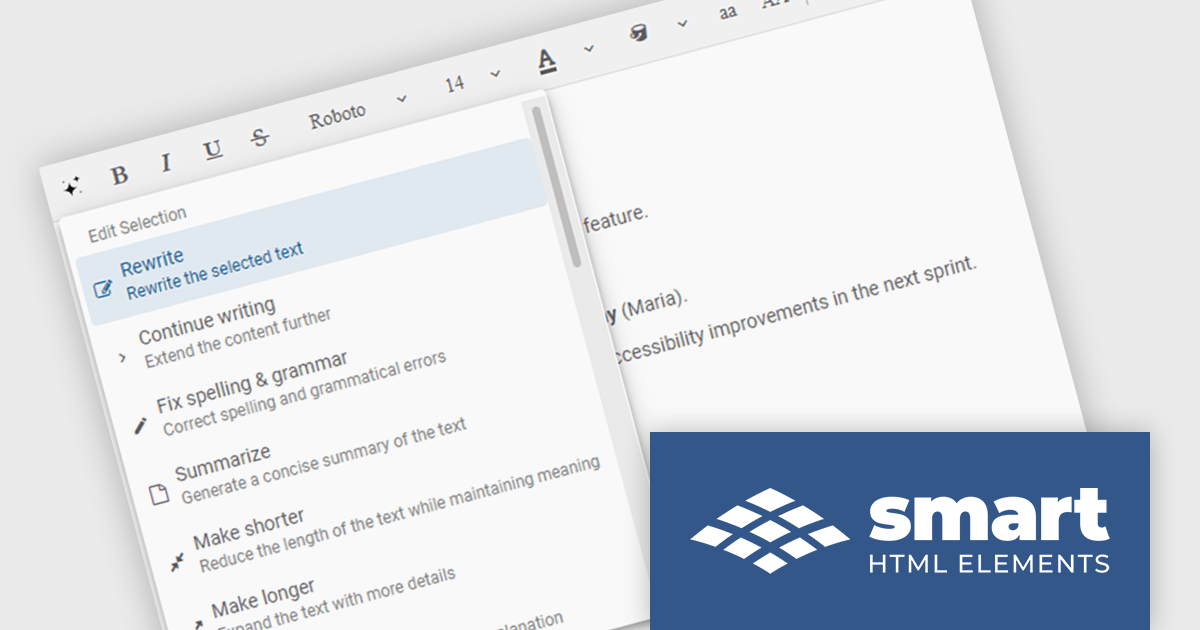
The Smart UI v23.0.0 release adds new features to Smart.Editor, including content generation, text summarization and the ability to rewrite, expand or shorten content by using AI. These capabilities enable users to quickly craft content, distill lengthy text into key points, and tailor messaging with precision, all without leaving the editing environment. Whether expanding a brief idea into a full paragraph or condensing verbose content for clarity, the new AI tools simplify content creation and editing.
To see a full list of what's new in v23.0.0, see our release notes.
Smart UI (Smart HTML Elements) is licensed per developer and is available as a perpetual license with 1 year support and maintenance. It includes distribution to unlimited Web applications, SaaS projects, Intranets and Websites. Team, OEM and Enterprise licensing options are also available. See our Smart UI (Smart HTML Elements) licensing page for full details.
Learn more on our Smart UI product page.
Infragistics Professional is a comprehensive suite of UI components designed to accelerate the development of high-performance, visually rich applications across several platforms. It provides developers with a vast collection of tools for building data-driven interfaces, including advanced grids, charts, and reporting features for web, desktop, and mobile environments.
Ignite UI for Angular (included in Infragistics Professional) includes a rich collection of high-performance components that help developers to build modern, data-rich web applications with speed and precision. With features like an advanced data grid, sophisticated charting capabilities, and full accessibility support, Ignite UI for Angular helps developers create responsive interfaces more easily and simplifies common tasks involved in building Angular applications.
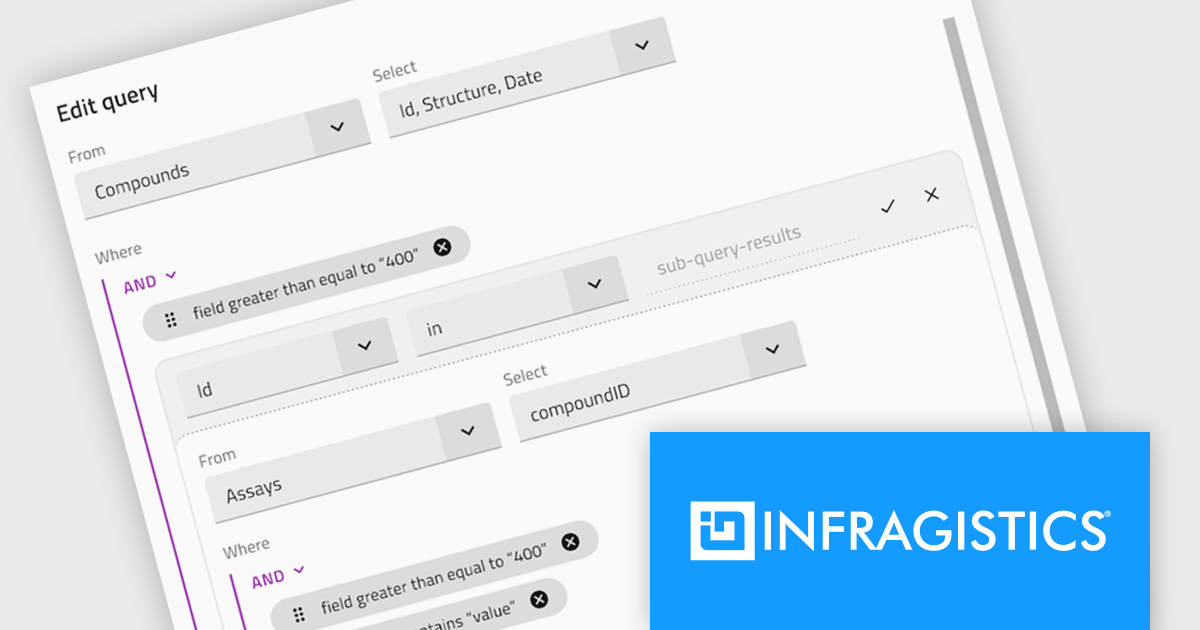
The Infragistics Professional 25.1 release introduces a powerful enhancement to its Angular Query Builder component - support for nested SQL queries using IN and NOT IN operators. This addition allows users to design subqueries visually within the Query Builder interface, effectively embedding one query inside another without writing manual SQL. The update brings the expressive power of SQL subqueries into the hands of users through a clean, intuitive UI, making it significantly easier to handle complex data filtering logic in Angular applications.
To see a full list of what's new in version 25.1, see our release notes.
Infragistics Professional is licensed per developer and is available as a Perpetual License with a 1, 2 or 3 year support and maintenance subscription. See our Infragistics Professional licensing page for full details.
For more information, visit our Infragistics Professional product page.
Stimulsoft Reports.JS provides a robust reporting toolkit designed specifically for JavaScript applications. This library leverages a client-side architecture, offering a pure JavaScript report engine for efficient report rendering directly within web browsers. The solution includes a user-friendly report designer for building reports with various data sources and visualizations, along with a report viewer for seamless integration and display within your JavaScript applications. This eliminates the need for server-side dependencies or browser plugins, simplifying the development process for embedding powerful reporting functionalities into your web projects.
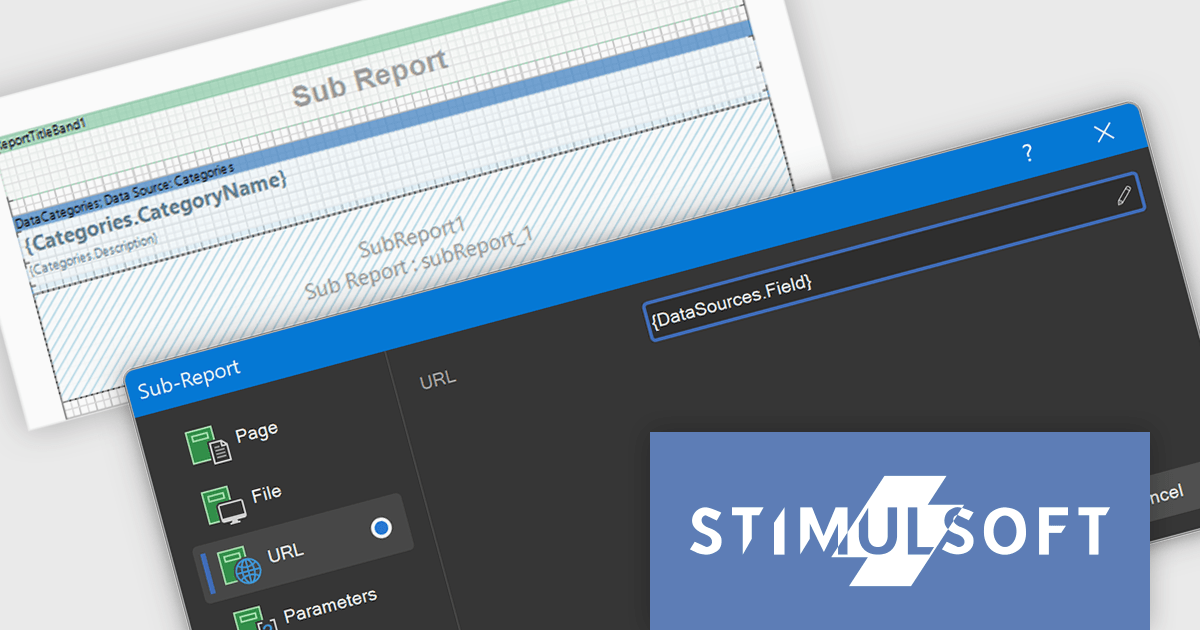
The Stimulsoft Reports.JS includes expressions within the URL and File fields of the Sub-Report component. This functionality helps developers to dynamically determine the source of a sub-report, whether it is a file path or a web address, based on the evaluation of expressions. Consequently, this allows for the creation of more adaptable and context-aware reports where the embedded sub-report content or linked resources are determined programmatically based on the main report's data, offering greater flexibility in report design and data integration without the need for static configurations.
Stimulsoft Reports.JS is licensed per developer and is available as a Perpetual license with 1 year support and maintenance. See our Stimulsoft Reports.JS licensing page for full details.
Stimulsoft Reports.JS is available individually or as part of Stimulsoft Ultimate.

ComponentSource has helped extend access to Froala's lightweight WYSIWYG HTML editor by making it available to developers around the world. The JavaScript-based editor integrates easily into web applications, offering straightforward rich text editing capabilities that fit well within ComponentSource's global catalog of developer tools.
The partnership between ComponentSource and Froala, now spanning five years, reflects a shared dedication to providing developers with high-quality and easily accessible software. This collaboration has created a reliable channel for developers to obtain Froala's products.
As they mark five years of working together, ComponentSource and Froala continue to support developers with accessible editing solutions. The availability of Froala Editor through ComponentSource underscores its position as a useful tool for modern web content editing, and strengthens ComponentSource’s role as a resource for trusted development components.
Froala Editor is licensed per product and domain. It is available as an annual or perpetual license with version upgrades and support. See our Froala Editor licensing page for full details.
For more information, visit our Froala Editor product page.
Stimulsoft Dashboards.JS is a JavaScript-based tool for creating interactive dashboards within web applications. Designed for developers and businesses, it provides customizable charts, graphs, and tables to visualize complex data from various sources. It supports popular JavaScript frameworks such as React, Vue.js, and Node.js, enabling seamless integration into modern web projects. With an intuitive interface and responsive design, it suits use cases like business intelligence, performance monitoring, and data-driven decision-making. Stimulsoft Dashboards.JS enhances user engagement and simplifies data analysis for industries such as finance, marketing, and logistics.
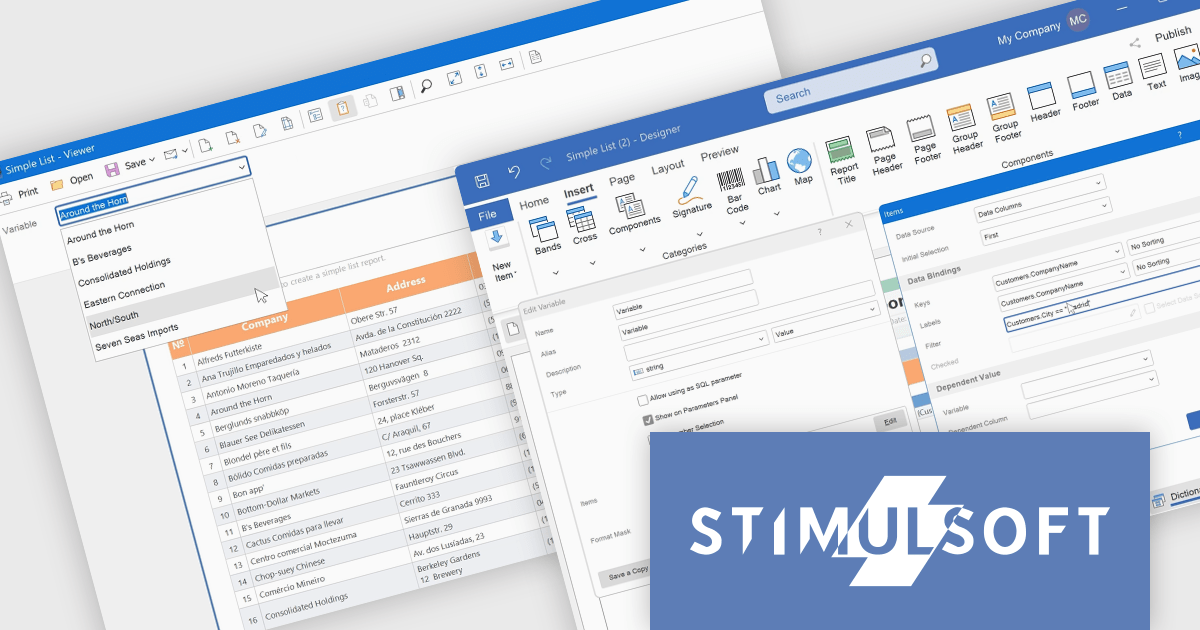
Stimulsoft Dashboards.JS includes the capability to filter variable values within the parameters panel of the viewer. This enhancement allows developers to provide end-users with a more refined and efficient parameter selection experience. By implementing expression-based filtering in the variable editor or Items window, only relevant data options are presented during report or dashboard viewing. This targeted presentation of variable values reduces visual clutter and improves the process of specifying report parameters, ultimately leading to improved usability and more focused data exploration for the end-user.
Stimulsoft Dashboards.JS is licensed per developer and is available as a Perpetual license with 1 year support and maintenance. See our Stimulsoft Dashboards.JS licensing page for full details.
Stimulsoft Dashboards.JS is available individually or as part of Stimulsoft Ultimate.
聯繫電話: (888) 850 9911
傳真: +1 770 250 6199


