













官方供應商
我們作為官方授權經銷商,直接提供超過200家開發廠家所發行超過1000個的產品授權給您。
請參閱我們所有的品牌。
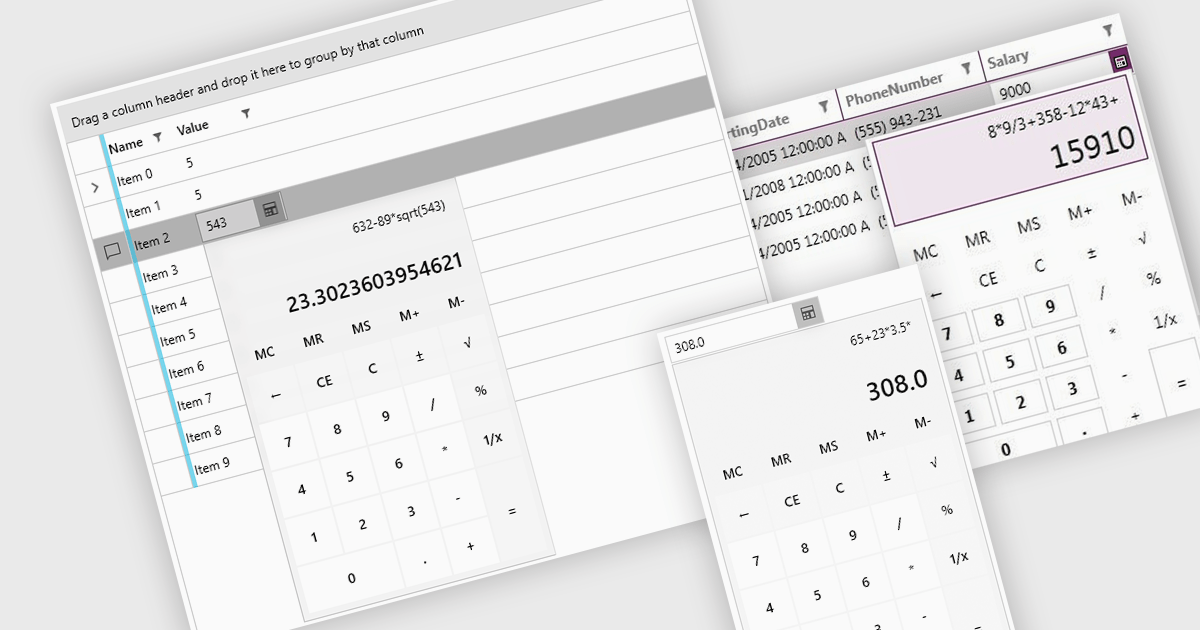
Dropdown calculators are interactive user interface components that integrate a compact calculator directly into a standard dropdown control, allowing users to perform quick calculations or adjust numerical values without navigating away from the current input field. This interaction pattern is particularly useful in data-heavy applications where users frequently need to input or modify numerical data, such as e-commerce pricing, financial tools, form-based systems, or configuration panels. By integrating calculation capabilities directly into the dropdown, these components reduce the need for external tools, help maintain focus, and improve the overall speed and accuracy of user input.
Several WPF data editor collections offer a dropdown calculator, including:
For an in-depth analysis of features and price, visit our comparison of WPF data editors collections.
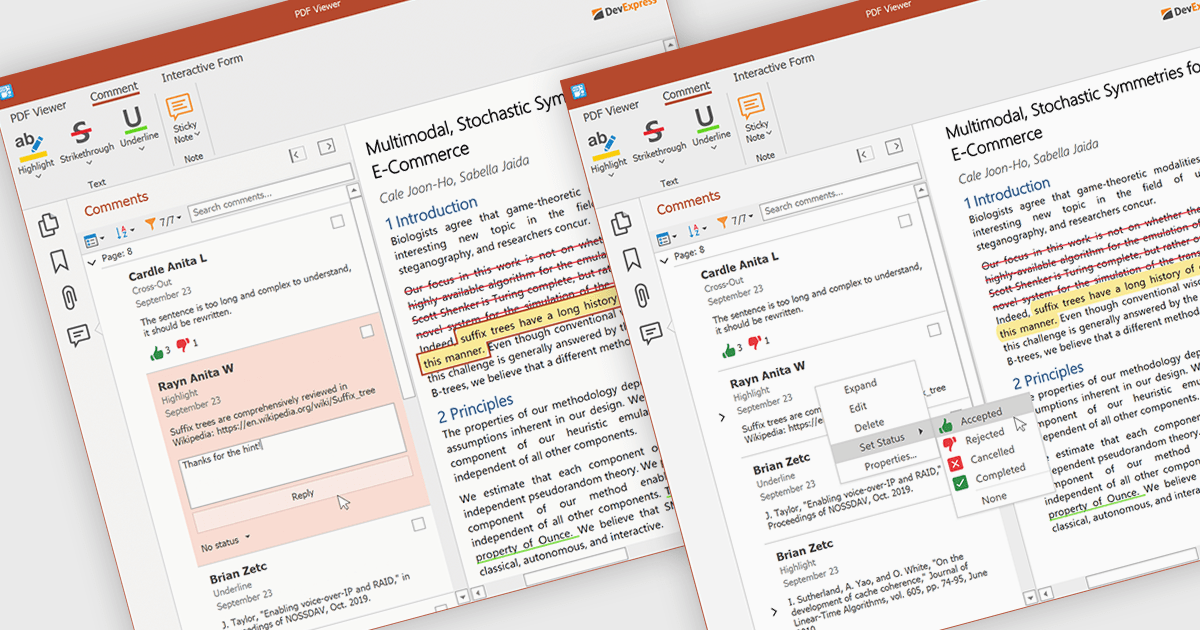
A sticky note in a PDF Viewer is a digital annotation tool that lets users attach comments directly to specific areas of a document. It offers a simple way to share feedback, suggestions, or reminders without changing the original content. Sticky notes are especially useful for reviews and collaboration, helping teams exchange feedback and track revisions efficiently. With a centralized Comments pane, all sticky notes and replies are displayed in one place, making it easy to view, manage, and organize discussions across the document.
Several .NET WPF PDF components offer sticky note annotations including:
For an in-depth analysis of features and price, visit our .NET WPF PDF components comparison.
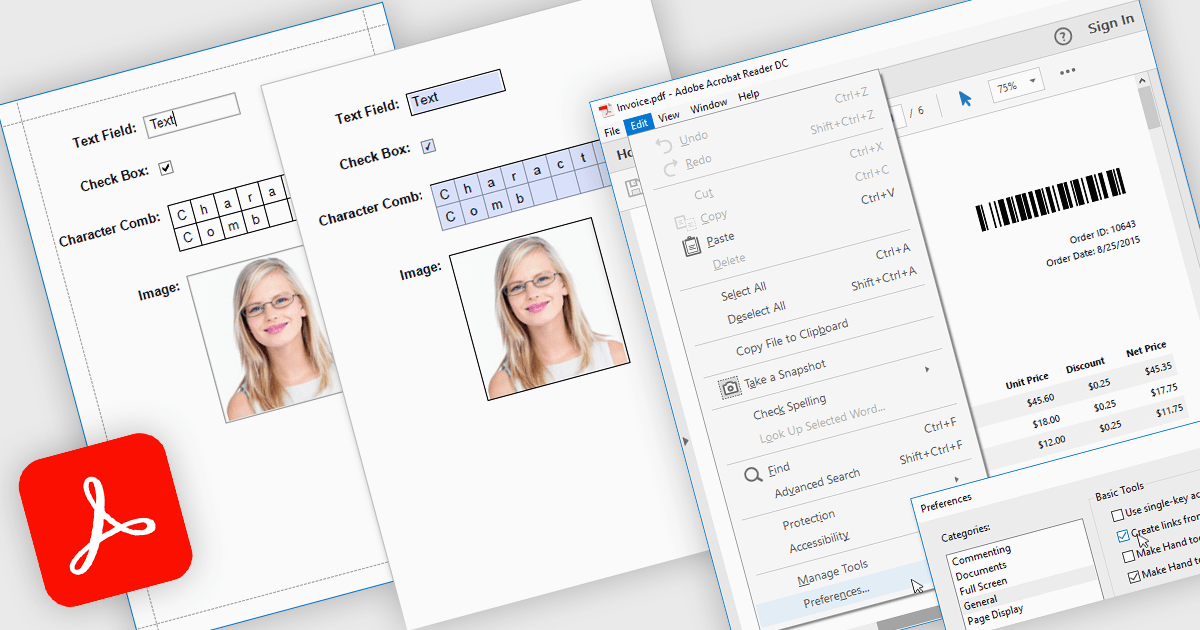
Exporting reports to PDF with AcroForms enables reports to be saved as PDF files containing fully interactive form fields, rather than static text. Editable elements such as text boxes, checkboxes, radio buttons, and drop-down lists remain fillable after export, allowing users to complete forms directly in standard PDF viewers like Adobe Acrobat Reader - without the need for specialized software. The benefits are considerable: organizations can reduce manual data entry, maintain consistent formatting across distributed documents, and improve accessibility for end users. For instance, a company might export an invoice report with editable billing details, create a survey that recipients can fill out digitally, or generate compliance forms that clients can complete and return electronically. By embedding interactive fields directly into exported reports, AcroForms help make document workflows more efficient, accurate, and user-friendly.
Several .NET WPF reporting controls offer Export to PDF with AcroForms including:
For an in-depth analysis of features and price, visit our comparison of .NET WPF reporting controls.
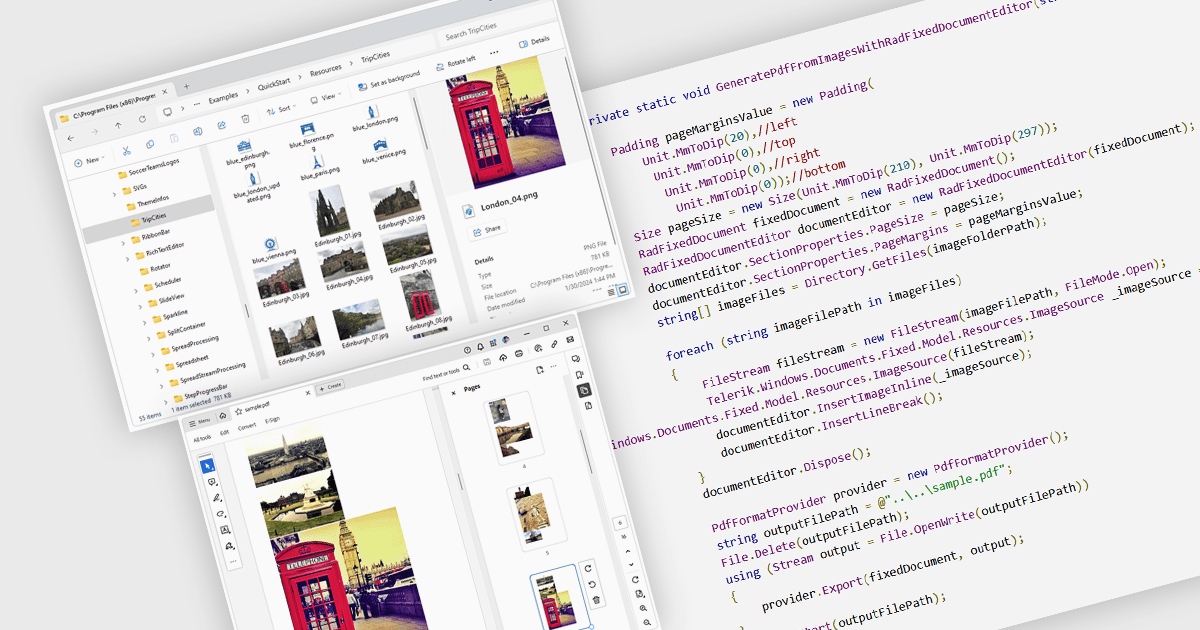
Image to PDF conversion is a common feature in document processing that enables the transformation of static image files, such as JPEG, PNG, or TIFF formats, into a Portable Document Format (PDF) file. PDFs support consistent rendering across different devices and platforms and are compact, secure, and easily viewable. This conversion is widely used to preserve visual content, including scanned documents, receipts, visual records, photos, or graphical outputs while making them easier to share, annotate, archive, or print in a universally accessible format.
Several WPF PDF components allow you to convert images to PDF, including:
For an in-depth analysis of features and price, visit our comparison of PDF components for WPF.
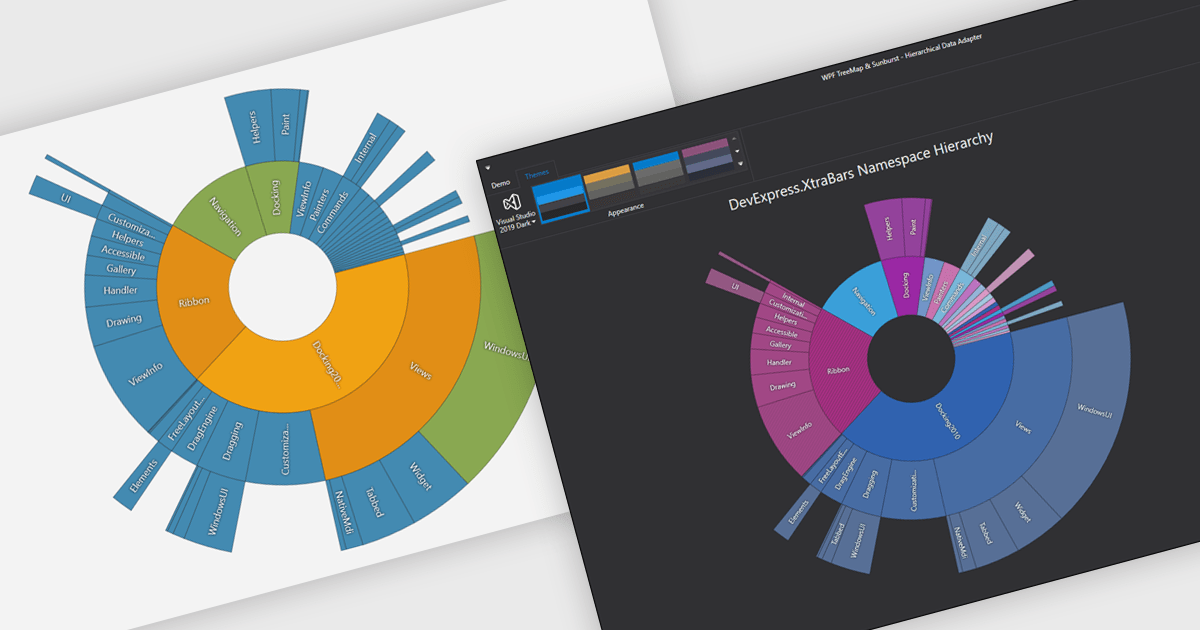
Chart themes provide a simple yet powerful way to standardize the appearance of charts by applying predefined color schemes, fonts, and styling options across visualizations. Instead of manually adjusting each element, users can quickly switch between themes to achieve a consistent, professional look that aligns with brand guidelines or presentation needs. The benefits include improving readability, enhancing accessibility - with inclusive color palettes - and ensuring visual consistency across multiple charts or entire dashboards. Chart themes improve the process of creating impactful, audience-ready data visualizations.
Several .NET WPF chart components offer the ability to add themes, including:
For an in-depth analysis of features and price, visit our .NET WPF charts comparison.
聯繫電話: (888) 850 9911
傳真: +1 770 250 6199


