













官方供應商
我們作為官方授權經銷商,直接提供超過200家開發廠家所發行超過1000個的產品授權給您。
請參閱我們所有的品牌。
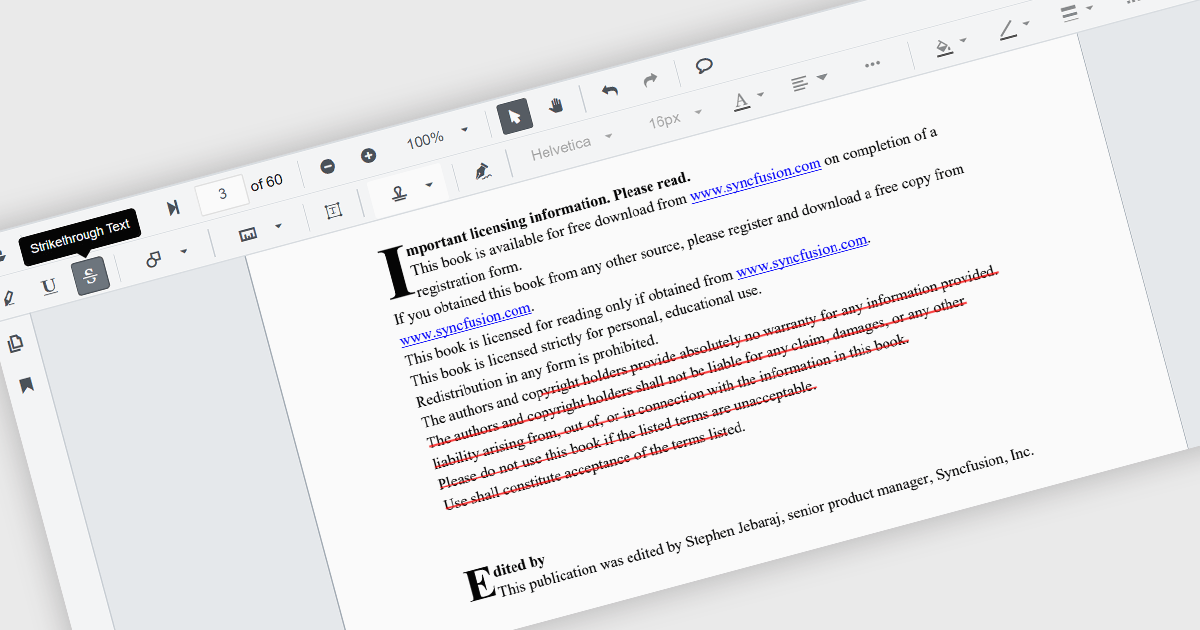
Strikethrough annotations in a PDF viewer let users mark text for deletion while keeping the original content visible, helping teams review proposed edits in context. This supports clear collaboration without altering the source file and creates an audit trail for legal or editorial review. It enables fully digital, searchable workflows ideal for updating technical documents, refining contracts, or revising marketing content with accuracy and transparency.
Several .NET Winforms components offer strikethrough annotations including:
For an in-depth analysis of features and price, visit our comparison of .NET Winforms PDF Viewer components.

Since 2022, ComponentSource has expanded global access to Blazorise’s high performance UI component library by offering it through their comprehensive catalog of developer tools. Blazorise’s modular architecture and seamless integration with Bootstrap, Bulma, AntDesign and Material perfectly complement ComponentSource’s mission to provide versatile, high-quality components for any project.
Over the past three years, this partnership has demonstrated a shared commitment to delivering feature rich Blazor UI solutions including theming, form validation, localization, data grids and charting that integrate seamlessly into modern web applications.
As they mark three years of working together, ComponentSource and Blazorise continue to support developers with a growing ecosystem of modern UI components, proactive feature enhancements, comprehensive documentation, and expert support that accelerate Blazor application development.
Blazorise is licensed per developer and is runtime royalty free. Licenses include a 1 year subscription for updates and premium support. Professional, Enterprise, and Enterprise Plus editions are available, each offering tailored levels of support and service to meet varying business needs. See our Blazorise licensing page for full details.
For more information, visit our Blazorise brand page.
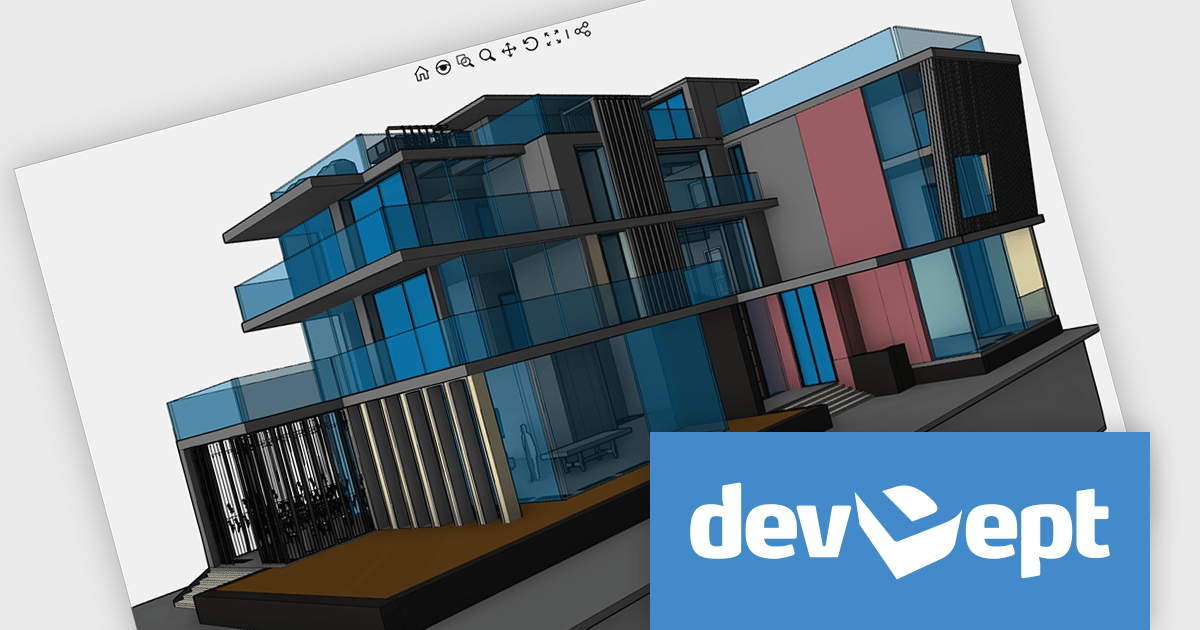
EyeShot by devDept is a comprehensive 3D graphics toolkit designed for .NET developers building engineering and CAD (Computer-Aided Design) applications. It offers a robust set of components for creating, editing, and rendering complex 2D and 3D geometry directly within Windows Forms and WPF environments. With support for advanced modeling features, viewport controls, and industry-standard file formats, EyeShot simplifies the integration of interactive graphics into technical software. It is well-suited for developers working in areas like mechanical design, architecture, and simulation who need high-performance rendering and precise modeling capabilities.
The EyeShot 2025.2 update introduces Shaded VectorView, a major enhancement that replaces the legacy RasterView mode. This new feature enables precise dimensioning directly on shaded views. Shaded VectorView maintains consistent line weights, addressing a long-standing limitation where raster-based views could appear visually inconsistent. By merging the visual fidelity of shaded rendering with the clarity of vector graphics, this upgrade delivers a more unified and production-ready experience for engineers and designers alike.
To see a full list of what's new in version 2025.2, see our release notes.
Eyeshot is licensed per developer and is available as an annual license, with either Lite or Priority support. See our licensing pages for Eyeshot Pro, Eyeshot Ultimate, and Eyeshot Fem for full details.
Eyeshot is available to buy in the following products:
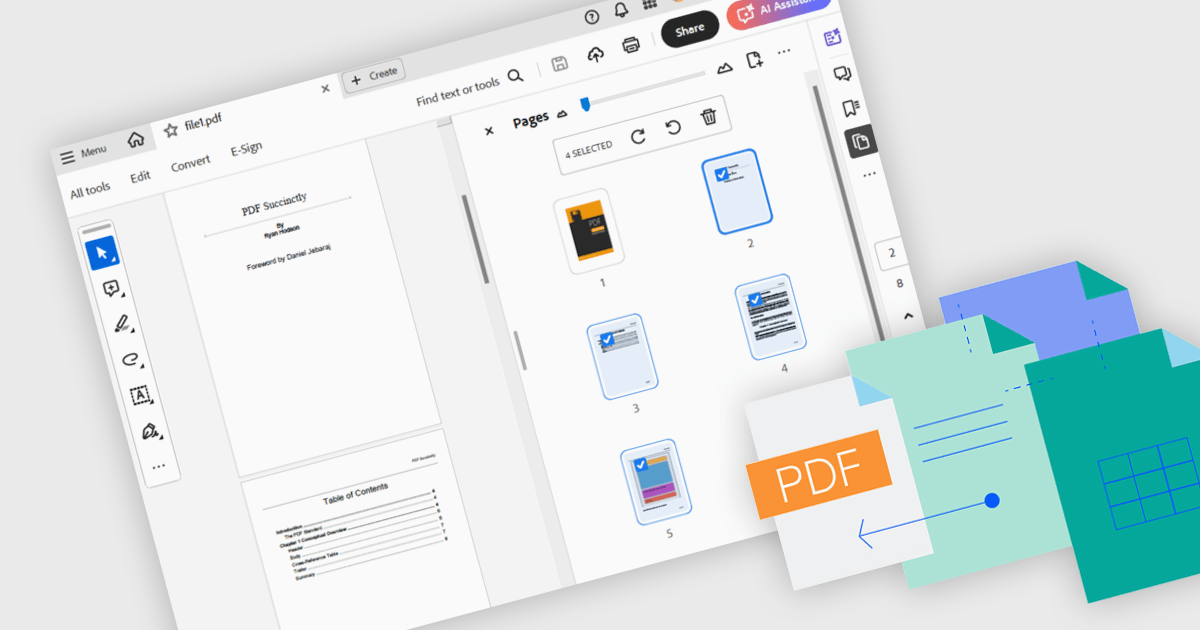
Merging PDFs involves combining two or more separate PDF files into a single cohesive document, preserving the original formatting and quality of each page. This process improves file management by reducing clutter and making it easier to locate and share information, while also minimizing storage overhead. Benefits include consistent headers and footers across pages and simplified collaboration through a single master file for review and annotation. Common use cases include uniting research articles for academic literature reviews, and creating unified project portfolios or client presentations.
Several .NET WPF components offer PDF merging including:
For an in-depth analysis of features and price, visit our comparison of .NET WPF PDF components.
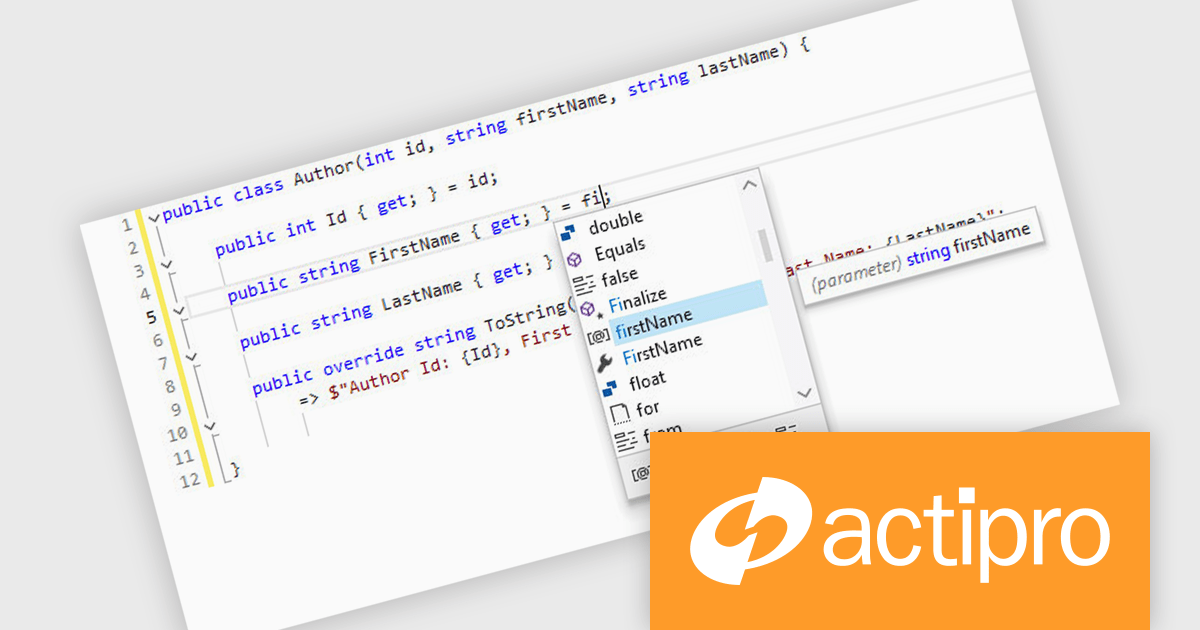
Actipro SyntaxEditor is a sophisticated WPF code editor control designed to provide developers with a seamless way to integrate advanced code editing capabilities into their .NET applications. It offers syntax highlighting for numerous programming languages, code outlining, automated IntelliPrompt (code completion and information tooltips), background parsing, error reporting, and more. This delivers a familiar user experience for developers used to the powerful code editors found in popular IDEs.
The Actipro SyntaxEditor v25.1 update improves the .NET Languages Add-on with full support for C# 13, ensuring every new language construct is parsed correctly and presented accurately in the editor. By incorporating raw string literals, file-scoped namespaces, list patterns, required members and parameter null checking, it allows IntelliSense to provide precise code completions and signature help for the latest API surface. Real-time error detection flags invalid C# 13 syntax, reducing the feedback loop between editing and compilation. Refactoring operations such as renaming, extraction and code generation now understand modern construct semantics to preserve code integrity without manual intervention. This makes it simpler to adopt the most recent C# advancements within any WPF-based IDE or editor.
To see a full list of what's new, see our Actipro SyntaxEditor for WPF release notes.
Actipro SyntaxEditor is licensed per developer and is available as a Perpetual license with 1 year support and maintenance. See our Actipro SyntaxEditor for WPF licensing page for full details.
Actipro SyntaxEditor for WPF is available individually, or as part of Actipro WPF Studio.
聯繫電話: (888) 850 9911
傳真: +1 770 250 6199


