













官方供應商
我們作為官方授權經銷商,直接提供超過200家開發廠家所發行超過1000個的產品授權給您。
請參閱我們所有的品牌。

ONLYOFFICE Docs is a comprehensive online editor, allowing users to create text documents, spreadsheets, presentations, and forms. It enables your users to edit, share, and collaborate on documents online in their preferred browser, within your own application. It is fully compatible with OOXML (Office Open XML) formats and supports popular Microsoft Office and other document formats such as CSV, DOC, DOCX, EPUB, HTML, ODP, ODS, ODT, PDF, PPT, PPTX, RTF, TXT, XLS, and XLSX.
The ONLYOFFICE Docs v8.2 update adds support for performing iterative calculations. This enables formulas to be repeatedly recalculated until a specific, stable result is reached or a set number of attempts is made. By setting iteration limits and defining acceptable precision levels, iterative calculations enable users to control the number of recalculations, allowing the formula to reach an approximation or convergence point that serves as the final value. This process is particularly useful when dealing with circular references, where a formula refers to its own cell either directly or through a sequence of references involving other cells. Without iterative calculations, such formulas would produce errors, as they would require an infinite loop of recalculations. This is widely used in scenarios requiring complex dependencies, such as financial projections, engineering simulations, and scientific modeling.
To see a full list of what's new in v8.2.0, see our release notes.
ONLYOFFICE Docs is licensed by the number of simultaneous document connections and is available as an annual license with 1 year support and upgrades. See our ONLYOFFICE Docs licensing page for full details.
For more information, see our ONLYOFFICE Docs product page.
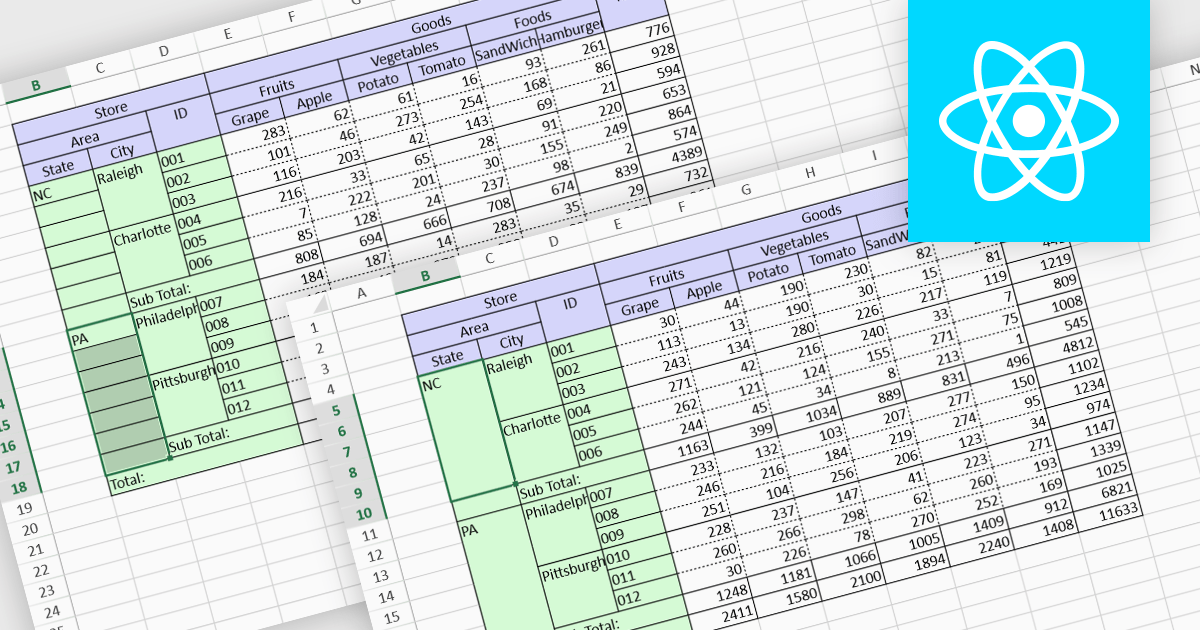
Cell merging is a spreadsheet feature that combines two or more adjacent cells into a single, larger cell, creating a unified space for data. This is particularly useful for creating visually organized and readable spreadsheets, allowing headers to span multiple columns or rows, enhancing clarity and alignment in complex data sets. By merging cells, users can create more structured layouts, making the data presentation cleaner and often easier to understand at a glance. For example, in financial reporting or project tracking sheets, merging cells can emphasize titles, group categories, or highlight specific sections of data, adding visual polish. It can also help when building dashboards, forms, and reports where visual hierarchy and structured information flow are essential for end-user readability and comprehension.
Several React spreadsheet controls offer the ability to merge cells including:
For an in-depth analysis of features and price, visit our React spreadsheet controls comparison.

Code documentation features embed comments and annotations within code, helping developers understand its structure and functionality. Many Integrated Development Environments (IDEs) enhance this by automating documentation, offering real-time syntax checks, and enabling quick access to key information like parameters and return types. This improves collaboration, speeds up onboarding, and simplifies maintenance, making the code easier to scale and manage.
Several IDEs provide code documentation functionality including:
For an in-depth analysis of features and price, visit our comparison of IDEs.

Manipulating PDF metadata unlocks powerful ways to enhance, organize, and standardize document collections. By programmatically editing underlying details such as title, author, keywords, subject, creation date, and modification history, developers can make PDFs more searchable, accessible, and compliant with standards like PDF/A. Effective metadata management transforms PDFs from simple static files into organized, retrievable assets, streamlining workflows and optimizing document handling, especially for businesses managing vast libraries of digital documents.
Several .NET PDF components offer support for manipulating metadata including:
For an in-depth analysis of features and price, visit our comparison of .NET PDF components.
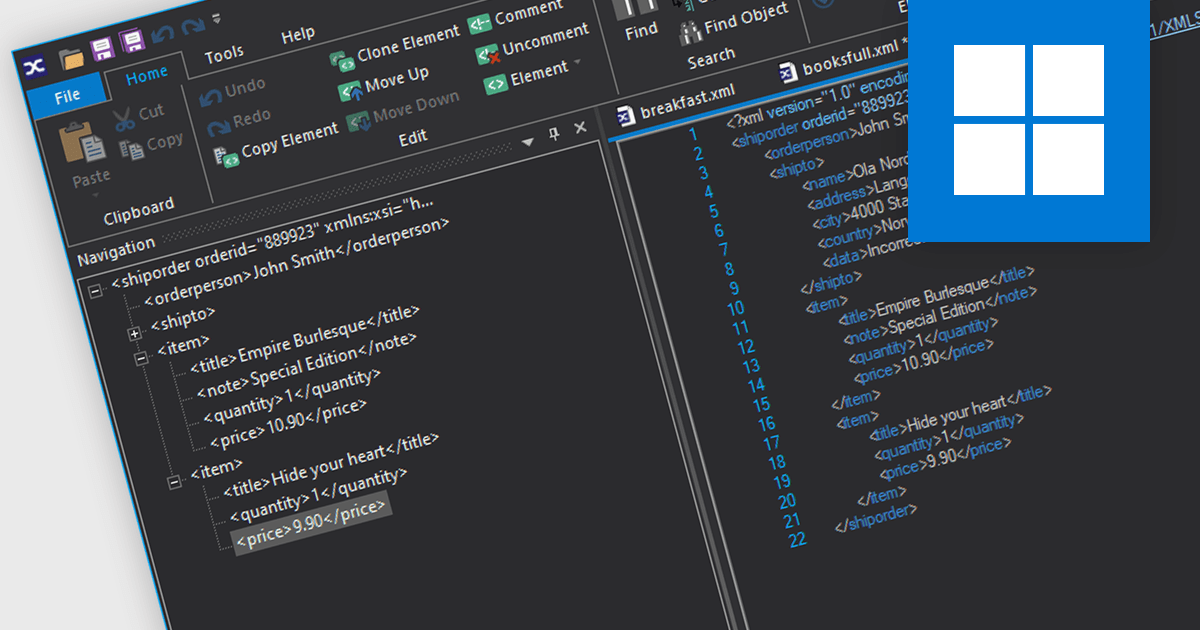
XML viewers provide developers with a straightforward way to view, navigate, and occasionally edit the structure and content of XML files through an intuitive interface. By displaying XML data in a hierarchical, tree-like format, they make it easier to understand the relationships between elements and attributes, which is especially valuable when working with complex files. These tools improve readability, support debugging, and help developers quickly identify structural issues or inconsistencies. By visually organizing XML data, XML viewers simplify data management and analysis, speeding up both development and troubleshooting tasks.
Several structured document tools offer an XML viewer including:
For an in-depth analysis of features and price, visit our structured document tools comparison.
聯繫電話: (888) 850 9911
傳真: +1 770 250 6199


