特性
- Publishing Reports - A new report publishing wizard has been added to the report designer. It helps the process of integrating reports into applications on various platforms.
- Stimulsoft Cloud - New cloud-based service for creating, storing, and deploying reports in your applications.
- Store Reports in Stimulsoft Cloud - Save reports from the standalone report designer to Stimulsoft Cloud.
- SVG Images - You can now use SVG images in reports.
- Added Page Tab to Web Designer - This tab contains commands to quickly manage report templates. You can define page borders, orientation, size, add columns to the page, call the watermark editor, enable displaying a grid, align the selected components to the grid, hide or show the headers of components.
- Interactive Charts - You can now view reports with drill-down charts.
- Indicators in Component Editors - If a tab is used, it will be marked with an indicator in the editor.
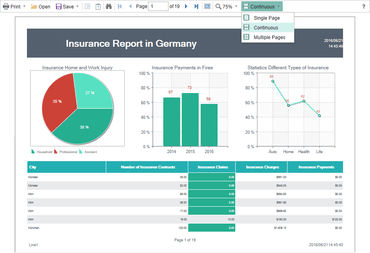
- Open Button in Viewer - Using this button you can load a previously rendered and saved report.
- Continuous Page View - In the report viewer, a new mode to view reports has been added. Upload the report to the viewer, enable the Continuous mode and then scroll the report up or down.
- Setup Toolbar in Report Designer - The toolbox contains all the components used to develop a report. All components are grouped by type – Bands, Cross Bands, Components, Primitives. Using the Setup Toolbox button, you can customize the shortcut to the components and enable or disable the Insert tab or toolbox.
將報告添加到您的 JAVA 桌面和 Web 應用程式。

自 2008 的官方分銷商