特性
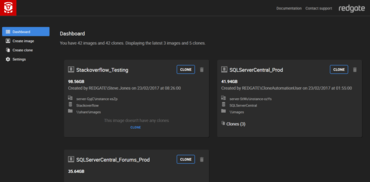
- Displays the number of online and unavailable clones of an image on the dashboard.
- Output of SQL scripts used to modify an image are stored on the SQL Clone Server.
- Updated to the latest Visual C++ 2017 redistributable (14.12).
- Current process information is displayed on Web UI while creating image.
- Added origin server and origin database name to the Get-SqlCloneImage cmdlet.
- The "Send feedback" button can be disabled in Settings.
- The -SqlScript parameter on New-SqlCloneImage has been deprecated in favour of the new -Modifications parameter, to be used with New-SqlCloneSqlScript.
- Modified label is displayed on SQL Clone Server Web UI for images which have been modified while being created.
- Information link added to permissions page.
- Improved fallback behaviour around renamed clones.
- Added an optional OverrideStorageLocation parameter to the New-SqlClone cmdlet, to specify where to store the specific clone.
- Scripts containing GO statements (multiple batches) are now supported.
- SQL Clone now supports running a custom T-SQL script during image creation, so you can make modifications to the image such as:
- Masking data.
- Changing permissions.
- Changing configuration data.
修補程式
- Source Database field in image creation flow is highlighted when user tries to proceed without inputting this field.
- Clone Agent now correctly determines what permissions it has via its SQL Server login.
- When you install a new agent during creating an image or clone, SQL Servers on that new machine now appear and are enabled in the SQL Server Instance dropdown without having to refresh the page.
- Add and remove buttons work properly in Striped/Differential backups section in Source Locations while creating an image.
- The error message when you try to delete an image that has clones from PowerShell now includes the image name.
- Error messages immediately appear against images and clones in the web UI rather than requiring a refresh.
PLEASE NOTE: SQL Clone is now licensed on an Annual Timed License basis and new licenses are no longer available on a perpetual basis. If you are an existing SQL Clone customer you will be able to renew the maintenance and support on your existing perpetual SQL Clone license. Please contact us for further details.
在數秒內完成SQL Serve資料庫複製並節省硬碟99%的空間。

自 2005 的官方分銷商