Improved comparison report - The Generate Comparison Report dialog box now allows creating reports in the XML and XML for Excel file formats along with the HTML and Excel file formats.
Support for PowerShell - Manage diffs in PowerShell.
Create of command line execution files - Set up and save command line execution files (.bat) to run routine comparison tasks in a single click.
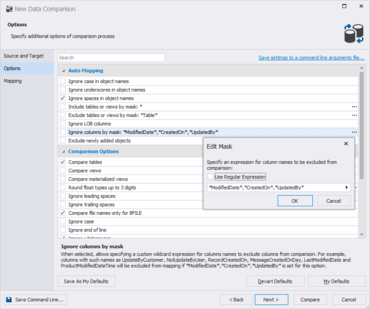
New data comparison options
Include tables or views by mask
Exclude tables or views by mask
Ignore columns by mask
Ignore whitespaces
Exclude newly added objects
Tolerance interval
Exclusion and inclusion of columns from/into comparison - The Column Mapping dialog box now includes the Compare and Sync checkboxes for each column pair. The option allows you to easily exclude/include column pair form/into comparison and synchronization.
New data synchronization options
Check for concurrency updates
Synchronize current values of sequences
Automatic selection of comparison key for objects without equal unique indexes - The Data Comparison tab of the Options dialog box includes the Comparison key option allowing to select a strategy for tables, views and custom queries without equal unique indexes.