Aspose.Slides for SharePoint V18.10

添加一個在轉換為 PDF 時自動關閉 PPT 檔中的日期/時間更新的選項。
11月 7, 2018
新版本

特性

  • Added support for rendering shapes with Soft Edge (EffectFormat) effects.
  • Added option to automatically turn off date/time updates in PPT files when converting to PDF.

修補程式

  • Connector fails to draw in straight line.
  • Shadows effects are lost in generated PDF and thumbnail.
  • Ink pen drawing is missing in PDF output.
  • Exception cloning Fonts.
  • Blue underline is missing after conversion to image (PNG).
  • Y axis interval in the chart has been changed.
  • When converting PPTX to PDF, chart lines are different and overlapping the text.
  • When PPTX is converted to PDF, item is missing in pie chart.
  • Aspose.Slides fails to re-open ODP presentation, saved with Aspose.Slides.
  • Argument exception on generating PDF Notes.
  • Export to SVG corrupts if made repeatedly.
  • Grayscale image rendered colored in generated thumbnail.
  • ArgumentOutOfRangeException on loading PPTX.
  • The footer's font has changed after loading and saving.
  • Some characters in vertical text are rotated to wrong layout in a PDF format.
  • PPTX/PPT not properly converted to PDF.
  • Uknown Field type returned for Field.
  • Exception on loading presentation.
  • PPTX not properly saved to PPTX.
  • Connector draws wrong.
  • PPT not properly converted to PDF.
  • Overlapping text portions in PDF with custom fonts.
  • Exception on loading the presentation.
  • Charts are missing in exported PDF.
  • Cloud shape is improperly rendered in generated thumbnail.
  • Exception on loading the presentation.
  • Background image color changes in exported PDF.
  • Exception converting PPTX to PDF.
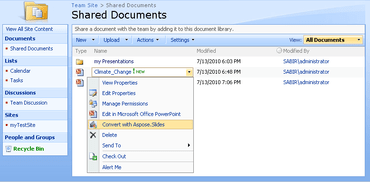
Aspose.Slides for SharePoint

Aspose.Slides for SharePoint

從 SharePoint 應用程式內將 PowerPoint 檔案轉換為其他檔案格式。

有任何疑問嗎?

Live Chat現在與我們的Aspose 專家即時聊天詢問。