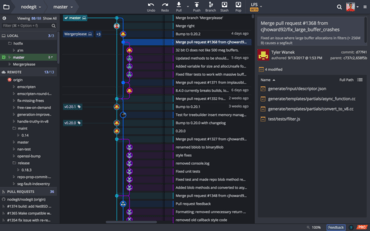
GitKraken V6.0.1

使用者現在可以在 GitKraken 中配置通知的位置。
7月 17, 2019
新版本

特性

  • Users can now configure the location of notifications in GitKraken by going to Preferences -> UI Preferences -> Notification Location.
  • The message box for commits is now resizeable.
  • Users can now use the keyboard shortcut Shift + J (or Shift + down) to jump to the parent commit of a selected commit.
  • Users can now use the keyboard shortcut Shift + K (or Shift + up) to jump to the child commit of a selected commit.
  • The Fuzzy Finder will now filter search results based on frequency of function use.
  • When you hover over an author/committer name, a tooltip of their email address will display in the commit panel.
  • A caps lock warning notification will now appear in all password input fields.
  • A tooltip has been added to Project Groups to display the directory path.
GitKraken

GitKraken

為開發人員、團隊和團隊領導提供的 Git 工具和服務的統一平臺。

有任何疑問嗎?

Live Chat現在與我們的GitKraken 專家即時聊天詢問。