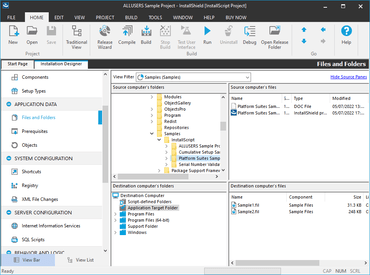
Improved Microsoft Visual Studio 2022 Integration in InstallShield
Support for creating new InstallShield projects in Visual Studio 2022.
Support for editing InstallShield projects in Visual Studio 2022.
Support for upgrading projects to the latest version of InstallShield.
Support for building projects from the Visual Studio 2022 IDE and from the x64 MSBuild.
Specify Additional Parameters on Microsoft Windows Package Manager Tab of the Prerequisite Editor - This new feature lets you to specify any additional parameter which you want to pass while installing packages from the Windows Package Manager.
New ARM and ARM64 Options Added to the Prerequisite Condition Dialog Box - InstallShield has introduced the following new filter options under Process Architecture:
ARM.
ARM64.
New '/update' Command-Line Parameter - The Setup.exe setup launcher for Advanced UI and Suite/Advanced UI installations can accept a number of command-line parameters. In this release, there is a new '/update' command-line parameter which can be used when performing an update of a Suite/Advanced UI installation in silent mode.
New Setting on Build Tab to Support Passive Installation - Passive mode refers to installing with minimal user interface.