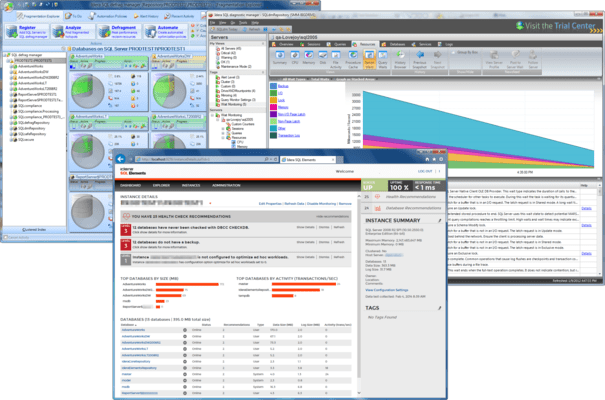
SQL Discovery and Tuning Suite - includes SQL Diagnostic Manager for SQL Server v14.1
Released: May 21, 2026
SQL Diagnostic Manager for SQL Server v14.1 中的更新
特性
- Introduces new AI-powered optimization workflows designed to help DBA diagnose and improve SQL Server performance faster and with greater confidence:
- Use the AI Powered Query Optimization feature to optimize a single, problematic SQL query to reduce execution time based on your current schema and index structure.
- Use the AI Powered Schema & Index Optimization feature to generate optimal index structures for a set of queries (up to five) to minimize cumulative execution time across all queries.
- Use the AI Optimization History tab to view previous AI optimization sessions including queries analyzed, schema submitted, and AI recommendations. This tab provides a complete audit trail of all optimization activities performed in SQL DM.
- These features are currently offered for SQL DM desktop version only.
- SQL DM disables AI features by default. Contact your administrator to enable these features.
修補程式
- Alerts
- Resolves an issue causing the daily "SQL Server Status: Unable to Connect" to falsely alert for all registered AG nodes.
- Resolves an issue causing the "Where refresh occurred during a specific time frame" alert condition to disappear once saved in a rule.
- General
- Updates OAuth2 authentication functionality.
- Resolves an issue causing the SQLdm Management Service to crash at random times.
- Resolves an issue preventing an analysis from returning any results.
- Resolves an issue causing SQL DM to display a permissions error when it really is a network issue causing the failure.
- Resolves an issue causing the Historical Snapshots view to display some inaccurate information.
- Resolves an issue causing SQL DM to grant db_owner permissions to some users when granting view access.
- Web Console
- Resolves an issue that allowed some user accounts without permission to the SQLdm repository or its host instance to access the Web Console.
- The Web Console includes a Signal Icon in the upper-right corner of the window that indicates when new SQL DM product and marketing information is available.