- 首頁 /
- 構件 /
- ... /
- 展示層 /
- 使用者介面 & 互動 /
- Syncfusion Essential Studio User Interface Edition
此頁已歸檔,不再被更新。
我們已經停止提供這種個產品。
Essential Studio UI Edition adds Chart WinRT
Released: Nov 22, 2012
Updates in this release
Updates in 2012 Volume 4
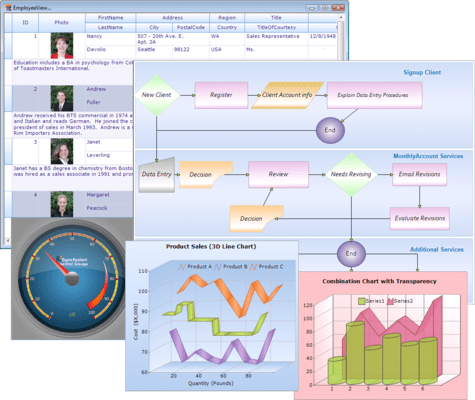
- Essential Chart WinRT - A high-performance, visually stunning charting component that is easy to use. It includes common chart types ranging from line charts to specialized financial charts. It incorporates DirectX rendering to deliver the best possible performance.
- Essential Diagram WinRT- Create feature-rich diagrams for Windows Store applications. It can compose diagrams and workflows visually, using touch interactions or automatically, laying out elements according to set rules.
- Essential Maps WinRT - Powerful data-visualization control that can be used to articulate data as a map. It is frequently used in financial dashboards for plotting sales across geography.
- Essential Gauge WinRT - A highly customizable gauge control used to visualize a given value over a circular scale. All its elements including scales, ticks, pointers and labels can be customized as needed.
- Radial Menu - Displays a hierarchical menu in a circular layout optimized for touch devices. Typically used as a context menu, it can expose more menu items in the same space than traditional menus.
- Cover Flow - Arrange items in an album-cover browser. This layout is optimized for browsing a list of items on a touch device. Simply swipe to reveal the next item in a list.
- Tab Control - The Tab control displays items as tabs, enabling better space utilization within a page. Tabs can be positioned to the top, bottom, left or right of a page.
- Hub Tile - A type of content control to display live tiles within an application. Content updates are shown through a variety of animations, similar to the live tile updates of the Windows 8 start screen.
- Date Picker - Provides an interface for quickly selecting dates on touch devices.
- Time Picker - Provides an interface for quickly selecting time on touch devices.
- Rating Control - Quickly select a value from a group of symbols shown in sequence.
- Tile View - Display an item in a maximized state while other items remain minimized. Each item can have a different data template for its minimized or maximized state. This control is useful for dashboards where single components need to be analyzed in detail one at a time.
- Range Slider - The range slider extends the framework’s slider control, adding the capability to select a range instead of a single value.