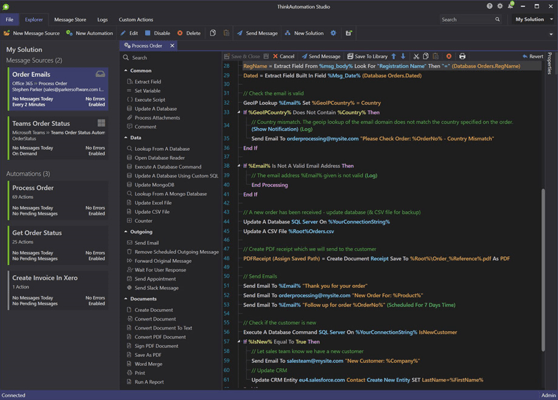
ThinkAutomation v5.1.1095
Released: Oct 24, 2025
v5.1.1095 中的更新
特性
- Added Python language to the available languages for the Script automation action. Supports Python 3.9 - 3.13.
- Added AI Connector as a message source type. ThinkAutomation can now act as a Model Context Protocol (MCP) server, allowing external AI services (such as ChatGPT) to securely execute your automations on demand to run actions and obtain dynamic context.
- Added Claude to the available AI Providers.
- Added Voyage AI as an option for generating embeddings for semantic search. This can be used instead of OpenAI embeddings. Voyage AI provides high quality, fast and low-cost text embeddings.
- Added a new 'Code Sign' automation action for adding digital signatures to executable files.
- Added the 'SharePoint Files' action. This is a new built-in action for uploading and downloading files from SharePoint (currently SharePoint on-line only).
- Added Grok-4 model to the Grok AI Provider type.
- Changed product logo and icon in preparation for website/branding refresh.
- Added the 'Get Document Information' action. Used to read file information (name, size, modified date etc) and document metadata (author, title, description etc).
- Added GPT-5 and GPT-5-mini models to the OpenAI AI Provider type.
- Added the 'Login As User' action. This action can be used to login as a specific user. Subsequent actions (such as file operations) will then be executed under the logged in user context.
- Added Dashboard tab to Studio. Shows a dashboard which combines the Usage tab on Solution properties and the Utilization view on Logs tab into a single dashboard.
- The 'Ask AI' action now has the option of allowing the AI to perform web searches for the 'Ask AI To Respond To A Prompt' operation (OpenAI Provider only).
- Added new 'Import Document File' option to the 'Embedded Vector Database' action. If a file is specified, the contents are converted to text and used for the text value.
- Added the option to use your own Client Id and Client Secret for Google logins.
- The Convert Document To Text action now has an option to return file metadata along with the converted text and an option to convert all Excel worksheets for Excel input documents (previously only the first worksheet was converted). It can also convert Excel to a Markdown table instead of CSV.
- The Lookup From A MongoDB Database action can now return the data as CSV in addition to JSON.
- The Explorer pane can now be collapsed when editing Message Sources/Automations.
- You can now disable public access to individual webform and webchat message sources. Click the Disable button in the public URL to disable. The local URL will still work.
- The Studio default font size has been increased for improved readability. You can change the font size back to small in the Studio Preferences.
- Improved the Tree view for the Studio Message Sources/Automations explorer.
修補程式
- Fixed issue with Cloud Storage action not allowing you to select the Upload option.
- Fixed issue with Azure File action remote file browser in Studio hanging when share contained many thousands of files (did not affect action execution).
- Fixed issue with Check For Updates showing 403 error. This update requires the full installer to be downloaded and re-installed (all data and settings will be retained).