













官方供應商
我們作為官方授權經銷商,直接提供超過200家開發廠家所發行超過1000個的產品授權給您。
請參閱我們所有的品牌。
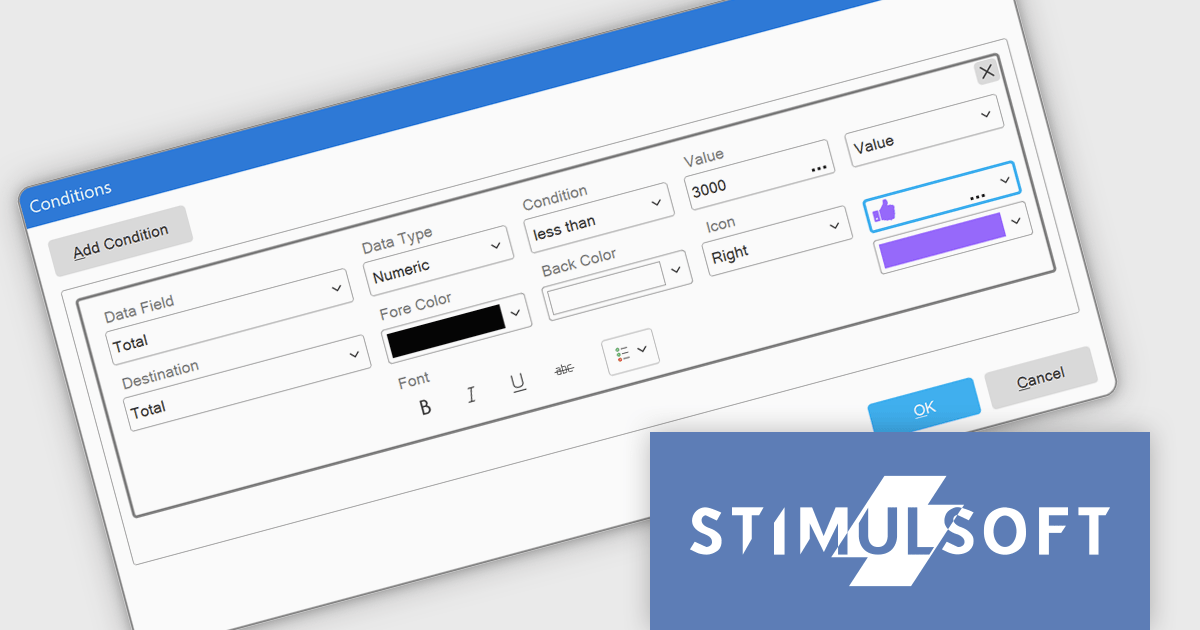
Stimulsoft Dashboards.WEB is a versatile suite of tools for crafting interactive data visualizations for web and desktop applications. It empowers developers to embed intuitive dashboards across various platforms, using the platform-specific components or a centralized cloud designer. With rich data analysis elements, extensive customization options, and pre-built templates, Stimulsoft Dashboards helps you transform complex data into clear, actionable insights for any audience.
The Stimulsoft Dashboards.WEB 2025.1.1 update introduces the ability to apply visual indicators in conditional formatting for table elements, providing users with a powerful tool to enhance data visualization. This feature allows icons or custom uploaded images to be dynamically applied to table cells based on predefined conditions, enabling more precise and intuitive representation of data. By integrating this functionality, developers can create dashboards that effectively highlight critical information, improve data readability, and deliver a more engaging user experience, all while maintaining flexibility for customization and alignment with specific project needs.
To see a full list of what's new in 2025.1.1, see our release notes.
Stimulsoft Dashboards.WEB is licensed per developer and is available as a perpetual license with 1 year support and maintenance. See our Stimulsoft Dashboards.WEB licensing page for full details.
Stimulsoft Dashboards.WEB is available individually or as part of Stimulsoft Ultimate.
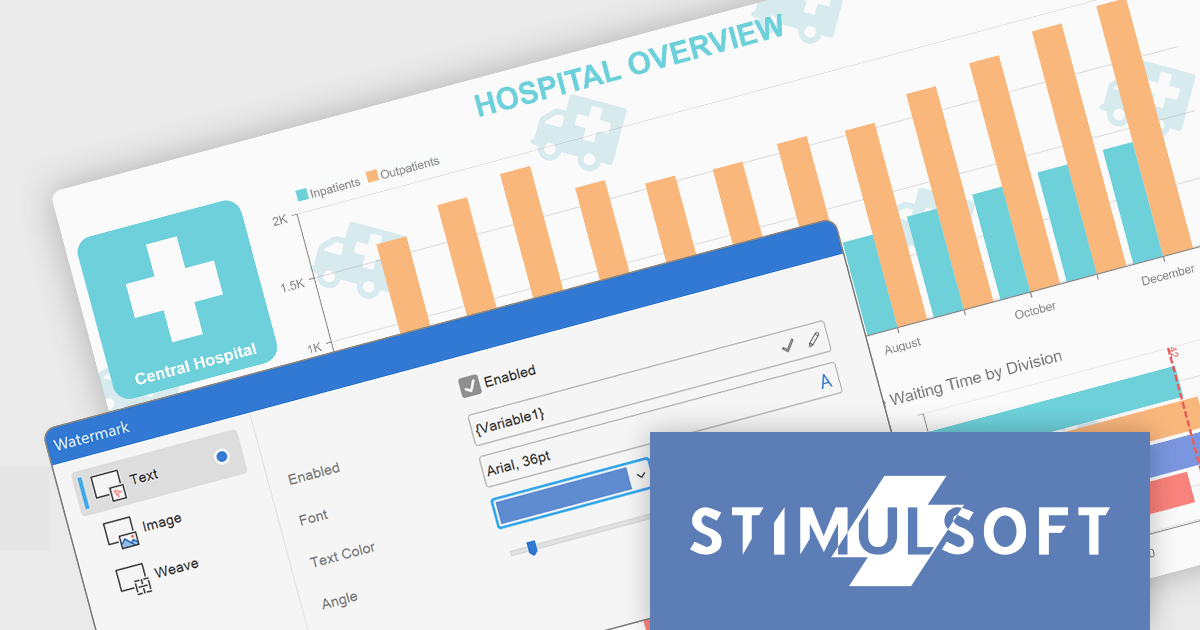
Stimulsoft Dashboards.JS is a JavaScript-based tool for creating interactive dashboards within web applications. Designed for developers and businesses, it provides customizable charts, graphs, and tables to visualize complex data from various sources. It supports popular JavaScript frameworks such as React, Vue.js, and Node.js, enabling seamless integration into modern web projects. With an intuitive interface and responsive design, it suits use cases like business intelligence, performance monitoring, and data-driven decision-making. Stimulsoft Dashboards.JS enhances user engagement and simplifies data analysis for industries such as finance, marketing, and logistics.
The Stimulsoft Dashboards.JS 2025.1.1 update introduces the ability to use expressions in dashboard watermarks, providing developers with enhanced flexibility to create dynamic and context-aware visual elements. This feature allows watermarks to adapt based on data or user-defined expressions, enabling the seamless integration of real-time information, branding, or contextual details directly into dashboards. By supporting Text, Image, Weave, and combined elements, the update streamlines customization and ensures that watermarks can align with specific design or functional requirements, helping developers deliver more polished and responsive dashboards.
To see a full list of what's new in 2025.1.1, see our release notes.
Stimulsoft Dashboards.JS is licensed per developer and is available as a Perpetual license with 1 year support and maintenance. See our Stimulsoft Dashboards.JS licensing page for full details.
Stimulsoft Dashboards.JS is available individually or as part of Stimulsoft Ultimate.

GroupDocs.Viewer for .NET gives developers the ability to create or enhance .NET applications for web and desktop with the ability to view and render documents to PDF, HTML or images, without installing any external software. This document viewer API supports detailed HTML output customization, rendering of complex documents and programming code, conversion to PDF, and secure viewing of password-protected documents with an adjustable caching system. Working across multiple operating systems, platforms, frameworks, and development environments, it facilitates the rendering of such formats as PDF, Word, Excel, PowerPoint, RTF, OpenDocument, Visio, and HTML within document viewing apps.
The GroupDocs.Viewer for .NET 24.12 update introduces a New Angular UI designed to deliver enhanced performance, greater customization flexibility, and compatibility with modern development practices. By modernizing dependencies and optimizing document viewing capabilities, this update streamlines integration into applications and ensures a smoother user experience. Developers can leverage the expanded UI customization options to tailor the viewer to specific project requirements, enabling more precise control over functionality and design. This update provides a robust and efficient solution for building modern, adaptable document viewing applications.
To see a full list of what's new in V24.12, see our release notes.
GroupDocs.Viewer for .NET is offered as Developer Small Business, Developer OEM, Site Small Business, and Site OEM licenses catering to a range of business needs. Licenses are perpetual, and include 1 year of support and maintenance. Subscription renewals are also available. See our GroupDocs.Viewer for .NET licensing page for full details.
GroupDocs.Viewer for .NET is available individually or as part of the following products:
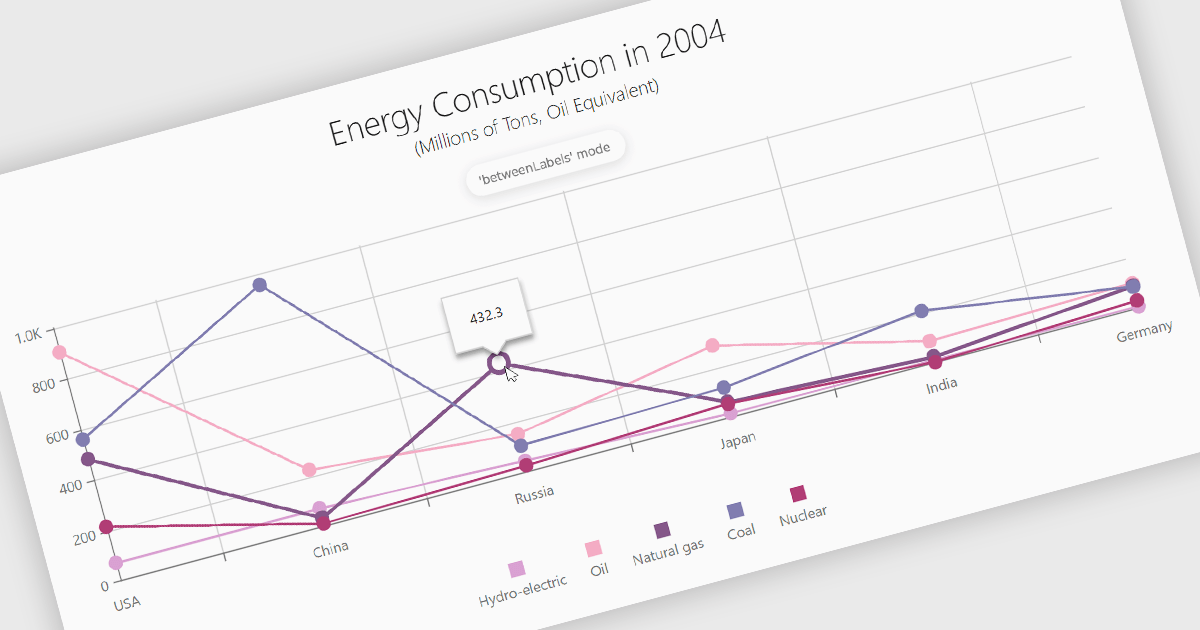
Line charts are a fundamental data visualization tool used to represent quantitative values over a continuous interval, such as time, by connecting data points with straight lines. They are particularly effective for analyzing trends, comparing multiple data sets, and identifying relationships or patterns within large or complex datasets. For software developers, line charts provide a clear and efficient way to present dynamic data, support interactive features for deeper analysis, and enhance decision-making by making critical insights easily accessible through a customizable and intuitive format.
Several Angular chart controls offer line charts including:
For an in-depth analysis of features and price, visit our comparison of Angular Charts.
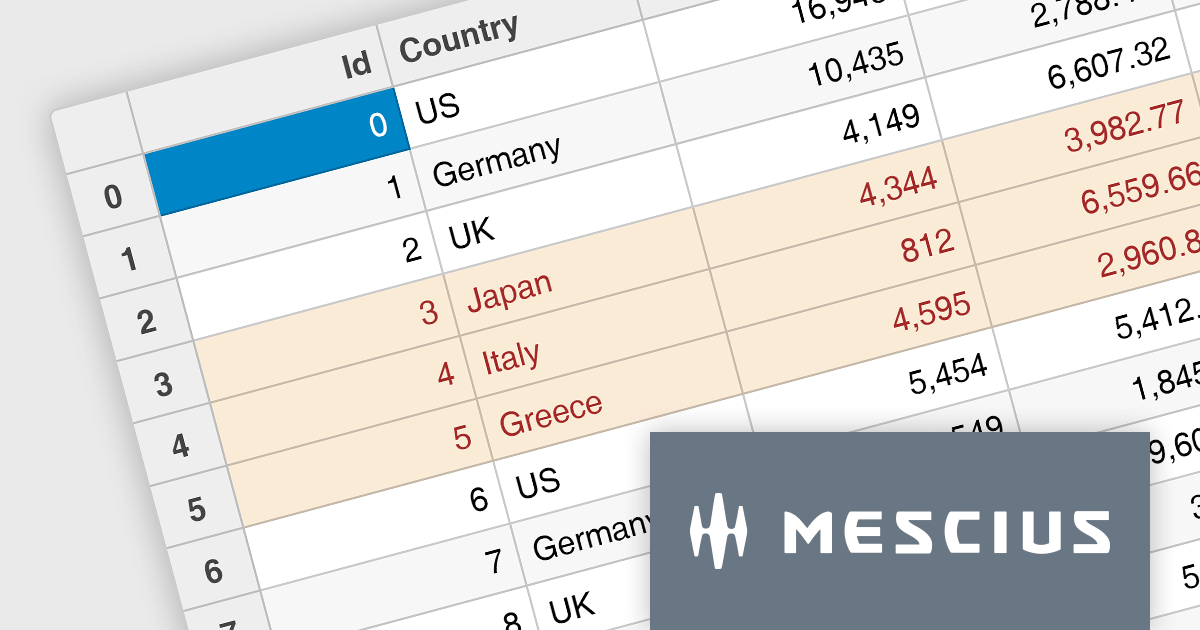
Wijmo by MESCIUS is a comprehensive suite of JavaScript UI components designed for building high-performance, enterprise-grade applications. With its lightweight, modular architecture, Wijmo provides developers with a rich set of tools, including data grids, charts, input controls, and advanced features such as PivotGrid and FinancialChart. Optimized for modern frameworks like React, Angular, and Vue, Wijmo offers seamless integration, flexibility, and extensive customization options.
The Wijmo 2024 v2 Build 5.20242.30 update introduces a new API for cell styling in FlexGrid, providing developers with greater control and precision in customizing grid appearance. This enhancement allows developers to dynamically apply styles at the cell level based on data or state, ensuring a tailored and context-aware presentation of grid content. The API streamlines the process of defining and managing styles, reducing complexity and enabling cleaner, more maintainable code. By leveraging this capability, developers can create visually engaging and functionally responsive grids that align with specific application requirements, enhancing both user experience and application performance.
To see a full list of what's new in 2024 v2 Build 5.20242.30, see our release notes.
Wijmo is licensed per developer. Developer licenses are perpetual and include 1 year subscription which provides upgrades, including bug fixes and new features. See our Wijmo licensing page for full details.
Learn more on our Wijmo product page.
聯繫電話: (888) 850 9911
傳真: +1 770 250 6199


