













官方供應商
我們作為官方授權經銷商,直接提供超過200家開發廠家所發行超過1000個的產品授權給您。
請參閱我們所有的品牌。
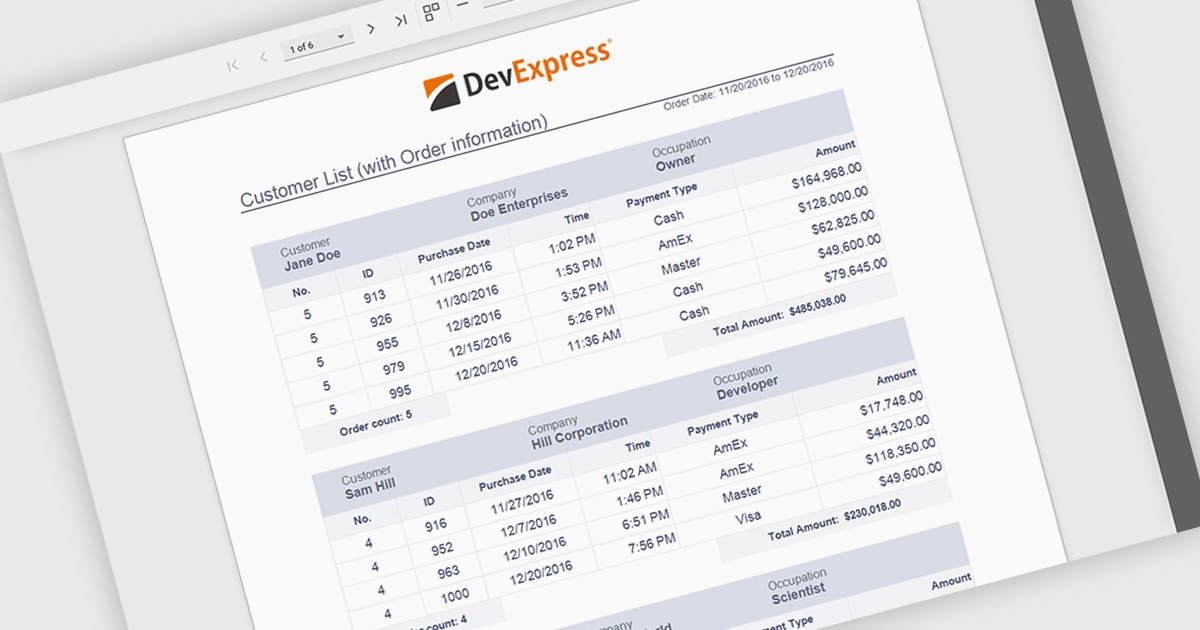
Subreports allow independently maintained reports to be embedded within a master report, enabling a modular and flexible reporting design. Each Subreport can be created, maintained, and reused separately, while connecting to the master report through parameters that dynamically filter its data from a separate data source. This approach simplifies complex reporting scenarios, improves consistency, and reduces maintenance effort by avoiding duplicated logic. Common use cases include displaying detailed line items within summary reports, combining data from multiple databases, or reusing standardized sections such as invoices, audit details, or customer histories across multiple reports.
Several ASP.NET Core reporting controls offer support for subreports including:
For an in-depth analysis of features and price, visit our ASP.NET Core reporting controls comparison.
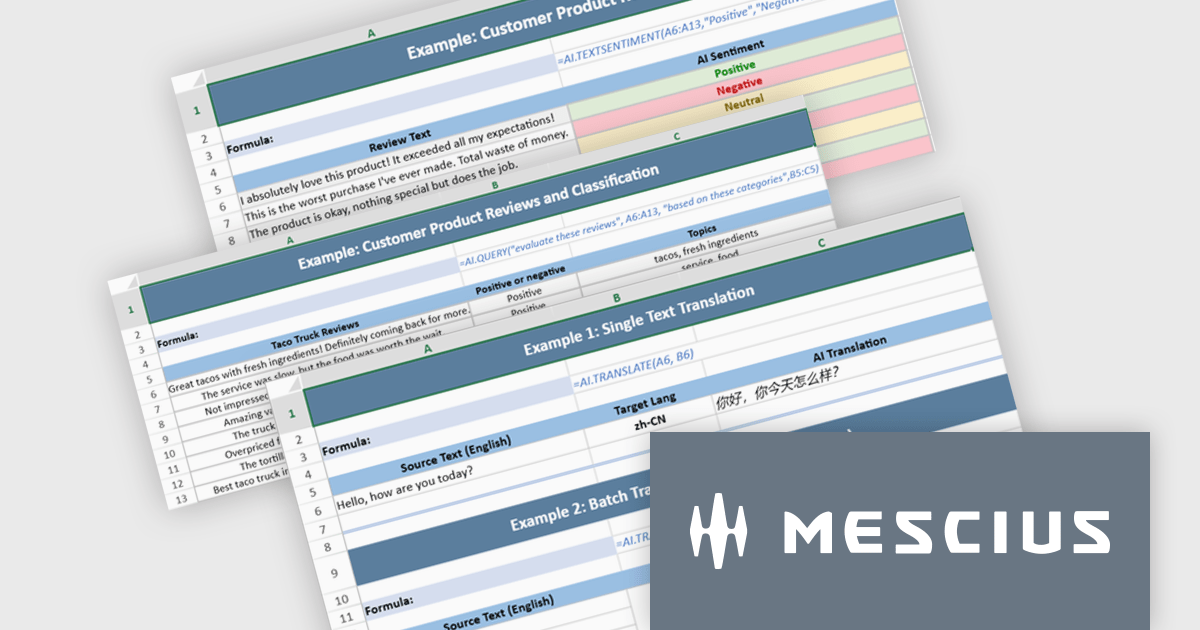
Document Solutions for Excel, .NET Edition by MESCIUS is designed to enable developers to create and manipulate Microsoft Excel documents programmatically within .NET applications. It provides a robust API for interacting with Excel spreadsheets, allowing developers to automate tasks such as data extraction, formatting, and generation of reports. The framework offers comprehensive support for various Excel features, including formulas, charts, conditional formatting, and data validation. It also provides tools for handling large datasets and optimizing performance, making it suitable for both small-scale and enterprise-level applications.
The Document Solutions for Excel, .NET Edition v9.0.0 update introduces a major new capability: AI-powered functions that integrate large language models directly into the spreadsheet formula engine. Developers can now use AI.QUERY to build dynamic prompts from cell values, AI.TRANSLATE to localize ranges into target languages, and AI.TEXTSENTIMENT to classify text as positive, negative, or neutral, all within formula syntax. These functions support both template use and automation scenarios, enabling more intelligent document workflows.
To see a full list of what's new in v9.0.0, see our release notes.
Document Solutions for Excel is licensed per developer and is available in several license options for differing distribution needs. Team licenses are also available for multiple developers within the same organization. See our Document Solutions for Excel, .NET Edition licensing page for full details.
Document Solutions for Excel, .NET Edition is available to buy in the following products:
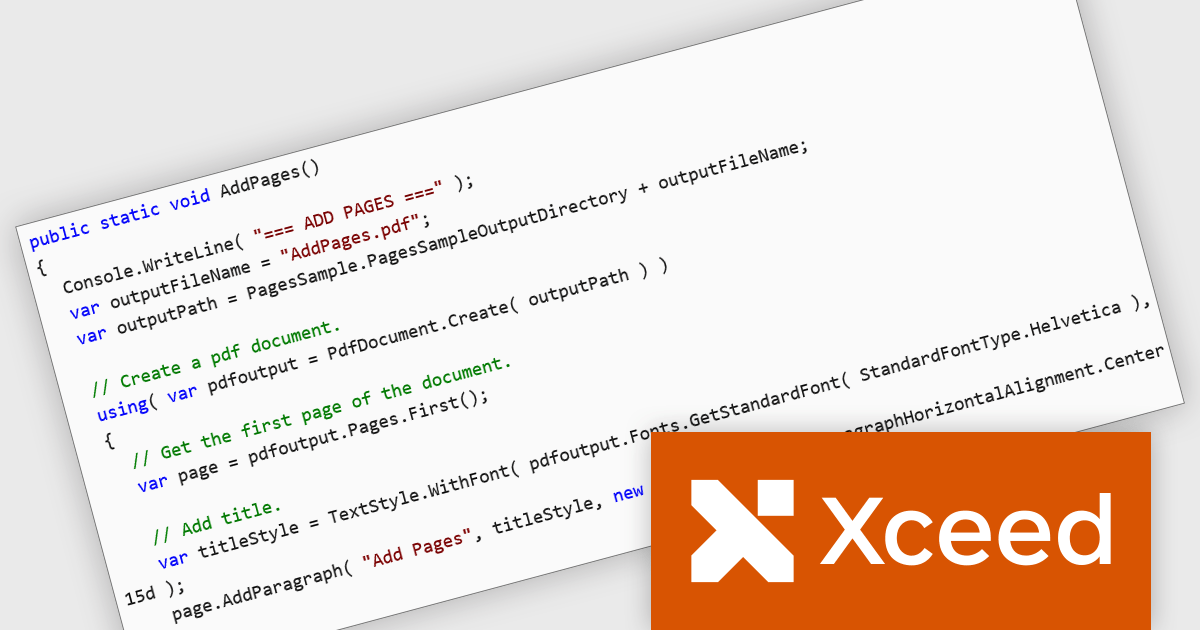
Xceed PDF Library for .NET by Xceed Software is a developer-focused component that enables interaction with PDF documents directly within .NET applications. It provides a clean, intuitive API for creating, editing, and processing PDFs, allowing users to add, modify, or extract content such as text and images without relying on external tools or dependencies.
Designed for reliability and ease of integration, the library supports key features including digital signatures, document encryption, and permission controls to help secure sensitive information. These capabilities make it well suited for a wide range of use cases, from automating document generation and updating existing PDFs to applying security policies and extracting data for reporting or archiving. Ideal for both desktop and server-side applications, Xceed PDF Library for .NET helps teams improve PDF processes while maintaining control and consistency.
Xceed PDF Library for .NET is licensed per developer and is available as a perpetual license with 1 year of updates and support. See our Xceed PDF Library for .NET licensing page for full details.
For more information, visit our Xceed PDF Library for .NET product page.

ComponentSource and combit have partnered for 15 years, providing developers worldwide with powerful reporting, reporting designers, and data visualization tools to build professional, data-driven applications.
combit is a leading provider of reporting components for software developers, best known for List & Label – a multiple award-winning reporting tool used by development teams around the globe. Their components make it easier to design and integrate customized reports, dashboards, lists, and labels into business applications. Through ComponentSource, customers can conveniently license, and maintain these combit products, confident they’re choosing proven technology backed by professional support and ongoing innovation.
Together, ComponentSource and combit help development teams deliver applications faster, with flexible licensing options, reliable updates, and expert assistance. As demand for advanced reporting and analytics continues to grow, this long-standing collaboration ensures customers can rely on a trusted combination of combit’s technology and ComponentSource’s global distribution and customer service for many years to come.
Learn more about combit.
ComponentOne Studio Enterprise is a comprehensive suite of .NET UI controls developed by MESCIUS (formerly GrapeCity) designed for building rich, interactive desktop, web, and mobile applications. It provides developers with a broad range of tools and components-including data grids, charts, reports, input controls, and advanced data visualization features-for platforms such as WinForms, WPF, ASP.NET Core, Blazor, WinUI, and .NET MAUI. The suite emphasizes performance, flexibility, and ease of integration, helping teams create consistent, feature-rich user experiences across multiple application types while maintaining a unified development approach.
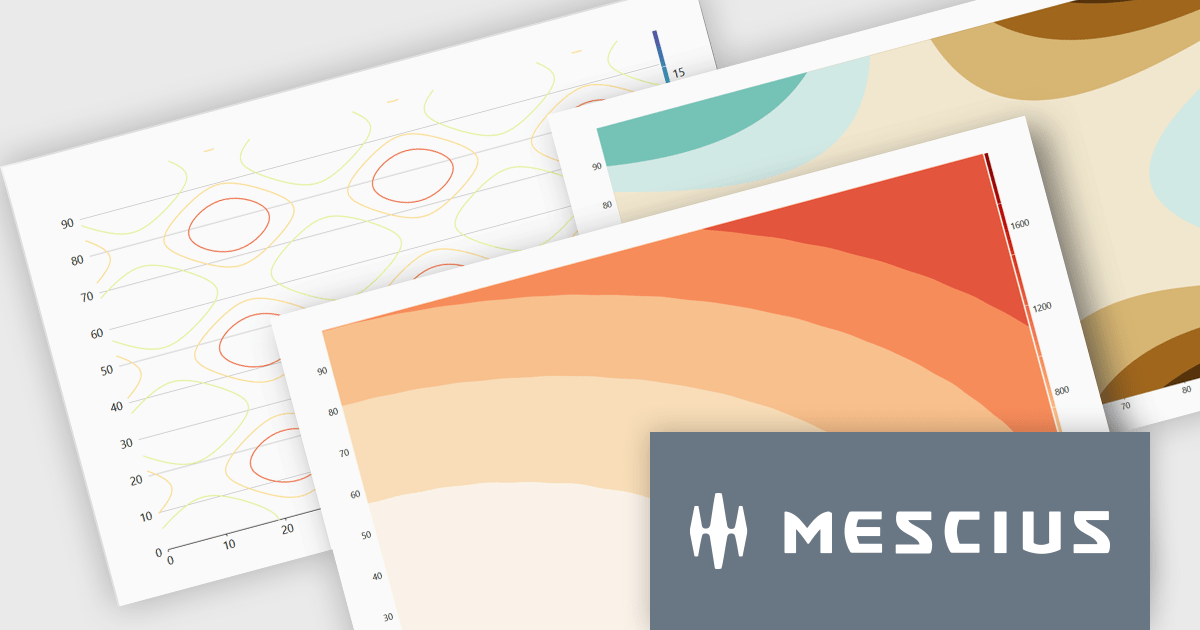
The ComponentOne Studio Enterprise 2025 v2 update introduces 2D Contour Charts in FlexChart for WPF, allowing developers to represent three-dimensional data on a two-dimensional surface through contour lines or shaded bands that highlight areas of equal value. This capability delivers a clear visual understanding of gradients, surface characteristics, and other continuous data patterns. With support for multiple contour types, customizable contour levels, and flexible gradient color palettes, developers gain precise control over how value transitions are presented. These enhancements make the WPF contour chart well suited for scientific and engineering analysis, elevation and surface mapping, and any application that requires accurate comparison of value distribution across two variables.
To see a full list of what's new in 2025 v2, see our release notes.
ComponentOne Studio Enterprise is licensed per developer on a perpetual basis and includes a 12 month subscription. Priority Support is also available. See our ComponentOne Studio Enterprise licensing page for full details.
Learn more on our ComponentOne Studio Enterprise product page.
聯繫電話: (888) 850 9911
傳真: +1 770 250 6199


