













官方供應商
我們作為官方授權經銷商,直接提供超過200家開發廠家所發行超過1000個的產品授權給您。
請參閱我們所有的品牌。
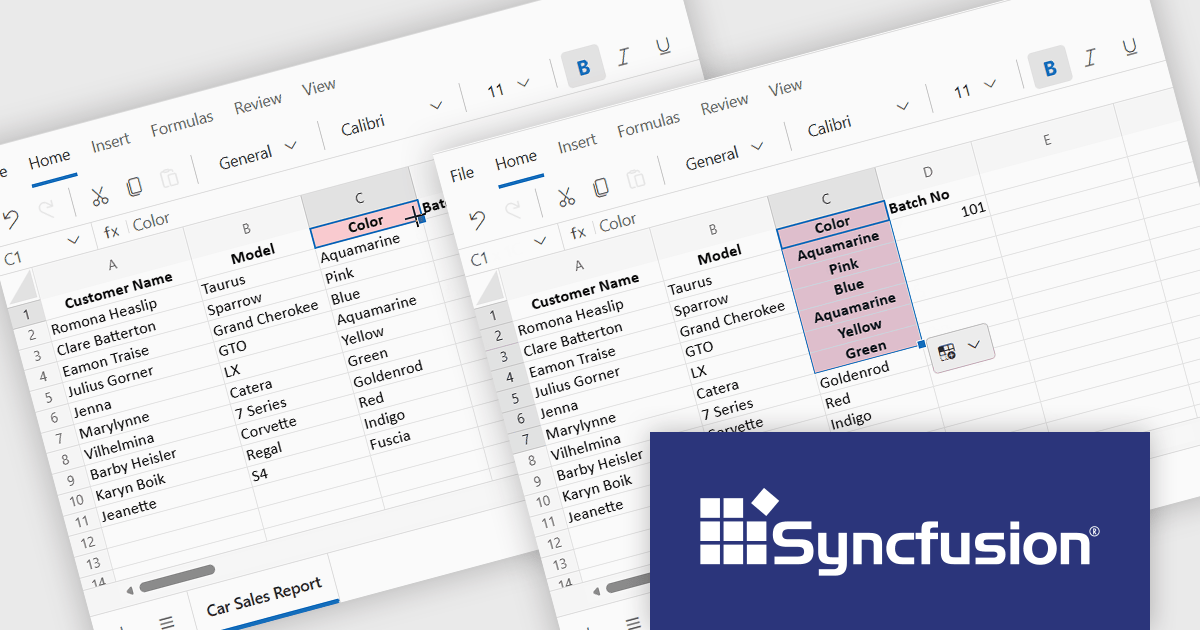
Syncfusion Essential Studio Spreadsheet Editor SDK is a library that lets developers embed spreadsheet functionality into web and desktop applications without requiring Microsoft Excel. It supports editing, formatting, and data analysis features such as cross sheet formula calculation, data binding to local and remote sources including JSON and REST, conditional cell styling, charts, data validation, worksheet protection, and workbook permissions. Available across frameworks including Blazor, React, Angular, Vue, JavaScript, ASP.NET Core and MVC, WPF, WinForms, and UWP, it helps teams deliver a familiar spreadsheet experience for use cases like reporting, budgeting, forecasting, and operational data entry directly within their applications.
The Syncfusion Essential Studio Spreadsheet Editor SDK 2025 Volume 4 update adds Blazor Autofill series support, allowing users to quickly extend numeric, date-based, and custom list patterns across cells in a predictable manner. This capability preserves existing cell formatting where applicable and provides flexible behavior for copying values versus generating sequences, reducing the need for custom implementation logic. As a result, developers can deliver more intuitive, Excel-like spreadsheet experiences with improved data consistency, reduced input errors, and faster interaction for end users.
To see a full list of what's new in Syncfusion Essential Studio Spreadsheet Editor SDK 2025 Volume 4 (32.1.19), see our release notes.
Syncfusion Essential Studio Spreadsheet Editor SDK is licensed per developer on a one year timed subscription basis, with runtime royalty free redistribution included when the subscription is current, and includes one year of unlimited technical support and updates. See our Syncfusion Essential Studio Spreadsheet Editor SDK licensing page for full details.
Learn more on our Syncfusion Essential Studio Spreadsheet Editor SDK product page.
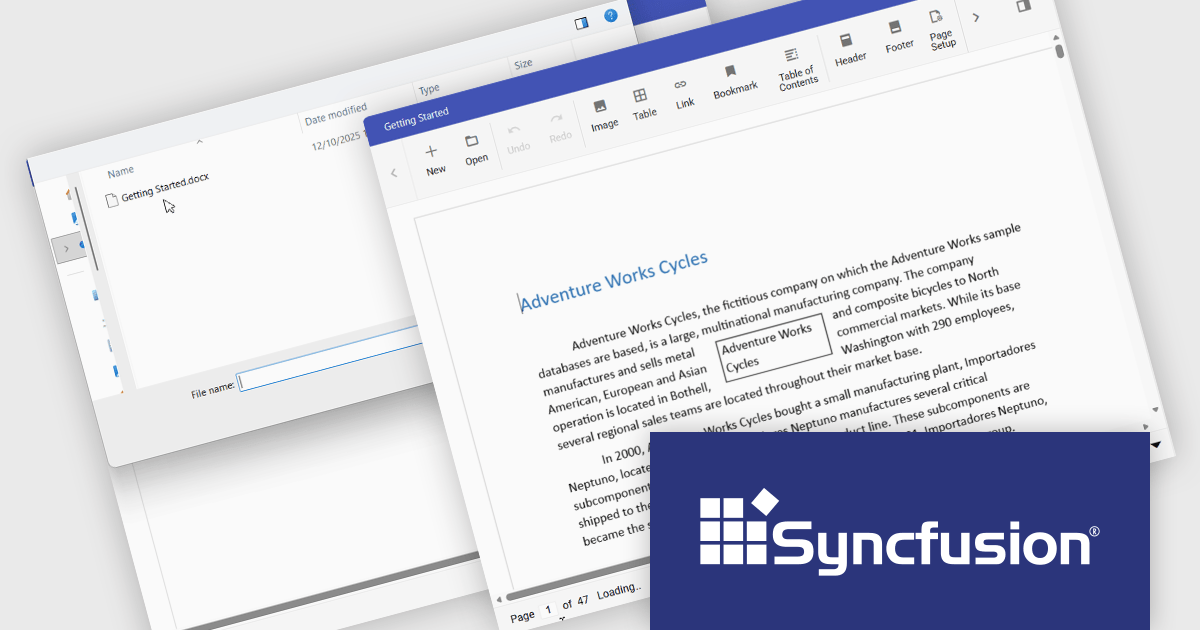
The Syncfusion DOCX Editor SDK provides a Microsoft Word inspired WYSIWYG editor that lets developers add Word document drafting, editing, and report generation to web and .NET desktop applications. It supports rich formatting with styles, tables, images, lists, and track changes, helping users create consistent, professional documents. With import and export support and a familiar interface, it reduces development effort and improves productivity for use cases like reporting, proposals, contracts, and document processes in business applications.
The Syncfusion Essential Studio DOCX Editor SDK 2025 Volume 4 update introduces asynchronous document loading for the Blazor DOCX Editor. This improves application responsiveness by preventing the user interface from blocking while documents are fetched and opened. By allowing document loading to occur in the background, developers can ensure the main thread remains available for user interactions, resulting in smoother navigation and more predictable behavior during network or file access delays. This enhancement helps create more responsive, user friendly applications, particularly when working with large documents or remote data sources.
To see a full list of what's new in Syncfusion Essential Studio DOCX Editor SDK 2025 Volume 4 (32.1.19), see our release notes.
Syncfusion Essential Studio DOCX Editor SDK is licensed per developer as a timed one year subscription that must be renewed to continue using the software. It is runtime royalty free for redistribution with a current subscription and includes one year of unlimited updates and 24/5 support with one business day responses. See our Syncfusion Essential Studio DOCX Editor SDK licensing page for full details.
Learn more on our Syncfusion Essential Studio DOCX Editor SDK product page.

ComponentOne Studio Enterprise is a comprehensive suite of .NET UI controls developed by MESCIUS (formerly GrapeCity) designed for building rich, interactive desktop, web, and mobile applications. It provides developers with a broad range of tools and components-including data grids, charts, reports, input controls, and advanced data visualization features-for platforms such as WinForms, WPF, ASP.NET Core, Blazor, WinUI, and .NET MAUI. The suite emphasizes performance, flexibility, and ease of integration, helping teams create consistent, feature-rich user experiences across multiple application types while maintaining a unified development approach.
The ComponentOne Studio Enterprise 2025 v2 update introduces 2D Contour Charts in FlexChart for WPF, allowing developers to represent three-dimensional data on a two-dimensional surface through contour lines or shaded bands that highlight areas of equal value. This capability delivers a clear visual understanding of gradients, surface characteristics, and other continuous data patterns. With support for multiple contour types, customizable contour levels, and flexible gradient color palettes, developers gain precise control over how value transitions are presented. These enhancements make the WPF contour chart well suited for scientific and engineering analysis, elevation and surface mapping, and any application that requires accurate comparison of value distribution across two variables.
To see a full list of what's new in 2025 v2, see our release notes.
ComponentOne Studio Enterprise is licensed per developer on a perpetual basis and includes a 12 month subscription. Priority Support is also available. See our ComponentOne Studio Enterprise licensing page for full details.
Learn more on our ComponentOne Studio Enterprise product page.
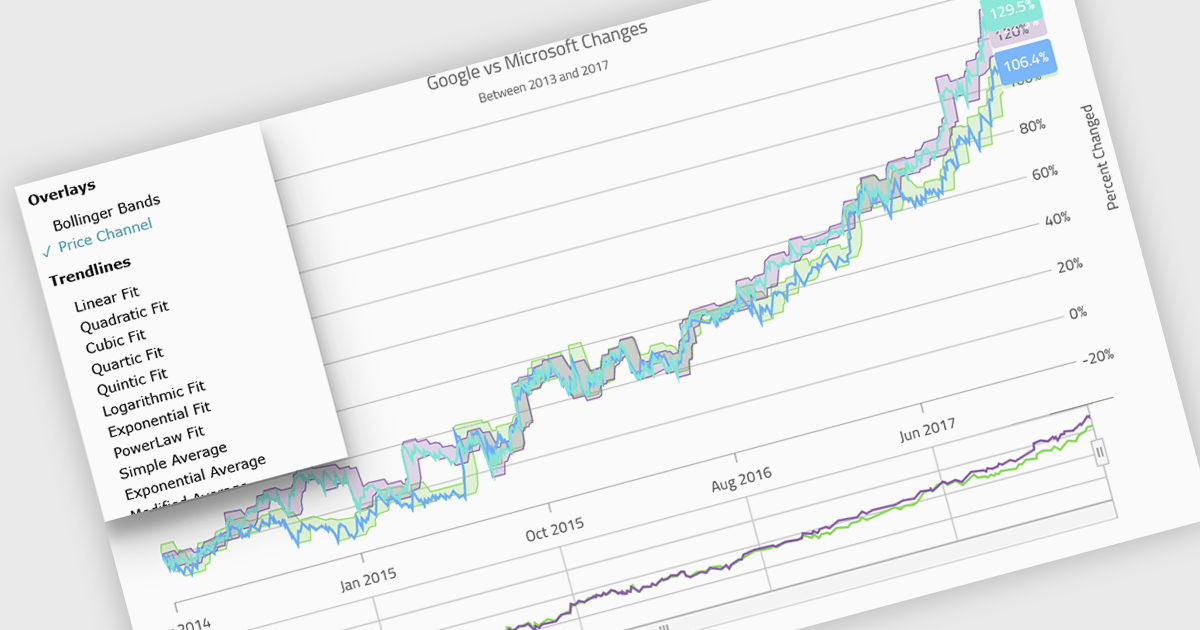
Indicators in a chart component are visual tools used to represent specific statistical or mathematical calculations directly on the chart, often to highlight trends, patterns, or key thresholds within the underlying data. Common in financial and analytical applications, indicators can include elements like moving averages, Bollinger Bands, or threshold lines. For software developers, implementing indicators provides a powerful way to enhance data interpretation by allowing users to see meaningful context and actionable insights without needing to leave the chart interface. This improves decision-making and supports more interactive and informative visualizations across a wide range of use cases.
Several .NET Blazor charting controls support indicators including:
For an in-depth analysis of features and price, visit our comparison of .NET Blazor Chart Controls.
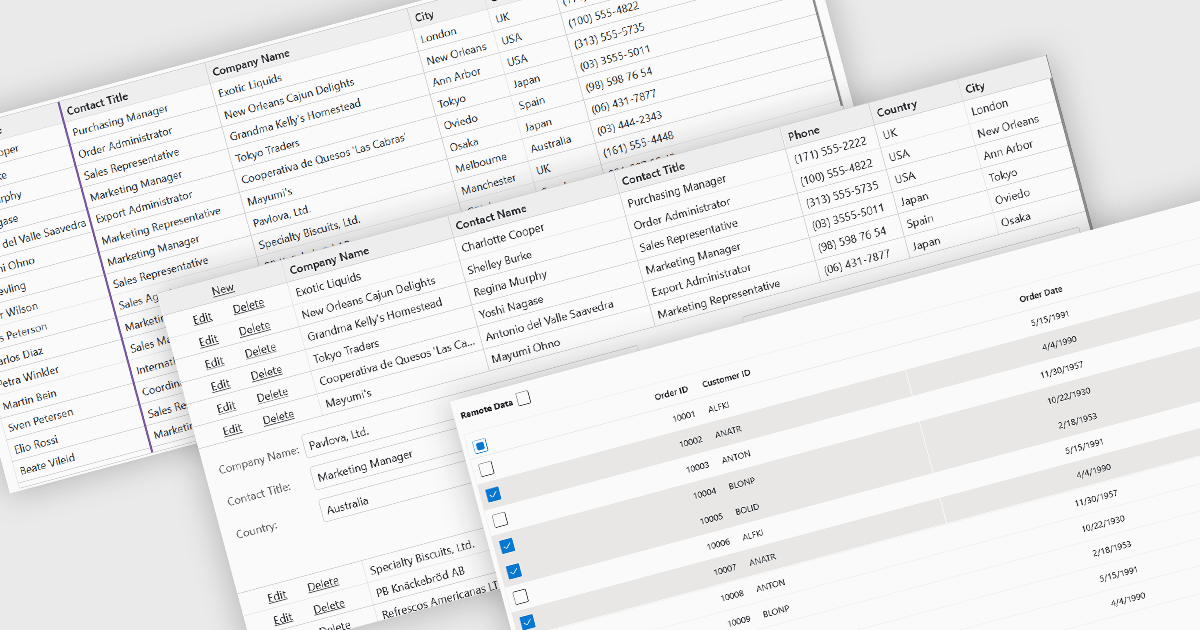
Row and column features form the core of modern grid components, enabling users to view, navigate, and manipulate tabular data efficiently. These capabilities improve usability and help developers present information in a structured, interactive format suited to many types of applications. By offering clear ways to organise, edit, and inspect information, row and column features allow users to work more effectively while maintaining control over how content is displayed.
Common features include:
For an in-depth analysis of features and price, visit our Blazor grid components comparison.
聯繫電話: (888) 850 9911
傳真: +1 770 250 6199


