













官方供應商
我們作為官方授權經銷商,直接提供超過200家開發廠家所發行超過1000個的產品授權給您。
請參閱我們所有的品牌。

Communication and messaging components provide essential functionality for handling email file formats, ensuring seamless interoperability across different email clients, servers, and applications. These components enable developers to parse, generate, convert, and manipulate email messages while preserving formatting, attachments, metadata, and encoding standards. By supporting a wide range of email formats, they facilitate integration with enterprise applications, automated email processing, and compliance with industry standards.
Common supported formats include:
For an in-depth analysis of features and price, visit our .NET communications and messaging components comparison.
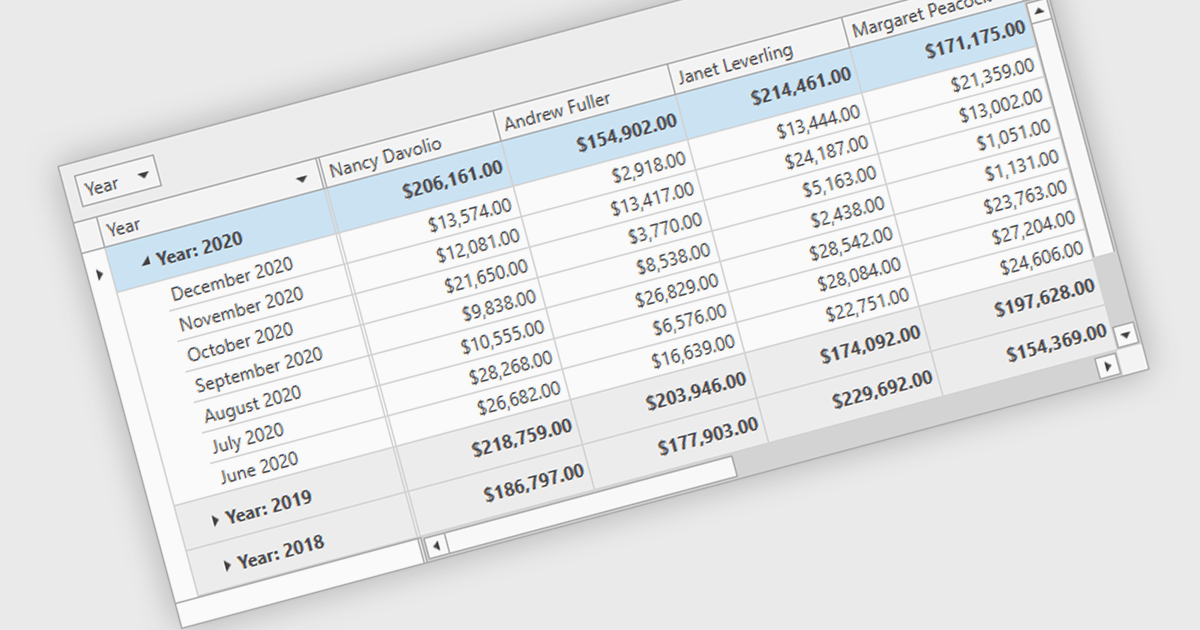
Group summary functionality enables grid components to aggregate and display key metrics such as sums, averages, and counts at the group level, offering a clear snapshot of grouped data. This feature streamlines data presentation by embedding calculated summaries directly within each group, eliminating the need for external tools or manual computations. By summarizing large datasets in real time, it improves readability, boosts decision-making efficiency, and optimizes performance through advanced data processing techniques.
Several .NET 9 WPF grid controls offer group summary functionality including:
For an in-depth analysis of features and price, visit our comparison of .NET 9 WPF Grid Controls.

PDF security and standards play a critical role in ensuring the integrity, confidentiality, and accessibility of digital documents. With PDFs widely used for business, legal, and government purposes, maintaining compliance with security protocols and industry standards is essential. Modern PDF components provide robust protection mechanisms, allowing organizations to safeguard sensitive information while ensuring documents meet regulatory requirements such as ISO 32000, PDF/A for archiving, and PDF/UA for accessibility. These features help prevent unauthorized access, support legal validity, and enable secure document exchange across different platforms.
Common features include:
For an in-depth analysis of features and price, visit our .NET Core PDF components comparison.

Modern spreadsheet components bring the power of Excel-like functionality to web applications, enabling users to create, edit, and manipulate data within an interactive grid. These components typically support formulas, formatting, data validation, and seamless integration with various data sources. Advanced features such as pivot tables, conditional formatting, and charting allow users to analyze and visualize data efficiently. Designed for performance and scalability, these spreadsheet controls cater to both enterprise applications and smaller projects that require robust data processing capabilities.
Several ASP.NET Core UI suites offer spreadsheet components including:
For an in-depth analysis of features and price, visit our ASP.NET Core UI suites comparison.
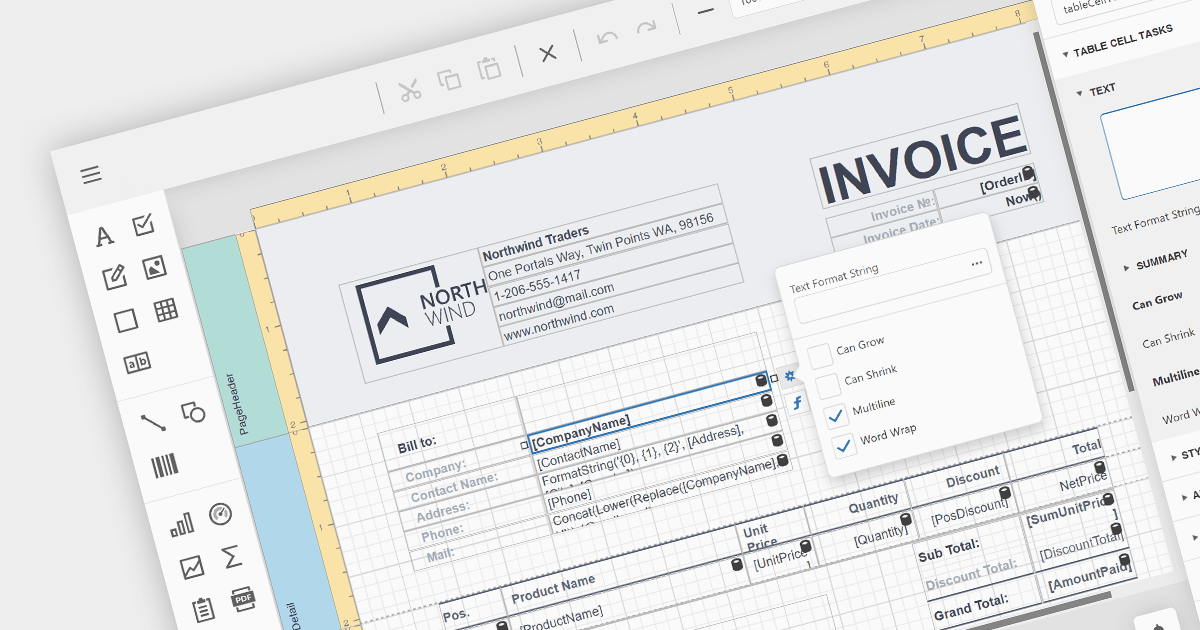
A visual report designer is a component of reporting software that provides a graphical interface for creating reports. It allows users to place and format report elements visually, such as charts, tables, and text fields. This design approach is more intuitive compared to manually coding report layouts, significantly reducing the time and effort required to produce complex reports. A visual designer often includes tools for previewing reports, making iterative design easier. Adding a visual report designer to your application empowers users of all technical levels to craft data-driven insights with ease.
Several Blazor reporting components offer visual report designers including:
For an in-depth analysis of features and price, visit our Blazor reporting comparison.
聯繫電話: (888) 850 9911
傳真: +1 770 250 6199


