













官方供應商
我們作為官方授權經銷商,直接提供超過200家開發廠家所發行超過1000個的產品授權給您。
請參閱我們所有的品牌。
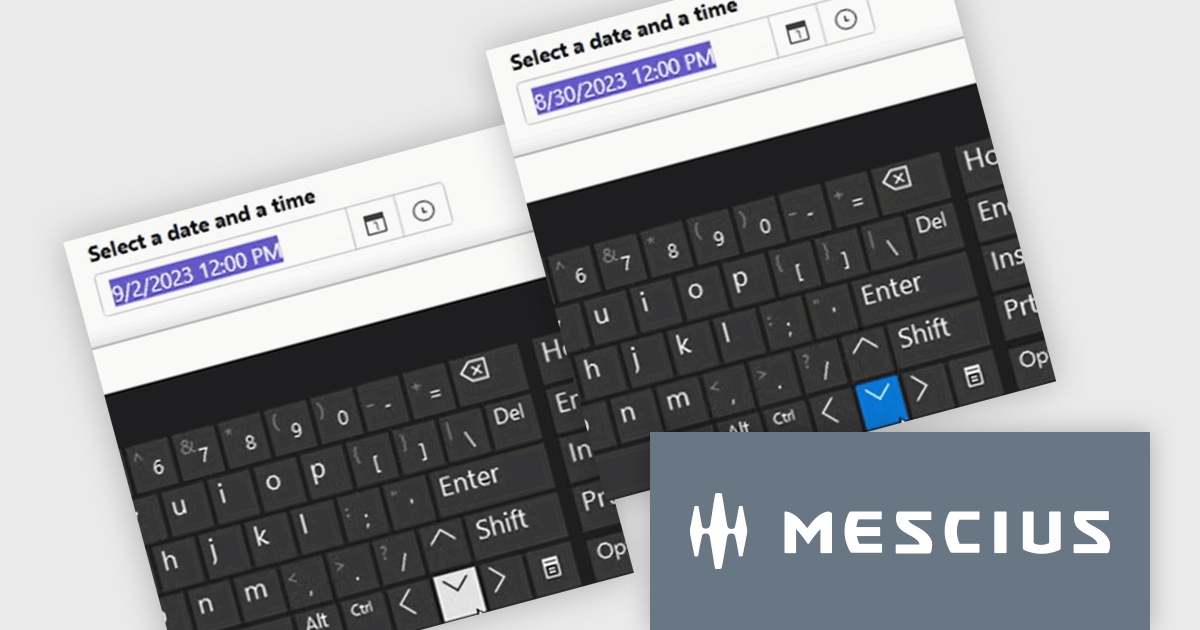
ComponentOne Studio ASP.NET MVC by MESCIUS offers a suite of UI controls designed to expedite development in ASP.NET MVC web applications. These fast, mobile-friendly controls encompass data management like grids, data visualization with charts, and layout components. This empowers you to create feature-rich dashboards and user interfaces. ComponentOne Studio ASP.NET MVC boasts professional design, deep customization options, and project templates to accelerate development, making it a valuable asset for crafting modern, responsive web applications.
The ComponentOne Studio ASP.NET MVC 2024 v2 update introduces enhanced usability and accessibility with the new arrow key and mouse wheel support for InputDate and InputTime controls. This feature enables developers to deliver a more intuitive and efficient user experience, allowing end-users to easily adjust date and time values directly in edit mode. By focusing on the specific part of the control that requires adjustment, users can make precise modifications using either keyboard or mouse interactions. This enhancement not only improves input accuracy and workflow efficiency but also ensures accessibility compliance, catering to diverse user needs in modern web applications.
To see a full list of what's new in 2024 v2, see our release notes.
ComponentOne Studio ASP.NET MVC is licensed per developer on a perpetual basis and includes a 12 month subscription. See our ComponentOne Studio ASP.NET MVC licensing page for full details.
Learn more on our ComponentOne Studio ASP.NET MVC product page.

Stimulsoft offers a comprehensive suite of tools for creating interactive data visualizations. Stimulsoft Dashboards excels at crafting engaging dashboards for web and desktop applications, while Stimulsoft BI Designer provides a powerful platform for designing both reports and dashboards. Developers can seamlessly integrate these tools into their projects using platform-specific components or a centralized cloud designer, supporting .NET, JavaScript, PHP, and more. With rich data analysis capabilities, extensive customization options, and pre-built templates, Stimulsoft empowers you to transform complex data into clear, actionable insights for any audience.
The Stimulsoft 2024.4.5 release introduces full support for .NET 9, the latest version of Microsoft's widely used framework, empowering developers to create robust, high-performance reporting and data visualization solutions. With this update, users can harness the enhanced performance and features of .NET 9 while utilizing Stimulsoft's rich suite of tools for designing reports, building dashboards, and embedding advanced data analysis capabilities into their applications. This integration ensures seamless compatibility, enabling developers to deliver dynamic and interactive solutions with ease.
To see a full list of what's new in 2024.4.5, see our release notes.
Stimulsoft products are licensed per developer and are available as a perpetual license with 1 year support and maintenance. See our Stimulsoft Ultimate licensing page for full details.
For more information, visit our Stimulsoft product pages:
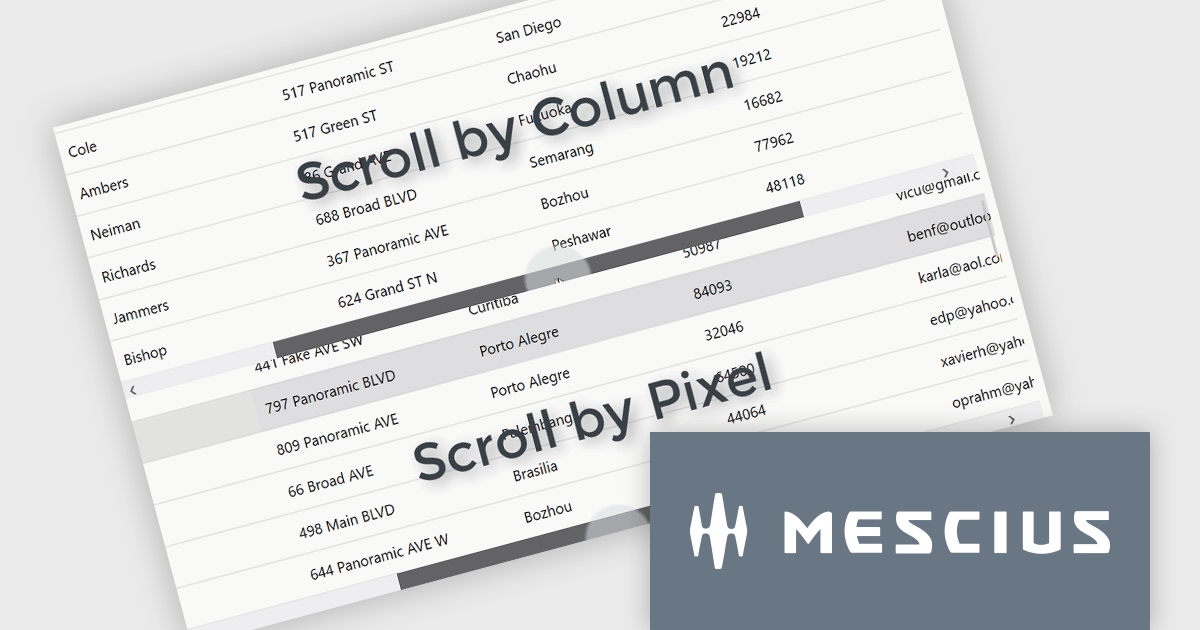
ComponentOne Studio WPF by MESCIUS is a comprehensive suite of controls designed to enhance the development of WPF applications. It offers a range of powerful and flexible UI components such as data grids, charts, and data visualization tools that integrate seamlessly into WPF projects. This suite enables developers to create modern, responsive, and visually appealing applications with greater efficiency, leveraging robust features and customization options. Its components are optimized for performance and ease of use, allowing for the rapid development of high-quality WPF applications that meet complex business requirements.
The ComponentOne Studio WPF 2024 v2 update introduces a new ScrollMode property to FlexGrid, enabling developers to implement scrolling by row or column instead of the default pixel-based behavior. This enhancement ensures that rows and columns are fully visible, preventing partial display and improving data readability within the grid. By offering a more precise and structured navigation experience, this feature supports applications where clarity and user focus are critical. This addition provides developers with greater flexibility to customize the grid's behavior, allowing them to tailor the user experience to meet specific application requirements.
To see a full list of what's new in 2024 v2, see our release notes.
ComponentOne Studio WPF is licensed per developer on a perpetual basis and includes a 12 month subscription. See our ComponentOne Studio WPF licensing page for full details.
ComponentOne Studio WPF is available individually or as part of ComponentOne Studio Enterprise.
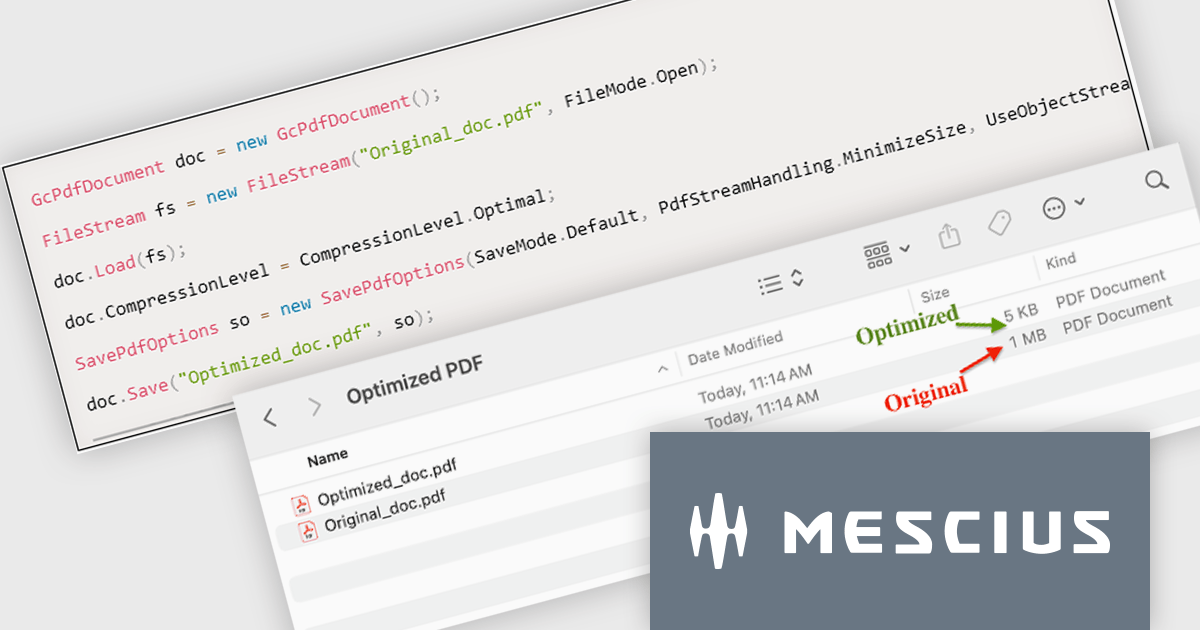
Document Solutions for PDF (DsPdf) by MESCIUS is a software development toolkit that provides .NET Core libraries and a JavaScript PDF viewer for manipulating and displaying PDFs. DsPdf enables developers to create, edit, annotate, and redact PDF documents directly within web applications. The included DsPdfViewer component offers a feature-rich, cross-platform solution for viewing and interacting with PDFs in modern browsers on various operating systems, including mobile devices.
The Document Solutions for PDF version 8.0.0 update introduces the new SavePdfOptions class, providing developers with control over PDF saving processes. This enhancement allows for the optimization of PDFs by enabling object streams (PDF 1.5), which reduces file size, improves compression efficiency, and streamlines document handling. By leveraging these capabilities, users can configure how PDF data is stored and processed, ensuring faster load times and seamless integration into workflows. This feature empowers developers to create tailored solutions that balance performance, storage efficiency, and application requirements.
To see a full list of what's new in version 8.0.0, see our release notes.
Document Solutions for PDF is licensed per developer and is available in several license options for differing distribution needs. Team licenses are also available for multiple developers within the same organization. See our Document Solutions for PDF licensing page for full details.
Document Solutions for PDF is available to buy individually or as part of Document Solutions .NET Bundle.
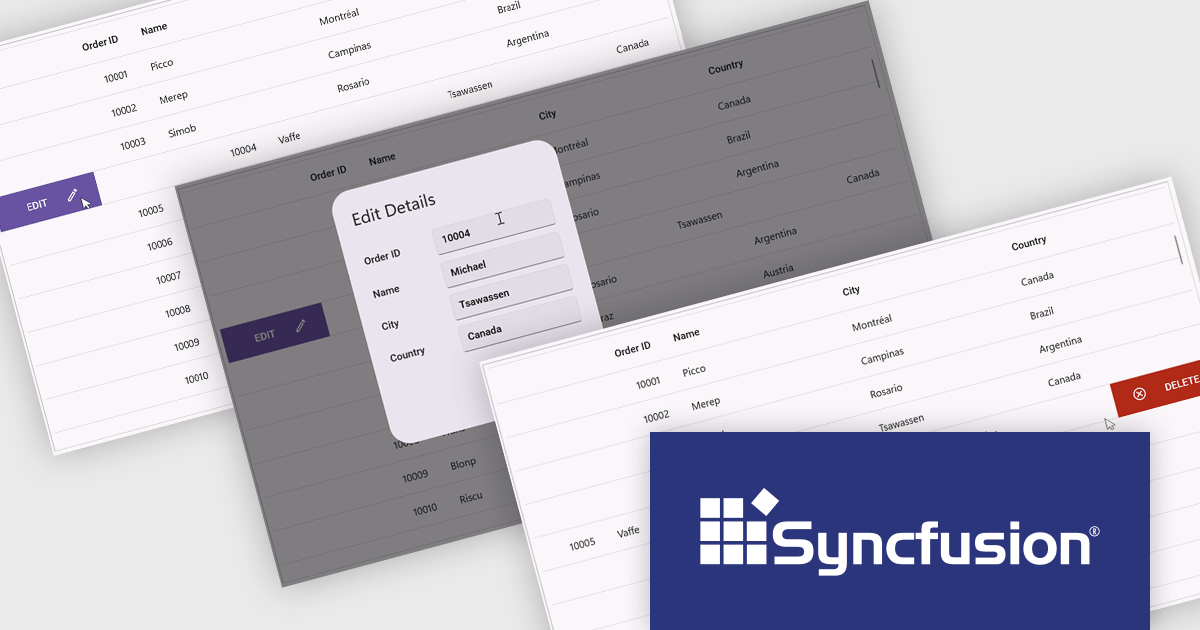
Syncfusion Essential Studio .NET MAUI (available as part of Syncfusion Essential Studio Enterprise) empowers developers with a comprehensive suite of native UI controls, data visualization tools, and performance optimizations for building modern, cross-platform mobile and desktop applications. This professional-grade toolkit leverages the power of C# and XAML, enabling rapid development of stunning and responsive experiences across diverse platforms.
The Syncfusion Essential Studio .NET MAUI 2024 Volume 4 update introduces a new swiping feature in the DataGrid, enabling users to perform actions efficiently by swiping rows either to the left or right. This functionality enhances usability in mobile and touch-based applications by offering a streamlined way to interact with data, such as triggering actions like edit or delete directly through intuitive swipe gestures. With its flexibility, developers can customize the swipe behavior to align with their application's requirements, improving workflow efficiency and delivering a modern, touch-friendly user experience.
To see a full list of what's new in 2024 Volume 4, see our release notes.
Syncfusion Essential Studio .NET MAUI is available as part of Syncfusion Essential Studio Enterprise which is licensed per developer starting with a Team License of up to five developers. It is available as a 12 Month Timed Subscription License which includes support and maintenance. See our Syncfusion Essential Studio Enterprise licensing page for full details.
Learn more on our Syncfusion Essential Studio .NET MAUI product page.
聯繫電話: (888) 850 9911
傳真: +1 770 250 6199


