













官方供應商
我們作為官方授權經銷商,直接提供超過200家開發廠家所發行超過1000個的產品授權給您。
請參閱我們所有的品牌。
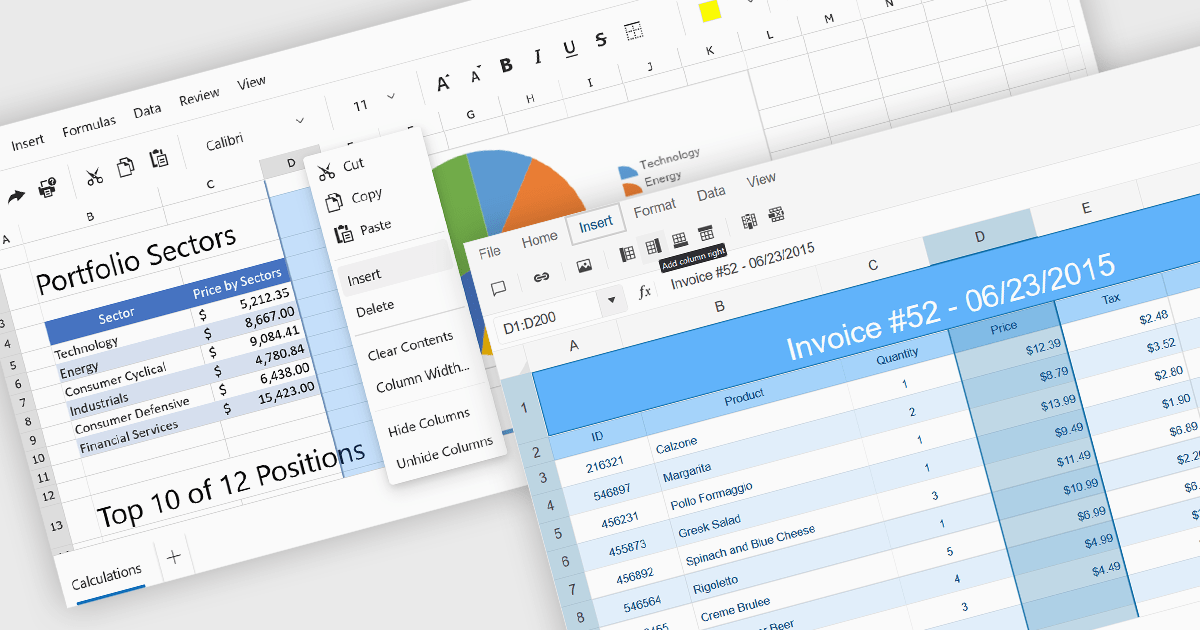
Inserting columns in a spreadsheet allows users to expand worksheets dynamically while preserving existing data and formulas. This capability is essential for scenarios where datasets evolve over time, such as adding new fields, categories, or calculated values. A well-implemented insert columns feature ensures that cell references, formatting, and formulas adjust automatically, helping maintain data integrity and reducing the risk of errors during updates.
Several ASP.NET Core spreadsheet controls offer the ability to insert columns including:
For an in-depth analysis of features and price, visit our ASP.NET Core spreadsheet controls comparison.
Lucky Penny Software is a software company based in Austin, Texas, USA, focused on delivering high-quality libraries for the Microsoft .NET ecosystem. Its flagship products, AutoMapper and MediatR, are widely used by developers building modern applications. Originally created as free, open-source projects by founder Jimmy Bogard, creator of Vertical Slice Architecture, both libraries achieved broad adoption, with more than a billion downloads combined. They have since evolved into commercial offerings to ensure sustainable development, professional support, and continued innovation aligned with customer needs.
Lucky Penny Software's product offering includes AutoMapper, a convention-based object mapping library designed to simplify the transformation of complex domain models and Language Integrated Query (LINQ) results into clean Data Transfer Objects (DTOs). By applying consistent naming conventions and reducing the need for repetitive mapping code, it helps teams maintain clearer separation between layers while improving code readability and reliability. Built-in configuration validation further supports robust application design by identifying mapping issues early in the development process.
MediatR implements the mediator and command dispatcher patterns to support scalable application architectures. It provides an in-process messaging framework that routes requests and notifications to the appropriate handlers, reducing tight coupling between components. This approach aligns with Clean Architecture and Vertical Slice Architecture principles, enabling teams to build applications that are easier to test, extend, and maintain over time.
Through its partnership with Lucky Penny Software, ComponentSource adds these proven .NET libraries to its global software marketplace. This collaboration gives organizations a straightforward way to license and manage AutoMapper and MediatR within established procurement processes. Customers benefit from reliable access to commercial licensing, centralized purchasing, and dedicated support, while continuing to build applications on widely adopted architectural patterns and trusted development tools.
For more information, visit our Lucky Penny Software page
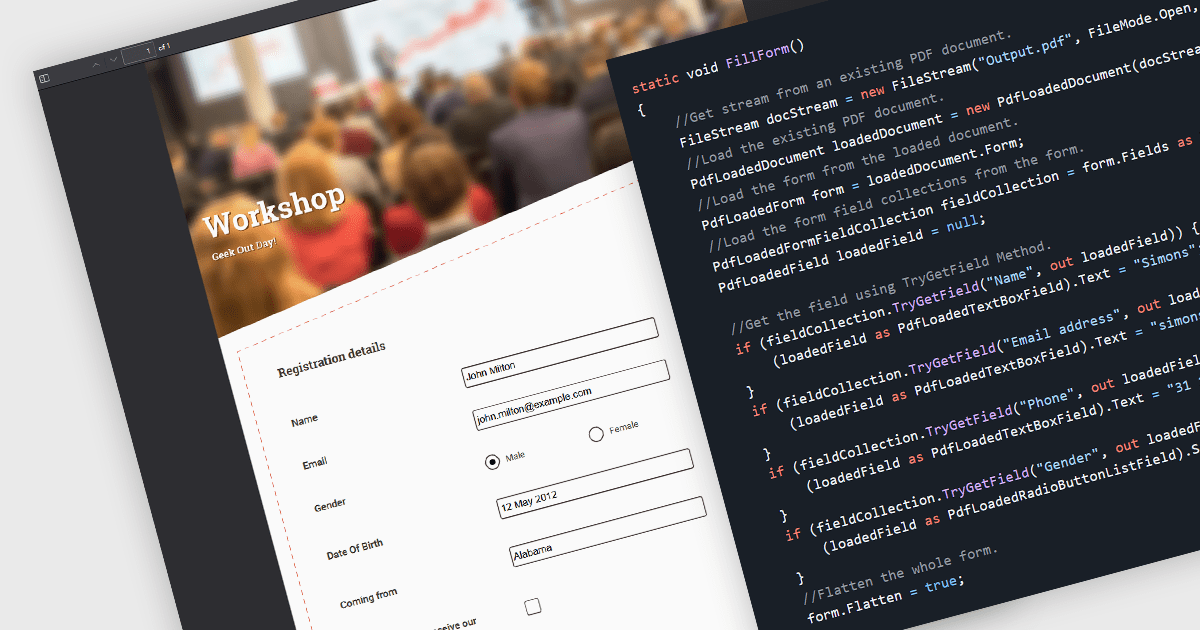
Flattening form fields is the process of converting interactive PDF form elements into static content within the document. Once flattened, the data entered into fields becomes part of the page itself, preventing further editing or manipulation. This ensures that the document can be viewed consistently across devices and PDF readers, while preserving the integrity of the submitted information. It is particularly valuable for finalized contracts, reports, and compliance documents where maintaining an accurate, unalterable record is essential.
Several WinForms PDF components allow you to flatten form fields, including:
For an in-depth analysis of features and price, visit our comparison of WinForms PDF components.

International Character Sets support in .NET communications controls refers to the ability of networking and messaging components to correctly transmit, receive, and process text data encoded in various global character standards, such as Unicode, UTF-8, UTF-16, and legacy code pages. This capability ensures that applications can reliably handle multilingual content, including non-Latin scripts, accented characters, symbols, and right-to-left languages, without data corruption or misinterpretation during serialization, transport, or display. By supporting standardized encoding mechanisms, .NET communications controls allow developers to build globally compatible services, APIs, email clients, and messaging systems that maintain text integrity across different platforms, operating systems, and regional settings, which is essential for modern distributed and internationalized applications.
Several .NET communications and messaging components offer support for international character sets including:
For an in-depth analysis of features and price, visit our comparison of .NET Comms & Messaging components.

Image-to-PDF conversion transforms one or more image files into a single, standardized PDF document, maintaining image quality and consistent layout. Converting images to PDF improves accessibility across devices and platforms, simplifies sharing and printing, and helps organize multiple images into one professional file. It also supports features such as compression and security, making documents easier to store and protect. Common use cases include compiling scanned documents or receipts, creating reports from images, and sharing visual records in a reliable, universally supported format.
Several .NET PDF components allow you to convert images to PDF, including:
For an in-depth analysis of features and price, visit our comparison of PDF components for .NET.
聯繫電話: (888) 850 9911
傳真: +1 770 250 6199


