













官方供應商
我們作為官方授權經銷商,直接提供超過200家開發廠家所發行超過1000個的產品授權給您。
請參閱我們所有的品牌。
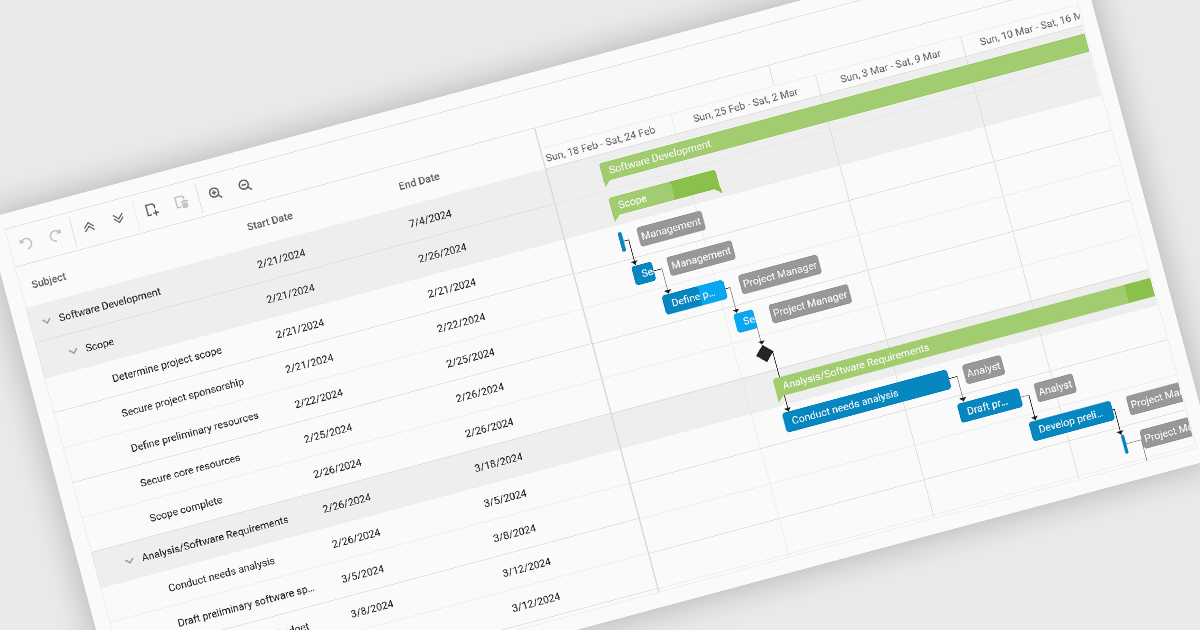
Gantt charts, a specialized type of bar chart, are invaluable tools for project management, particularly in visualizing and tracking the timeline of tasks, dependencies, and progress. These charts are ideal for illustrating project schedules, resource allocation, and critical paths. By providing a clear and concise overview of project milestones, Gantt charts facilitate effective planning, communication, and monitoring, ultimately helping organizations achieve project goals efficiently and on time.
Several React chart controls provide Gantt charts including:
For an in-depth analysis of features and price, visit our React chart controls comparison.
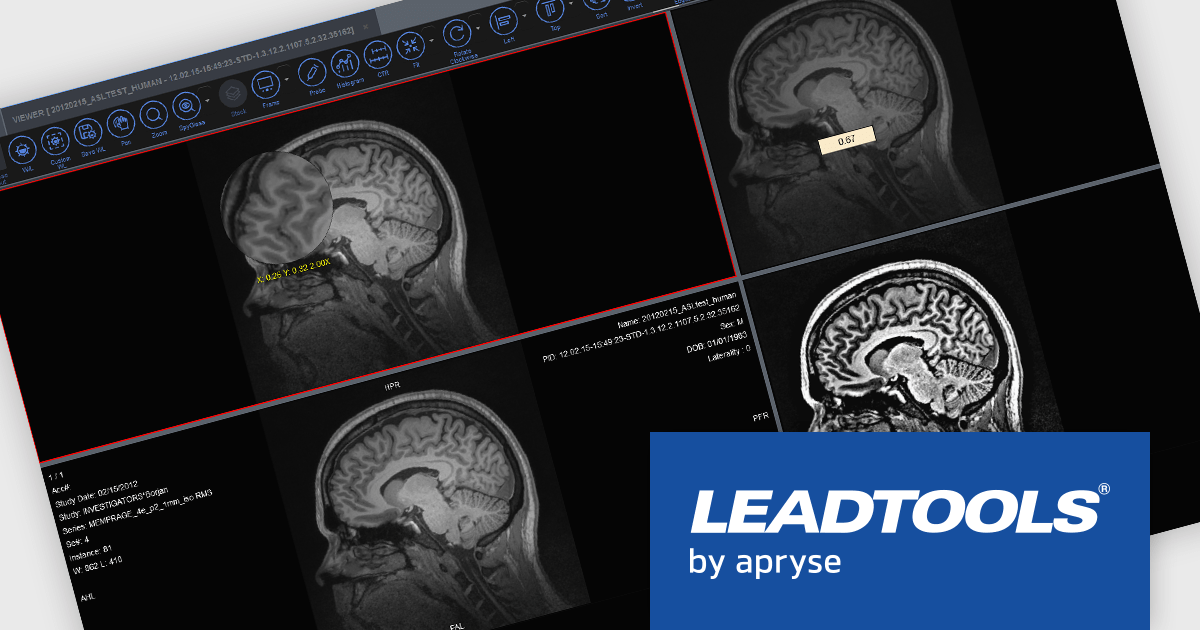
LEADTOOLS Medical SDK is designed to streamline the development of medical applications, offering support for DICOM datasets, 8-16 bit extended grayscale images, and advanced image annotation capabilities. It also includes specialized tools for displaying images, such as window leveling and LUT (Look-Up Table) processing, as well as medical-specific image processing. Additional features include lossless JPEG compression and the ability to process both signed and unsigned image data. The Medical Imaging Suite expands on this functionality with enhanced features, including HTML/JavaScript viewing for web-based medical image access.
LEADTOOLS Medical 3D Volume Rendering libraries enable developers to visualize medical data using techniques like VRT, MIP, MPR, and SSD. These tools provide interactive controls for window levels, zoom, and density adjustments, along with customizable settings for appearance, such as borders and resolution. The libraries enhance performance with cached 3D volumes for faster load times and include advanced features like 3D reference lines and synchronized stack navigation with a 3D cursor, making it a valuable tool for precise and efficient medical imaging applications.
LEADTOOLS Medical SDK is licensed as Development Licenses, for developers to use the SDKs, and Deployment Licenses, for the right to distribute end user solutions. See our LEADTOOLS Medical SDK licensing page for full details.
Learn more on our LEADTOOLS Medical SDK product page and LEADTOOLS Medical Suite SDK product page.
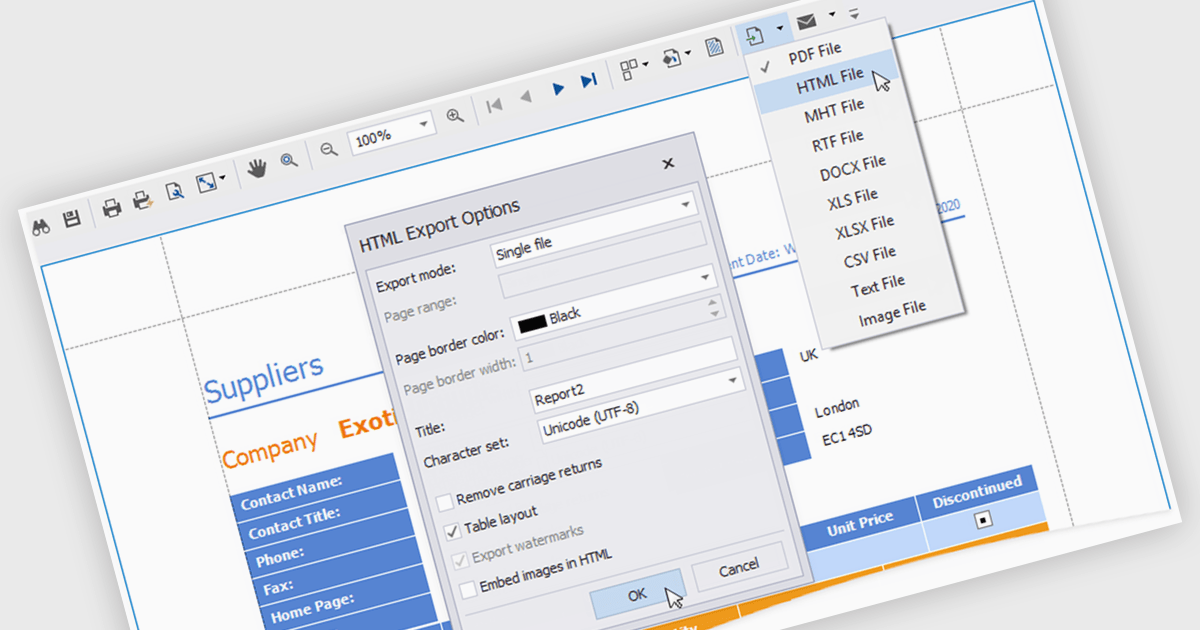
HTML export offers a versatile and accessible solution for sharing and distributing data-driven report insights. Transforming complex data into human-readable HTML format enables stakeholders to easily view, understand, and interact with reports. This functionality is particularly valuable for teams that need to collaborate on analysis or share findings with individuals who may not have access to specialized reporting tools. HTML exports can be integrated into various platforms, such as websites, emails, or shared documents, making it a convenient method for disseminating information and promoting data-driven decision-making.
Several .NET WPF reporting controls offer HTML exporting including:
For an in-depth analysis of features and price, visit our WPF Reporting controls comparison.
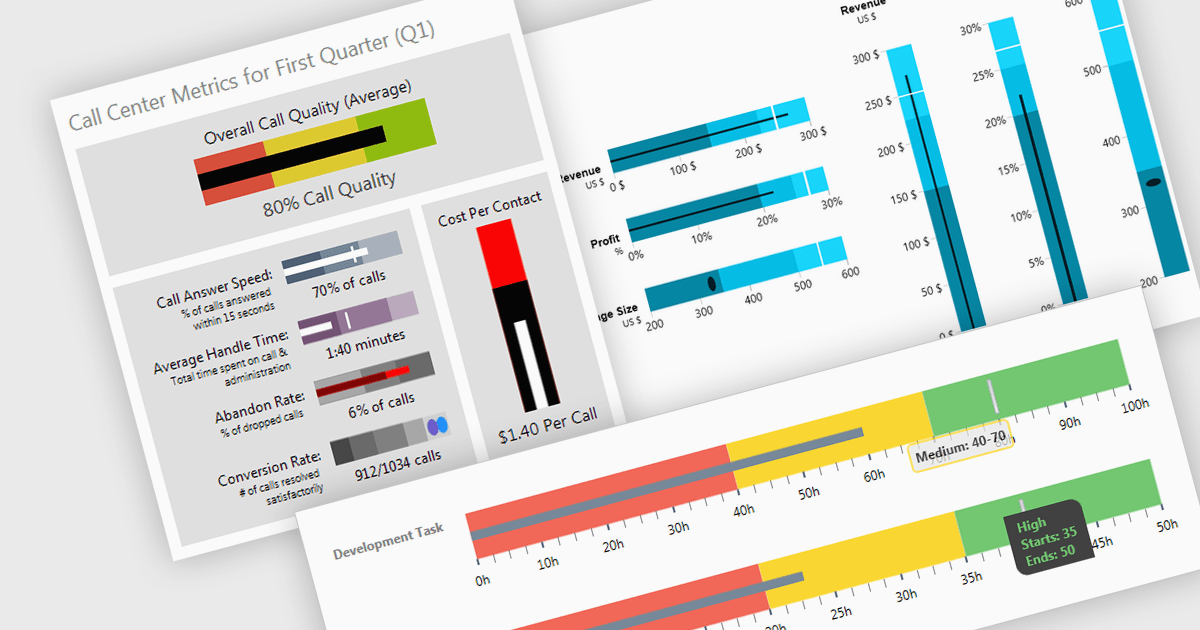
A bullet chart (or bullet graph) is a streamlined bar chart that effectively conveys key performance metrics in relation to targets. It features a single bar representing the main value, overlaid with shaded regions indicating qualitative ranges (e.g., "poor," "average," "good"), and a line marking the target. This minimalist design offers a clear, at-a-glance assessment of performance, making it well-suited for dashboards and reports where space is limited and focus on essential metrics is paramount.
Several WPF charting components support bullet graphs:
For an in-depth analysis of features and price, visit our comparison of WPF charting components.
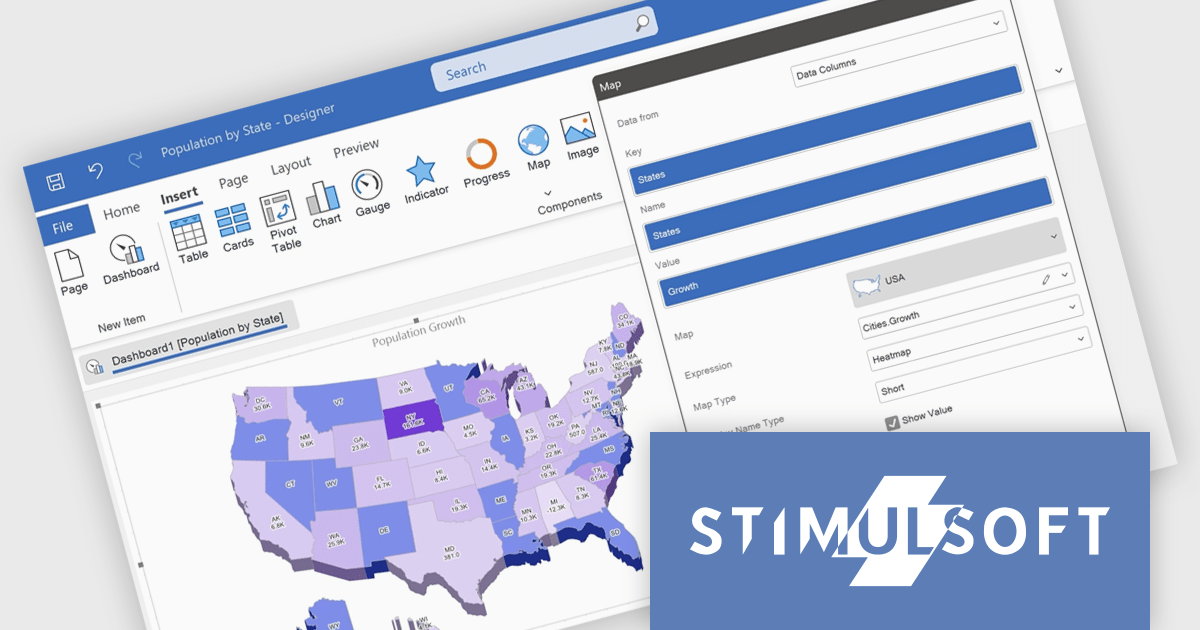
Stimulsoft Reports.WPF is a powerful reporting component for Windows Presentation Foundation (WPF) that provides rich rendering, viewing, printing, and exporting capabilities, allowing users to easily create, customize, and execute complex reports with minimal code, featuring a designer, data binding, WYSIWYG printing, and support for multiple export formats.
The Stimulsoft Reports.WPF 2024.4.1 release adds 3D support for maps in reports which allows for a more engaging and detailed visualization of geographic data. This feature can be easily turned on or off through the component editor or by using the Show 3D property, offering greater flexibility and making it easier to analyze spatial data with enhanced clarity.
To see a full list of what's new in 2024.4.1, see our release notes.
Stimulsoft Reports.WPF is licensed per developer and is available as a perpetual license with 1 year support and maintenance. See our Stimulsoft Reports.WPF licensing page for full details.
Stimulsoft Reports.WPF is available in the following products:
聯繫電話: (888) 850 9911
傳真: +1 770 250 6199


