













官方供應商
我們作為官方授權經銷商,直接提供超過200家開發廠家所發行超過1000個的產品授權給您。
請參閱我們所有的品牌。

ComponentSource has helped extend access to DEXTSolution’s innovative IT solutions by making them available to developers around the world. The .NET-based DEXTUpload component integrates seamlessly into web applications, offering robust file management capabilities that complement ComponentSource’s expansive catalog of developer tools.
As they mark fifteen years of working together, ComponentSource and DEXTSolution continue to support developers with accessible, enterprise-grade file management and document processing solutions. This collaboration has created a reliable channel for developers to obtain DEXTSolution's products.
Today, DEXTSolution’s offerings span .NET consulting and the development and distribution of software such as their flagship product, DEXTUpload .NET Pro, which helps developers to integrate file upload and document processing functionality.
DEXTSolution products are licensed server, and are available as perpetual licenses that include major upgrades and technical support. See our DEXTUpload .NET Pro licensing page for full details.
For more information, visit our DEXTSolution brand page.
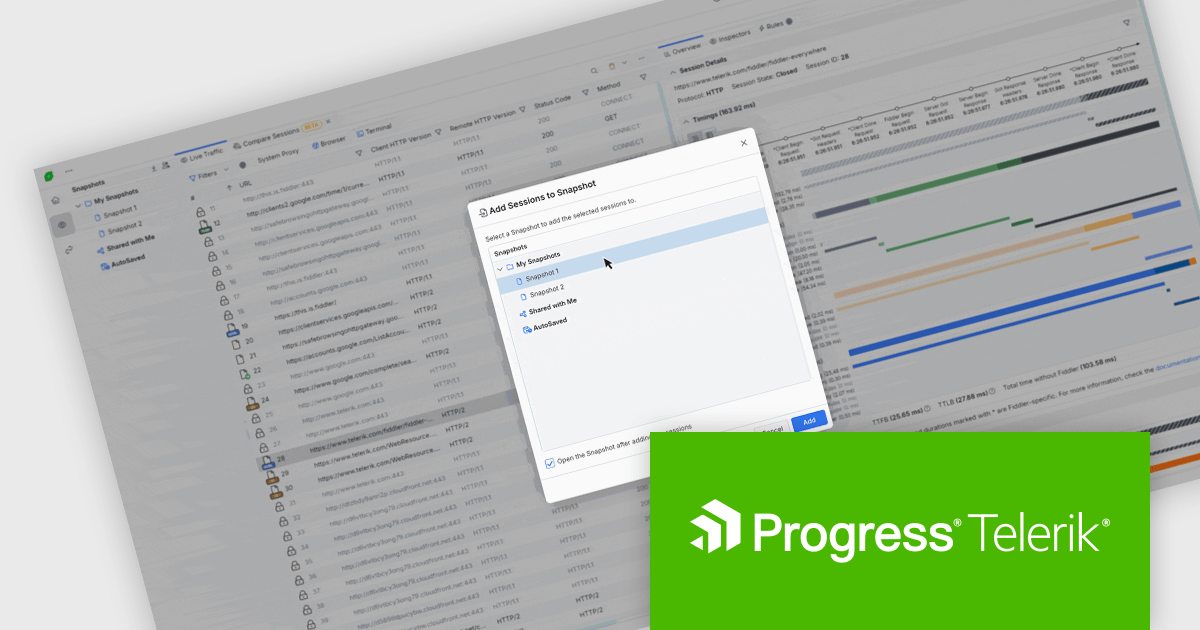
Fiddler Everywhere by Telerik is a cross-platform web debugging proxy designed to help software developers monitor, inspect, and modify HTTP and HTTPS traffic between their applications and the internet. It provides comprehensive tools for troubleshooting network-related issues, analyzing application performance, and testing web applications under different network conditions, streamlining the development and debugging process.
In Fiddler Everywhere, sessions represent individual HTTP or HTTPS request-response transactions captured in real time, allowing developers to inspect each interaction's full details. Snapshots are saved collections of these sessions that can be stored locally or in the cloud, providing a persistent record of traffic for later review, collaboration, or export. Developers now have the ability to add live or saved sessions to an existing snapshot, or add a session from one snapshot to another. This means you are no longer limited to static captures as you can update a snapshot incrementally as new relevant traffic is recorded. Such functionality supports iterative debugging and makes it easier to build a complete picture of a complex issue over time without starting from scratch or disrupting the flow of related sessions.
Fiddler Everywhere is licensed per developer and has two licensing models: an annual Subscription License and a Perpetual License. The Subscription license provides access to the latest product updates, technical support, and exclusive benefits for a flat annual fee, and must be renewed to continue using the software. The Perpetual license is a one-time purchase granting access to the current released version and includes a one-year subscription for product updates and technical support. After this initial period, users can choose to renew the subscription element to continue receiving updates and support; otherwise, they may continue using the installed version available during their active subscription term but will forgo future updates and support. See our Fiddler Everywhere licensing page for full details.
For more information, see our Fiddler Everywhere product page.
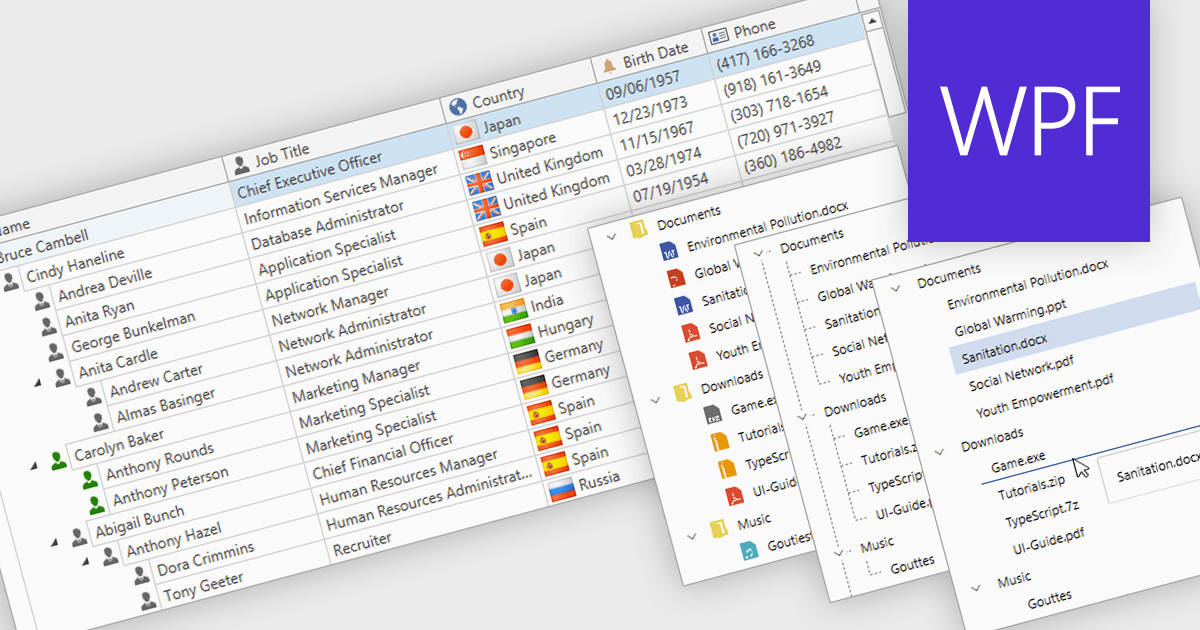
Tree lists, commonly included in professional UI component suites, are advanced controls designed to display hierarchical data in a structured and expandable format. They present parent-child relationships clearly, allowing users to navigate through multiple levels of data with ease. With features such as collapsible nodes, dynamic data loading, and customizable templates, tree lists improve both performance and user experience, particularly when working with large or complex datasets. In user interface development, they are frequently used for file explorers, category navigation, permission settings, project management views, and organizational charts. By integrating tree lists, developers can provide a more intuitive, scalable, and interactive way to manage structured information.
Several WPF UI suites offer tree list components including:
For an in-depth analysis of features and price, visit our WPF UI suites comparison.
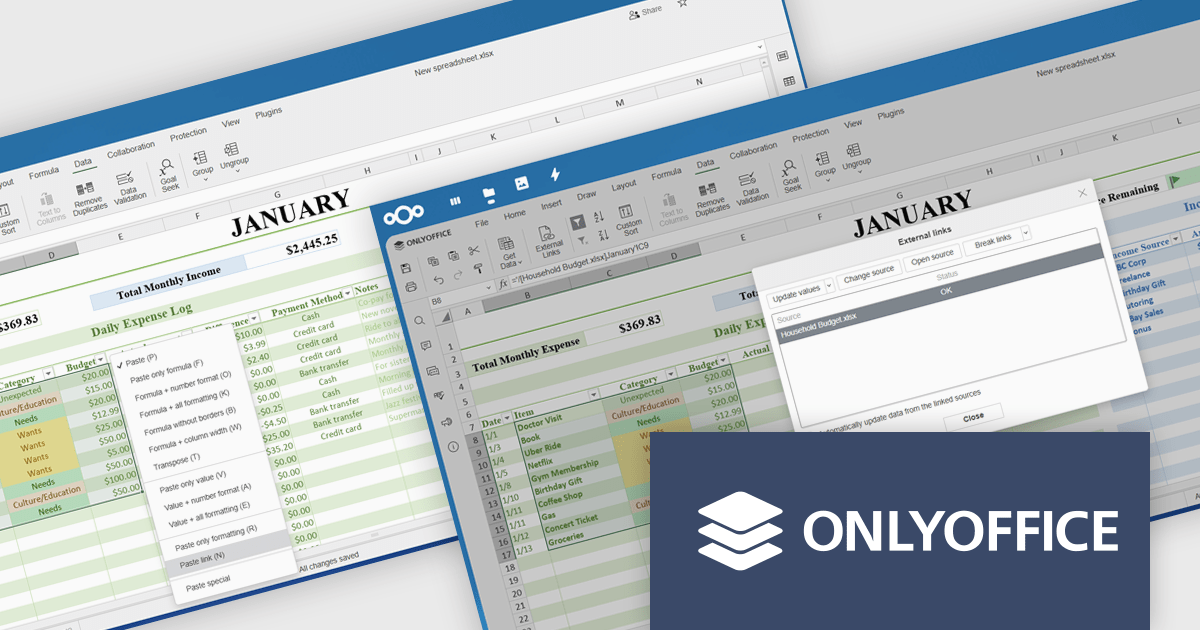
ONLYOFFICE Docs Enterprise Edition integrates seamlessly with both ownCloud and Nextcloud connectors, combining a powerful online document editor with two leading on-premises content collaboration platforms. This integration allows teams to create, view, edit, and collaborate on spreadsheets, presentations, and text documents in real time, directly within their ownCloud or Nextcloud environments, boosting productivity and eliminating the need to switch between applications.
The latest updates for the ONLYOFFICE Nextcloud and ownCloud connectors (9.9.0 and 9.9.1 respectively) introduce support for importing reference data into spreadsheets using external links, allowing developers to dynamically integrate data from third-party sources directly into their ONLYOFFICE spreadsheets. This enhancement simplifies cross-document referencing by enabling users to pull specific cell ranges from external files, reducing manual data handling and improving consistency across documents. It also supports automatic data updates and source management, helping developers maintain accurate, synchronized datasets within collaborative environments hosted on Nextcloud or ownCloud.
To see a full list of what's new, see our release notes for ONLYOFFICE Nextcloud Connector v9.9.0 and ONLYOFFICE ownCloud Connector v9.9.1.
The ONLYOFFICE Nextcloud and ownCloud connectors are both licensed per server and are available as an annual license with 1 year of support and updates, or as a perpetual license with 3 years of support and updates. See our licensing pages for the Nextcloud and ownCloud connectors for full details.
For more information, see our product pages:
Telerik Reporting and Telerik Report Server deliver a complete solution for creating, managing, and distributing reports across .NET applications. Telerik Reporting is a lightweight, embedded reporting tool for .NET web and desktop apps. It lets developers and users easily design, customize, and export interactive, reusable reports. It supports multiple platforms, including ASP.NET Core, Blazor, MVC, AJAX, HTML5/JS, Angular, WPF, WinForms, and WinUI. Telerik Report Server is a web-based, server-side solution for centralized report management. Built on Telerik Reporting, it offers scheduling, delivery, user management, and web-based access. It can be used standalone or integrated into apps built with Blazor, Angular, or Windows Forms.
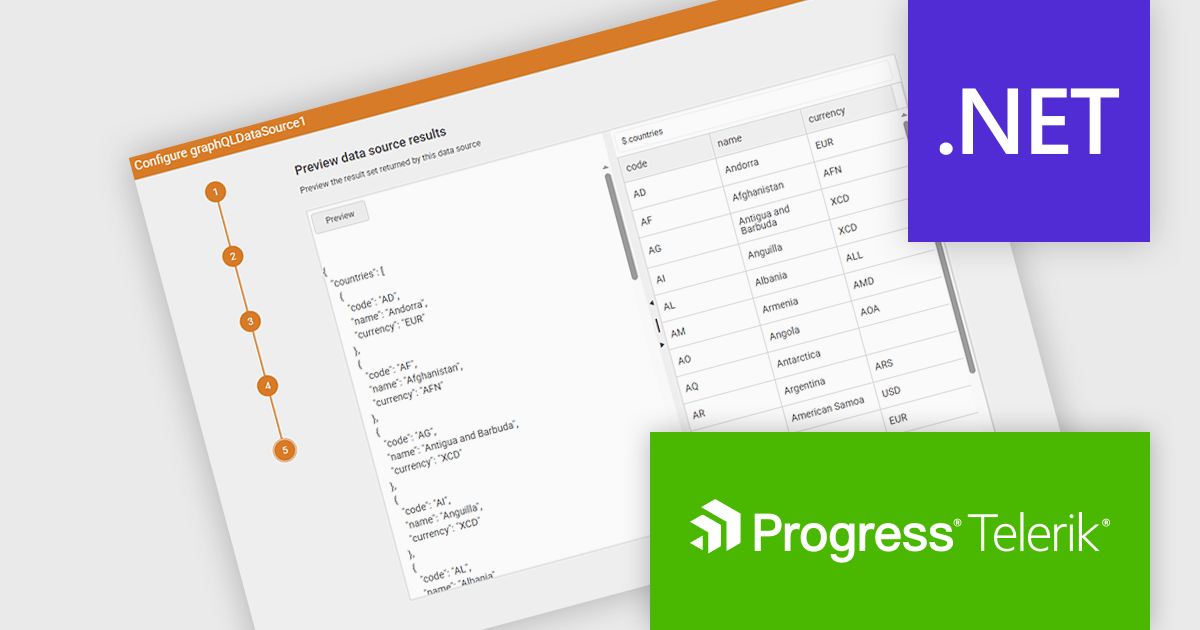
The Telerik Reporting and Telerik Report Server 2025 Q2 update introduces a new GraphQL DataSource Wizard in the Web Report Designer that simplifies the process of connecting to GraphQL APIs. This enhancement improves data integration by guiding developers through a clear, step-by-step configuration process, eliminating the need for manual setup or in-depth knowledge of GraphQL syntax. It enables faster data connectivity and report creation directly within the browser-based design environment, improving overall efficiency and reducing development time when working with GraphQL data sources.
To see a full list of what's new, see our release notes for Telerik Reporting and Telerik Report Server 2025 Q2.
Telerik Reporting is licensed per developer and has two licensing models: an annual Subscription License and a Perpetual License. The Subscription license must be renewed to continue using the software. The Perpetual license is a one-time purchase granting access to the current released version and includes a one-year subscription for product updates and technical support. Telerik Report Server is available as a perpetual license and is licensed per domain. Each domain license contains 15 Client Access Licenses and 1 year support and maintenance. See our licensing pages for Telerik Reporting and Telerik Report Server for full details.
Telerik Reporting and Telerik Report Server are available individually or as part of Telerik DevCraft Ultimate.
聯繫電話: (888) 850 9911
傳真: +1 770 250 6199


