DPI Aware Applications - Display technology has improved by adding more pixels into the available physical space on monitor panels. The result is that the dots-per-inch (DPI) of modern displays is way higher. For years, 96 pixels was the magical number, but nowadays 300 DPI is no longer an exception. TX Text Control ActiveX X17 implements DPI aware support for all controls including the document itself, rulers and the status bars to scale pixel-perfect and to provide a crystal clear visual experience.
High Resolution Icon Set - A new, vector-based icon set with 800+ illustrations for the integrated button and ribbon bars. Depending on the selected DPI, the pixel-perfect bitmap in the requested size and resolution is used for all various ribbon tabs and groups. With TX Text Control ActiveX X17, you can upgrade your applications to support high resolutions without any additional efforts.
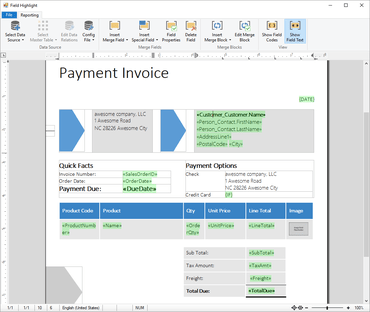
Text Field Highlight Options - Text fields, such as HypertextLinks, ApplicationFields and PageNumberFields, can be highlighted with a highlight color using the TXTextControl.TextField.HighlightMode property. Whether a field is highlighted can be defined and set to Always, Never or Activated. Similar to SubTextParts, the highlight color can have an alpha channel for transparency. Each field can be highlighted with a different color which enables you to distinguish between different field types.