ReSharper 6 adds code analysis for VB.NET
Released: Jul 6, 2011
Updates in this release
Updates in 6
- JavaScript support - JavaScript support spans most ReSharper 6 feature groups including code inspections, navigation, refactorings, and coding assistance. Symbol and smart completion are available in JavaScript, enabling you to filter out the enormity of JS library functions.
- ASP.NET MVC 3 Razor support - ReSharper's ASP.NET MVC feature pack is extended with support for the new Razor view engine. ReSharper brings its full power to C# code blocks in Razor views, including code highlighting, code completion, context actions, refactorings, and navigation. ReSharper's navigation infrastructure, including File Structure and Go to File Member, works correctly in .cshtml files.
- CSS support - ReSharper applies its own highlighting to CSS syntax. In addition, every color value is underlined with the respective color, and a quick-fix is available to help change it using a graphical color picker. ReSharper provides its own code completion in CSS files and HTML/ASP.NET markup files. It helps you complete tag names and attributes, preudo-classes, CSS properties and property values.
- HTML support - ReSharper 6 brings basic HTML support to the table. First of all, you get code completion for tags, attributes and attribute values where applicable. This is especially handy for values of class and id tags where ReSharper brings up available CSS properties and existing IDs:
- VB.NET code analysis - Visual Basic .NET support in ReSharper lacked on-the-fly code inspections for a couple of years, but the wait is finally over: VB.NET code analysis is making its first steps in ReSharper.
- Improvements in XAML support - Silverlight, WPF and Windows Phone 7 developers have a reason or two to like ReSharper 6. It has introduced quick-fixes to create properties and dependency properties from usage, improved code completion for bindings, and made ReSharper work nicely with d:DataContext and d:DesignInstance properties.
- Color assistance - Whenever you're working with a color, be it in CSS, C#, VB.NET or XAML, ReSharper 6 provides color highlighting for properties representing colors and code completion visualizing colors and brushes.
- Macros for file headers - File headers that ReSharper applies on code cleanup can now contain macros defining things such as solution, project and file name; current date and time; and file creation date and time. This means you don't have to manually update the file header ahead of every cleanup.
- ReSharper suggestions explained - Sometimes, it's not outright clear why ReSharper highlights code in a particular way. However, it's now easy to get an explanation why ReSharper is coming up some of its most perplexing code inspections: clicking Why is ReSharper suggesting this in the drop-down menu that you get on pressing Alt+Enter opens a wiki page clarifying a particular inspection.
- Searchable code inspection severity options - Customizing inspection severity is now a lot easier, for several reasons. First of all, all code inspections can now be configured to be shown with a particular level of severity, be it an error, warning, suggestion, or hint. Second, it has introduced several tabs in the Options dialog that help manage inspection severity for a specific language or technology. Last but not least, you can now search for specific inspections in the list, which is an enormous time saver if you're looking to customize inspections containing a particular keyword.
- Extended navigation and search - Navigation has been enhanced and extended in a multitude of ways. For example, when you're looking to jump to a file, you can narrow down the search by entering parts of a path to the file using spaces as delimiters. This is super handy when you have hundreds of similarly named files in your solution:
- Bundled decompiler - With ReSharper 6, you don't need a third-party decompiler anymore! Decompile and navigate to library code as easily as you navigate to source code. The entire ReSharper navigation infrastructure, including Go to Symbol/Type/File/File Member, File Structure, navigating through inheritance hierarchy and usage search, is available for decompiled code. You can go to decompiled sources from anywhere, including from the source code, Go to windows, or Object Browser.
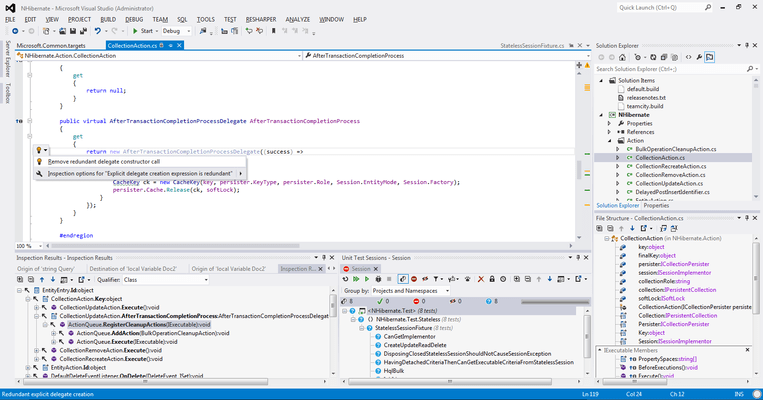
- Multiple new code inspections -Introduced tens of new on-the-fly code inspections in ReSharper 6, all of which work in C# code and the majority in VB.NET. Prominent additions include Possible multiple enumeration of IEnumerable that is triggered when you're doing excessive work looping through an enumerable.
- Find similar issues - ReSharper 6 adds another pop-up menu item that displays on pressing Alt+Enter over highlighted code. This lets you search for similar issues in the entire project, solution, or a folder. This is a much more straightforward way to focus on a specific problem than before when you had to start with searching for code issues in a scope, and proceed with carefully customizing filters.
- Converting LINQ to loops – Previously you could have introduced transformations from for and foreach loops to LINQ statements. Now, if you prefer traditional loops over the elegant query
- Improvements in unit testing - ReSharper's unit test runner has received a great deal of improvements for this release. For instance, it now does provide an error message when you're running tests and your solution doesn't compile. In terms of framework support, ReSharper 6 now detects NUnit test cases both in the Unit Test Sessions window and in the unit test pop-up menu.



 (13)
(13)