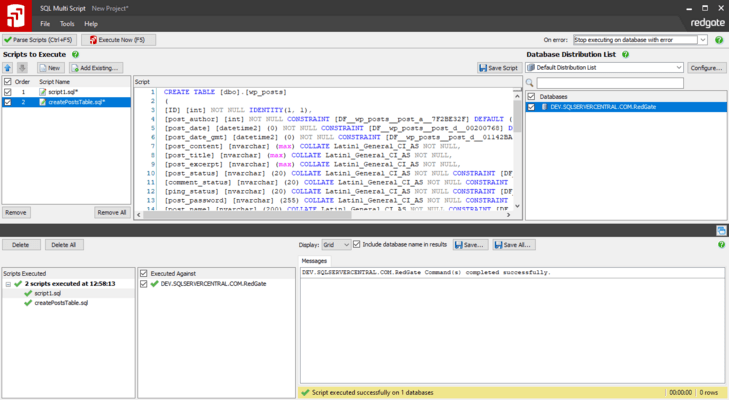
SQL Multi Script 新版本發表
Released: Apr 12, 2016
Updates in this release
Updates in 1.2.4
Features:
- Rewritten the Multi Script List Export application, which is included with product by default in the installation folder
Fixes:
- If no new Application.dat file exists, old distribution lists from SQL Multi Script 1.1 will be loaded
- The "Default Distribution List" is no longer continually re-created even after it's been deleted
- Clicking "Cancel" for a running query now cancels the query
- Listing databases on a server is now faster
Released: Mar 29, 2016
Updates in this release
Updates in 1.2.3
Fixes:
- New logo used on toolbar
- Slight appearance tweaks
- Many fixes to new projects feature
Released: Mar 23, 2016
Updates in this release
Updates in v1.2.2
Features
- New window appearance
- New product logo
- New product switcher - accessible from the product logo in the top-left
- UI requires .NET4 runtime
- Scripts now display database total when running scripts (x of y)
- Projects are now available
Fixes
- SE-506, SE-575: Character encoding is assumed to be windows default rather than UTF-8
- SE-597: ArgumentOutOfRangeException no longer raised when uncheck 'Include database names in results' with no databases selected
- SE-612: Area for...
Released: Dec 20, 2007
Updates in this release
Updates in v1.1
Fixes:
- SE-298: Messages should show the number of rows affected
- SE-483: The mouse-over effect on column headers in the results grid makes you think you can sort the grid... when you can't
- SE-498: SET NOCOUNTS commands are not obeyed
- SE-523: Execute exactly 100 batches and get error message
- SE-561: When adding SQL Server 6.5 server to list an exception is thrown
- SE-569: Interactive Help should use new style links to online help content
- SE-573: Licenses warning text truncated in...
Released: Nov 19, 2007
Updates in this release
Updates in v1.0
Features:
- Run scripts to collect easy-to-view aggregated results in grid or text layout
- Export results as a .csv or .txt file
- Customize, configure, and save lists of databases on multiple SQL Servers that you can run scripts against for use in the future
- Set the execution order of multiple scripts
- Feedback for every database against which a script is executed
- Create new scripts in an easy-to-use script editor with colored syntax highlighting, Find and Replace, and split-screen...