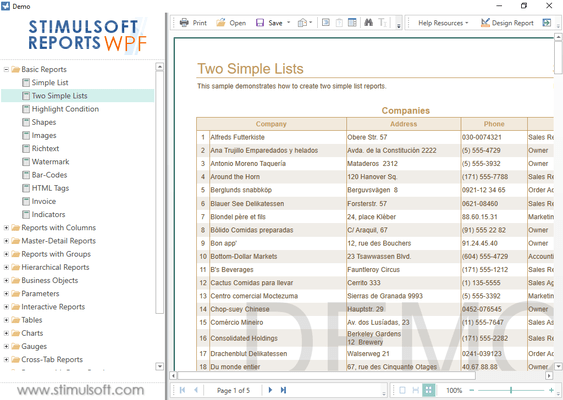
Stimulsoft Reports.WPF 新版本發表
Released: Dec 1, 2017
2018.1 中的更新
特性
- New Wizards for Creating Reports - New report wizards have been added that allow you to create Invoices, Orders and Quotes. After creating the report, you can edit the template in the report designer.
- Pictorial Chart - To visualize the values in this chart, various icons are used. For each row of the chart, you can specify an icon.
- Mobile Mode for HTML5 Viewer - In this release, the HTML5 viewer has been adapted to work on mobile devices. You can now view reports and export them directly from...
Released: Oct 3, 2017
2017.2.1 中的更新
特性
- Publishing Reports - A new report publishing wizard has been added to the report designer. It helps the process of integrating reports into applications on various platforms.
- Stimulsoft Cloud - New cloud-based service for creating, storing, and deploying reports in your applications.
- Store Reports in Stimulsoft Cloud - Save reports from the standalone report designer to Stimulsoft Cloud.
- SVG Images - You can now use SVG images in reports.
- JS Preview in Designer - When developing reports in...
Released: Apr 27, 2017
2017.1 中的更新
特性
- TreeMap chart - When designing reports for data visualization you can now use a TreeMap chart. This diagram provides the ability to display a hierarchical view of the data.
- Anchor property - When a report component is placed on another one, you can set the anchors of the component.
- Group sum in the Map component - If you use the Map component in a report, you can group data by countries or by continents, for example.
Released: Dec 8, 2016
2016.3 中的更新
特性
- Support for Visual Studio 2017.
- Report Resources - Include a variety of files in reports.
- Images in Resources - Images of different types can be included into your reports.
- Data from Files in Saved Resources - You can include data files in reports.
- Image in Variable - Added a new Image type variable. Now, an image may be stored in the variable.
- Gallery in Image Editor - Show a list of thumbnails of all available images.
- Updated Watermark Editor - All images added as resources or stored in...
Released: Sep 23, 2016
2016.2 中的更新
特性
- Retrieve Used Data Only - The reporting tool can now request only the data needed for the report.
- Query Timeout Parameter - Now you can specify the time after which a Query Timeout error message will be thrown.
- Embedded Files When Exporting to PDF - You can now export a report to PDF and embed other files in this document.
- Expressions Watermarks - A report watermarks can now be the result of an expression.
- Conditional Enabling/Disabling of Watermarks - A watermark can be included under...
Released: Feb 19, 2016
Updates in this release
Updates in 2016.1
- Added new static option to set rounding.
- Export to PDF using AES-128 encryption.
- Support for GS1-128 barcodes.
Released: Dec 2, 2015
Updates in this release
Updates in 2015.3
- WPF Maps - Visualize geographical data in your reports.
- Variable in Queries - Reports.Net and Reports.Wpf can now use variables to make queries easier.
- Extended Text Formatting - Change settings selectively using local settings. This feature is available in Reports.Web, Reports.Wpf and Reports.Net.
- Primitives When Exporting to PDF and SVG - In Reports.Net, Reports.Wpf and Reports.Web all barcodes and shapes are exported as primitives.
- New Styles for Charts and Gauges - Reports...
Released: Oct 5, 2015
Updates in this release
Updates in 2015.2
- Gauge Component - Display a specific value from a range of values. The gauge component includes a fully functional editor.
- Chart Animation - Increase the attractiveness of reports with chart animations.
- New WPF Text Editor - The text editor can contain text, expressions or references.
- Support for MongoDB - Now you can use the MongoDB data source when creating reports.
- OData Adapter - Retrieve data using the OData protocol, including using REST requests and parameters.
- Built-in...
Released: Apr 21, 2015
Updates in this release
Updates in 2015.1
- Support for JSON data sources.
- Added interactive sorting, dynamic collapsing and drill down reports to the MVC Viewer component.
- Redesigned UI.
- Accelerated rendering of reports in cache mode by using multithreading.
- Support for PDF/A-2 and PDF/A-3 standards.
Released: Dec 9, 2014
Updates in this release
Updates in 2014.3
- WPF Designer Improvements - All methods that load resources or create interfaces now work asynchronously.
- Mobile Designer Improvements - You can now add system variables using the Mobile Designer.
- Use Mobile Designer in Azure - Load the report designer in Azure and save on different server instances.
- Report Checker for Expressions - New function checks expressions in the Report Checker. This is useful for those users who primarily work with other reporting tools that use a...