Web Report Designer is now compatible with the theming and widgets contained in the latest version of Kendo UI (Kendo UI R1 2022 SP1+).
Web Report Designer now includes a comprehensive search function. You can search through all designer areas: components, existing report items and properties.
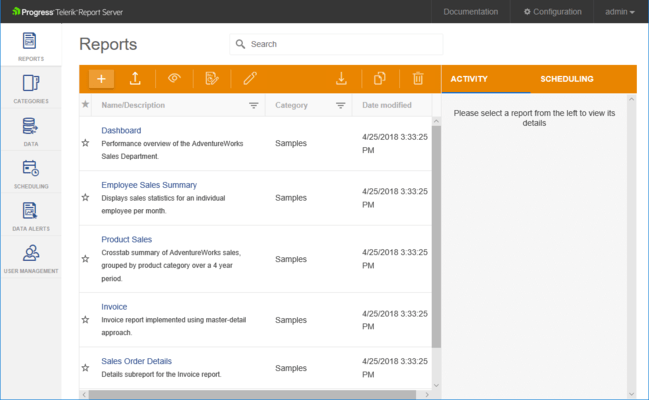
Report Server Manager improves views with support for different page sizes and custom column sorting.
Improved the reordering of reports in report books when using the design surface.
IDefinitionStorage methods are now asynchronous.
Editors that invoke Assets Manager have better design and improved UX.
Table columns in Assets Manager grid view now support resizing.
ReportServer.HttpClient now exposes a Publish method.
The Reports node in Assets Manager now supports category hierarchy.
What's Changed
Telerik.WebReportDesigner.Services.IDefinitionStorage interface has been extended with new members to support more scenarios for working asynchronously with report definitions. All custom implementations of this interface need to include the new members.
Telerik.WebReportDesigner.Services.IResourceStorage interface now extends a new interface: Telerik.WebReportDesigner.Services.IAssetsStorage. All explicit implementations of IResourceStorage interface must reference the new interface.
修補程式
Desktop Designer
A NullReferenceException might be thrown when trying to add a new column in an existing Table or Crosstab item.
Crosstab layout gets broken when inserting a child group and there is a spanned cell across the reference group item and the new group's item.
Crosstab layout gets broken when inserting a column/row after a column/row containing merged cells and not crossing the Body.
Crosstab layout gets broken when inserting a column/row before or after a column/row so that the new column/row crosses a merged cell.
Selecting a column/row in the table designer does not behave correctly when there are merged cells in it.
When a column/row containing a merged cell and crossing the Body is selected and a new column or a row is inserted before/after it, it gets positioned before/after the merged cell.
Web Designer
The WebReportDesigner widget cannot be disposed.
Assets Manager allows creating folders with starting and trailing spaces.
Report item's overlay is misaligned when you set only one of its borders.
A removed file from the Asset Manager upload cannot be added again.
Assets Manager folders cannot be expanded by clicking on the arrow icon next to the item's text.
Chart wizard type is not shown again if the report component selection is not changed.
Clicking the "Browse" button and canceling the operation removes all previously added files when uploading in Asset Manager.
Control key is "sticky" and is not released sometimes when item in Explorer tree is selected.
Create button is disabled after you add data source fields using a Graph or Table wizard if there is another Graph or Table wizard opened.
Date format specified on step 5 of CsvDataSource wizard is not being respected when the data is previewed on the last wizard page.
Design surface leaves unnecessary space around the report surface.
InlinePropertyEditor Source is not expandable in CSV and JSON data source properties.
Longer filenames show too few characters in Asset Manager list view.
PictureBox Value Type, CheckBox Image Type, CSV Data Source Type, and JSON Data Source Type editors are not aligned with other editors.
The Asset Manager Upload dialog closes when not all files are successfully uploaded.
Web Report Designer does not perform validation on report parameter names.
Background color is not white when alphabetical order of properties is selected.
Boolean editor checkbox is displayed with the half of its height in dialog windows.
Processing
A NullReferenceException is thrown when adding a parent column group in a Crosstab item.
Data Binding
SQL Query using the "i" character fails when using Turkish culture settings.
Excel Rendering
A generic error occurred in GDI+ when trying to export to XLSX format in Azure environment using a report that contains SVG.
Server
IndexOutOfRangeException is thrown if Day of Week is not selected when creating a Scheduled Task or Data Alert with weekly occurrence.
Server REST API
The /api/reports/version endpoint requires a logged-in user or an enabled Guest account.
Preview
The disposal of the Report Viewer component does not remove its resize window event handlers.