TX Text Control .NET Server for ASP.NET 新聞

Rss 訂閱源
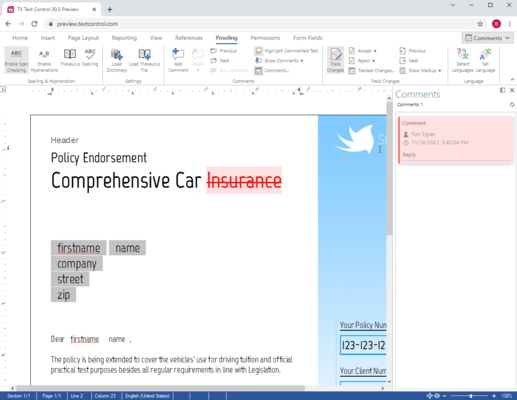
TX Text Control .NET Server X12 released

TX Text Control .NET Server X12 released

4月 20, 2015特別功能發表
New version adds client clipboard support and spell check dialog.
TX Text Control .NET Server adds HTML5 Editor

TX Text Control .NET Server adds HTML5 Editor

9月 12, 2014特別功能發表
Create cross browser, cross platform word processing and reporting applications.
TX Text Control SP1 released

TX Text Control SP1 released

12月 20, 2013修補程式發佈
TX Text Control .NET adds Right-to-left support

TX Text Control .NET adds Right-to-left support

11月 26, 2013特別功能發表
New version supports right-to-left text rendering for languages such as Arabic or Hebrew.
TX Text Control improves Headers and Footers

TX Text Control improves Headers and Footers

4月 30, 2013特別功能發表
Add different headers and footers for odd and even numbered pages.
TX Text Control .NET updated

TX Text Control .NET updated

10月 22, 2012特別功能發表
Service Pack 2 now works seamlessly in Visual Studio 2012.
TX Text Control adds Transparent Text Frames

TX Text Control adds Transparent Text Frames

8月 3, 2012特別功能發表
Place a text frame on top of an image, set its background to transparent, and then add text.
TX Text Control .NET 17.0 SP1 released

TX Text Control .NET 17.0 SP1 released

12月 20, 2011修補程式發佈
TX Text Control 17.0 released

TX Text Control 17.0 released

11月 18, 2011特別功能發表
Now supports digital signatures for PDF and PDF/A documents.
TX Text Control V15.1 SP3 released

TX Text Control V15.1 SP3 released

8月 13, 2010修補程式發佈
TX Text Control adds Silverlight sample

TX Text Control adds Silverlight sample

7月 8, 2010特別功能發表
Create thumbnails from MS Word compatible documents and present them in a Silverlight 4.0 carousel application.
TX Text Control V15.1 SP2 released

TX Text Control V15.1 SP2 released

5月 19, 2010修補程式發佈
TX Text Control .NET SP1 released

TX Text Control .NET SP1 released

1月 14, 2010修補程式發佈
TX Text Control updated to V15.1

TX Text Control updated to V15.1

12月 2, 2009特別功能發表
Latest version adds built-in drag-and-drop support, skinnable controls and unlimited zoom.