













官方供應商
我們作為官方授權經銷商,直接提供超過200家開發廠家所發行超過1000個的產品授權給您。
請參閱我們所有的品牌。
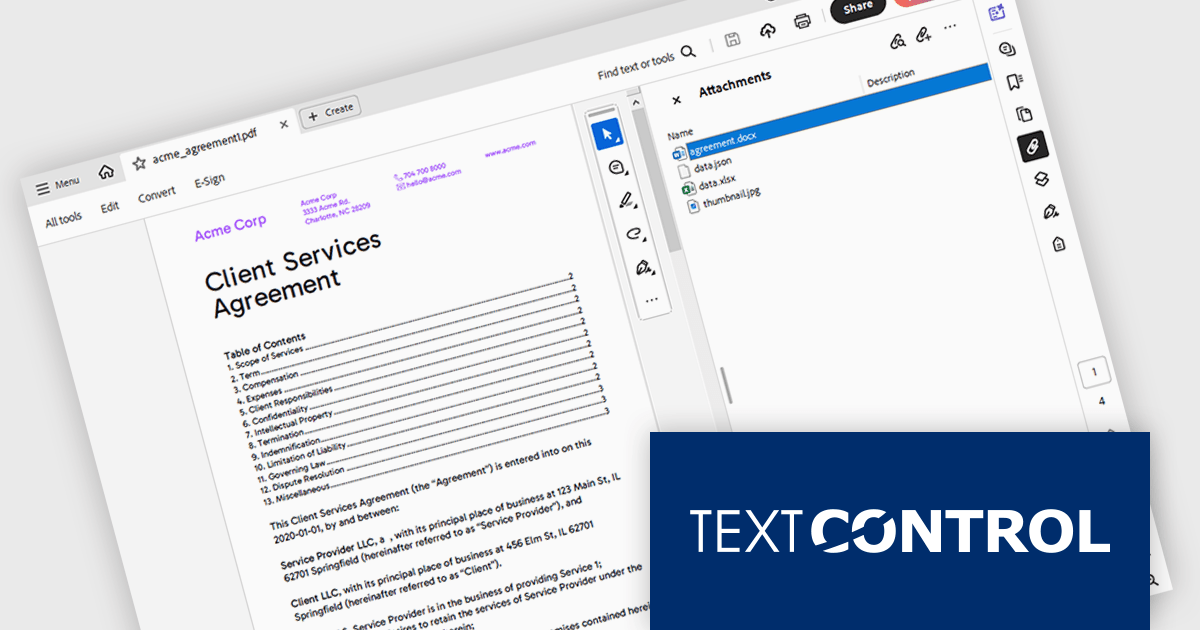
TX Text Control .NET is a royalty-free, fully programmable document editor that empowers developers to add rich WYSIWYG word processing to desktop and web applications across various platforms. It provides everything from comprehensive text formatting and mail merge to PDF creation and processing, all through a robust API and intuitive user interface.
The TX Text Control .NET 33.0 release enhances the DocumentServer PDF namespace, making it easier to extract attachments and embedded documents from PDFs. This feature is especially useful for bundling related materials - such as images, spreadsheets, or additional documents - without requiring separate file handling. A key application is electronic invoicing with standards like ZUGFeRD and XRechnung, where machine-readable data is embedded alongside human-readable invoices.
To see a full list of what's new in version 33.0, see our release notes.
TX Text Control .NET for Windows Forms and TX Text Control .NET for WPF are licensed per developer and are available as a Perpetual License with a 12 month support and maintenance subscription. See our TX Text Control .NET for Windows Forms licensing page or TX Text Control .NET for WPF licensing page for full details.
TX Text Control .NET is available to buy in the following products:

ActiveReports.NET helps you deliver beautiful reports with intuitive Visual Studio integrated report designers and rich controls. It provides code-based cross-platform reporting, easy-to-use designers, and a flexible API, enabling you to design and deliver powerful reports with intuitive, reliable, and user-friendly report designers and controls.
In this blog post, MESCIUS Product Manager Alec Gall shows you how to use ActiveReports to drill through from one report to another in your .NET application. Steps include:
Detailed source code is completed and there is even a video that you can watch as you go through the steps.
Read the complete blog and begin providing a seamless way to navigate between related datasets in your .NET applications.
ActiveReports.NET is licensed per developer and is available with or without a 12 month support and maintenance subscription. See our ActiveReports.NET licensing page for full details.
Learn more on our ActiveReports.NET product page.

An AutoComplete cell type in a grid control facilitates efficient data entry by providing predictive suggestions as users type, drawing from a predefined data source to minimize errors and enhance user experience. This functionality, often implemented via lookup editors, custom cell editors, or event handling, streamlines data input by displaying a dropdown list of matching values, allowing for quick selection and reducing typing effort, ultimately contributing to faster and more accurate data management within the application.
Several .NET WinForms grid controls enable the AutoComplete cell type including:
For an in-depth analysis of features and price, visit our WinForms grid controls comparison.
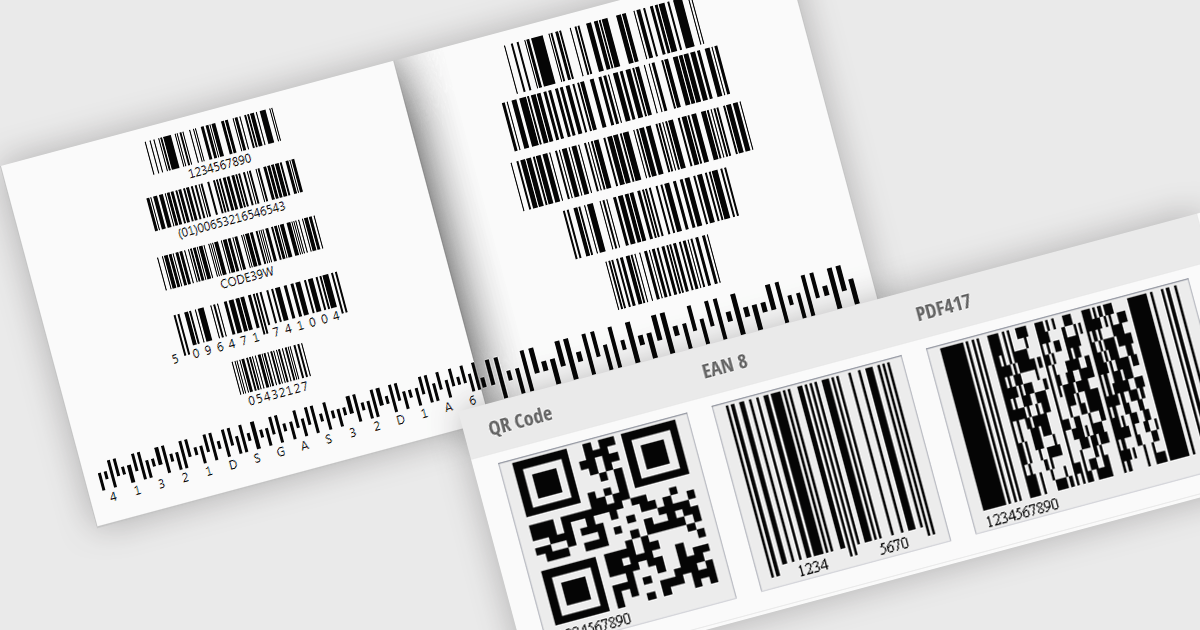
Barcode generation involves creating visual representations of data encoded in standardized barcode formats. This feature provides developers with the ability to programmatically produce barcodes, such as QR codes or Code 128, that can be displayed, printed, or exported. Integrating barcode generation simplifies the process of embedding machine-readable information into documents or physical items, allowing applications to automate data transfer, facilitate inventory tracking, and improve overall data management by enabling the creation of easily scannable identifiers.
Several WinForms UI Suites feature a barcode component including:
For an in-depth analysis of features and price, visit WinForms UI Suites comparison.
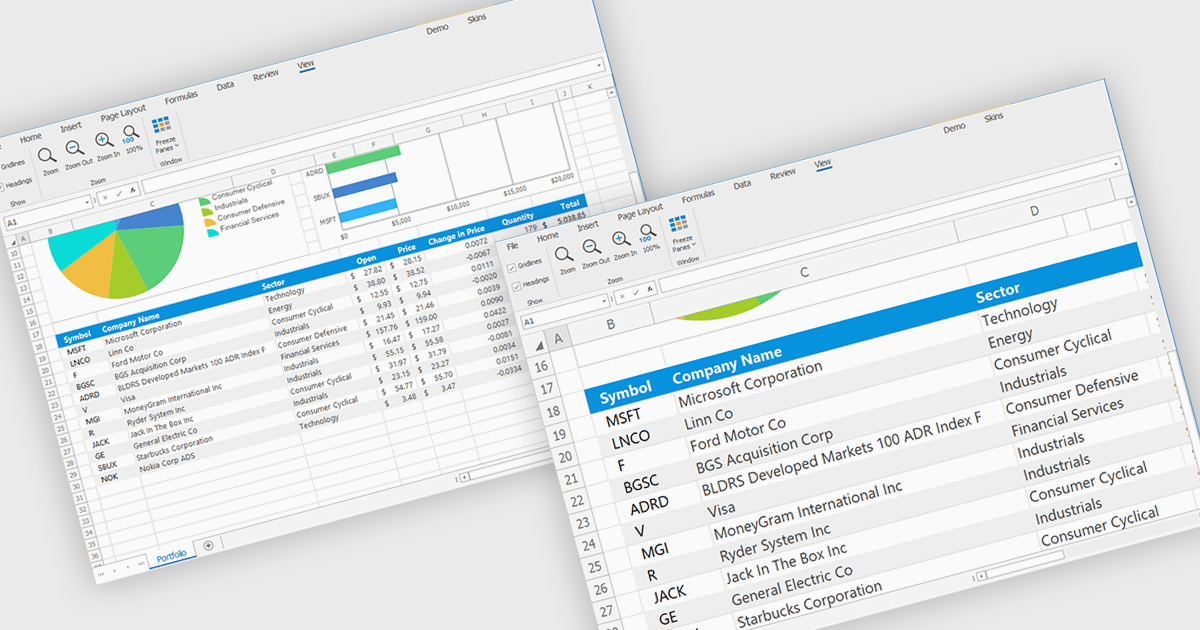
Zooming in a spreadsheet component refers to the ability to scale the displayed content, effectively increasing or decreasing the visible size of cells, data, and gridlines. This feature allows users to adjust the level of detail shown, enabling them to gain a broader overview or focus on specific data segments. Developers implement this to enhance user experience by providing flexibility in data visualization, improving accessibility for users with varying visual needs, and facilitating efficient data analysis through customized display levels.
Several WinForms spreadsheet controls offer support for zooming including:
For an in-depth analysis of features and price, visit our WinForms spreadsheets comparison.
聯繫電話: (888) 850 9911
傳真: +1 770 250 6199


