













官方供應商
我們作為官方授權經銷商,直接提供超過200家開發廠家所發行超過1000個的產品授權給您。
請參閱我們所有的品牌。

Spread.NET helps you create spreadsheets, grids, dashboards, and forms. It includes a powerful calculation engine with 450+ functions and the ability to import and export Excel spreadsheets. Leverage the extensive .NET spreadsheet API and powerful calculation engine to create analysis, budgeting, dashboard, data collection and management, scientific, and financial applications. You can develop in Visual Studio using VB or C# for WinForms, ASP.NET, and WPF. Spread.NET ensures maximum performance for your enterprise apps and its modular architecture lets you add only the features you need, reducing unnecessary bloat.
In this blog post, MESCIUS Product Marketing Specialist Mackenzie Albitz shows you how to add a spreadsheet ribbon bar control to a .NET 8 WinForms app using C#. Steps include:
Read the complete blog and unlock the powerful capabilities of the Spread.NET component.
Spread.NET is licensed per developer and is available as a Perpetual License with a 12 month support and maintenance subscription. We can supply any Spread.NET license including new licenses, maintenance renewals, and upgrade licenses. See our Spread.NET licensing page for full details.
For more information, visit our Spread.NET product page.
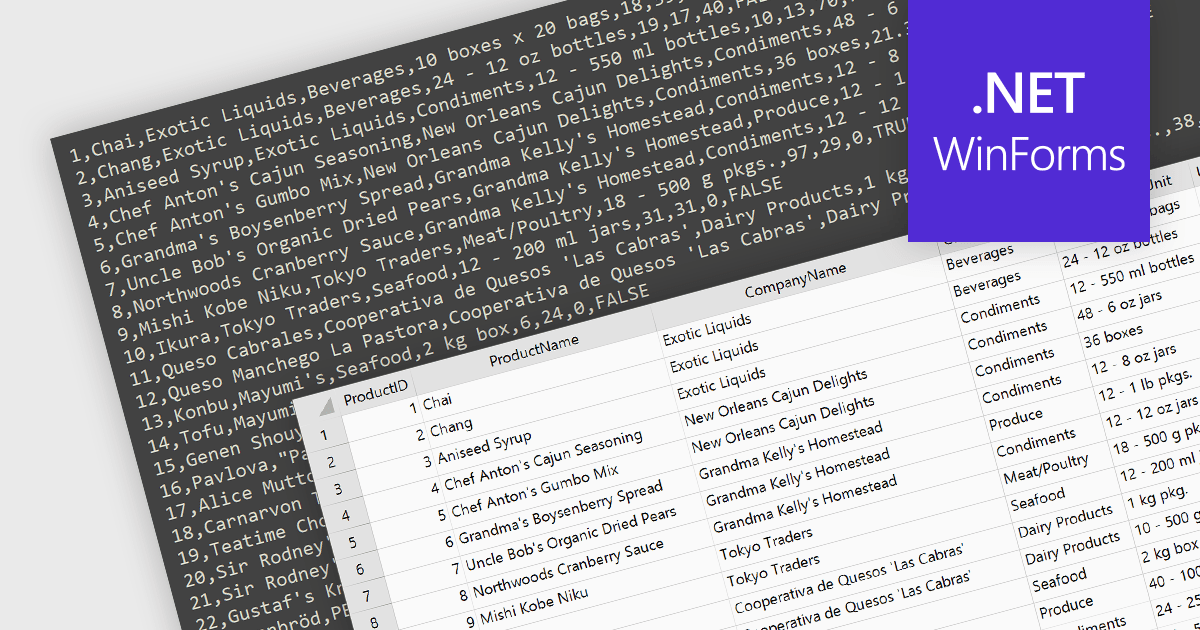
Integrating CSV import functionality in a spreadsheet streamlines data management by offering several key benefits. It simplifies transferring structured data from external sources, like databases or web scraped information, directly into the spreadsheet for analysis. This eliminates manual data entry errors and saves time. The straightforward CSV format ensures broad compatibility with various data sources, enhancing flexibility.
Several WinForms spreadsheet controls offer the ability to import CSV files including:
For an in-depth analysis of features and price, visit our WinForms spreadsheet controls comparison.
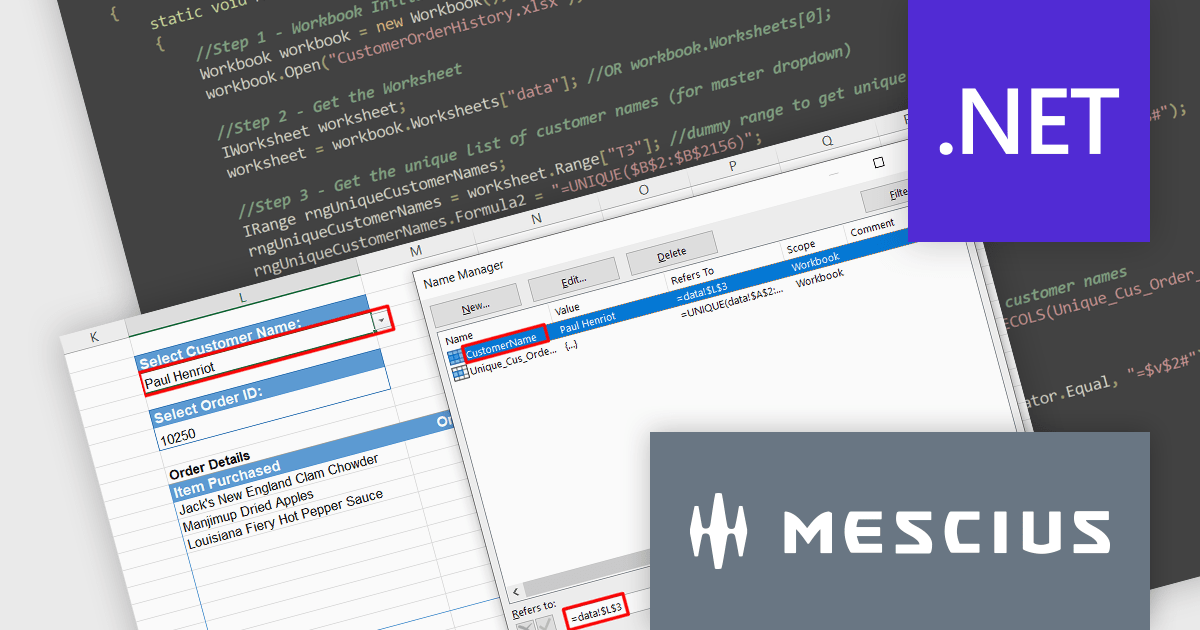
Document Solutions for Excel, .NET Edition (DsExcel) by MESCIUS is a powerful server-side spreadsheet API designed for .NET environments. It allows you to create, load, modify, and convert Excel files without requiring Microsoft Excel itself. Document Solutions for Excel boasts a high-speed, low-footprint design, meaning efficient performance and streamlined integration into your applications. The intuitive interface mirrors Excel's object model, simplifying development for tasks like generating reports, manipulating data, and visualizing information with charts and formatting.
Spreadsheets often require dynamic relationships between dropdowns. Imagine choosing a customer from one dropdown, automatically triggering another dropdown to display only their relevant order IDs. This "cascading" functionality streamlines data navigation and fosters deeper analysis, allowing you to drill down into specific order details with ease.
In this blog post, MESCIUS Product Specialist Paarisha Rana demonstrates how to use DsExcel to create master and dependent dropdown lists programmatically. Steps include:
Read the complete blog and get started leveraging Excel's powerful capabilities in your own applications using Document Solutions for Excel.
Document Solutions for Excel is licensed per developer for either one distribution location or unlimited distribution locations. Licenses are perpetual, and include a one year subscription for all software releases (including hotfixes and major releases) plus Platinum Support. See our Document Solutions for Excel, .NET Edition licensing page for full details.
Learn more about Document Solutions for Excel, .NET Edition.
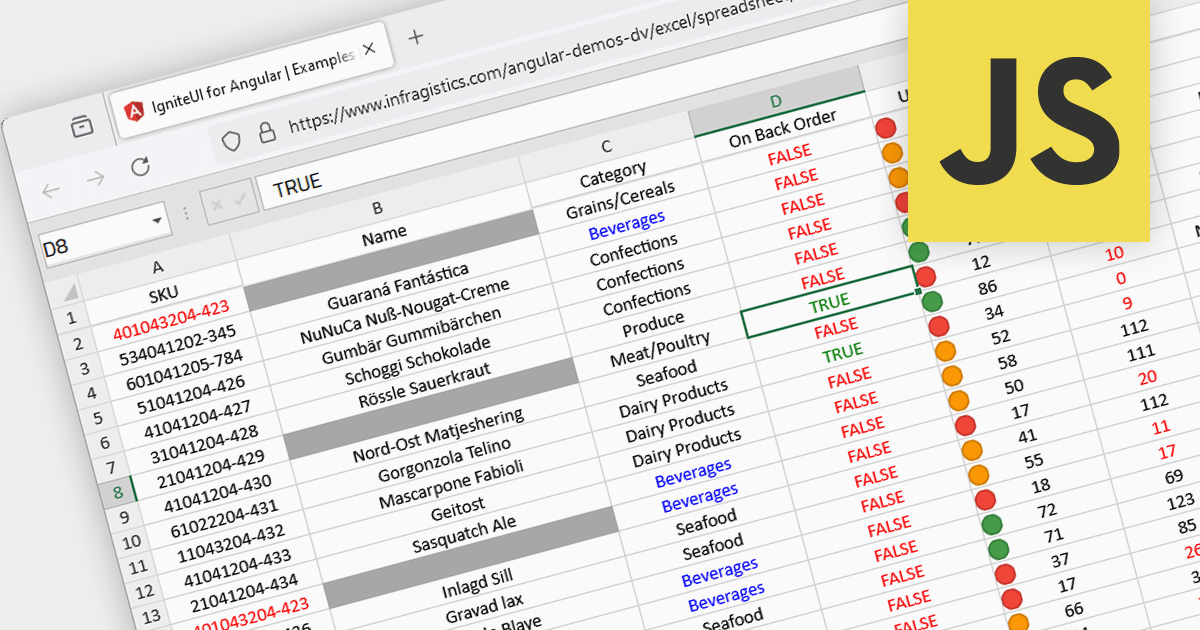
Conditional formatting in spreadsheets automates the visual highlighting of cells or ranges based on predefined criteria. This functionality aids data analysis by rapidly drawing attention to specific values, ranges, or text entries. By employing color scales, gradients, or text changes, conditional formatting helps users identify patterns, exceptions, and trends within large datasets, streamlining the interpretation and communication of key insights.
Several JavaScript spreadsheet controls offer conditional formatting including:
For an in-depth analysis of features and price, visit our comparison of JavaScript spreadsheets.

PDF export functionality allows users to convert spreadsheets into PDF format, preserving the layout and formatting of the data. By seamlessly translating your data into a universally accessible format, you ensure colleagues, clients, and stakeholders can readily view and interpret your work without needing proprietary software. Choose from flexible options like exporting specific sheets, customizing page layouts, and enhancing accessibility for optimal visual presentation and impact. Whether for reports, invoices, or internal analyses, PDF export empowers a professional workflow with streamlined data dissemination.
Several .NET Spreadsheet components include support for exporting as PDF files, including:
For an in-depth analysis of features and price, visit our comparison of .NET Spreadsheet components.
聯繫電話: (888) 850 9911
傳真: +1 770 250 6199


