













官方供應商
我們作為官方授權經銷商,直接提供超過200家開發廠家所發行超過1000個的產品授權給您。
請參閱我們所有的品牌。

ComponentSource and AlterNET Software have built a long standing partnership focused on making advanced .NET development tools more accessible to developers worldwide. AlterNET Software provides UI controls and frameworks for code editing, scripting, and UI design, enabling developers to extend applications with custom functionality across WinForms, WPF, and other .NET platforms.
A key part of this collaboration is their product AlterNET Studio, which brings together code editing, scripting, debugging, and UI design features into a single toolkit that developers can embed directly into their applications.
Through this partnership, ComponentSource expands its range of specialized developer tools, helping it stand out beyond standard UI libraries while supporting global distribution, licensing, and access to AlterNET Software products.
Learn more about AlterNET Software.
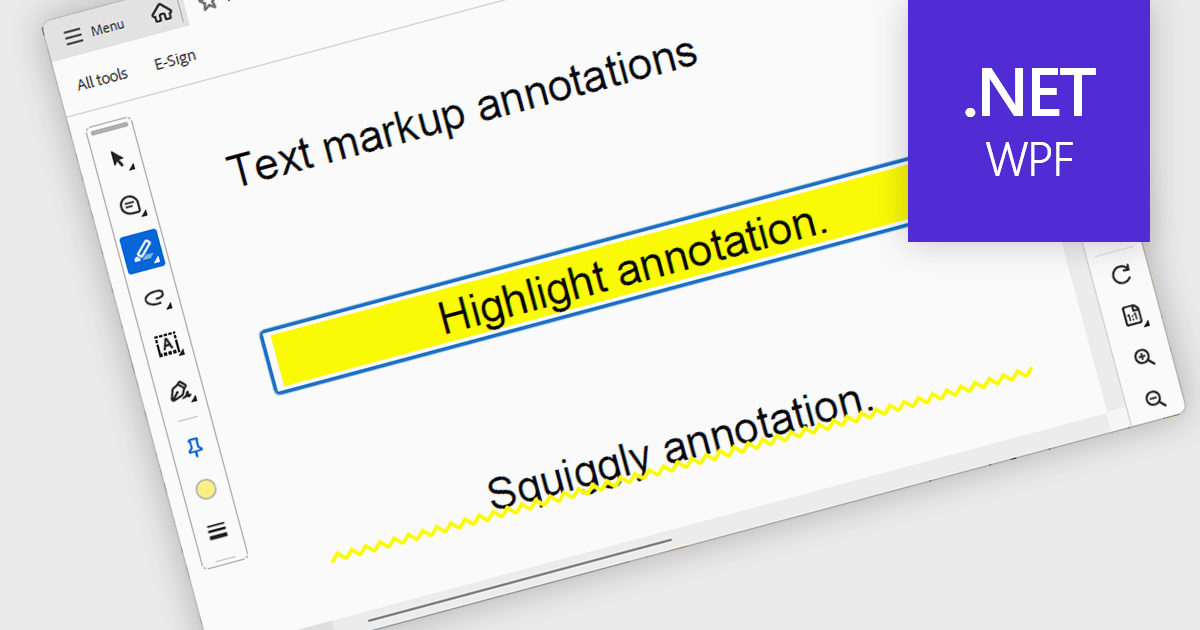
Highlight text annotation in PDF WPF .NET controls is a feature that visually marks text with a colored overlay to draw attention to important content without modifying the original document. For software developers, it helps deliver clearer document review experiences by making key passages easier to identify, supporting user feedback and content emphasis, and improving readability and interaction in PDF-based business applications.
Several .NET WPF PDF components offer highlight text annotation including:
For an in-depth analysis of features and price, visit our comparison of .NET WPF PDF components.
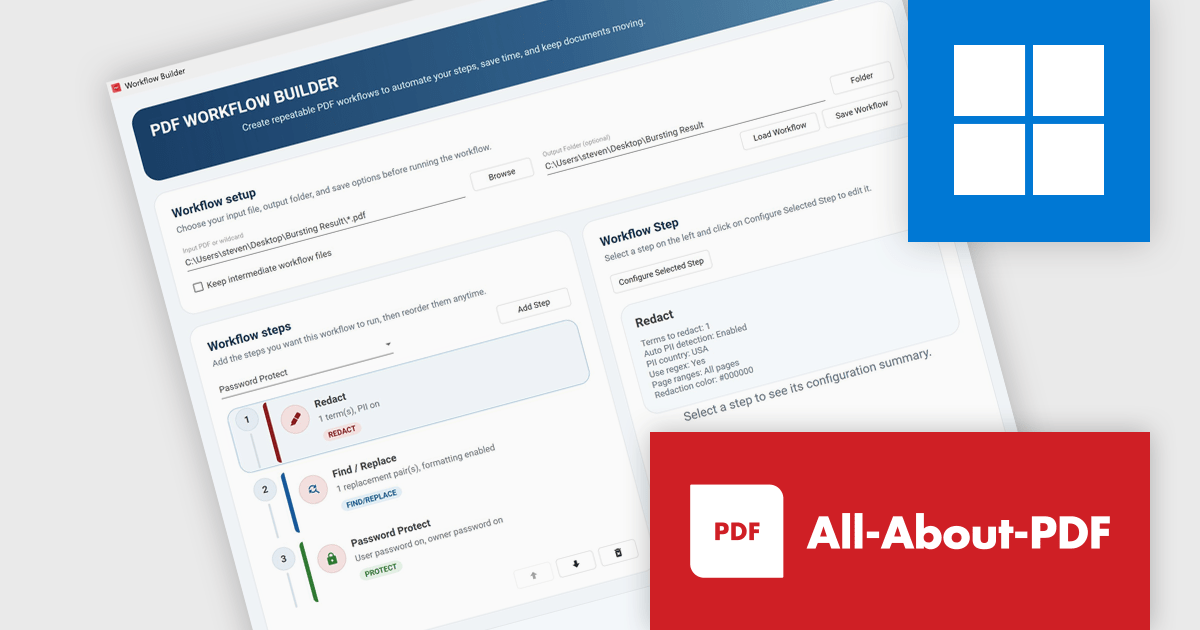
All-About-PDF is a comprehensive PDF management solution that gives users complete control over their digital documents. It allows individuals and organizations to create, protect, convert, merge, split, and compare PDFs with ease while maintaining the highest level of security. Using advanced Digital Rights Management technology, users can specify when, how, and where their shared files are accessed. Features such as password protection, expiry dates, print restrictions, and location-based locking help safeguard sensitive information. With its precision comparison tools and strong access controls, All-About-PDF is ideal for professionals who need to share documents confidently and maintain full ownership of their intellectual property.
The All-About-PDF Build 2041 update introduces PDF Workflow Automation, enabling businesses to automate and standardize multi-step document processes. By allowing multiple actions, such as redaction, content updates, password application, and document protection, to be executed within a single workflow, it helps reduce manual effort, minimize errors, and enforce consistent security and processing standards while supporting efficient handling of high volumes of PDF files.
To see a full list of what's new in Build number 2041 , see our release notes.
All-About-PDF is licensed per machine, and is available as a perpetual license. We can supply Internal, External and OEM licenses. See our All-About-PDF licensing page for full details.
For more information, visit our All-About-PDF product page.
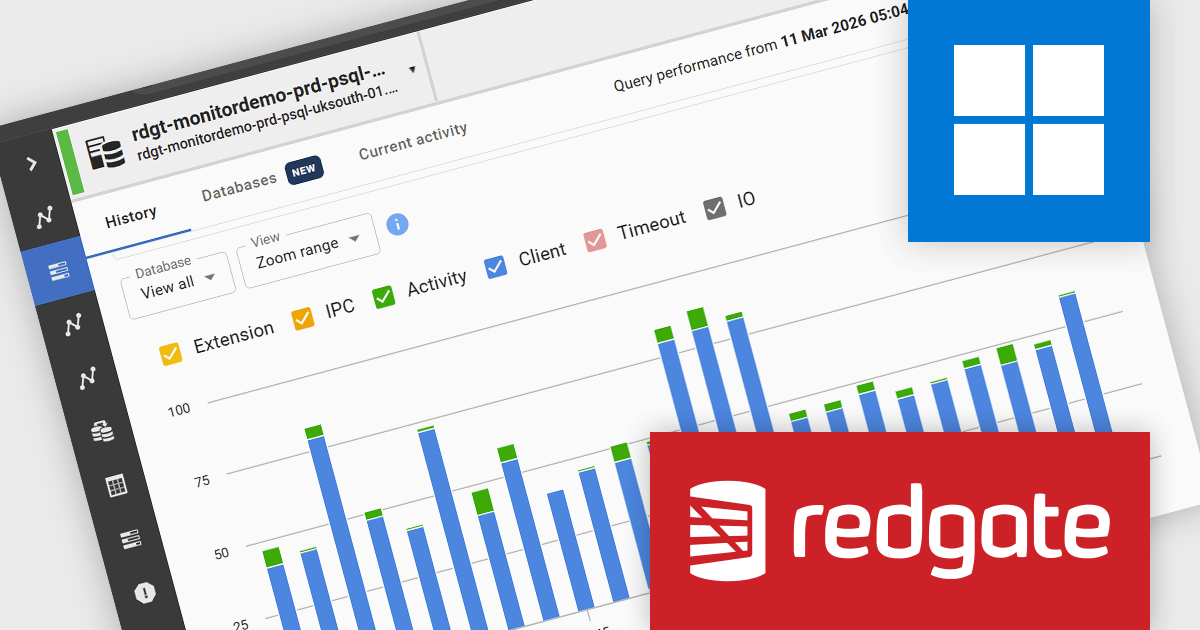
Redgate Monitor (formerly known as SQL Monitor) is a database monitoring tool that helps users quickly identify and fix performance problems on a variety of platforms, including SQL Server and PostgreSQL. It provides real-time monitoring, alerting, root cause analysis, and performance tuning recommendations. Redgate Monitor can be used by DBAs, developers, and operations teams to improve the performance of their databases.
Redgate Monitor gives developers continuous visibility into database performance by presenting wait events as a time based visualization, enabling a clearer understanding of normal system behavior and making deviations easier to identify as they occur. By showing how performance changes over time rather than at a single point, it supports faster and more accurate troubleshooting, helping developers determine when issues start and how they progress. It also allows navigation from a high level cluster view to detailed analysis of specific instances or time periods, improving both real time monitoring and retrospective investigation within PostgreSQL environments.
Redgate Monitor is licensed per server on an annual subscription basis. Each Server License will enable you to monitor either 1 Server (Multiple instances), 5 Azure SQL Databases, 1 Cloud (PaaS) instance, or 1 Cluster node. See our Redgate Monitor licensing page for full details.
For more information, visit our Redgate Monitor product page.
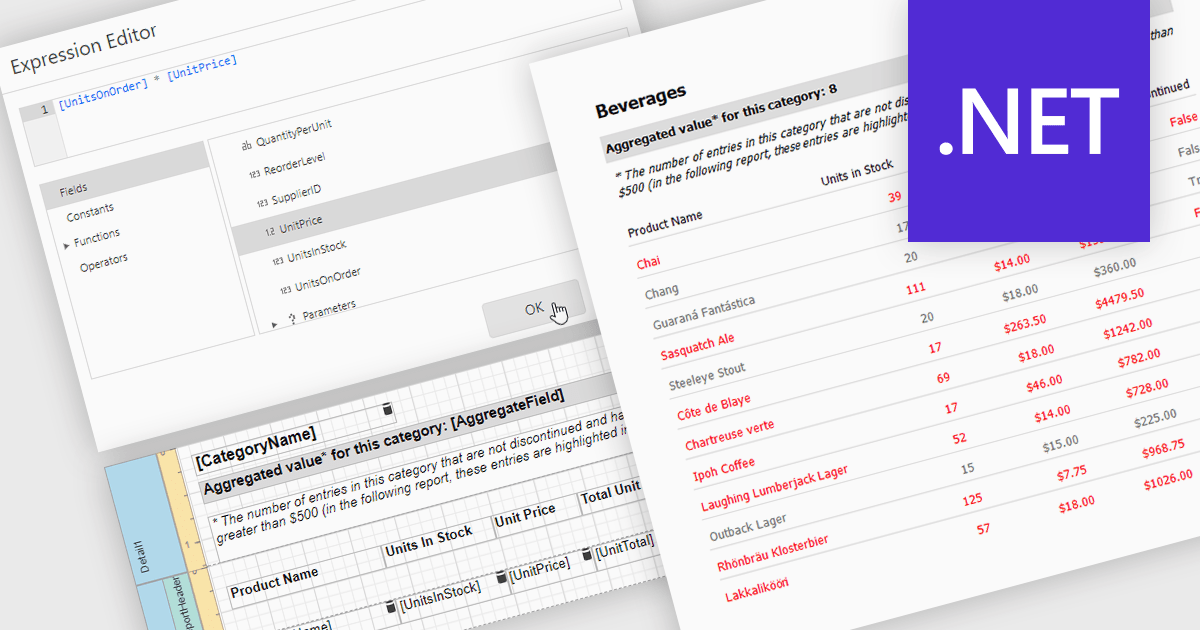
Calculated fields in reports allow you to apply custom expressions to one or more data fields, enabling data to be transformed directly within the reporting environment. This makes it possible to create new metrics such as percentages, ratios, or combined values without changing the underlying data source. As a result, reporting becomes more flexible and efficient, helping users uncover deeper insights and tailor outputs to specific needs. Calculated fields can also be used to group and sort data dynamically, improving how information is organized and presented. Common use cases include calculating profit margins, creating performance indicators, and combining fields to enhance report clarity.
Several .NET reporting controls offer calculated field functionality including:
For an in-depth analysis of features and price, visit our comparison of .NET Reporting controls.
聯繫電話: (888) 850 9911
傳真: +1 770 250 6199


