Syncfusion Essential Studio Windows Forms 2016 Volume 4

Render maps with tile projections like Google, Bing and OSM maps, plus compatibility with Visual Studio 2017 RC.
December 14, 2016
New Version

Features

  • Compatible with Visual Studio 2017.
  • Chart
    • Trackball - Data points close to mouse location or touch contact point can be tracked through trackball.
    • Crosshair - Axis coordinates at mouse location can be identified using crosshair.
  • DocIO
    • Faster PDF Conversion - DocIO now converts a Word document to PDF 30% faster than the previous version.
  • Grid
    • Excel 2016-like Selection Frame - Grid control provides support for Excel 2016-like selection frames.
    • Touch Selection - Grid control provides bubble touch selection support to select ranges in the grid using touch gestures.
    • Touch Zooming - Grid control provides support to zoom the grid using touch gestures.
  • Grid Grouping
    • Excel 2016-like Selection Frame - Grid grouping control provides support for Excel 2016-like selection frames.
    • Touch Selection - Grid grouping control provides bubble touch selection support to select ranges in the grid using touch gestures.
    • Touch Zooming - Grid grouping control provides support to zoom the grid using touch gestures.
    • GridExcelFilter Enhancements - Grid grouping control provides support to serialize and deserialize the settings of the XML file. The filter symbol icon and size can be customized.
  • Maps
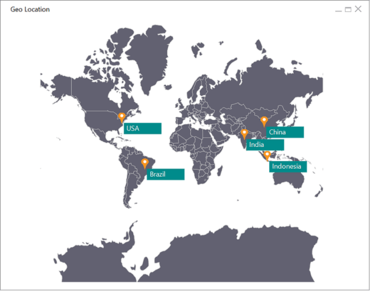
    • GeoJSON - The maps control can render GeoJSON-format shapes.
    • Tile Map Rendering - Support has been added to render maps with tile projections like Google, Bing, and OSM maps.
  • PDF
    • UPC-A Barcode Support - Essential PDF provides support for rendering UPC-A barcodes in a PDF file.
  • PDF Viewer
    • Bookmark Support - The PDF Viewer for Windows Forms allows users to view bookmarks in a PDF document and easily navigates to the bookmark destinations.
  • Pivot Chart
    • Touch Swiping - Pivot chart provides support for swipe and pan scrolling using touch gestures.
    • Touch Zooming - Pivot chart provides support to zoom the chart area using touch gestures.
  • Pivot Grid
    • Excel 2016-like Selection Frame - Pivot grid control provides support for Excel 2016-like selection frames.
    • Touch Selection - Pivot grid control provides bubble touch selection support to select ranges in the grid using touch gestures.
    • Touch Swiping - Pivot grid control provides support for swipe and pan scrolling using touch gestures.
  • Schedule
    • Touch Support - Schedule control provides support to change the schedule views via swipe and pan scrolling using touch gestures as in MS Outlook.
  • Spreadsheet
    • 3D Charts - The spreadsheet control provides support for importing 3D charts.
    • Clipboard Support for Graphic Cells - The spreadsheet control provides support for clipboard operations such as cut, copy, and paste for graphic cells.
    • Context Menu Support for Graphic Cells - The spreadsheet control provides context menu support for graphic cells. The default context menu options are Cut, Copy, Paste, and Delete.
  • XlsIO
    • Excel Advanced Filter - XlsIO can filter a range of cells dynamically using complex criteria.
Render maps with tile projections like Google, Bing, and OSM maps.

Syncfusion Essential Studio Windows Forms

A comprehensive UI controls package for WinForms.

Got a Question?

Live Chat with our Syncfusion licensing specialists now.