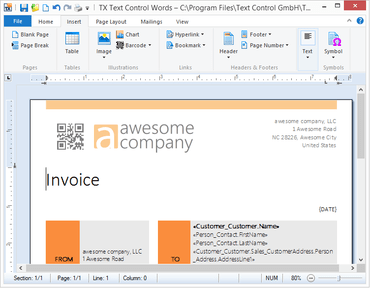
TX Text Control .NET for Windows Forms Enterprise X14 SP1

Maintenance release includes several bug fixes.
February 2, 2017
New Version

Fixes

  • Ribbon - RibbonInsertTab: Incorrect Pages group icon when group is shrunk to menu button mode.
  • Drawing - TextFieldEventArgs.TextField.ContainsInputPosition throws Exception when TextControl.TextFieldDeleted is fired.
  • Ribbon - RibbonFormattingTab: Paste button becomes/remains disabled after copying a DrawingFrame or BarcodeFrame.
  • Ribbon - RibbonGroup RowCount Property cannot be set to 3. Exception text is wrong.
  • Tables - Selected table won't be completely deleted on using Table.Cells.Remove method.
  • MailMerge - MailMerge: Possible NullReferenceException when merging DataSet in parallel loop.
  • Ribbon - Events are not fired when tables, objects and text fields are inserted through the built-in ribbons and context menus.
  • Ruler Bar - If a thread's Culture is set to CultureInfo.InvariantCulture, a System.ArgumentException is thrown from the RulerBar.
  • Tables - AccessViolationException during mail merge when inserting large tables into other tables.
  • Ribbon - WindowState Maximize is causing NullReferenceException.
  • Other - Refresh problem after deleting an image.
  • Other - ZoomFactor of 3001 causes System.DivideByZeroException.
  • Text formatting - If a style with Wingdings font is applied to a text, the font is not used.
  • Other - Transparent BackColor does not work in SimpleControl ViewMode.
  • Printing - NullReferenceException can be thrown on clicking the ToolStripButton of a RibbonSplitButton that is added to the QAT.
  • Printing - PrintPreview does not support previewing only selected pages.
  • Sections - Error 01-041D when inserting specific document into another.
  • Other - If two SubTextParts are adjacent, a new SubTextPart can be added on top of the existing one.
  • Other - The Changed event is not fired when a header/footer is inserted.
  • Text filters - DOCX format: SubTextPart is removed after save and load operation.
  • Printing - Table row which breaks across pages overwrites header rows.
  • Refresh - Zooming while header is activated causes word wrap.
  • Refresh - Field background is not refreshed on right click.
  • Header and footer - TX Text Control crashes, if text in ApplicationField is replaced in odd and even headers.
  • Text filters - PDF export: Unwanted ligatures.
  • Text filters - RTF import: Wrong symbol font characters.
  • Selection - Selection.Culture property throws an ArgumentException after setting to null.
  • Images - Image will be displayed at the top border of TX Text Control, if it is moved inside a non-editable ApplicationField.
TX Text Control .NET for Windows Forms Enterprise

TX Text Control .NET for Windows Forms Enterprise

Add document editing, creation and PDF generation to your Windows Forms applications.

Got a Question?

Live Chat with our Text Control licensing specialists now.