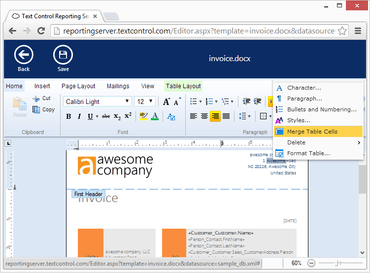
Maintenance release includes several bug fixes.
February 2, 2017
New Version
Fixes
- Ribbon - RibbonInsertTab: Incorrect Pages group icon when group is shrunk to menu button mode.
- Drawing - TX Drawing: shape selection rectangle is not erased completely.
- Drawing - TX Drawing: refresh problem when activating and deactivating a drawing canvas.
- Drawing - TextFieldEventArgs.TextField.ContainsInputPosition throws Exception when TextControl.TextFieldDeleted is fired.
- Tables - Selected table won't be completely deleted on using Table.Cells.Remove method.
- MailMerge - MailMerge: Possible NullReferenceException when merging DataSet in parallel loop.
- Ruler Bar - If a thread's Culture is set to CultureInfo.InvariantCulture, a System.ArgumentException is thrown from the RulerBar.
- Selection - Selecting text in front of an image is not possible.
- Tables - AccessViolationException during mail merge when inserting large tables into other tables.
- Other - Refresh problem after deleting an image.
- Other - ZoomFactor of 3001 causes System.DivideByZeroException.
- Text formatting - If a style with Wingdings font is applied to a text, the font is not used.
- Text frames - A TextFrame positioned on top of an image, that is behind the text, cannot be activated when loaded from a file.
- Sections - Error 01-041D when inserting specific document into another.
- Setup - The TX Text Control Server setup contains an old version of the resource kit for the Web Service.
- Other - If two SubTextParts are adjacent, a new SubTextPart can be added on top of the existing one.
- Other - The Changed event is not fired when a header/footer is inserted.
- Text filters - DOCX format: SubTextPart is removed after save and load operation.
- Printing - Table row which breaks across pages overwrites header rows.
- Refresh - Zooming while header is activated causes word wrap.
- Refresh - Field background is not refreshed on right click.
- Header and footer - TX Text Control crashes, if text in ApplicationField is replaced in odd and even headers.
- Text filters - PDF export: Unwanted ligatures.
- Text filters - RTF import: Wrong symbol font characters.
- Selection - Selection.Culture property throws an ArgumentException after setting to null.
- Images - Image will be displayed at the top border of TX Text Control, if it is moved inside a non-editable ApplicationField.
TX Text Control .NET Server for ASP.NET
Add powerful document processing to your ASP.NET Core, Angular, React, JavaScript and Blazor applications.
Got a Question?
Live Chat with our Text Control licensing specialists now.

Official Distributor since 1998